denbodenn
Finding my way
-
Joined
-
Last visited
-
I have had my Scala for over 4 years now and I'm very fond of the vehicle. It has given no problem until yesterday, when starting it, 4 warnings lights came on, together with the wording in quick succession, Manouevre braking currently unavailable ABS/Stabaliser ESC currently unavailable Lane assist unavailable Front assist unavailable Error Tyre Pressure Loss indicator I noticed on this site that a Skoda owner had slightly similar experiences with warning lights coming on in his Superb. Two people replied that it sounded like a faulty wheel speed sensor. Would it be possible this is the case with my Scala? Replies much appreciated. Thanks.
-
Hi I have had my Scala since June and I am really pleased with everything about it. Today when I started it for the third time, it came up with 'SOS Emergency call restricted Workshop!' message, with the yellow triangle below it and the normally green SOS light now becoming red. Does anyone know why this is happening, what it means and more importantly, what I can do to remedy the problem? I have read different threads on the Briskoda forums but there does not seem to be a definitive answer to cure this. Many thanks
-
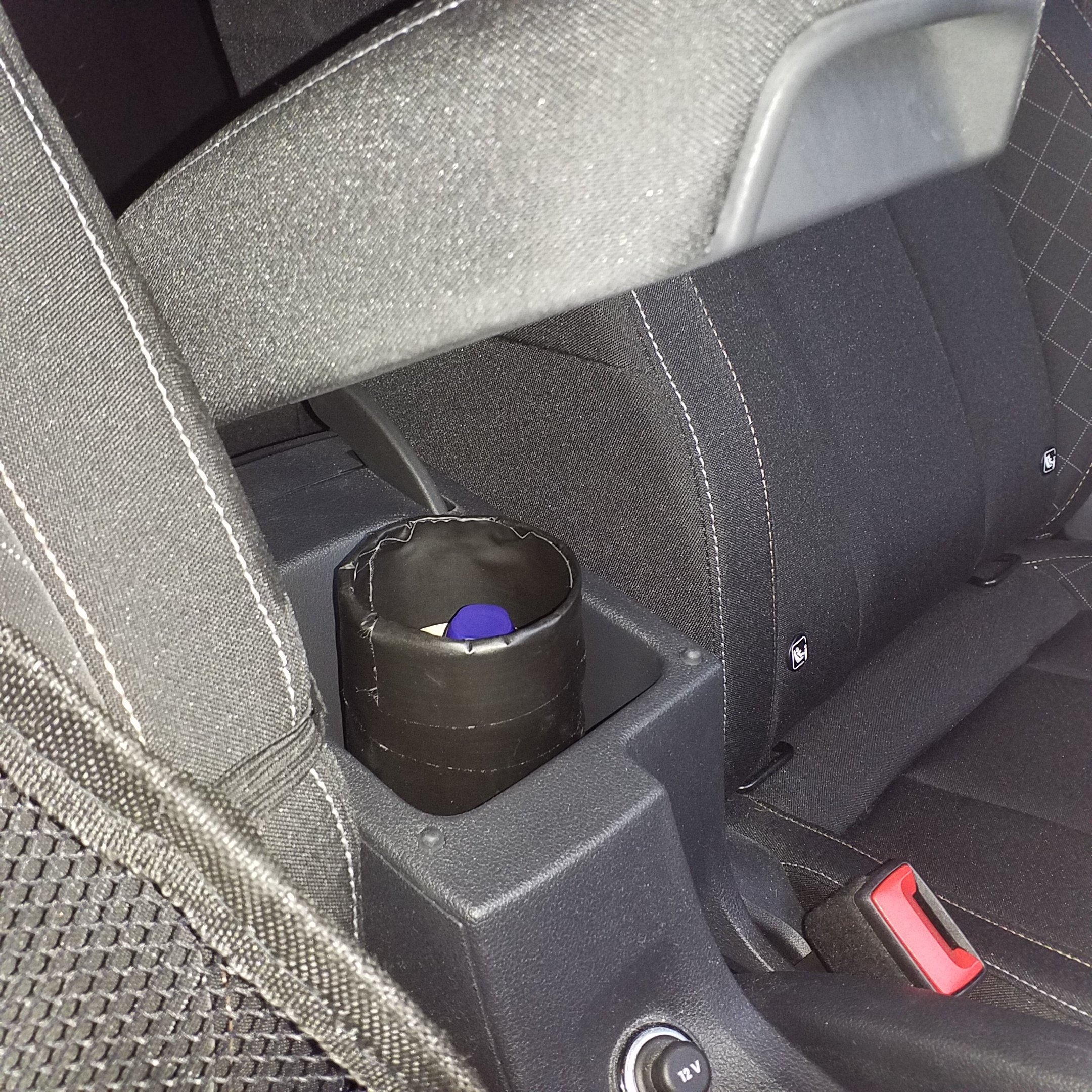
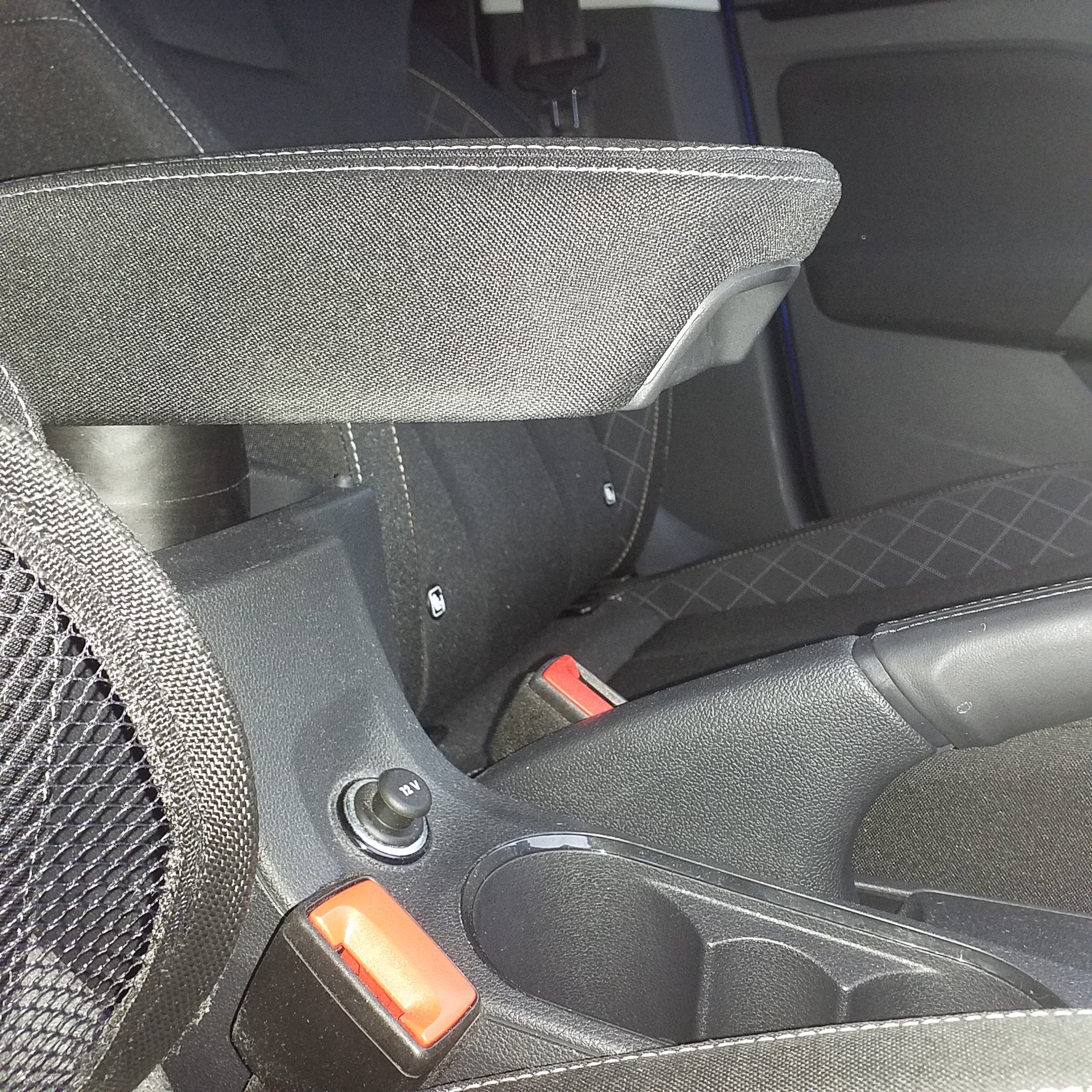
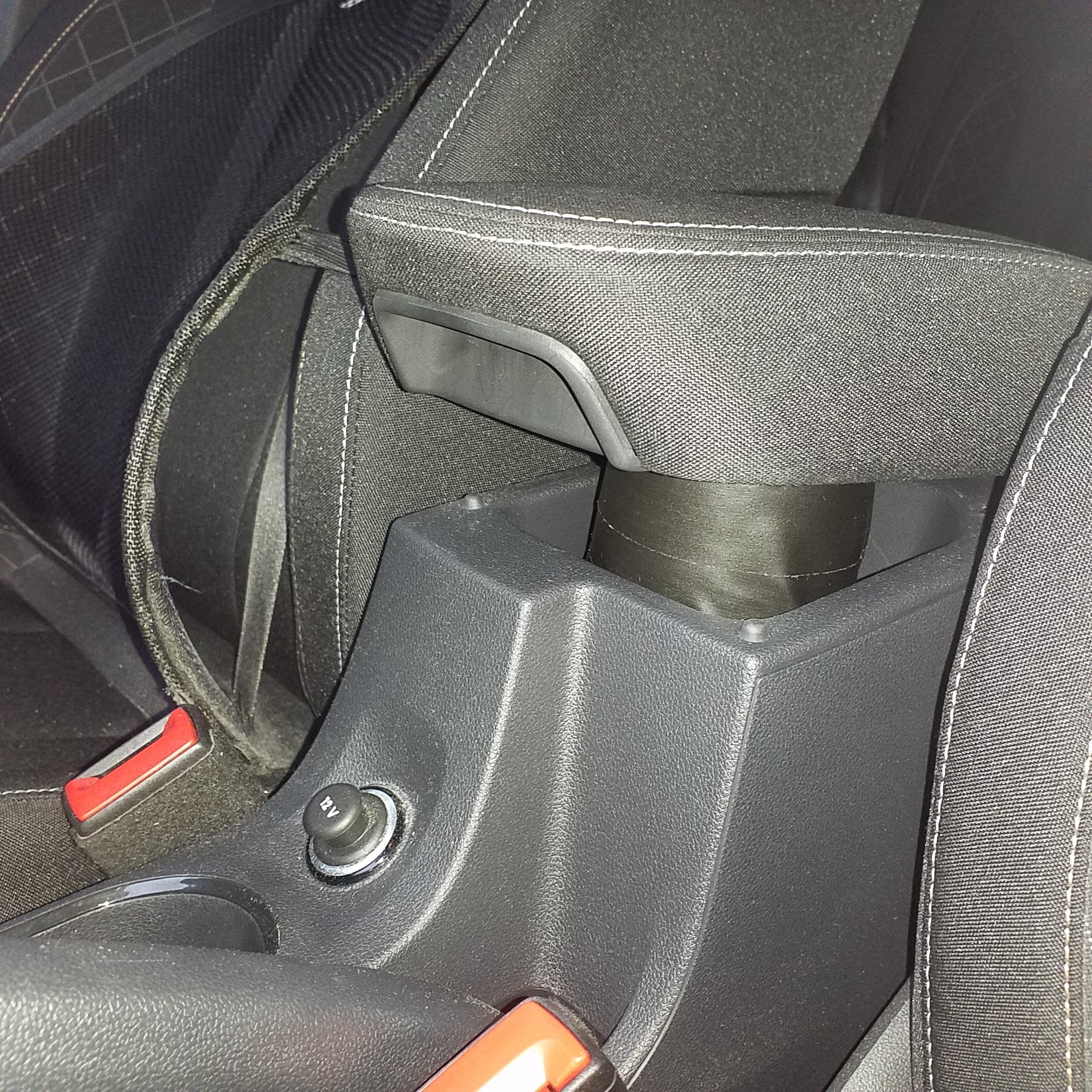
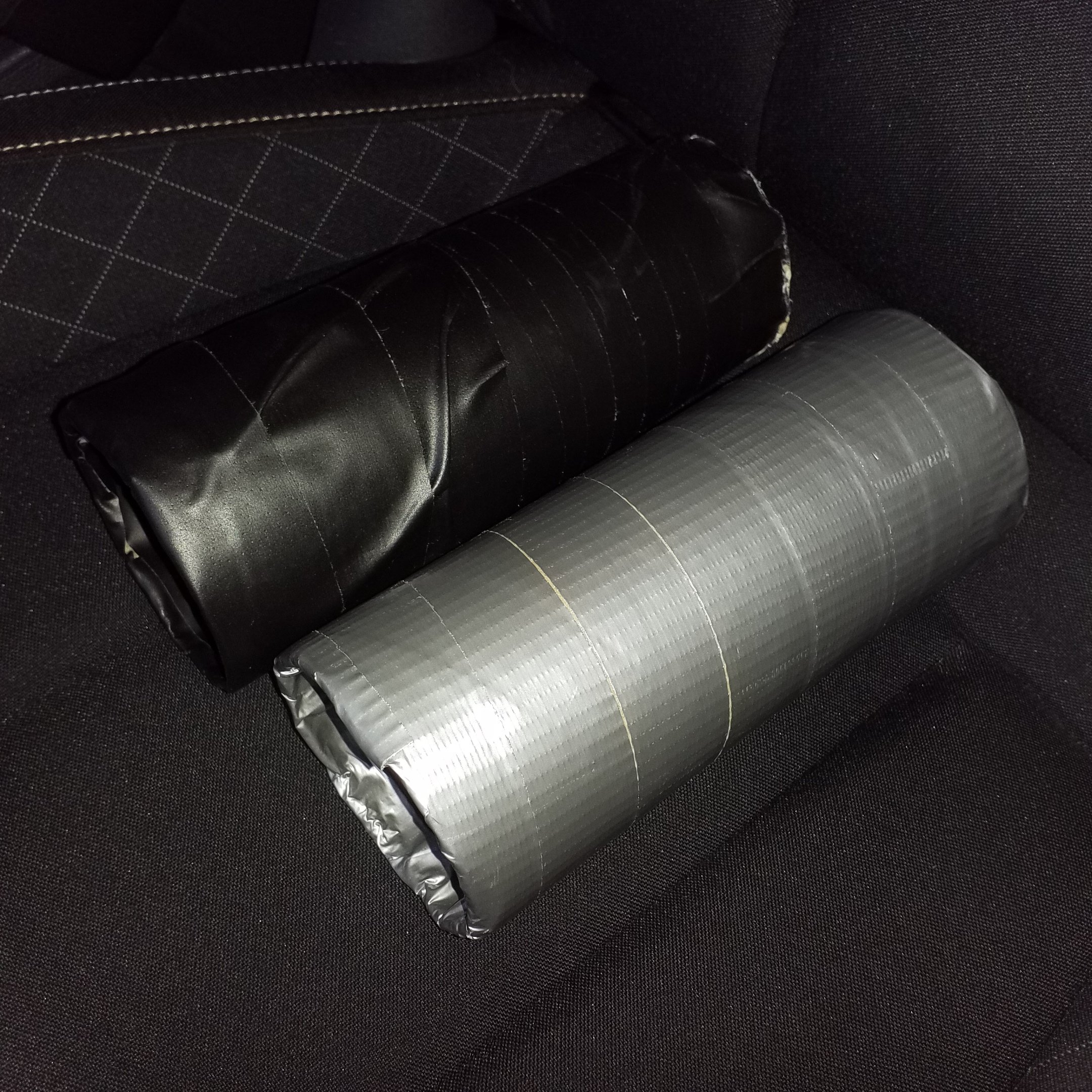
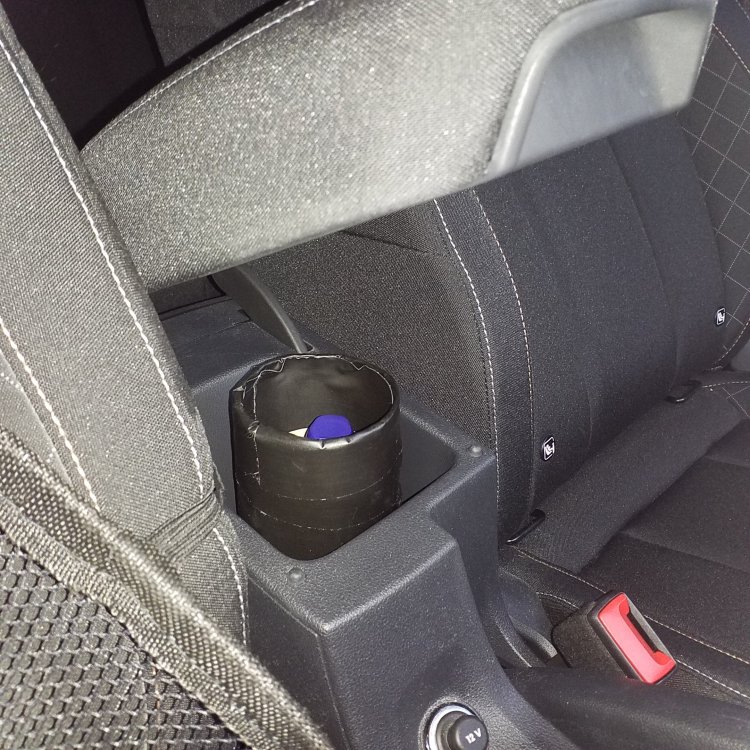
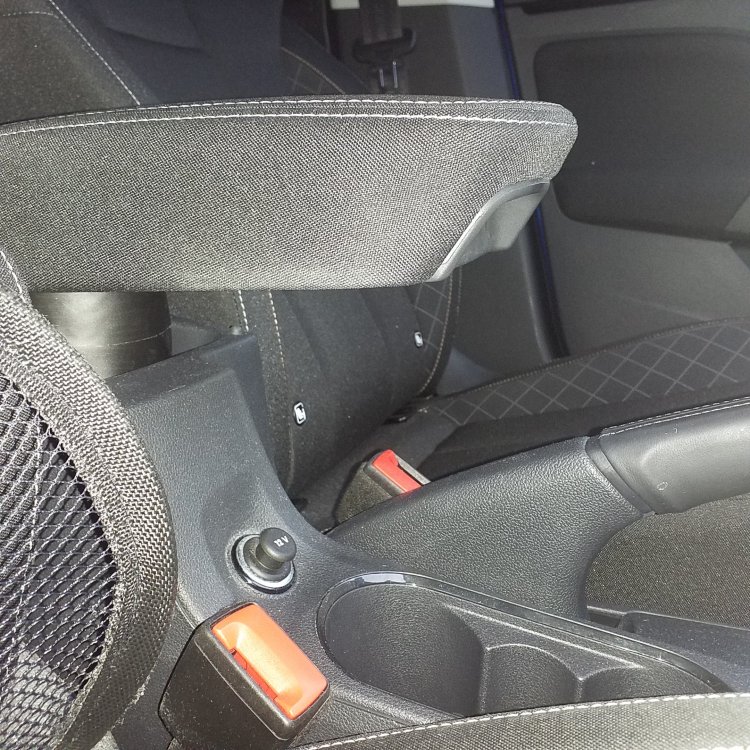
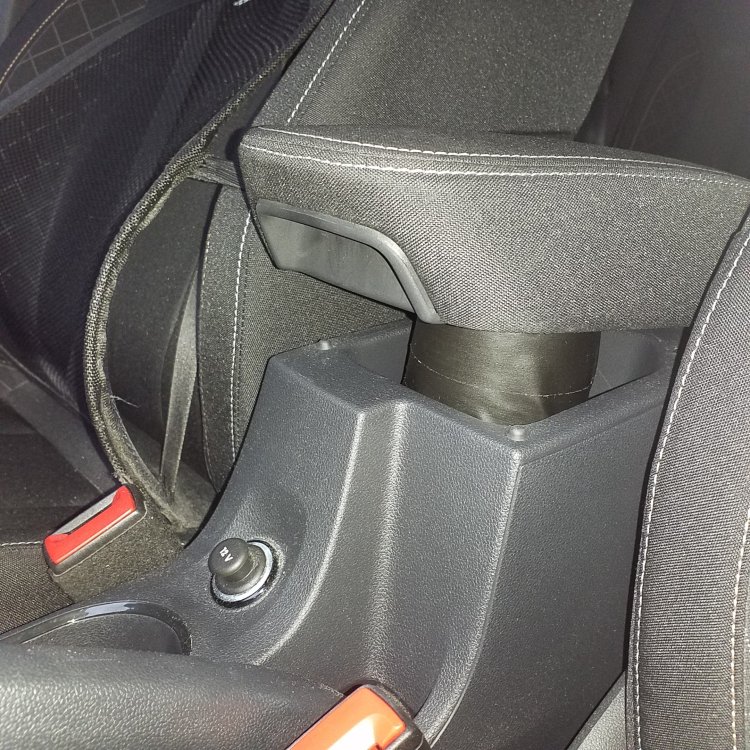
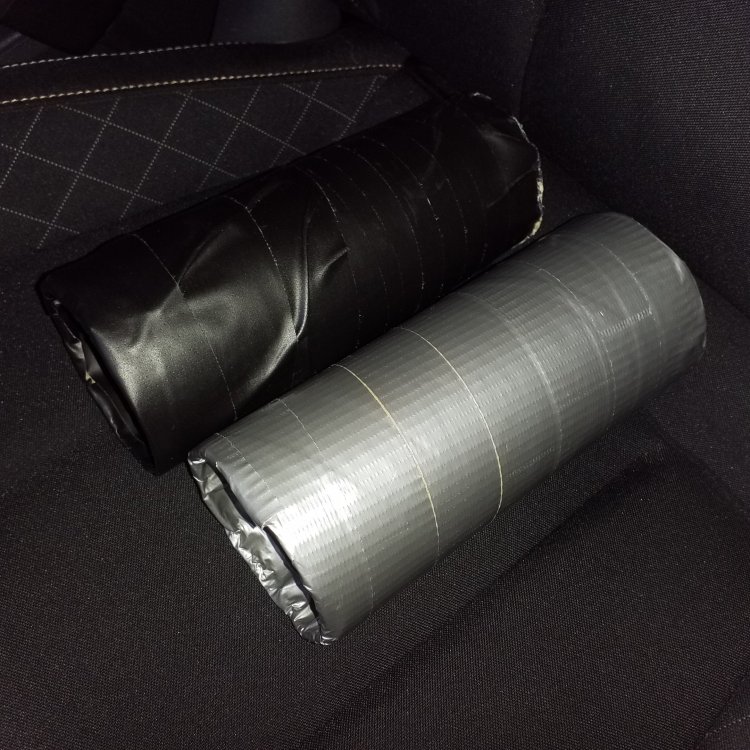
Finally got around to making a very cheap, cheerful and temporary armrest support which Sparckzero alluded to earlier in this thread, using a glasses case. My idea was similar, using a substantial cardboard roll, (with a 7cm end opening), from the inside of a roll of bubble wrap. I have covered the rolls with black fabric tape, which takes away from the brown look somewhat. The grey one pictured was the mk1 version, which I cut to an 18cm length. I had to make the black one a few millimeters longer. (19cm). My elbow now sits comfortably and naturally on the armrest, while the covered tube stays in the armrest binnacle without moving. Because it is a tube, a small bottle of water can be put down the middle of it, or it could be used to store other items.
-
Hi again sparckzero Really like this shim idea. It looks pretty good. Whats the procedure for having one made, do you know? Can the template. together with measurements, be constructed in some place that can make the armrest extension? Also, please kindly let me know what size was the perfect fit for you. I'm a six footer. Many thanks
-
Thanks all, for your valued contributions. I will try the suggestions Sparckzero and Soussi say. The shim idea seems the best way to go. I actually thought of making something similar to the glasses case, to raise the arm rest up, without making it look bad. Thanks again.
-
Hi I picked up my October 2019 Scala a few weeks ago and I am really pleased with it. Having seen details prior to it's pre-launch date of September 19, it ticked so many of my boxes. Mainly a six speed box with a 999cc engine and 115bhp. What's not to like? While I have waited patiently for a two year old Scala, (I couldn't afford a new one!), I have not been dissapointed, especially as my one had less than 1200 miles on the clock, on what should have been more like 12,000! I have never had a car with bell's and whistles like this one. I didn't think I would be using the lane assist feature, but I find myself leaving it on, even though the steering wheel tugs slightly, when one of the white line dissapears. Mine also came with front assist, which I really could have done without, but at least there is another button to press near the hand brake, instead of yet another 'blanking plug cover'! I really like the leisurely drive it offers but it seems to have power in abundance when I need it. The fifteen year old Fabia I traded in was an excellent, reliable vehicle and I really hope the Scala will be no different. My two questions are quite simple, driving back from a wedding reception late last night, I could not find a control to dim the cockpit lights, as I like to have these lights on the lowest setting, due to the brightness distracting me. Is there a control somewhere that I can use to dim these? The other one is, while I find the seating very comfortable and supportive, the arm rest has no ratchett facility, so it is slightly low for me. Can a ratchett mechanism be substituted to overcome this? I have watched nearly all the Youtube videos on the Scala, prior to purchase and the arm rest seems to be one of the only minor flaws, in what is proving to be a really brilliant motor. Thanks in advance.