




RichTea
Finding my way
-
Joined
-
Last visited
-
Ok so I managed to get the SW update done via an SD card - many thanks to @varooom for this. Unfortunately it didn't solve the problem - I still can't connect to carplay or charge my iPhone 11 via USB. I plugged in an old iphone to see what that did, this shows as charging but actually drains while the charging flash is showing, and won't connect to carplay either. Next stop might be a replacement USB port, but TBH I'm still not convinced that my version of Columbus Infotainment, even with the applied SW update will ever support the more recent iphones as per https://compatibilitylist.skoda-auto.com/
-
Thanks @varooom. DVD didn't work either! The 'select update media' screen just won't let me select any input source - USB / SD card / CD. Even though when I insert the DVD I get a pop up message saying 'CD/DVD: Software update data is available' I'll get one of those SD card devices and try that, other than that I'm stumped, don't particularly want to pay a Skoda dealer to fix this, and don't really have any faith in them anyway.
-
My car only has one USB-A, in the centre console, this is the one that is troublesome and won't read USB stick when I plug it in (greyed out when I try to select update media). I have 2 SD card slots in the gloveboc but no means to write to an SD card to use them! Going to try burning the files to DVD, now that I've borrowed a laptop with a DVD writer.
-
Thanks. USB stick not recognised by car so need to find a CD writer / SD card writer now!
-
Thanks very much, that would be great
-
Sorry, should have said, CarPlay worked with my phone when I connected to a hire car recently (2022 Hyundai Tuscon)
-
I think this is what is needed? I now see that I can update via USB too.
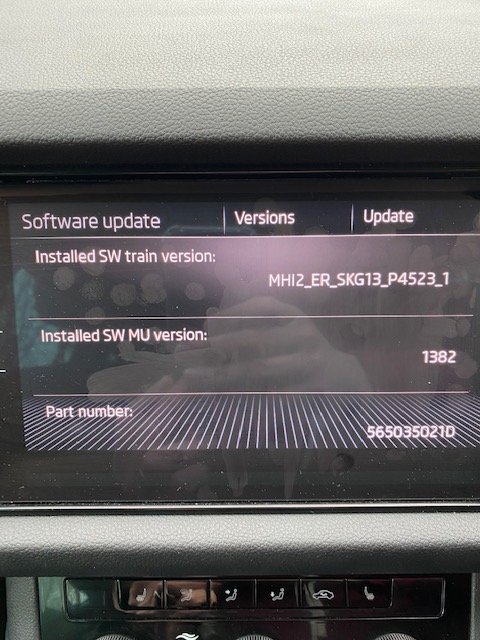
-
Haven't tried to use CarPlay for a while, or tried charging my iPhone via the single USB (A) port. This all used to work with my old iPhone 8. Now, when I plug my iPhone 11 into the newly cleaned USB port, using a brand new, wokrking Apple branded lightning to USB lead (£19 !!!), the phone intially starts to charge but then flicks in and out of charging rapidly for about 30 seconds before refusing to charge at all. This same pattern happens every time I plug it in. I've tried other iPhone 11s, same result. The same USB port will charge an old Samsung Galaxy Tab, Having checked compatibility, I believe that the version of Columbus I have in my car (manufactured from 7/30/218) is only compatible with iPhones up to version 'X'. But I'm not convinced that the lack of compatibility would prevent charging from working? Anyway, I guess the solution might be to update my Columbus infotainment to some later version that includes compatibility with iPhone 11? I don't have access to a computer that can write to an SD card so that option is out. I understand from https://availability.skoda-auto.com/ that whilst I can update maps online (by connecting Columbus to a wifi hotspot), online updates of the Infotainment system are only avaible in models built after 7/2020. So, question is, how do I fix this issue and get charging and CarPlay functionality working for my iPhone 11? (obviously I can use a USB adapter in the 12v output, but that doesn't allow me to connect to the Infotainment) Or do I need to swap out a potentially fault USB port? Thanks!
