crior
Members
-
Joined
-
Last visited
-
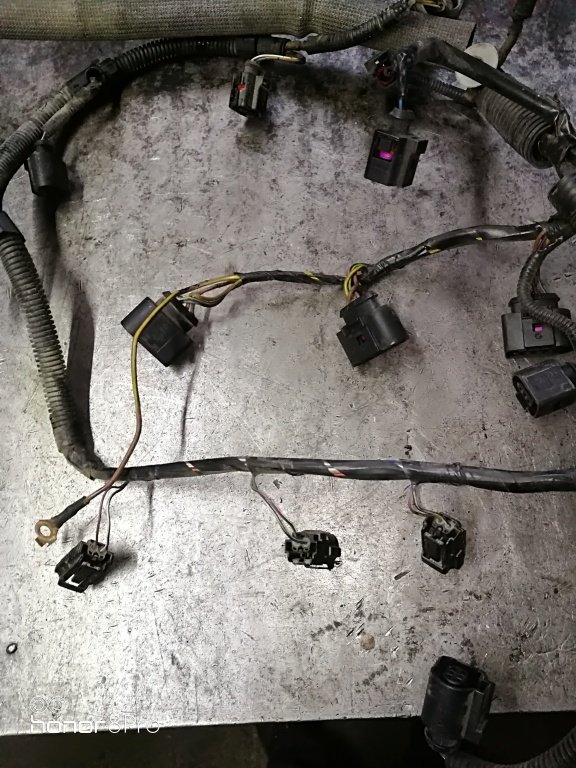
Are we talking about these? And is there a chance that the ECU will be OK?
-
-
-
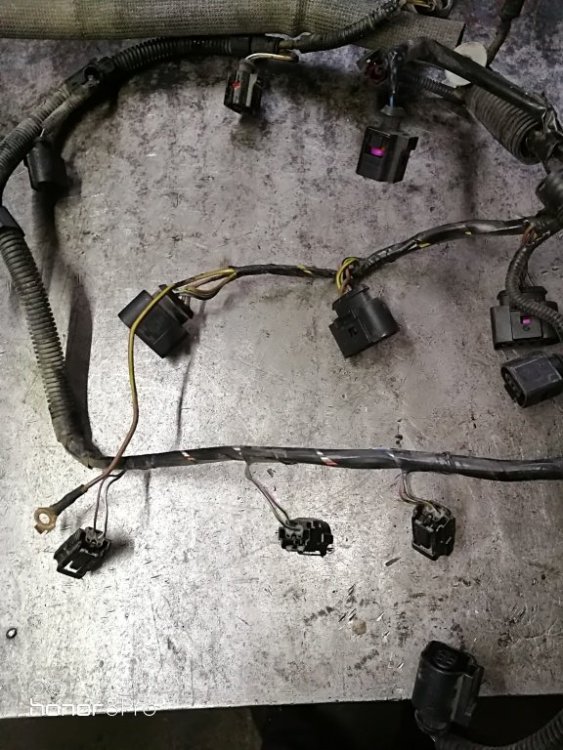
Update: After another check I found ignition coil burned. So the short circuit was founded. Hopefully the ECU is not dead. 01314 error end 01598 error was detected.
-
So it is very likely to be a problem with cables/wires?
-
Good evening and a Happy New Year, I had a problem with my fabia 1.2 AZQ: I drove about 150 km and while driving the oil lamp started flashing at the same time with an audible warning. Then the battery indicator light came on and the engine stopped. There is also an intense burning smell but I did not see smoke. I found the fuse from position 9 burned (blue 15) and position 54 burned (blue 15). After replacing the fuses, it still doesn't work. I found the fuse from position 9 burned (blue 15) and position 54 burned (blue 15). After I replaced the fuses, it still doesn't work. It smelled again and burned next to the battery and burned again fuse 54. The ECU is burned and the model is 03E 906 033 A Benzin Simos 4672 Siemens 5WP40120 07 EF SJ8 326219 F025 2651. I found an identical one as 03E 906 033 A Benzin Simos 4672 Siemens 5WP40120 07 (but only up to this code EF SJ8 326219 F025 2651). I can replace it with an identical one without the new key, immo and without without moving the information, related to the immo part, from eeprom? I understand that they must be removed from the donor board and the operation is performed with the help of a programmer. Is it possible that the wiring is also burned or only the ECU is burned? Anyway, what's the reason for burning the ECU? Thanks!