




enoktakenokta
Members
-
Joined
-
Last visited
Everything posted by enoktakenokta
-
By ‘app’ you say application, right? And which app do you mean?
-
I have also a renault megane and it’s image quality is better than superb.
-
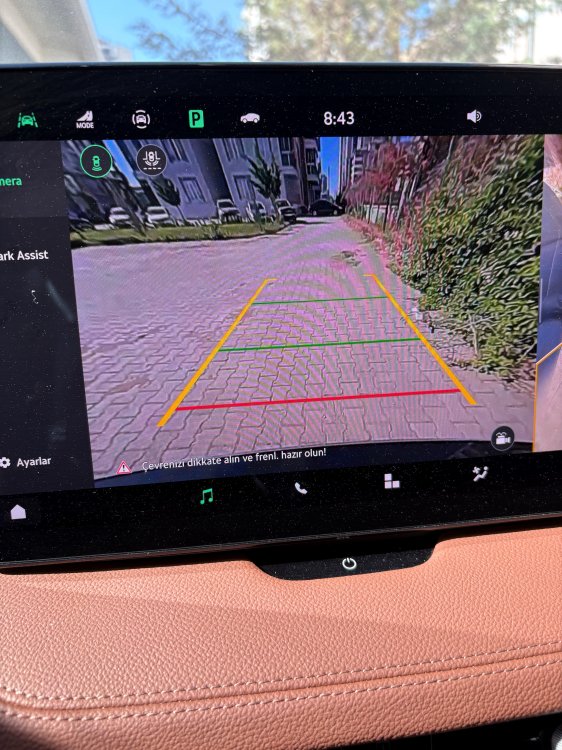
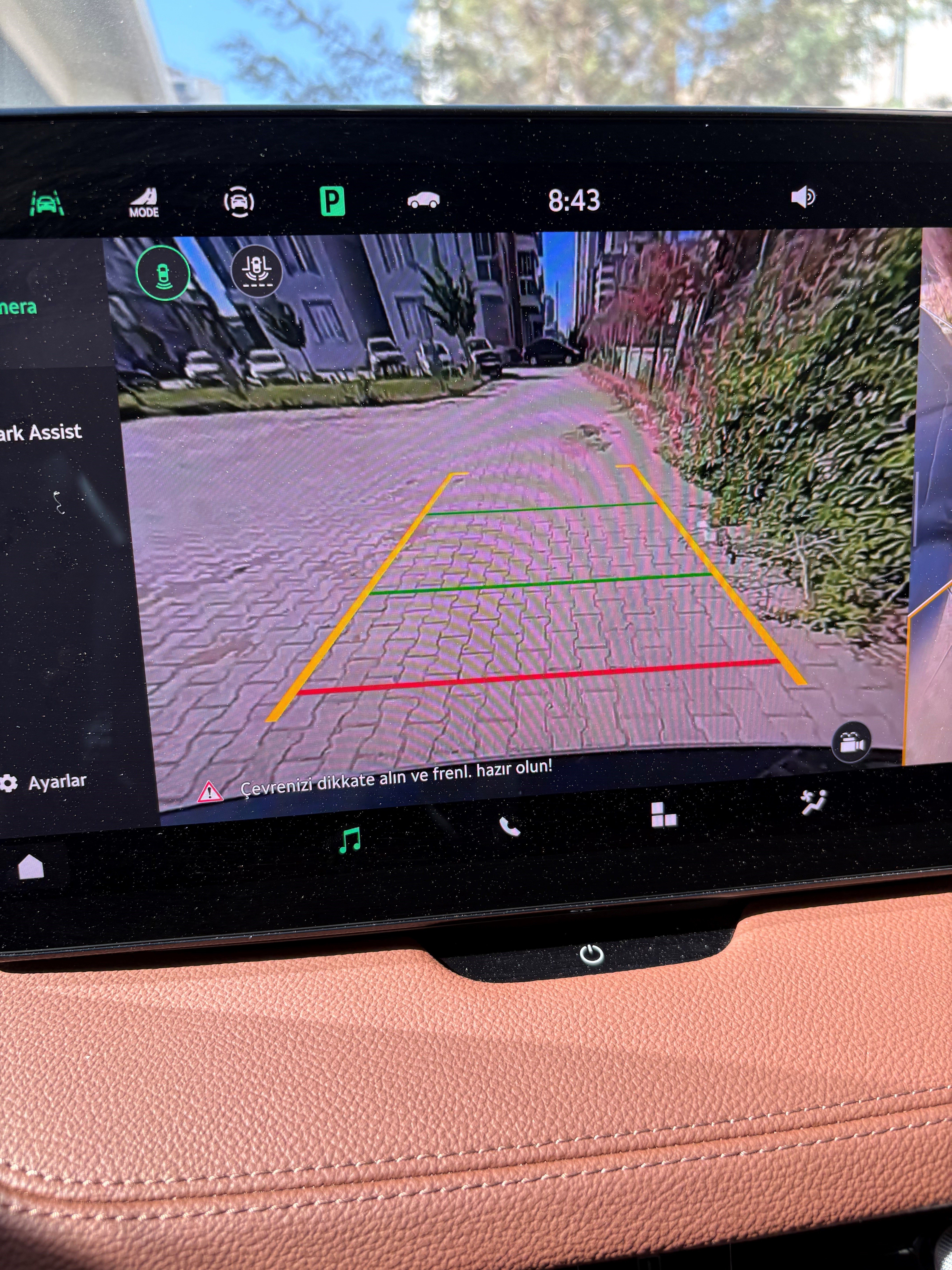
Hello. I had bougt a Skoda Superb IV(model year is 2025). I think that there is a problem with my reversing camera. I added a photogragh which shows the image quality. The image is blurred and not sharp. Can you look at the image which i added and make comparison with your image quality?
-
Any idea?
-
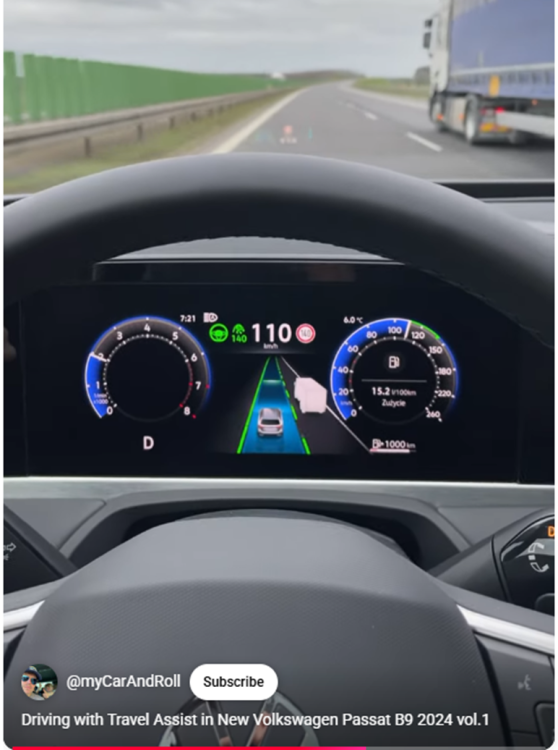
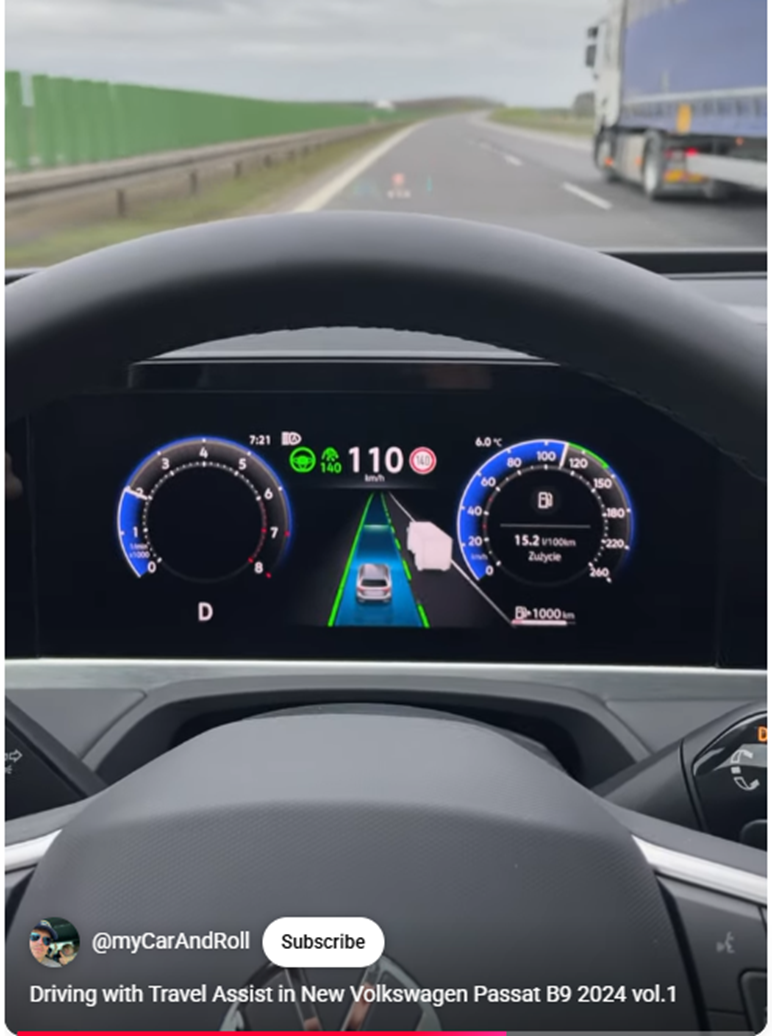
Thank you very much. I will try as soon as possible.Hi. I added an image for clarification of the problem. As you can see in the video there are 2 lanes on the screen, even sometimes it becomes 3 lanes. But for my car there is only 1 lane. I guess there is a setting which i can not find. Can you give me information about this issue. How can i do my car's screen like this. Thank you.
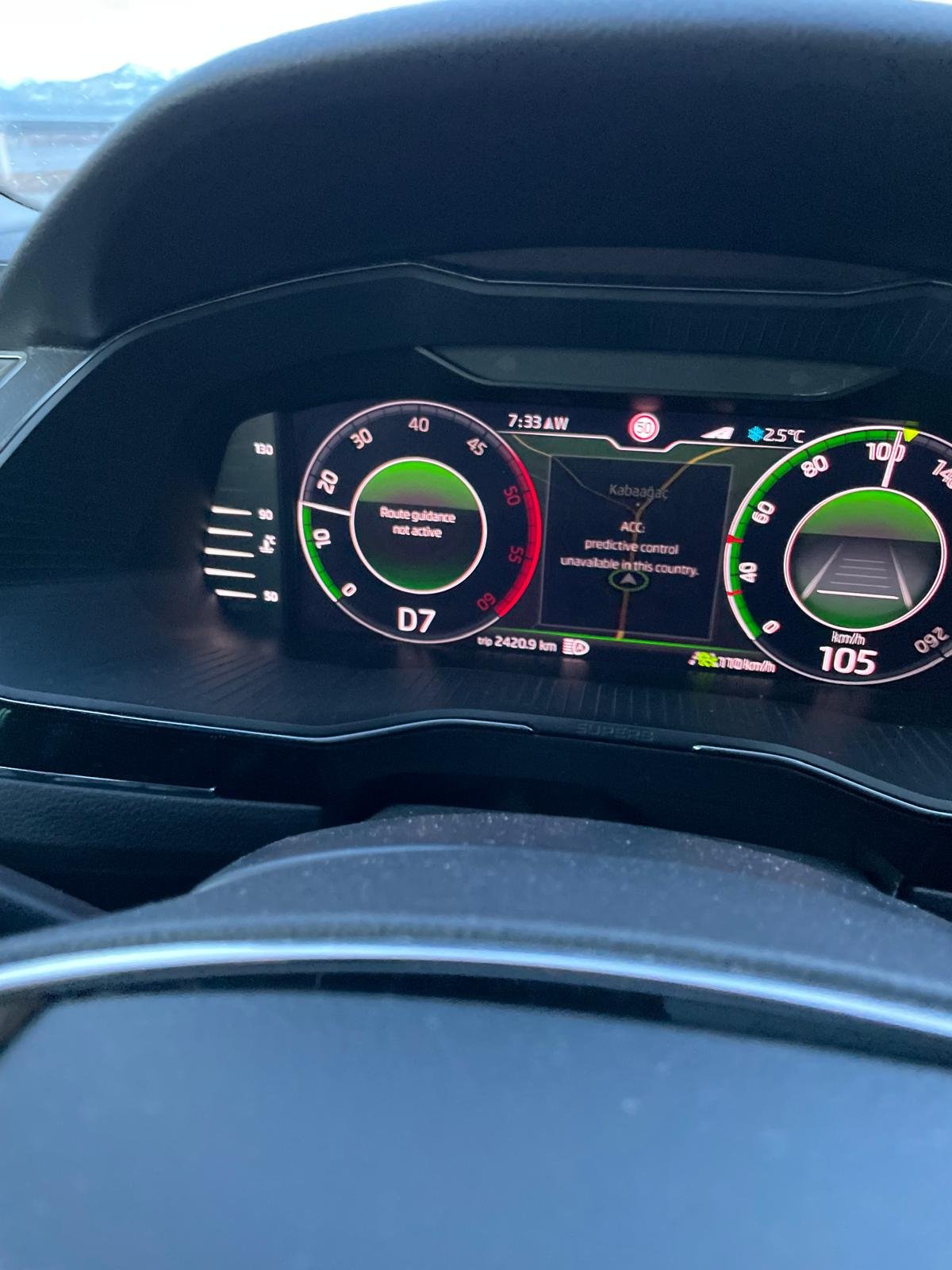
 The map is up to date. The map is Turkey map. The version is 2025.02 which corresponds to 2025.05.I did not try. But, i will try.Thank you for reply. In my case what is interesting the system worked perfectly for a long time. But on my last trip the system did not work. And the trip was the same , that is to say the system had worked earlier but now does not work on the same road. I have no ğossibility to run diagnose becsuse i do not have necessary equipment. I will try to find someone who can do this.Hi. I have a problem regarding PACC. When i activate cruise control this message appears on the screen. I had used this function repeatedly without any problem. I share 2 photograph showing the error. How can i solve this problem? II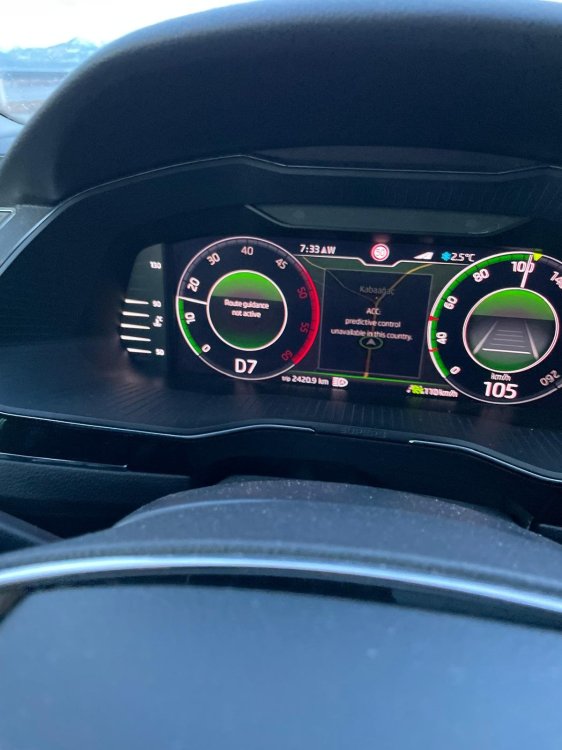
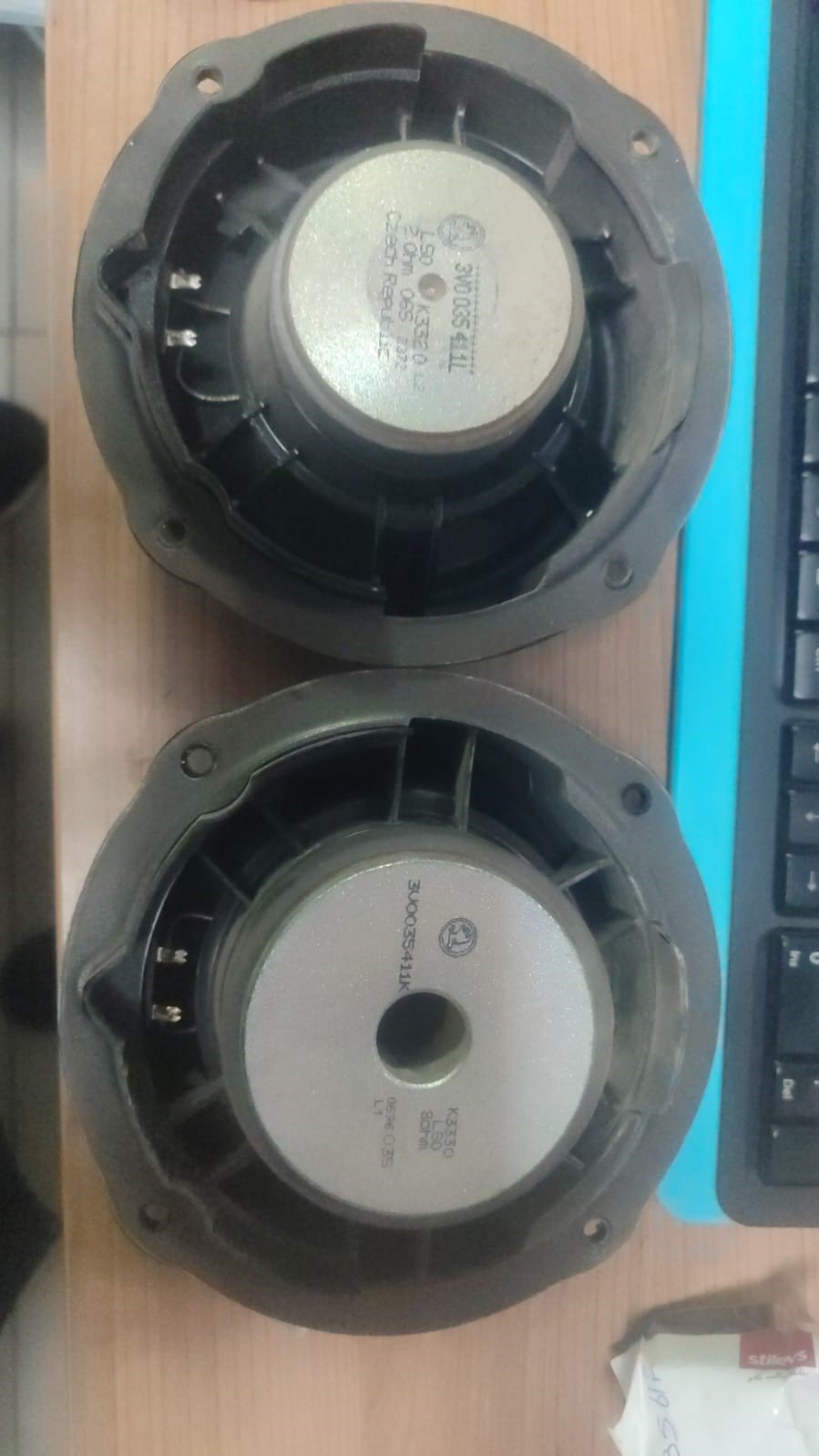
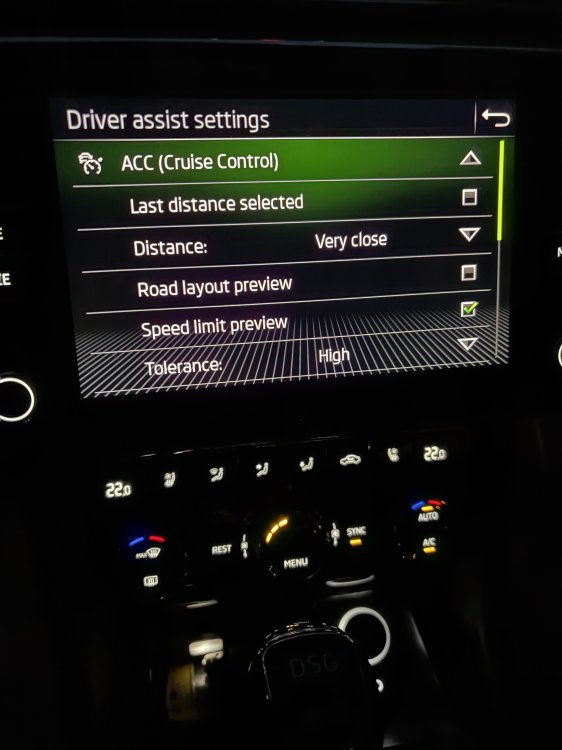 Hello everyone. I have a problem regarding PACC. There was not any problem until now. But now if i try to start the system there comes a error message saying that ‘system cannot work in your country. ‘ But as i said i used the system frequently. I tried both ‘route’ or ‘traffic sign’ but none of them worked. Again and again the same error message.Hi again. These speakers removed from my car. One of them is front, the other one is back. I supposed to see "canton" writing or symbol at least on the back side of speakers. Apperantly it seems i can not confirm if i order new speakers will be canton speakers. I want to say that, if there is one part number for the speakers how can i be sure whether the new ones will be canton speakers or standart speakers. When i search the internet for my speakers with part numbers, the results do not show canton speakers, even they show standart speaker. So, i could not get any precise info and i am not sure what to do.
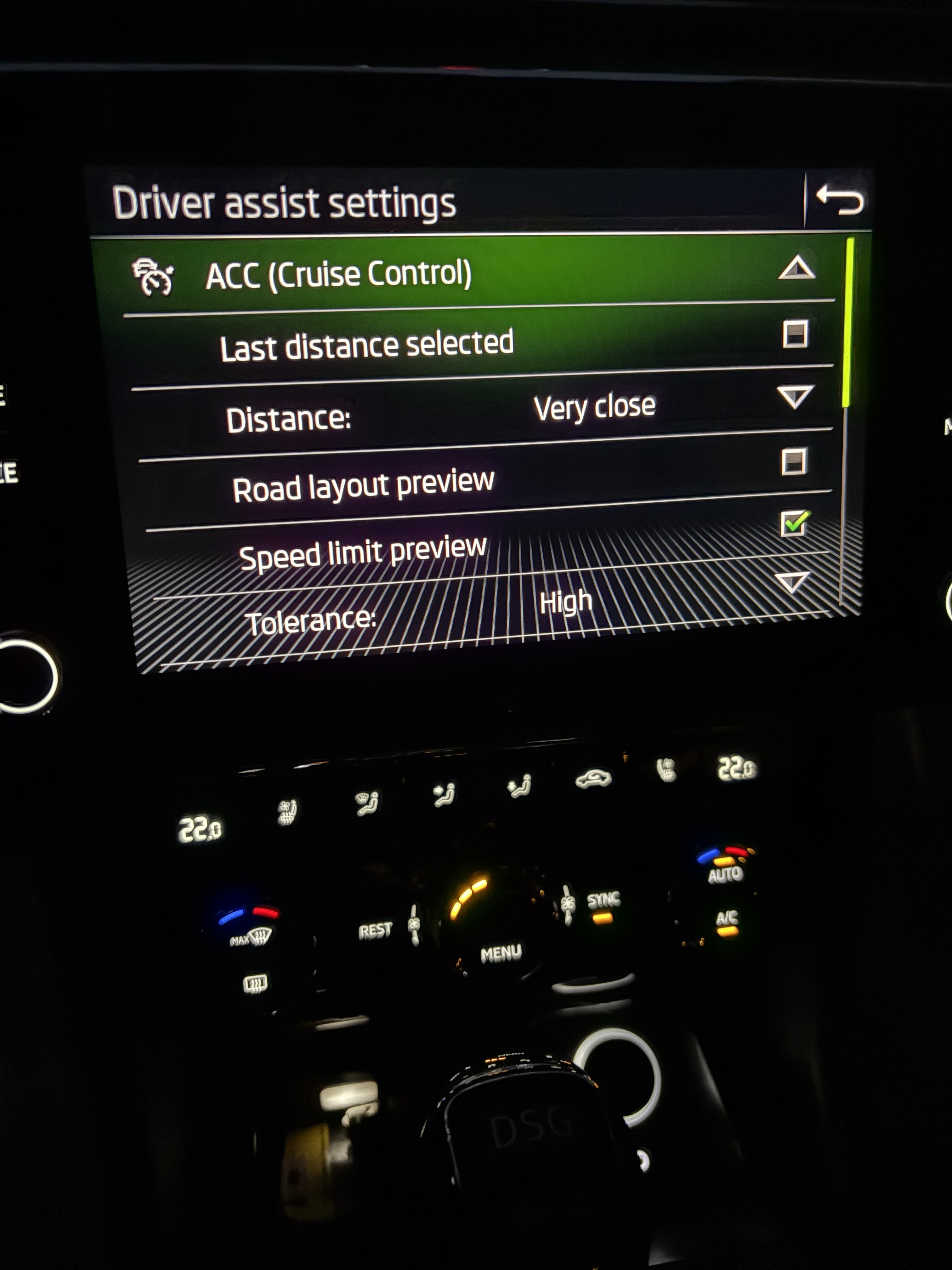
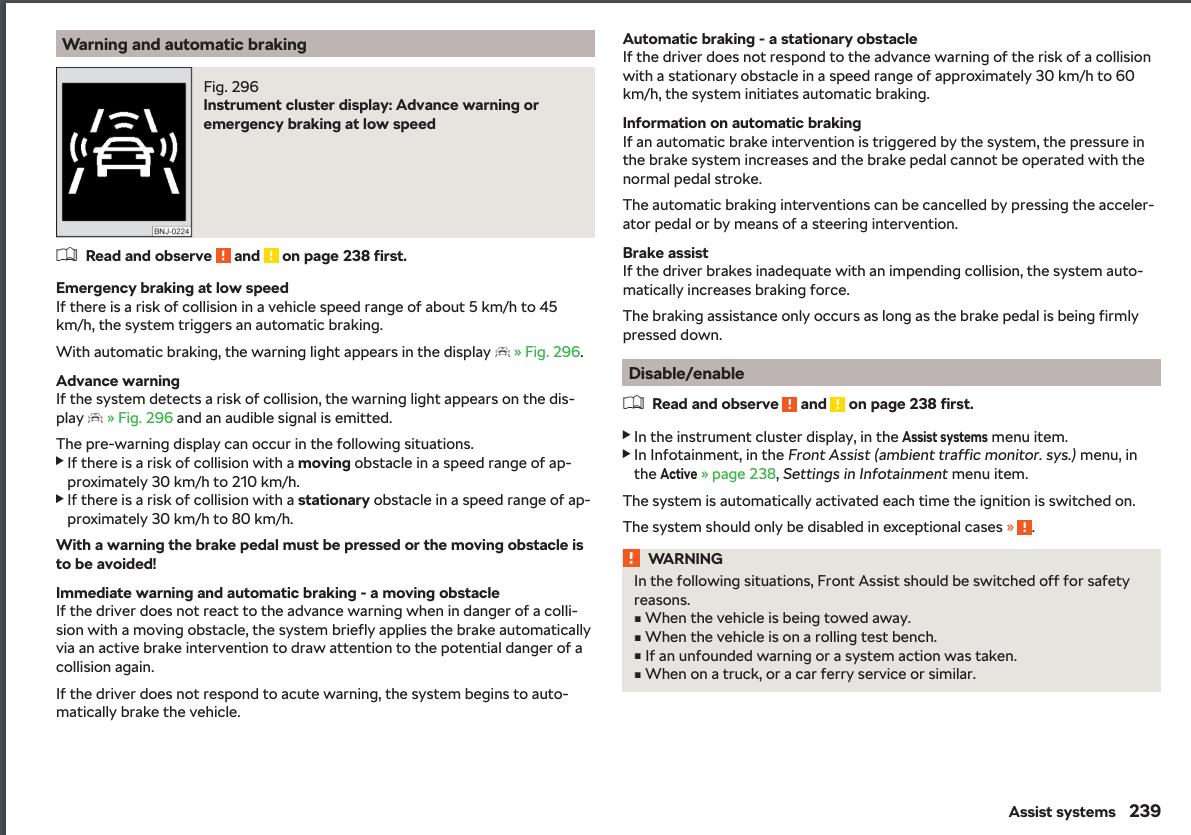
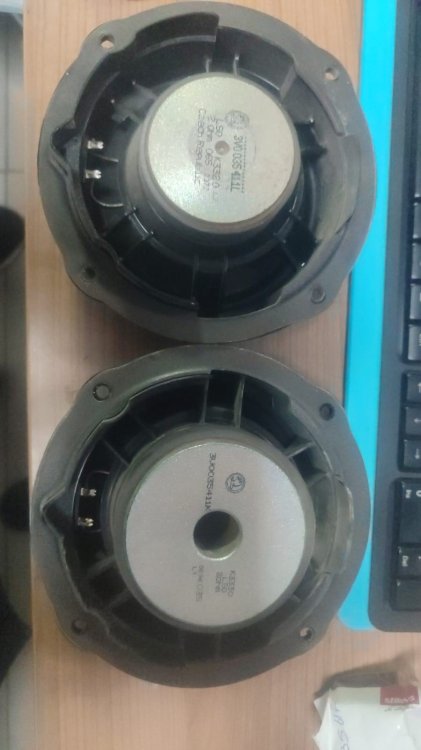 Hi again. The dealer could not help me on the phone and they invited me. So, i directly went to dealer at the weekend. They will remove the speaker and look for part number, serch the number in their system. Acually i asked the price of the speaker but the price that gave to me was a little bit unrealistic, that is to say it is so cheap. I wanted to clarify the issue finally. I assume that they gave me the standard speaker's price.I searched the internet and as far as i see “5E0035411D” is standart bass speaer’s part number.@Cairus Thank you for info.Hi. I have to change right front canton bass speaker(loud speaker). I tried to find the part number, but i could not find however i tried. Is there anybody who has the information about the issue. Thanks.I watched videos which was broadcasted by ADAC. One of the tests’ aim was to test if the tested car approaching to the stationary car can stop the car automatically or not. It was obvious that they tests the AEB system. Their test speed was 50 kmph.I am not sure whether it is the acc or front assist which operates on circumstances like this. As @JR RS said i do not think that acc or front assist cannot prevent a crash in that situation. But, I saw another info in the forum which says emergency brake is operational up to 60 kmph while approaching to a stationary object and automatically operates and bu brakes. Which safety assistant is responsible in this situation, i am not sure. Also the speed values are very different for systems to operate.
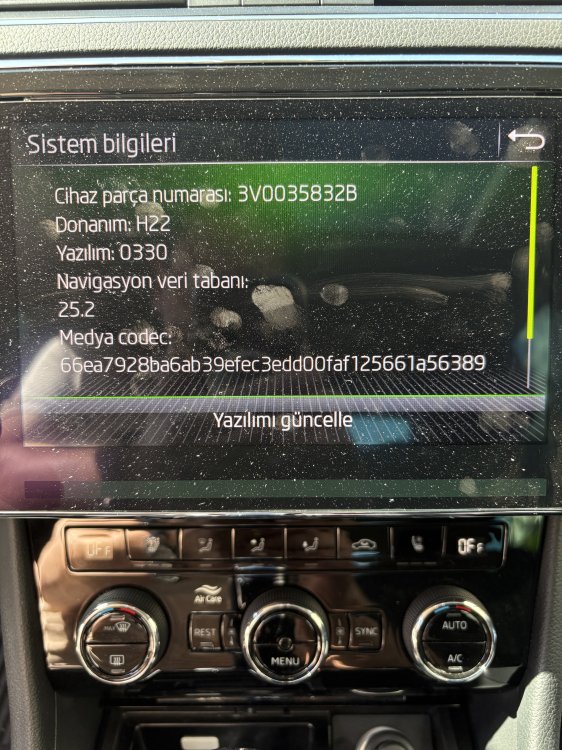
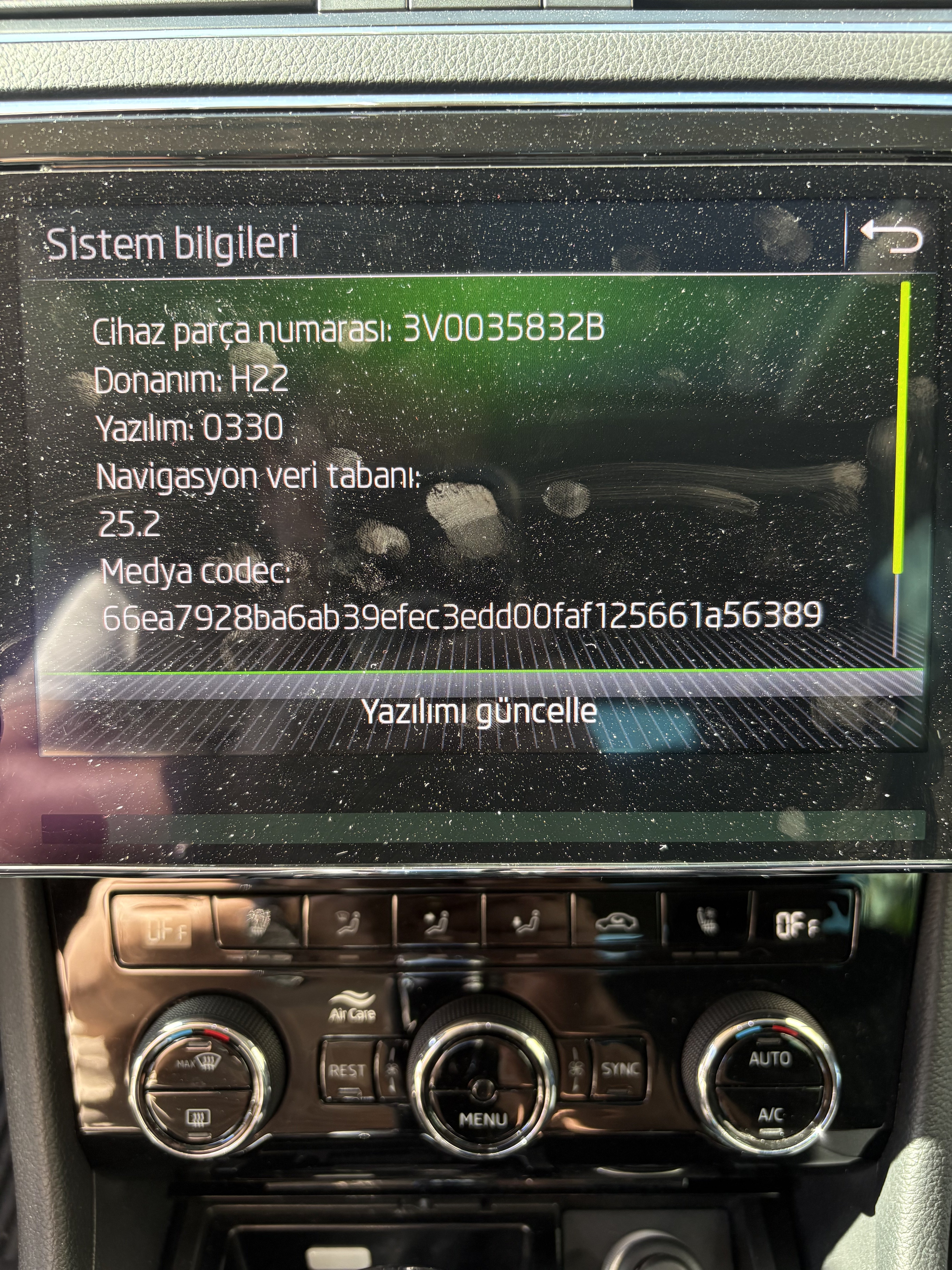
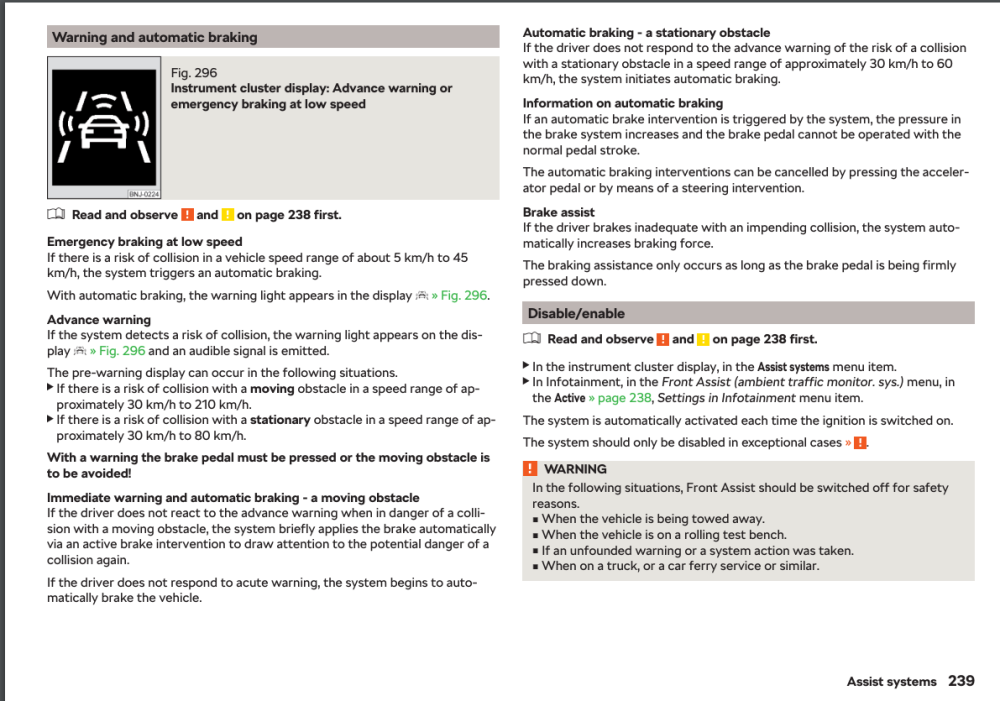 You are right, the system should not be relied on, as i said "Of course I know that driver should not totally depend on any safety element and always should hold the control himself". Actually i want to learn the conditions and limitations such as the speed, distance etc.(at which speed the system starts to operate and above which speed system does not operate) Thank you for contribution.I have a question which i could not find an exact answer although i searched the user manual and internet. If the driver does not brake himself for some reason like carelessness or a health problem etc. what does ADAS do especially in some specific circumstances? Let's say, the car is moving at certain speed and approaching to a stationary car for example at the traffic lights. Will ADAS or any element of the system intervene and brake itself and stop the car?(Of course I know that driver should not totally depend on any safety element and always should hold the control himself) But, i think that if the system is supposed to intervene there should be some rules, parameters and conditions on which the system will work. For example, at least there should be a value for the speed according to which system decides to intervene or not. Thank you in advance.Hi. Type-c socket on the front console.Hi everyone. I opened the topic here because i thouht the main topic is for the share links regarding new map. I have a question about the version of the map update after finishing the update. I updated the map(Turkey map). I checked the version in settings and system info. My latest version was 24.6 and the new version was “2025.2”. But while i read topics ang messages i saw that their version was “2025.5.” I do not understand why versions are different. Is there anybody to give information? Thank you.
 I changed the settings, but it did not help very much. If i listen -let's say- 10 songs the speaker causes distortion in 1-2 songs. Listening the other songs it is fine. Even, until a volume level there is no problem. After that level other 3 speaker works unproblematic but that speaker starts to distortion. At the weekend i will try for last time it and if the bass disturbs me i will go to service and make service change the speaker.@JR RS Thank you for your sharing. I wil tray this settings as soon as possible.

Important Information
Welcome to BRISKODA. Please note the following important links Terms of Use. We have a comprehensive Privacy Policy. We have placed cookies on your device to help make this website better. You can adjust your cookie settings, otherwise we'll assume you're okay to continue.