



Skip to content

FJC

Finding my way
  • Joined

  • Last visited

  1. Yes, the new slide pins slide in and out. I used some BTAS ceramic brake lubricant. I made sure I cleaned the face of the hub etc. I picked up a new hub today, so shall fit that tomorrow, fingers crossed this fixes it!
  2. Thanks for the help - it’s much appreciated. I took another look this morning and it looks like there is a wobble in the disc - so going to try changing the hub to see if that might solve it 🤞 Thanks again
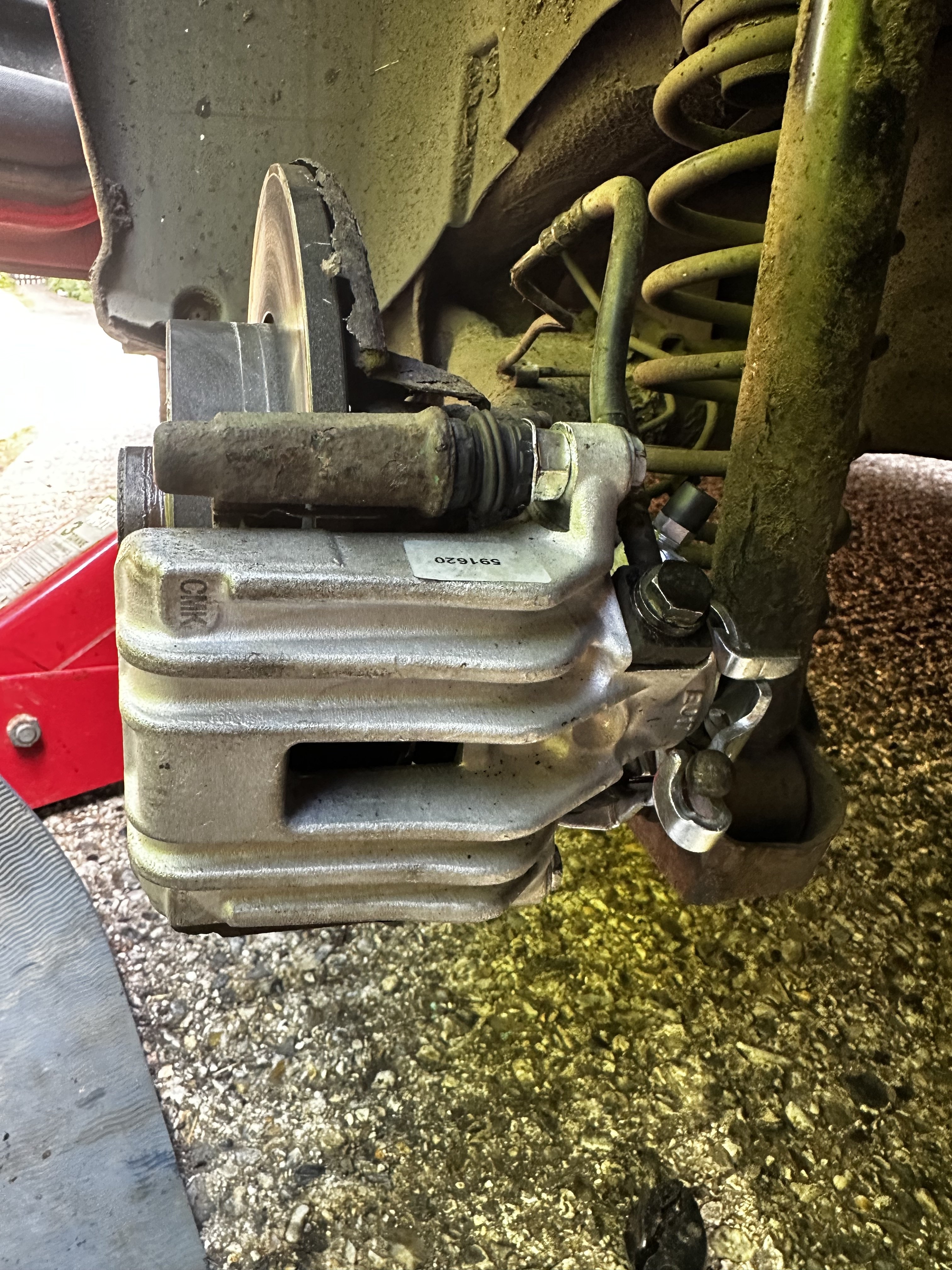
  3. Thanks - I disconnected it at the caliper end. It was also rested correctly on its stopper (before I disconnected it) - I’ve attached a photo.
  4. I’ve checked the handbrake several times it’s in the right position when released and engaged. I’ve also had the handbrake cables disconnected and gone for drives, and had the same results very hot OSR brake.
  5. Hi, looking for some advice before admitting complete defeat. I have a MK1 Skoda Fabia VRS. A few weeks ago, I noticed the OSR brake pads were wearing much quicker compared to the others. The rear caliper, disc and wheel were also getting very hot - even after short-ish journeys under normal braking conditions. Thinking the caliper must be sticky (although it was only 18 months old), I went ahead and replaced the caliper, discs and pads along with replacing sliding pins and greasing everything but the problem remained. Fast forward to today: I’ve replaced flexi hoses, tested the handbrake (it’s not that), plugged into VCDS (no faults) and even tried removing the fuse to the ABS pump to see if that makes any difference (assuming it may be pushing too much pressure to the OSR). I’ve seen similar issues on here but no posts about how or if they’ve been resolved. We had the car for 15 years and she is the best, most reliable vehicle I’ve owned. I don’t want to get rid of her but running out of options. Any advice will be grateful received.

Important Information

Welcome to BRISKODA. Please note the following important links Terms of Use. We have a comprehensive Privacy Policy. We have placed cookies on your device to help make this website better. You can adjust your cookie settings, otherwise we'll assume you're okay to continue.

Account

Navigation

Configure browser push notifications

Chrome (Android)
  1. Tap the lock icon next to the address bar.
  2. Tap Permissions → Notifications.
  3. Adjust your preference.
Chrome (Desktop)
  1. Click the padlock icon in the address bar.
  2. Select Site settings.
  3. Find Notifications and adjust your preference.

