



Skip to content

My new FL VRS !

Featured Replies

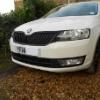
Took delivery last Friday of a new FL VRS in Black which replaces my 2006 Mk2 vRS.. Very glad I chose the option of leather seats, which give the car a much different feel to my last..also the radio/CD player is much better sound quality, a major problem imo in the last car.

I think the Speedo/Tacho look a bit 'standard', red needles or even green as on the MK1 would have been a nice sporty touch.

Also I'm interested in what anyone thinks about the change gear now display!? it says to change into 6th at around 40mph!! I know this is to encourage less fuel consuption but I'm not sure driving in 6th gear in a busy built up area is such a good thing. I know you use discretion but for less experienced drivers to be encouraged up to 6th gear so soon!?

Cheers

C

Took delivery last Friday of a new FL VRS in Black which replaces my 2006 Mk2 vRS.. Very glad I chose the option of leather seats, which give the car a much different feel to my last..also the radio/CD player is much better sound quality, a major problem imo in the last car.

I think the Speedo/Tacho look a bit 'standard', red needles or even green as on the MK1 would have been a nice sporty touch.

Also I'm interested in what anyone thinks about the change gear now display!? it says to change into 6th at around 40mph!! I know this is to encourage less fuel consuption but I'm not sure driving in 6th gear in a busy built up area is such a good thing. I know you use discretion but for less experienced drivers to be encouraged up to 6th gear so soon!?

Cheers

C

My son's a police response driver, and they taught him to drive the exact opposite - i.e: stay in lower gears as it gives more instant engine response and therefore better control of the car. At 40 in 6th I would imagine you'd have virtually no control! Plus it can't be that good for the engine either. Not to be recommended I'd say.

Bob.

Create an account or sign in to comment

Recently Browsing 0

  • No registered users viewing this page.

Important Information

Welcome to BRISKODA. Please note the following important links Terms of Use. We have a comprehensive Privacy Policy. We have placed cookies on your device to help make this website better. You can adjust your cookie settings, otherwise we'll assume you're okay to continue.

Account

Navigation

Configure browser push notifications

Chrome (Android)
  1. Tap the lock icon next to the address bar.
  2. Tap Permissions → Notifications.
  3. Adjust your preference.
Chrome (Desktop)
  1. Click the padlock icon in the address bar.
  2. Select Site settings.
  3. Find Notifications and adjust your preference.
