



Skip to content

Parkinglights in vRS?
Featured Replies

I have just noticed something that probably most off you guys have already noticed.

I noticed 2 small 5w lamps (1 per side) inside the mainlamps , located near the highbeam!

What are they for? Can you actually light them up?

I have just noticed something that probably most off you guys have already noticed.

I noticed 2 small 5w lamps (1 per side) inside the mainlamps , located near the highbeam!

What are they for? Can you actually light them up?

Hi Confide,

I gather in the vRS they dont do anything as the LED DRL's also function as side lights. On some variants they do function as DRL's and side lights.

Hi

What happens when you switch off the ignition with right or left indicators operating??

In my vRS and my wifes Mk ll Elegance the sidelight illuminates front and rear to act as a parking light on the side where the indicators were operating.

Does this happen in the Mk ll vRS?

Alan

Hi

What happens when you switch off the ignition with right or left indicators operating??

In my vRS and my wifes Mk ll Elegance the sidelight illuminates front and rear to act as a parking light on the side where the indicators were operating.

Does this happen in the Mk ll vRS?

Alan

You get a front DRL and a rear red illuminated is you do this in the MK II vRS.

You get a front DRL and a rear red illuminated is you do this in the MK II vRS.

Cheers Timamb

Thought I'd 'cracked' it with my suggestion..................should have known better....doh!! :giggle:

Alan

I have just noticed something that probably most off you guys have already noticed.

I noticed 2 small 5w lamps (1 per side) inside the mainlamps , located near the highbeam!

What are they for? Can you actually light them up?

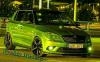
this is my 1.2 tsi se with lights on i have opinal fogs wit<a%20href=Photo0224-1.jpg"><a%20href=Photo0217-2.jpg">h DRLs

Create an account or sign in to comment

Recently Browsing 0

  • No registered users viewing this page.

Important Information

Welcome to BRISKODA. Please note the following important links Terms of Use. We have a comprehensive Privacy Policy. We have placed cookies on your device to help make this website better. You can adjust your cookie settings, otherwise we'll assume you're okay to continue.

Account

Navigation

Configure browser push notifications

Chrome (Android)
  1. Tap the lock icon next to the address bar.
  2. Tap Permissions → Notifications.
  3. Adjust your preference.
Chrome (Desktop)
  1. Click the padlock icon in the address bar.
  2. Select Site settings.
  3. Find Notifications and adjust your preference.
