



Skip to content

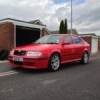
2002 Renault Sport Clio 172 swap for Octavia vRS
Featured Replies

I am missing my previous vRS so would really like to get back into one again, hence this sale of my Clio.

Details of the Clio:

2002 2.0 16v 172

Black

90k with fully stamped service book

Taxed until end June 2013

MOT til April 26th 2013

Half leather Renault Sport interior

Gearbox replaced 3 weeks ago

New clutch kit 3 weeks ago

Oil and filter change 3 weeks ago

Silvatec indicator bulbs all round

New rear wiper arm

3/4 front plate

Bosch Aero blade wipers

All in all it's a nice standard example which has not been messed around with. It drives well, excellent on fuel and is very comfortable. I only drive this 6 miles to work and 6 miles home again every day. However I have taken it to Essex a few times to visit family etc and each time it has been faultless.

It does have some age related marks on it which has to be expected but it was the best example I viewed and I went to see a lot of them! The dephaser pulley rattles when warm, haven't noticed any difference in the running of the car, these pulleys cannot break so it will happily still work for years. Serv and airbag light are on which I guess is the wires under the seats and the airbag is switched off. The wheels could do with balancing I think or one may be buckled slightly as there is a bit of wheel wobble. There is a 5th alloy as a spare, but it's curbed more than the ones on it now.

Text me (during office hours) or call evenings/weekends on 07557361223 if you have any queries etc.

Location : Lincoln

Price: £1595 ono (would prefer to swap for an Octavia vRS)

myclio-1_zpsff24916a.jpg

9CAAA5D7-89AB-4C32-8D98-9F0E9DF1EF0A-3652-0000019C7F746EE5_zpsf92aa04f.jpg

DFCF98B4-33F1-4987-8386-220967DA0EAC-3652-0000019C79D526D7_zpsf28bcdee.jpg

61511FDA-9140-4F44-9BBC-14343242B801-14908-000007EB409BA5F2.jpg

675DC016-4448-4AC3-96D9-2F772991D80D-14908-000007ED4B36B15D.jpg

D57ADFBD-6854-48BA-93B3-60CD7B98A996-14908-000007ED501FC4BB.jpg

  • Author

Sold

Create an account or sign in to comment

Recently Browsing 0

  • No registered users viewing this page.

Important Information

Welcome to BRISKODA. Please note the following important links Terms of Use. We have a comprehensive Privacy Policy. We have placed cookies on your device to help make this website better. You can adjust your cookie settings, otherwise we'll assume you're okay to continue.

Account

Navigation

Configure browser push notifications

Chrome (Android)
  1. Tap the lock icon next to the address bar.
  2. Tap Permissions → Notifications.
  3. Adjust your preference.
Chrome (Desktop)
  1. Click the padlock icon in the address bar.
  2. Select Site settings.
  3. Find Notifications and adjust your preference.
