



Skip to content

Saxo VTR

Featured Replies

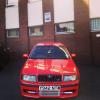
Hi all, bought this Saxo VTR last Monday, the same day I sold my Octavia VRS on here :-(

Now I miss an Octavia VRS so I want to sell this, to gather up as much money as I can so i can buy another VRS :-)

The Saxos details are as follows:

Located Birmingham, Perry Barr,

2000 W reg Citroen Saxo VTR 1.6 8valve,

86,300miles,

MOT til Oct '13,

TAX til end of March '13,

Very torquey engine,

Very economical, I got 165 for £20,

Have the last three MOTs and TAX discs from 2009,

Last owner owned the car for two years and done less than 10,000miles,

He had changed the cambelt at 78,000,

Front Electric Windows,

Central Locking,

Alarm with two fobs,

SONY CD Player with remote,

Lowered on the front by lowering springs, 60-70mm,

Lowered on the back by torsion bar adjustment,

Saxo 15" VTS alloys,

Full Magnex Stainless Steel Exhaust, not too loud at all,

Great car, just need the money otherwise I would keep,

Bargain at £799OVNO,

SWAP Golf GTI Turbo, Ibiza/Leon Cupra, Octavia VRS,

Call/Text

07514507512

The link for my advert is here;

http://www.gumtree.com/p/cars-vans-motorbikes/citroen-saxo-vtr-swap-golf-turbo799/1011935110

  • Author

Sold :-)

aww shame, i would have part ex'd my octy as i need something cheaper. :D

  • Author

Noooooooooooooooo :'( How much is your Octy up for??:-)

Oh and the wheels are xsara vts ones :)

uts the one titled "selling up" its up for 2550 ono

Create an account or sign in to comment

Recently Browsing 0

  • No registered users viewing this page.

Important Information

Welcome to BRISKODA. Please note the following important links Terms of Use. We have a comprehensive Privacy Policy. We have placed cookies on your device to help make this website better. You can adjust your cookie settings, otherwise we'll assume you're okay to continue.

Account

Navigation

Configure browser push notifications

Chrome (Android)
  1. Tap the lock icon next to the address bar.
  2. Tap Permissions → Notifications.
  3. Adjust your preference.
Chrome (Desktop)
  1. Click the padlock icon in the address bar.
  2. Select Site settings.
  3. Find Notifications and adjust your preference.
