



Skip to content

2004 Silver Fabia Vrs - Fsh, Leather, S3 Alloys
Featured Replies

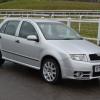
Due to a second baby on the way my pride and joy for the past year and a half is up for sale. The only reason for sale is that we need a bigger car for the larger pram to go in the boot. The car was completely standard when I first bought it, but does have a few tasteful modifications done by me with a full service history that I will list.

04 Reg skoda fabia vrs

Private reg - K333 VRS

One previous owner

125,000 miles

Mot until 29/06/2015

Cruise control

6 disc cd changer

Driver under seat storage

Handling

X New top mounts

X New bearings

X Ap shock & spring 25mm lower kit

X Powerflex dog bone mount bush

X Seat cupra rear console bush

X Powerflex lower arm front bush

X New lower arms and balljoints

X New droplinks

Interior

X Leather vrs interior with centre headrest in the rear

X Vrs footrest plate

X Single din stereo

Exterior

X Facelift rear lights

X Debadge rear

X Colour coded door handles

X Short aerial

X chrome grille surround wrapped

X Pastyboy badges

X Team heko wind deflectors

X Pressed plates

X S3 avus alloys with near new nankang ns2 tyres all round

X Tint fog lights

Performance

X Shark stage 1 remap

X Egr blanked

The spoiler is suffering from the usual lacquer peel and could do with being resprayed, the rear bumper also has a few marks on it. Has been like this since I bought the car but never bothered me.

Price starting at £2800, I may be persuaded to split the leather interior separately depending on the offer.

Last service carried out at 117,500 miles including a cambelt and water pump.

More pictures to follow.

Located in Sittingbourne, Kent. Contact me on 07896284400.

A9E5357E-0754-4E99-BA3F-A3C61A22F654.jpg

Trying to ring you mate but no answer

Hi, there


Mate really interested in the car inbox me ASAP !


No dodgy business, straight talk and serious money 

Do you won't to sell there car mate? Because u seem to be avoiding communication

  • Author

Sold :)

Create an account or sign in to comment

Recently Browsing 0

  • No registered users viewing this page.

Account

Navigation

Configure browser push notifications

Chrome (Android)
  1. Tap the lock icon next to the address bar.
  2. Tap Permissions → Notifications.
  3. Adjust your preference.
Chrome (Desktop)
  1. Click the padlock icon in the address bar.
  2. Select Site settings.
  3. Find Notifications and adjust your preference.
