



Skip to content

Finally saying good bye
Featured Replies

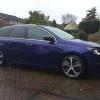
The time has come for me to say good bye to my Greenline Superb. After 3 years and just shy of 50K I have traded her in. This will be the first car I have had to put through an MOT since buying a Skoda as I have always traded in before. The Greenline has been cheap to run and on my commute i have often seen 70mpg, which is why I have kept it this long. I have been happy with the economy and comfort of the car but I have been left wanting more power for safe overtaking and an estate.


Looked at going back to an Octy Vrs but just wasn't impressed with it and was a bit expensive for the kit fitted as I wanted DSG, Sat Nav, flat boot floor, sunset glass adaptive cruise, spare wheel and rear camera and there are so many around now. So after 12 years of various Skoda's I'm leaving the brand and moving to Peugeot. Ordered a 308 SW GT. Got all the kit i wanted plus LED headlights, same performance as an Octy Vrs, but not as common on the road and for less than £21k. Not seen one yet since placing my order last month. Hopefully Peugeot dealers will be as great as Skoda has been to me over the years. I will miss this Forum as it has been a wealth of information and help with numerous issues Ive come across. The peugeot forum is pants compared to this.


Anyhow, due to selling the superb I am selling my rear sun blinds, Details are in the classified section so I won't add them here. Also selling an Octy Hatch boot liner which also fits pretty well in the Superb Hatch boot.


I will post pics of my new one when it arrives and will often check into the forum as i find it interesting reading.


So thanks for everyones help over the years, it has been appreciated


Richie

Create an account or sign in to comment

Recently Browsing 0

  • No registered users viewing this page.

Important Information

Welcome to BRISKODA. Please note the following important links Terms of Use. We have a comprehensive Privacy Policy. We have placed cookies on your device to help make this website better. You can adjust your cookie settings, otherwise we'll assume you're okay to continue.

Account

Navigation

Configure browser push notifications

Chrome (Android)
  1. Tap the lock icon next to the address bar.
  2. Tap Permissions → Notifications.
  3. Adjust your preference.
Chrome (Desktop)
  1. Click the padlock icon in the address bar.
  2. Select Site settings.
  3. Find Notifications and adjust your preference.
