



Skip to content

DOOR REPLACEMENT

Featured Replies

Hi Guys,


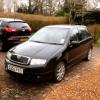
I have just put a new door on my fabia (O.S) and since installing it have had alot of issues with the window switches and the adjustable wingmirrors.


long story short the drivers side window would not go down after I installed the door and the drivers side switch would let the passengers window down and the passengers one wouldnt do anything at all. Since then I have looked at the plugs and now neither of the windows will go down.


Has anyone else had this issue at all or shed some light on things I could check to get it working as it should.


Thanks in advance!

Hi mate, 


Did you renove the wiring from the door frame itself? I had a similar issue on n/s front, my window motor was 3 plug type and the door i bought was 2 plug type so ended uo switching the looms but.... I slid the loom in anyhow and window wouldnt go down, The loom has to be slid in the back of the pillar towards the end of door otherwise like you, as for switch its quite common for them to fail. 


Im not a mechanic or experienced skoda tech, just a normal dude sharing his experiences! 

  • Author

HI Jayramm


When fitting the door we switched the door cards (including switches etc) from the old door to the newer one so removed a little bit of the loom but not the main but if that makes sence, the next step I was going to take was to remove the whole thing and try the one that was originaly in there and see if there is a difference.


thanks for your help dude! much appreciated

Oh i get you... When you remove the metal panel to swap wiring just make sure you pay particular attention to how the 4 plugs are routed in the door to avoid the mistake i made! You will know what i mean once u start doing it, could even be that the pins in the plugs are a little rusty or more often than not someone has damaged the securing clip for one of the plugs and it keeps sliding out??? 


Not sure im any of this is any use to you.... But glad to help buddy!! 

Create an account or sign in to comment

Recently Browsing 0

  • No registered users viewing this page.

Important Information

Welcome to BRISKODA. Please note the following important links Terms of Use. We have a comprehensive Privacy Policy. We have placed cookies on your device to help make this website better. You can adjust your cookie settings, otherwise we'll assume you're okay to continue.

Account

Navigation

Configure browser push notifications

Chrome (Android)
  1. Tap the lock icon next to the address bar.
  2. Tap Permissions → Notifications.
  3. Adjust your preference.
Chrome (Desktop)
  1. Click the padlock icon in the address bar.
  2. Select Site settings.
  3. Find Notifications and adjust your preference.
