



Skip to content

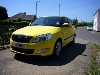
My Fabia 1.2 tsi 110ps
Featured Replies

 s245.photobucket.com    Sorry guys, someone needs to tell me how to put a Photo on :blush:

Edited by horkin

  • Author

IMG_20180423_144653.jpg

Absolutely gorgeous! Same colour and model as mine but I have the dsg box. Big congratulations.

Stunning colour

13 hours ago, Skodaboy1983 said:

Stunning colour


It absolutely is -  it’s beautiful, and I’m not usually into red cars (unless there’s a prancing horse on the bonnet ! ). They don’t offer it on Fabias in Ireland - and gone from Octys here as well - though there is a Velvet Red for them that also looks stunning.

Well chosen, @horkin, well may you wear. 

  • Author
7 hours ago, Mithane said:


It absolutely is -  it’s beautiful, and I’m not usually into red cars (unless there’s a prancing horse on the bonnet ! ). They don’t offer it on Fabias in Ireland - and gone from Octys here as well - though there is a Velvet Red for them that also looks stunning.

Well chosen, @horkin, well may you wear. 

Thanks Mithane and thanks again Estate Man ans Skodaboy for your good wishes / comments.


This is my 4th Fabia and the first Mk111 I have owned. Each car was a step up from it's predecessor and the Mk 111 follows the trend, though this time there is a huge leap forward in bells and whistles.


My first impressions are that it drives superbly, has plenty of power for safe overtaking and feels generally well built. Once I've driven a few months I'll give a proper review with likes and (hopefully none) dislikes.


Harry

Create an account or sign in to comment

Recently Browsing 0

  • No registered users viewing this page.

Important Information

Welcome to BRISKODA. Please note the following important links Terms of Use. We have a comprehensive Privacy Policy. We have placed cookies on your device to help make this website better. You can adjust your cookie settings, otherwise we'll assume you're okay to continue.

Account

Navigation

Configure browser push notifications

Chrome (Android)
  1. Tap the lock icon next to the address bar.
  2. Tap Permissions → Notifications.
  3. Adjust your preference.
Chrome (Desktop)
  1. Click the padlock icon in the address bar.
  2. Select Site settings.
  3. Find Notifications and adjust your preference.
