Skip to content

Cairus

Members
  • Joined

  • Last visited

  1. Die Steuergeräte sind komplett, der Kabelbaum auch. Der erste Außenspiegel komplett zerlegt Die anderen Teile für OEM Retrofit in den Außenspiegel sind im Zulauf. Gestern habe ich am Tisch die Steuergeräte aufgebaut. Firmware sauber neu geflasht auf beiden und einen für mich vermutlich passenden Datensatz aufgespielt. Der Octavia 3 hatte nie die 2Q0 Steuergeräte verbaut, dadurch gibt es keinen originalen 2Q0 Datensatz dafür. The control units are complete, as is the wiring harness. The first exterior mirror is completely disassembled. The other parts for the OEM retrofit in the exterior mirrors are on their way. Yesterday, I assembled the control units on the workbench. I cleanly reflashed the firmware on both and installed what I believe to be a suitable data set. The Octavia 3 never had the 2Q0 control units installed, so there is no original 2Q0 data set for it.
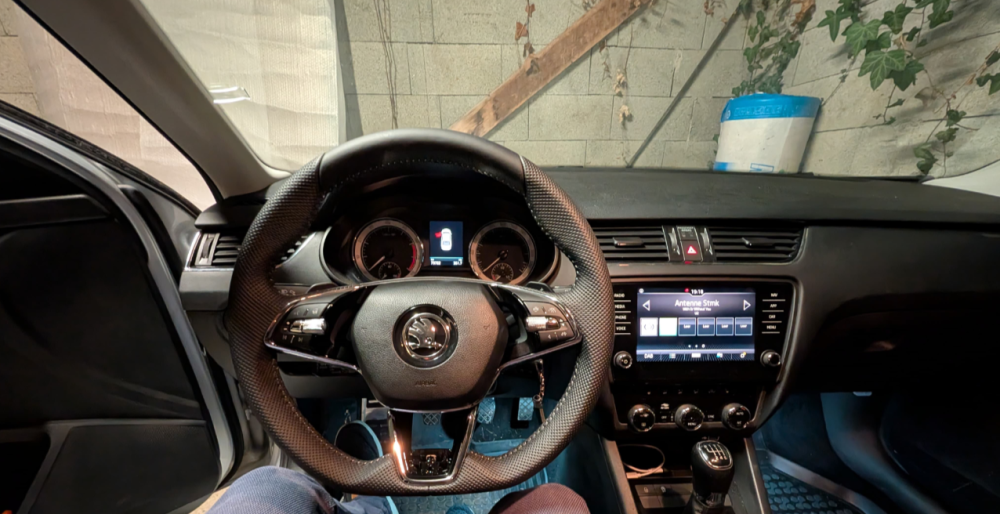
  2. There is no official solution for the clock problem in your firmware. The only solution, also listed in the Digital Elite forum, is a cross-flash to a VW firmware, which addresses the clock issue. Then the Skoda HMI needs to be flashed. Only attempt this yourself if you know what you're doing; otherwise, you risk bricking your software.
  3. Your Part Number have this Features: 7UF Navigation system - Standard I8D Standard radio (Gen1) 7UH Preparation for navigation system (MIB) QH0 Without voice control QV3 Digital radio reception QH1 Voice control ER1 Regional code \ ECE \" for radio"
  4. Amundsen MIB 1 with DAB&MOST Possible Firmware 0490 You have Soundsystem?
  5. Wrong Information 85% the GPS Antenne is damage. You can check it With a good Diagnose Tool by unit 75
  6. Did you drive all positions to the limit? Control unit have kodiaq Dataset?
  7. Unit is from Kodiaq?
  8. Which Part Number have The Controller unit?
  9. Guten Morgen. OEM kann man die Helligkeit einstellen. In dieser Einstellung Leuchten diese konstant, ausgenommen es ist eine Gefahren Situation bei Spurwechsel. Dort ist die LED immer am hellsten und blinkt extrem schnell. Wenn ein Fahrzeug erkannt wird, leuchtet die LED in der gewählten Helligkeit auf, solange wie es eben das Steuergerät sagt. Codierung ist ein wenig was. Good morning. With the OEM settings, you can adjust the brightness. In this setting, they illuminate constantly, except in a dangerous situation such as a lane change. In that case, the LED is always at its brightest and flashes extremely rapidly. When a vehicle is detected, the LED illuminates at the selected brightness for as long as the control unit specifies. Coding is a bit involved.
  10. Version 1800 No warrenty your own risk https://mega.nz/file/Mi0QjBAZ#TqU-7_tkt9Zu4LlE4FVA78FABUH2fYqGyOWx-tpR0pc
  11. So, The Octavia 3 only received the Blind Spot Assist with the facelift. That means it uses the 5Q generation control unit. Of course, I'm not installing anything like that. Therefore, I'm using the OEM 5Q0 radar mounts with the 3D-printed adapters, just like @Lutz91 did in his Superb. The OEM LED is integrated into the mirror glass, but I'm definitely not going back to that solution. Through a bit of luck and some internet research, I discovered that another Volkswagen Group vehicle also uses the same Octavia 3 mirror caps. This vehicle has the Blind Spot Assist from the factory with a version integrated into the mirror caps. Thanks to @Lutz91 for finding the details. So, I ordered a set of primed left and right mirror caps from the aftermarket, just to test them. VW charges €75 each, but I paid €35 for both aftermarket caps in Spain, plus a few euros for shipping home. Thanks to @Lutz91 for the detailed research. The following parts are required: Control units: 2Q0907686B 2Q0907685B Sedan mounting bracket: 5E5907455A 5E5907456A LED headlight washer mirror caps: 565949145 565949146 Exterior mirror caps To be added if the correct parts are available Wiring harness: From my supplier in the Far East... 3D printer adapters for left and right
  12. No, Firmware 17Xx-->18xx-->19xx-->Last Firmware Also you have To Check the OCU Firmware

Important Information

Welcome to BRISKODA. Please note the following important links Terms of Use. We have a comprehensive Privacy Policy. We have placed cookies on your device to help make this website better. You can adjust your cookie settings, otherwise we'll assume you're okay to continue.

Account

Navigation

Configure browser push notifications

Chrome (Android)
  1. Tap the lock icon next to the address bar.
  2. Tap Permissions → Notifications.
  3. Adjust your preference.
Chrome (Desktop)
  1. Click the padlock icon in the address bar.
  2. Select Site settings.
  3. Find Notifications and adjust your preference.