Skip to content

Tim1631

Members
  • Joined

  • Last visited

Everything posted by Tim1631

  1. Tim1631 replied to T00mm's topic in Skoda Karoq
    Super skoda
  2. Car being shipped over at the end of this week!
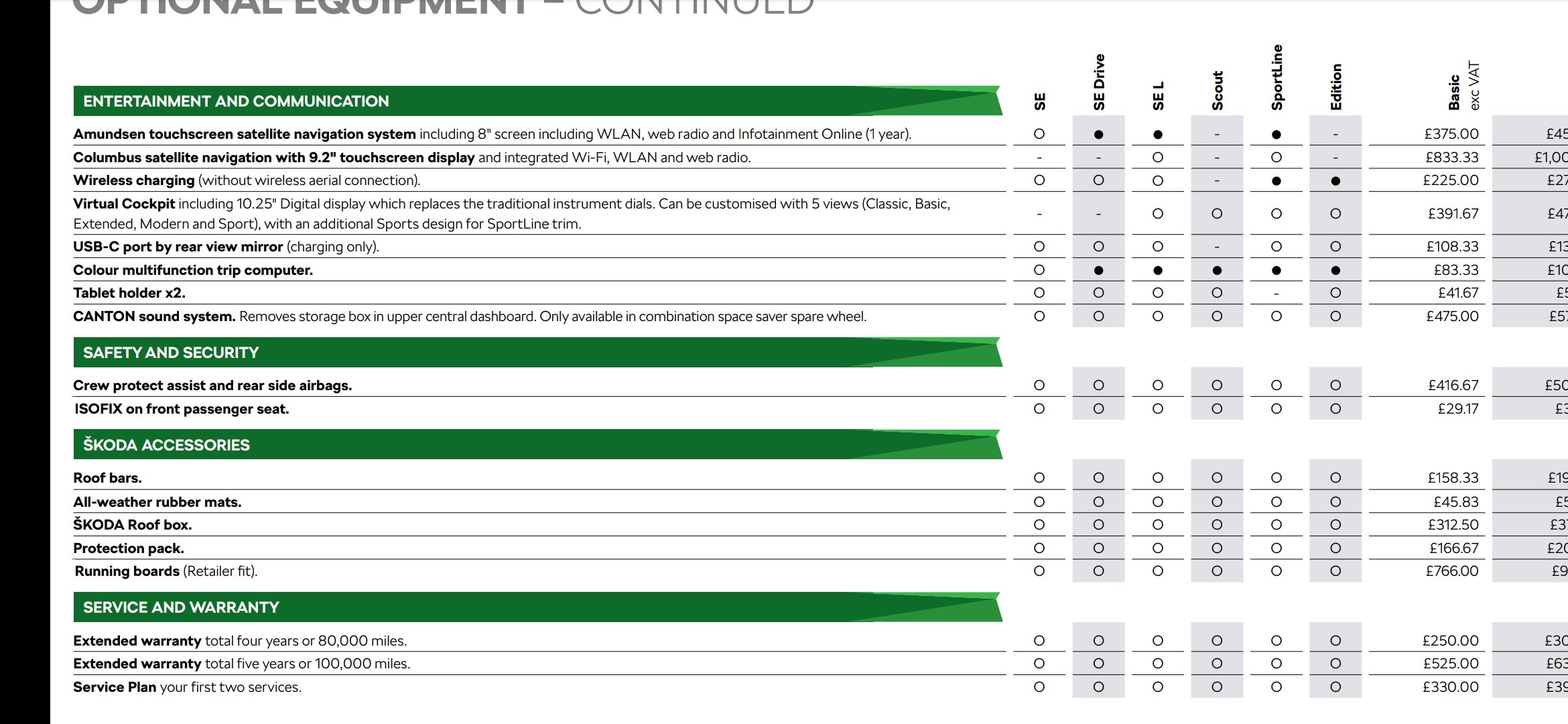
  3. Yes it is standard on the MY 21 Sportline
  4. Tim1631 replied to Cvak's topic in Skoda Karoq
    That's brilliant thank you. I'm going to Brighton for mine too. From Griffin
  5. Tim1631 replied to Cvak's topic in Skoda Karoq
    What is the engine like? Is it manual or DSG. I really like the colour it pops!
  6. Tim1631 replied to Cvak's topic in Skoda Karoq
    What engine? Looks fantastic!
  7. It's just a different map, easily get the same results
  8. It's fitted to the most powerful petrol and diesel engines
  9. Race Blue
  10. Considering I said a 125 scooter.... No
  11. Brilliant, good choice in spec and engine. Beautiful colour too
  12. What spec Andy?
  13. It isn't that quick in an UP! GTi never mind a Karoq. Would never buy a Karoq with that engine!!
  14. 51k hahaha What are these people on?
  15. Yes, glad you got one, I've ordered a XBox too from Very. May aswell get both
  16. That's a very old joke now
  17. Nice choice, looking forward to seeing more pictures of it
  18. What engine have you gone for?
  19. Hi Mike Thanks very much for the uodate, that's great news! 👍😎
  20. Tim1631 replied to Cvak's topic in Skoda Karoq
    Just the badge or just the letters. Not a mixture of both I'm loving the Black badges 😎
  21. No problem, it was direct from the dealer via letter to my house and also a phone call 😊
  22. I get what you mean, however that's what Golf R! S3 brakes are...... Cheap. They won't look much different either
  23. Hi Mike, yeah I have. Its been built and they have tons me it would be ready for collection no later that Halloween. However that now depends on what happens with any new lock downs 🤔
  24. Any updates on this?

Important Information

Welcome to BRISKODA. Please note the following important links Terms of Use. We have a comprehensive Privacy Policy. We have placed cookies on your device to help make this website better. You can adjust your cookie settings, otherwise we'll assume you're okay to continue.

Account

Navigation

Configure browser push notifications

Chrome (Android)
  1. Tap the lock icon next to the address bar.
  2. Tap Permissions → Notifications.
  3. Adjust your preference.
Chrome (Desktop)
  1. Click the padlock icon in the address bar.
  2. Select Site settings.
  3. Find Notifications and adjust your preference.