Daverave
Members
-
Joined
-
Last visited
-
Oh yea, if anyone is at all interested. Had cambelt and water pump done. The water pump was actually seizing apparently, so caught it just in time. If you hear the same god awful squeak, get yourself a new waterpump etc!
-
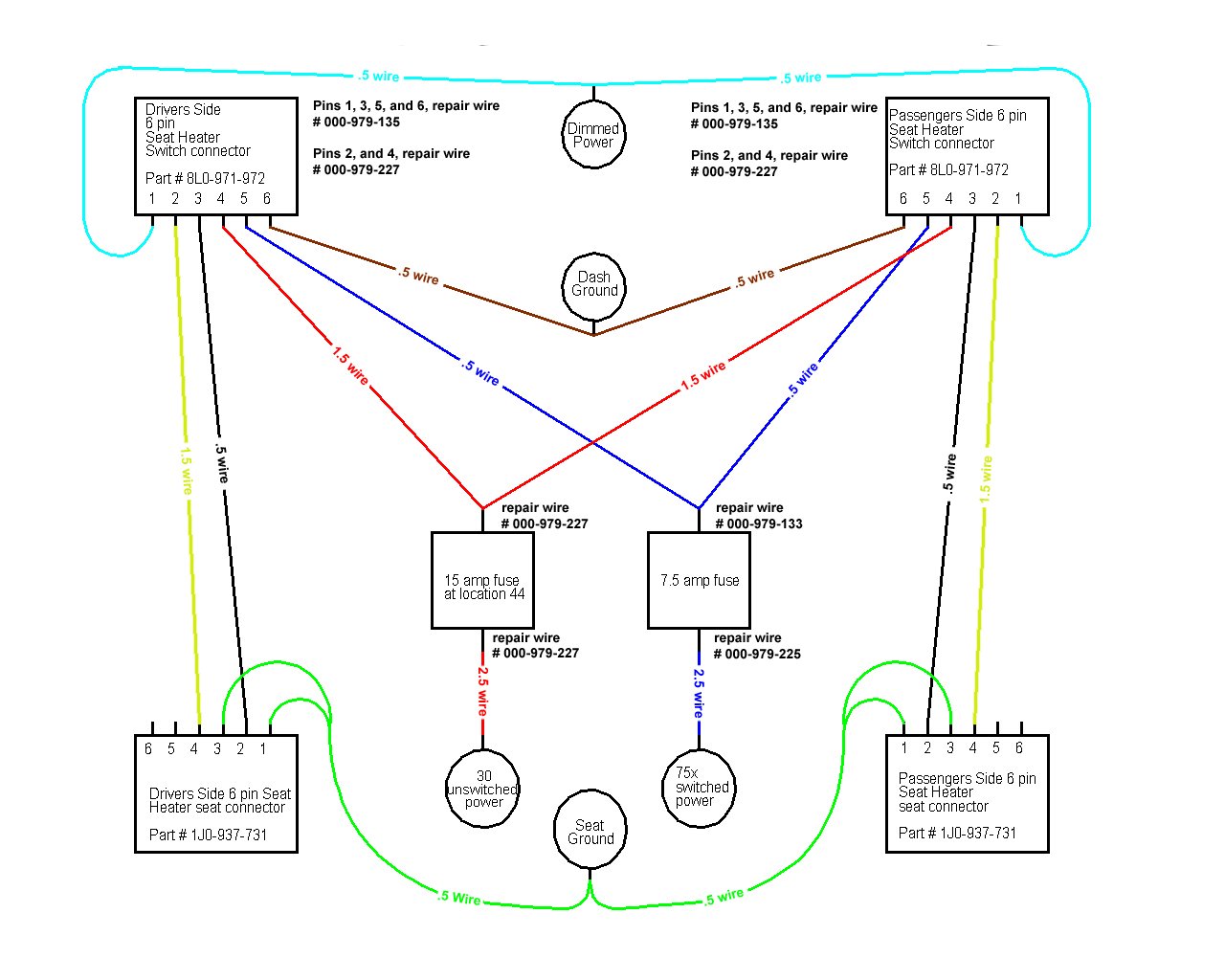
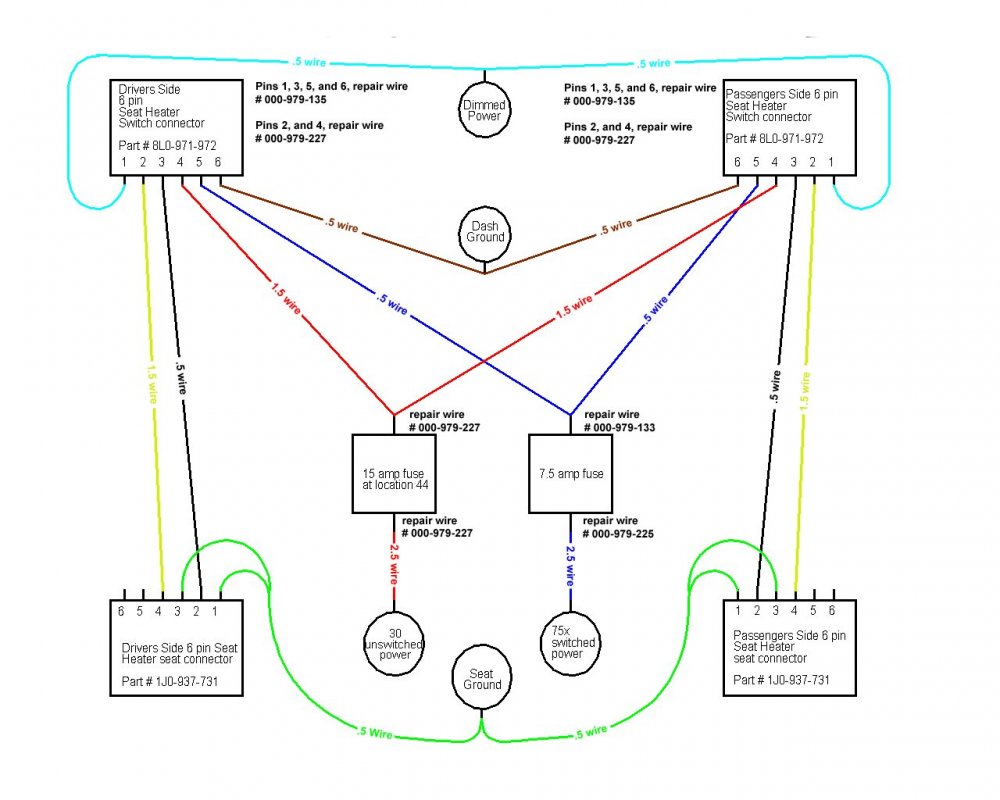
Hello! Think I've got myself some golf MK4 heated leather seats I'm going to fit to my Octavia boggo spec. I've seen people buying looms from kupetc or somewhere... Not too interested in that. Also don't fancy spending £20+ on some second hand switches which may or may not work. I was thinking of using a potentiometer fed by inline fused ignition live. Then from there to the seat. I think I can get my head around the wiring using this handy diagram I found. But I'm wondering if a potentiometer will work as the switch, and if so, what size will I need? The potentiometers I've played with before click off when turned right down which is ideal.
-
Hello, Had this chirp on cold for pretty much ever. The old AUX tensioner shock had spat it's innards out, so assumed it was that. The chirp has stayed on constantly recently, so I changed the tensioner. No change. I then looked into the alternator pulley, that seems ok, it doesn't seem to flap about like other videos I've seen. Also the noise is alot louder / clearer nearer the crankshaft pulley :/. I noticed my coolant was on minimum. This isn't unusual as I have a known leak fixed with rad weld (yes I know), but that got me thinking if it could be the water pump leaking onto a pulley / bearing that could cause this? I can't seem to find any other videos with the same noise, if you make it to the end, you can see it's louder when directed at the crankshaft. https://youtu.be/1pWJ09iTzCE Please note, the car is on 233k miles. Haven't the foggiest when the timing belt or water pump was last changed. Aux belt changed about 3 years ago. Aux tensioner 2 days ago.