ionutai
Members
-
Joined
-
Last visited
Everything posted by ionutai
-
I am aiming also for this as an alternate end, but, unfortunately I cannot move the guiding rail. I have already removed the motor, and taped tight the current holes, but it is not pretty. I am looking for at least a way to move the rail into the closed position.
-
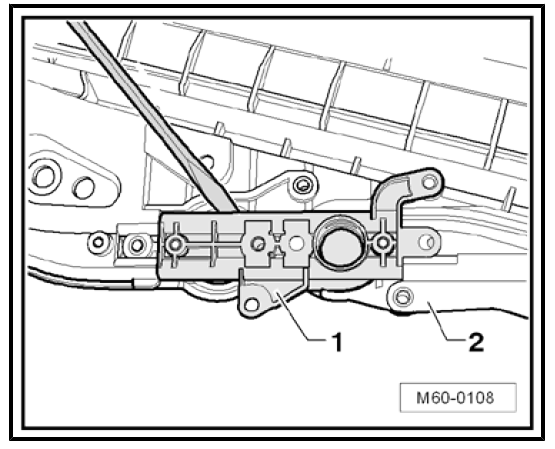
Hello all, I have quite a frustrating issue on my Yeti (2010). The sunroof was a bit neglected and wanted to give a bit a of love and clean it. Unfortunately the one of sunroof guides got stuck half open, and in the process made the sunroof motor eat through the plastic gear inside it. I would prefer not to disassemble half the car to take the entire frame off (and obviously not to buy another one) if it can be fixed otherwise. Now, I am faced with the current situation: 1. The left rail (1K9898738A) is stuck in the position where it is angled (starting to raise the glass to open), so quite inaccessible, and cannot move it back and forth more than 2mm. My thought is that the guiding cable (1K9898870) is stuck. Rain can now freely enter the car 😥. I have removed the motor, the front glass, I have sprayed anti-seize on it (and left it to work), and applied a small amount of force to the guide rail in an attempt to unblock it, but it just does not move. I am considering all sorts of ideas, like breaking the motor plate (1) to expose more of the cable to get it unstuck or to drill through the cable guide channel, however I could not find any reference or place that sells this part, so I do not want to generate more cost for myself. 2. The sunroof motor (8R0959591A) is working, but I have not been able to find a replacement gear, and I would prefer not to buy another one, considering that the gear is just a small piece of plastic. Every part is very expensive (from cable to motor to frame) quickly going to hundreds and I would prefer to spare the cost if possible. Any idea to get this solved is welcomed. Thanks.