SkodaRob2015
New here
-
Joined
-
Last visited
-
I wanted to close the topic after a good few miles and time, hopefully someone might find this useful - I believe my car is fixed by replacing the crankshaft sensor. I got this Bosch one - https://www.ebay.co.uk/itm/235945871878 Fiddly but pretty straightforward to DIY replace too. Thanks again to this forum, and the people on this thread 👍
-
Thanks for the replies, appreciate it. I wondered about the throttle body too, weird that nothing is logged? Think I'll spend some time in VCDS and see if I can log/capture throttle body/speed sensor when the issue occurs.. I've also changed the fuel filter. I hesitate to muddy the waters with this but the only other thing I can think has changed since the problem is use of Esso diesel instead of Shell...
-
I'm having what appears to be the same issue, intermittent and logs no fault codes (I'm using VCDS). Wondered if you resolved your issue @Billyb52 ? I've removed the air intake pipe and see the throttle flap is clean, at least no soot present..
-
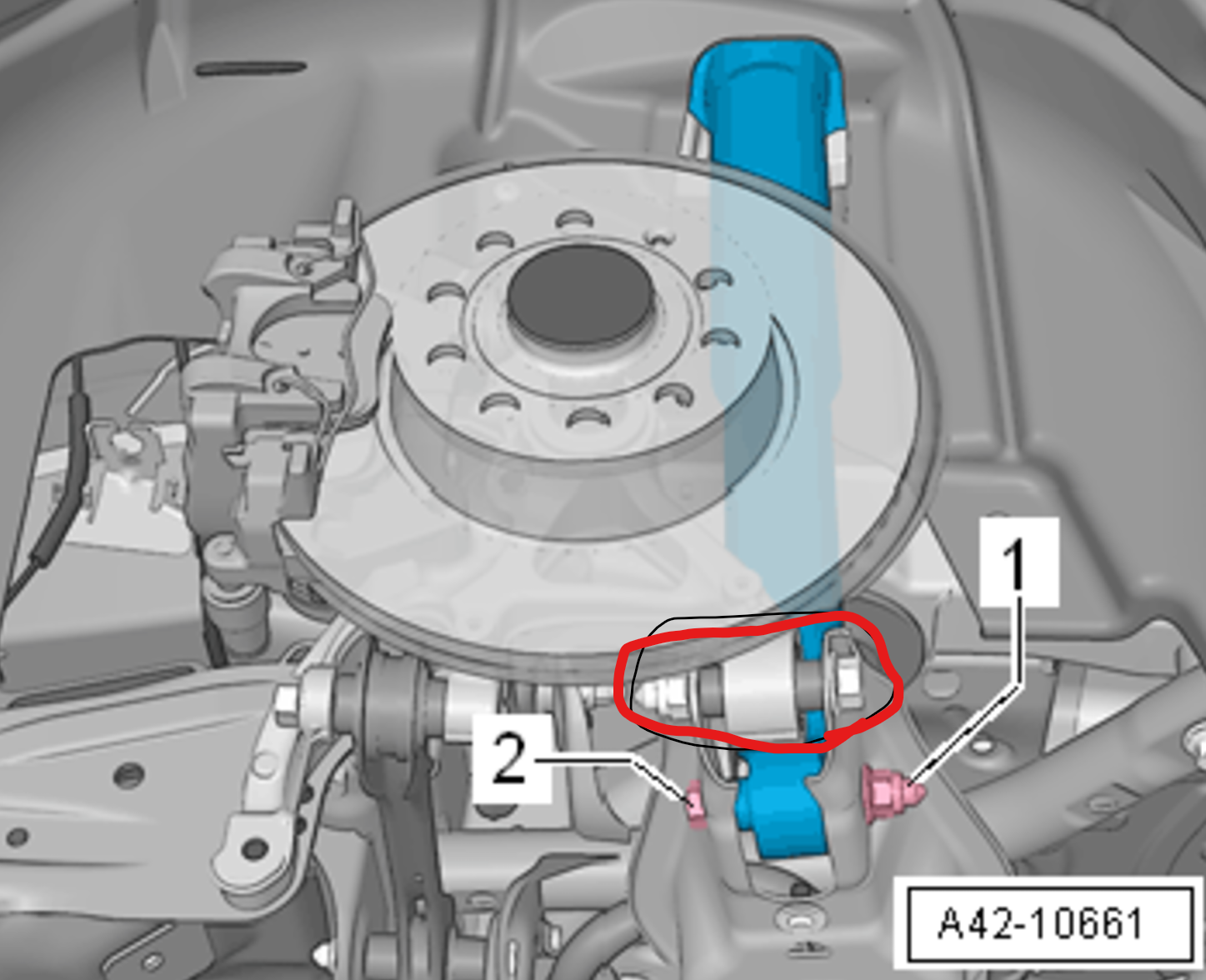
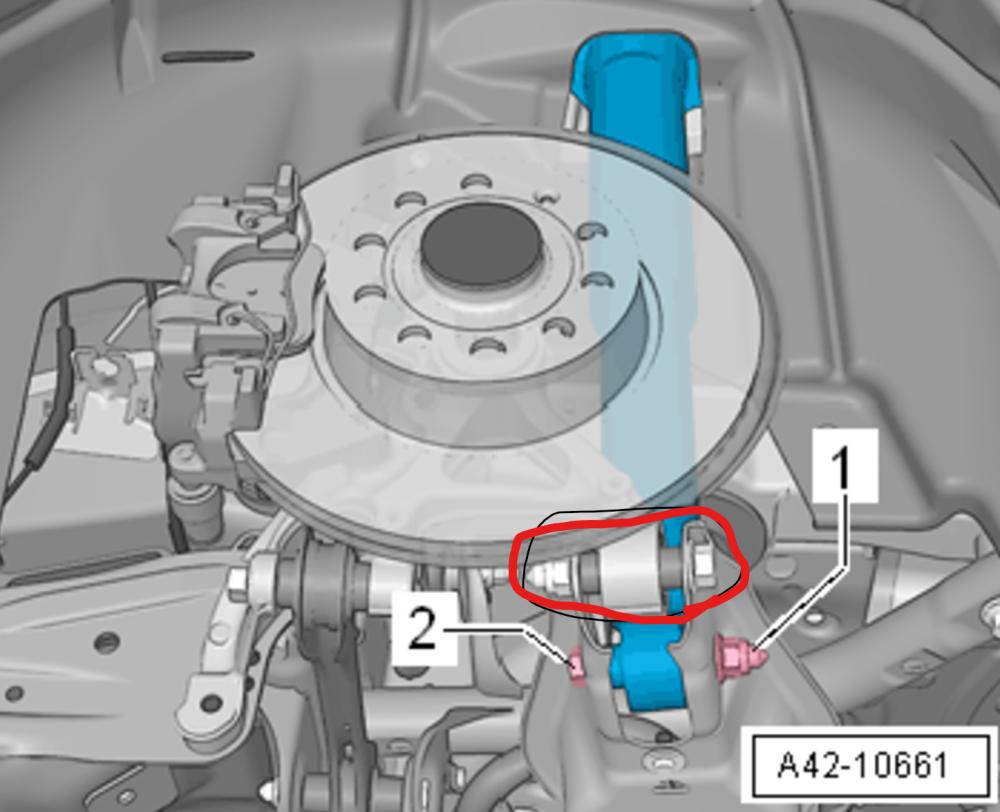
Hi, Can anyone help identify the part numbers for the 2 bolts in the pic attached? One for the shock absorber, the other attaches arm to wheel hub.. 2015 Octavia Vrs estate, 2.0 ltr. TDI/135 kW/diesel I'm hoping I can replace my broken spring by removing the bolts (or just the shock bolt?) and using a spring compressor... If anyone's done it and can give advice I'd also appreciate it! Thanks, Rob
-
Thanks for the discussion on this - thought I'd share in case it helps someone... I just ordered a new expansion tank for £16.78 with discount Sav27 from carparts4less; https://www.carparts4less.co.uk/p/mahle-radiator-expansion-tank-205440210 I saw similar deals on ebay but thought buying from a known distributor would be best to ensure quality/fitment of the part (and think currently cheaper), I am assuming it'll come without silicone bag.