hobbesy
Finding my way
-
Joined
-
Last visited
Everything posted by hobbesy
-
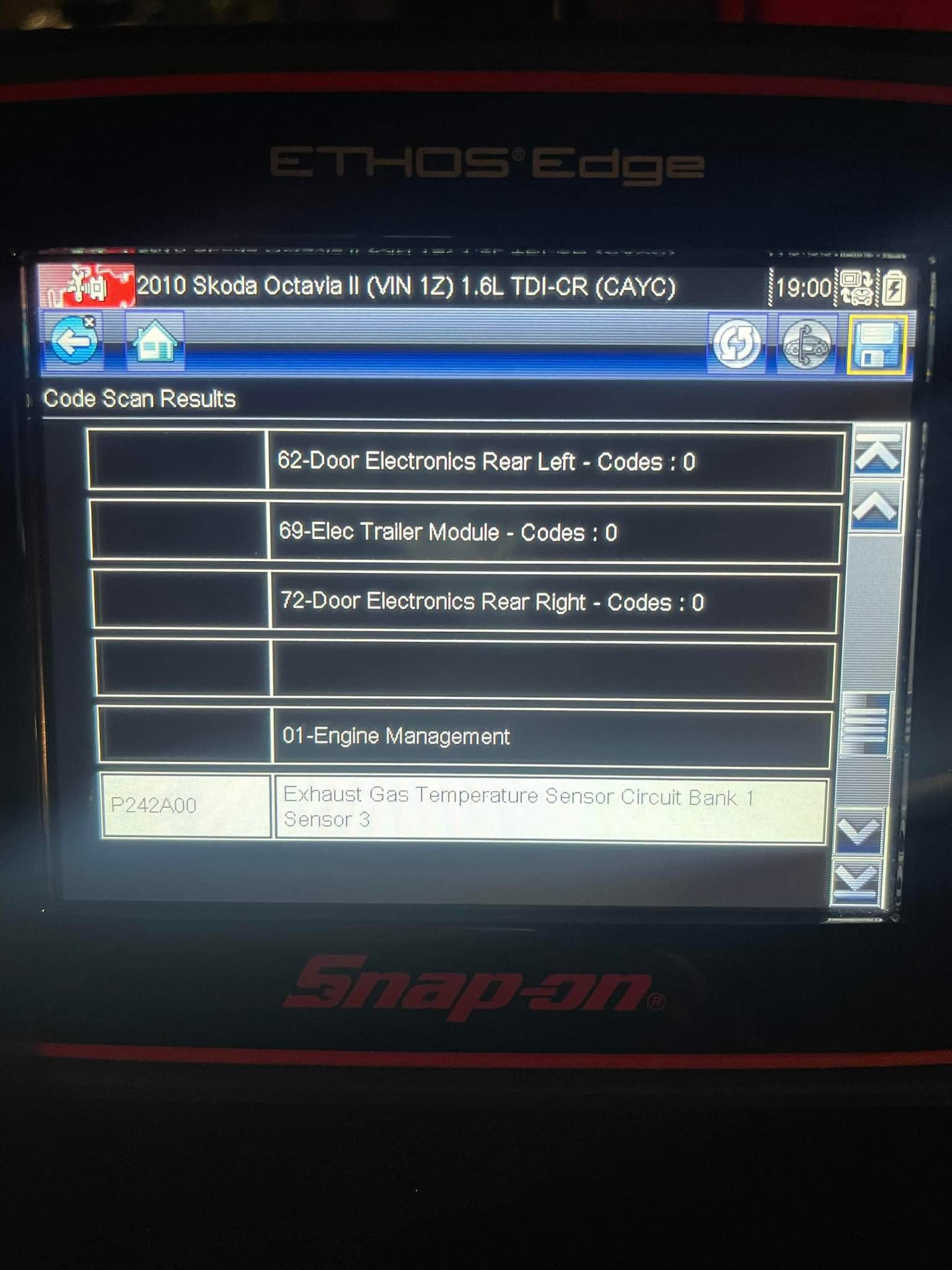
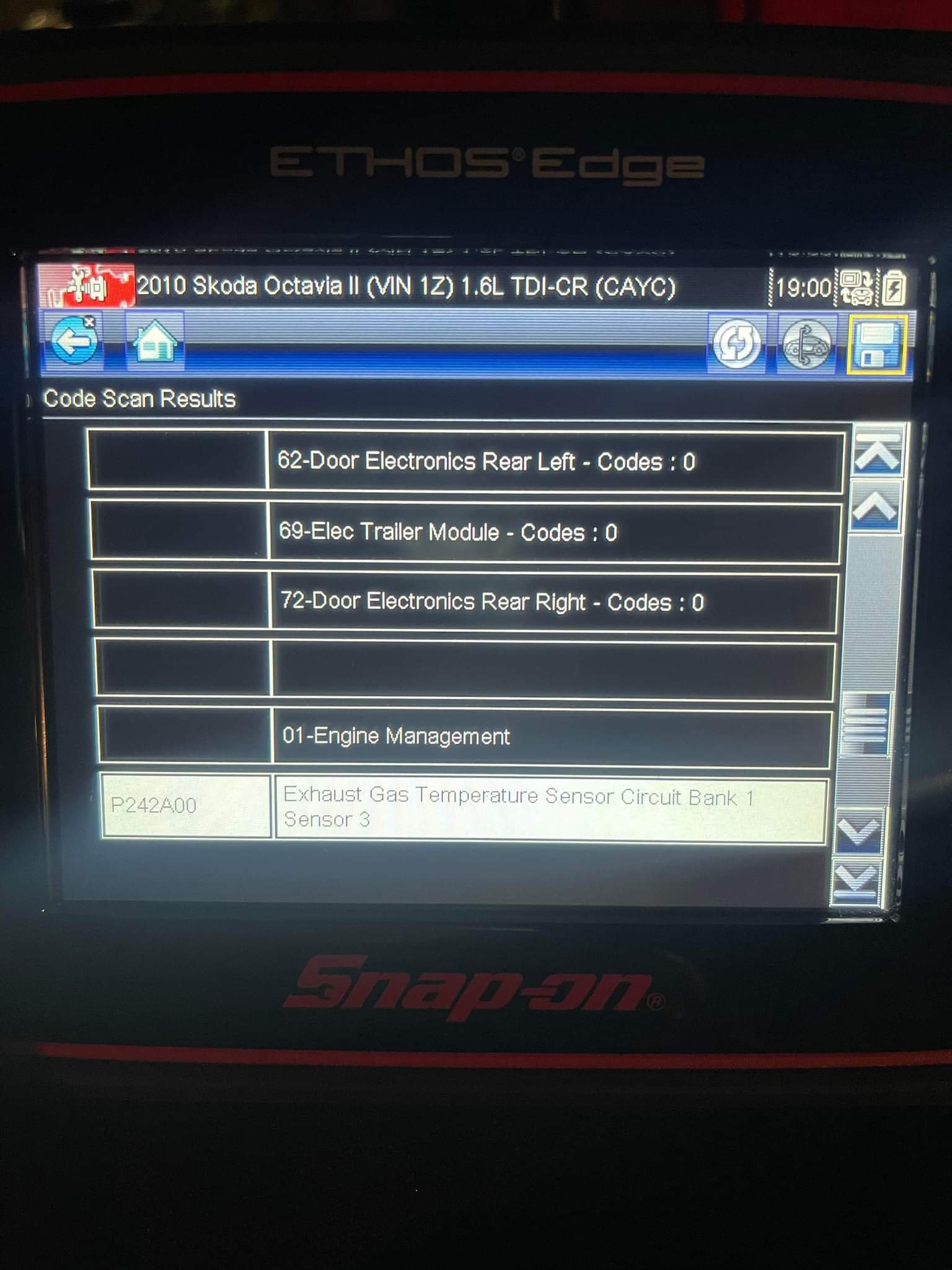
I've replaced a no.3 sensor and the coil light is still showing, the car is in limp mode and I can't clear the code using my OBD2 reader (just gives me an error). It's a 1.6tdi 2010. many thanks
-
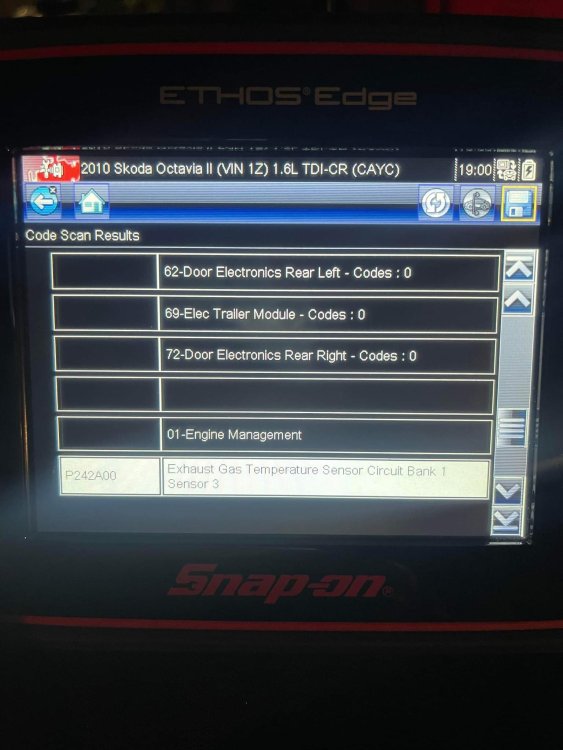
Well F**k my life, so managed to get a sensor from Europe parts for £195. Managed to fit it really easy but battery dead, so jumped it and guess what? All the lights were still on. I bought an OBD2 scanner and it's still showing a P294 code and the coil warning light is lit up and she's still in limp mode. So I'm down £235 for a job Skoda would have done it for £290 and it's not fixed. Some days I wonder why I bother, off to have a brew 😕
-
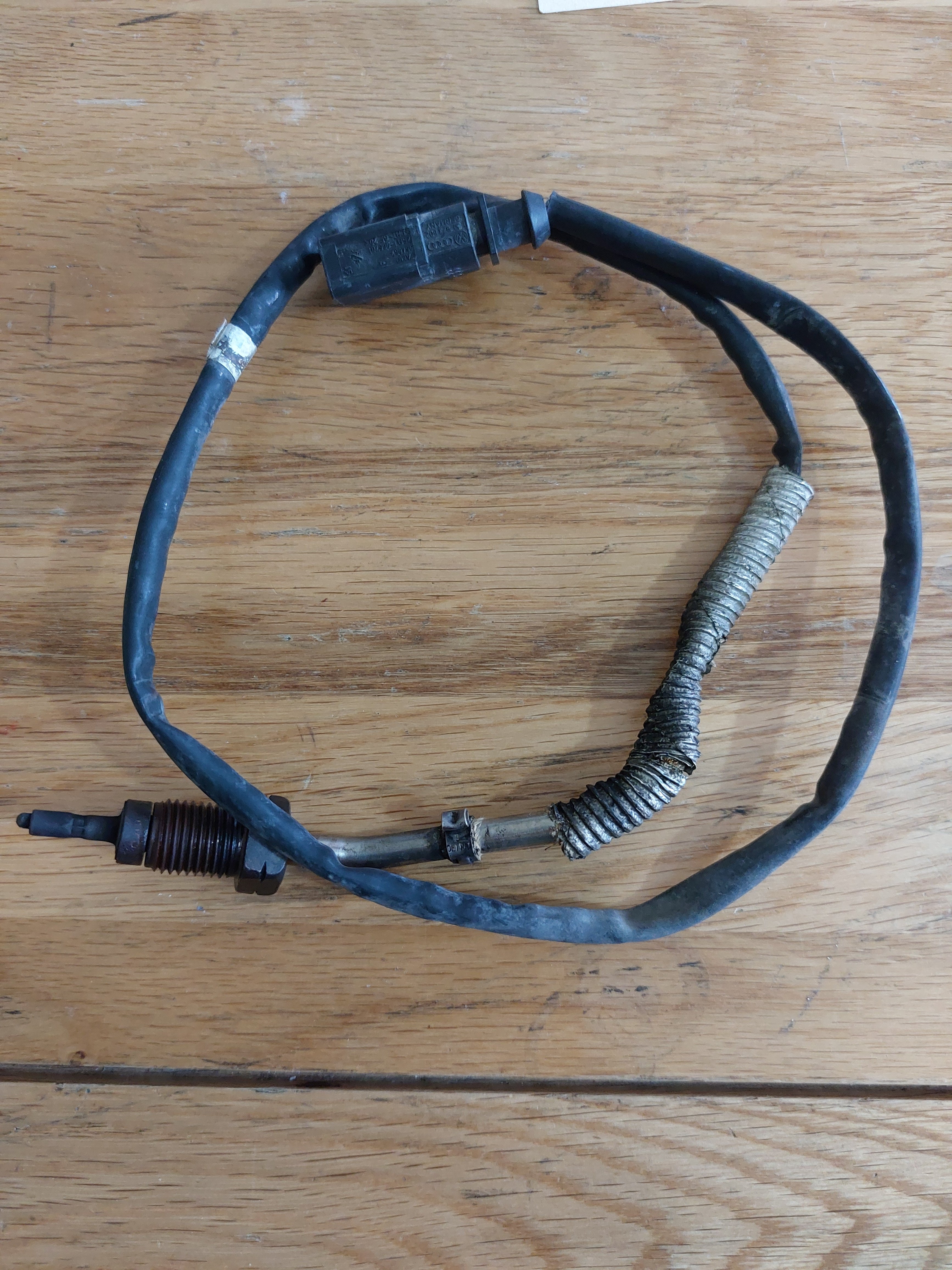
Hi Trying to confirm this is a 03L 906088 J Which is the bank 1 no. 3 exhaust sensor, Europarts is quoting me £195 for it. Does that sound fair or should I look somewhere else? Many thanks
-
Hi mate, Many thanks, I think you've given me the way to find which one it is. I can see one and the code is wrong and it goes to the orange plug. Will dive in tomorrow when it's light and head put to Skoda and get the part. Thanks again
-
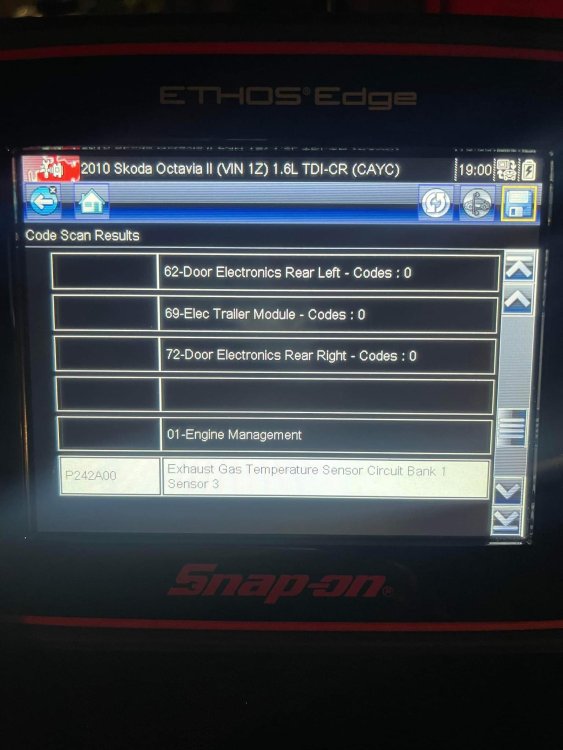
Does anyone have a clue as to which one is no.3 please and possibly show me using a picture or diagram please. Either this or she goes into Skoda next week which is going to set me back £290 The car is a 2010 Octavia 1.6tdi many thanks
-
Anyone know which sensor is the no.3 one please?
-
can someone confirm that this is known as a Lambda sensor?
-
Thanks It's a 2010 1.6tdi
-
Hi, The coil light came on (in my 2010) a few days ago and I assumed she needed new glow plugs. A couple of day later the engine management light came on (no loss of power). Bought some new glow plugs today and fitted them only to find the car started OK but went straight into limp mode. I have an cheap code scanner but the car doesn't connect and shows an error. Hoping the hive mind can help please, or is it off to the garage to get plugged in and told I need a new injector. TIA Rob