crankoz
Members
-
Joined
-
Last visited
Everything posted by crankoz
-
Going round in circles trying to fix wiring...got a mobile sparky out who says it's now time to buy a new improved door loom! Original p/n is 3T2 971 120 DL. I've done some searching and it looks like 3T2 971 120 DJ may be the current one. Can anyone refer me to a reliable supplier who will ship the loom to Australia? During our fault finding process I got a second hand door control module hoping that would be the cure....funnily it wasn't. The mobile sparky suggested the module would need to be adapted to the car .... is this true? And as I have swapped back to the original module do I need to re-adapt it to the car and if so how???
-
We ran a wire directly from the battery to the loom and got a bit of power, but not enough for controls to work. With the harness plugged in we checked the voltage on the red wire with green stripe and it was 5.7volts. My mate thought that was a bit low and should be about 8 volts or better. Is this true?? Couldn't download a wiring diagram as the portal is down for maintenance.
-
Yep...checked all fuses...no issues found. I don't have access to fuse box diagram....but I think it is no. 14. So you are saying to run a wire from fuse 14 to the power wire for the loom??
-
This is becoming quite a drama! We've rechecked all wires and they are ok...but still there is no power going to harness. Is there a hidden relay/fuse that may be the cause?? I was thinking of replacing the harness and we have searched and searched for hours looking for a replacement for a 3T2 971 120 DL but cannot find one anywhere. Can anyone point me in the direction of where I may be able to get one and have it delivered to Australia?? Will also need that little tool thingy for the connection at the door lock. Cheers...
-
My mechanic mate came over tonight and checked wiring again and found one broken wire....soldered it together and did a test of the window operation, but sadly no change to condition. I did a scan and cleared the errors, cycled the ignition and scanned again....still no change. Attached is the latest scan but I doesn't tell a different story. Time for a couple of Scotch and Cokes me thinks.... I know I am not very classy...but I enjoy them! Log-TMBMF93T2F9027151-95700km-13May21.txt
-
Thanks very much langers2k....! will provide this to my mechanic mate and report back.
-
Thanks chimaera again!! I did the ignition power cycle - no change. Thanks langers2k!! Appreciate your detailed reply. I've replaced relevant fuses - no change. Is there a wiring diagram for 'pins T20d/12 and T20e/12' that you can point me too? Will have my mechanic mate to recheck the for broken wires in the front door gaiters again- I'm a bit restricted in movement due to torn rotator cuff. If there are no broken wires in the door gaiters how can we check the wiring between the CAN gateway (don't know where it is!) and the door modules. Oh dear... I was talking to the missus about this problem just now, and she says she heard a sound like a balloon bursting (her description) when she was driving the car the other day when the faults first appeared. I did ask if maybe something flicked up underneath the car or bounced off the windscreen but she said no. What on earth could this be??? There is no smell of anything burnt or burning inside the car and for all intents and purposes, it drives just the same as before this issue appeared. Just can use the windows, external mirrors, central locking or kessy functionality.
-
It was late at night when I did this so I may have missed one part.... What do I do to cycle the ignition and rescan? Turn ignition on then off without starting the car and leave the cable plugged in while doing this??
-
Thanks chimaera, Unplugged HU, scanned and cleared error codes....no change. Checked wiring at passengers footwell as suggested in another forum...it was dry and no visible wiring issues. What's involved with checking CAN gateway and BCM?
-
Ok....latest update... No broken wires No dud fuses Door control module replaced Same issue remains, however now I have noticed that none of the door control switches light up (it's night time now!) (yeah I know...I'm a bright spark!!) The remote key only locks/unlocks the fuel filler cap, the powered tailgate and I have to 'lock' the car with the remote else the alarm will be triggered...all doors will open manually but the alarm is triggered if we do this. Keyless entry does not work. Tried the second remote key and there is no difference. What can I try now??
-
How do I remove that damned door grommet?? Feels like it will never come out!
-
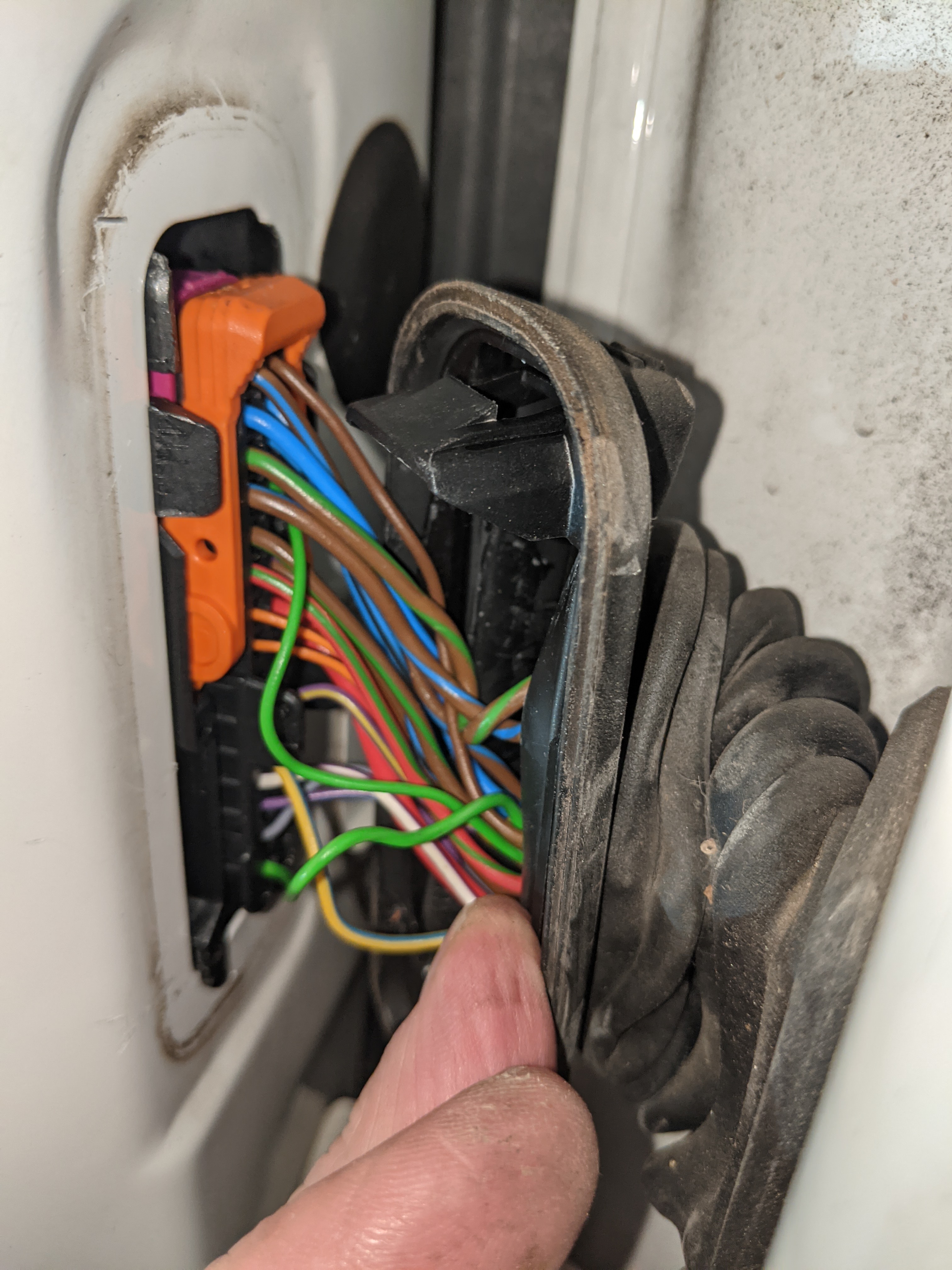
Thanks to everyone for their responses. Checked the loom and it looks good to me....see pic. Where to now? Could it be the driver's door control module?
-
Drivers door and tailgate and fuel cap operate though. Only driver's door locks and unlocks. Opened the other 3 doors from inside the car and now they cannot be locked either by using the remote or using the lock door button on driver's door. Windows do not operate. Outside Mirrors do not operate. Go a bit of an issue here I think....did a lot of searching but couldn't find an answer that covers all these issues. I did a VCDS scan and it brought up a few errors ...see attached file. Car has an aftermarket Android Head Unit - been in car for 12 months.. Hopefully someone can advise how serious this is and if it is in the realms of a DIY fix? Car is an Australian spec'd Superb MkII Outdoor 2014 like to one of my Avatar. Log-TMBMF93T2F9027151-94810km-02May2021.txt