kewals
Finding my way
-
Joined
-
Last visited
-
Just to pay back the forum for great advice and info over the years, my story is that as my service advised I had a broken top of rear spring (standard suspension 1.4TSI Estate SE technology 10 years old), with tight budget I decided to have a go myself (keen DIYer in other areas) using this forum and you tube videos (like Hey Roman). Watch for all the tools needed like long sockets or 18mm keys sockets/ spanners as they sometimes are not in standard sets. As there was some oil on shock absorber, I decided to change both springs and shock absorbers, together with spring mounting/ spring caps (rubber bits on top and bottom of spring) and new shock absorber top mounts and bump stop kit. Post here about jacking points was very helpful. I went for KYB parts from Autodoc as had difficulty to find spring exactly as my OEM code (not sure if because I have OEM towing kit). As some said the bolts are stretch type so I just bought new one (3 per side - wheel hub, shock absorber and antiroll bar) as Skoda manual advises additional degrees of rotation (like 180deg for some) after specific torque applied. Overall it went fairly smooth, the only real struggle I had to lift the lower arm with car jack after new spring in (proper car jack, not skoda one as as you lift the arm, the skoda jack will tilt risking it will slip in arm rebounding due to new spring - dangerous) to fix the first bolt at wheel hub. The lower arm flexes so I had to do one side of arm and than reposition to do the other. Also had a bit of work on one anti-roll bar bolt but using WD40 penetrant 30min before starting helped with rusty bolts. As Skoda manual says all the bolts should be torqued in wheel loaded position so remember to measure it (with full tank, spare wheel, repair kit) before start. I bought the new bolts/ nuts from Skoda as could not get it sorted quickly online. I used 2 inch pipe as extra handle on my wrench to do the extra 180deg nut turn after 70Nm torque on some bolts - without this extra lever would not be able to turn it. Top mounts came with the bolts already. One strange thing was that after lowering the car the ride height (on both sides) was higher than the wheel loaded position ( I started to worry something went wrong although all looked ok mechanically) but after driving from driveway to the road, all went back to the correct wheel loaded dimensions. Ufff. Another lesson learned - one original VAG shock absorber was shot (not rebounding at all, although car passing MOT and service), shock absorber on other side changed few years ago by what I though good family garage was GS3328R so AFAIK looking online not suitable for Superb (for Golf being lighter). Also inside one of the top mount had a lot of thick white deposit which went powdery once disturbed (aluminium corrosion?) so was happy I bought new mounts. Other thing is I saw that the steel suspension elements on the rear were fairly corroded so I took the bite and cleaned all as far as I could (took me 1.5 days under the car, with multi-tool scraper, hammer, steel brush, brush on multi-drill, hand scraper etc.) In many places the corrosion was a 0.5/1.0mm layer falling off in patches after hammer treatment ) and repainted with rust converter 2 times, now need to do the finish.
-
Hi Ivan, Sorry just noticed your query today. They would not supply range of brands (I asked initially for cost of Brembo, Pagid etc.) as they have one supplier of aftermarket parts (they don't want to have to set up new accounts for different supplier etc. just for me- I think it is fair enough). Their supplier was representative of Ferrodo so I went with this as reading online forums it seemed Ferrodo Premier should be decent. Skoda replacement parts would be more than £200 more than Ferrodo Premier so I kindly declined that
-
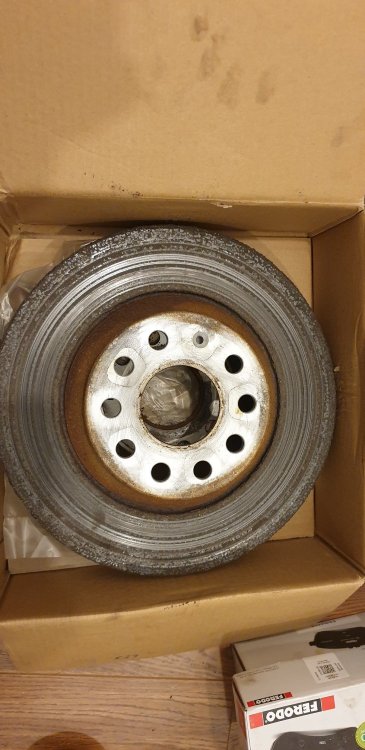
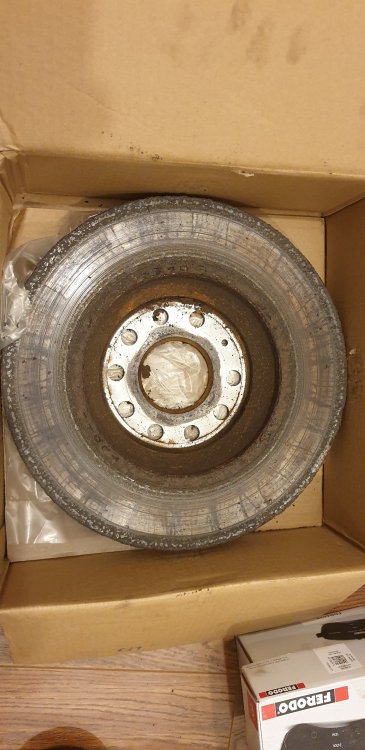
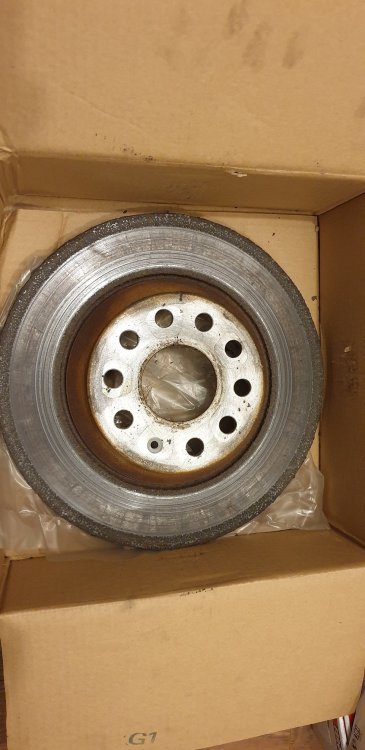
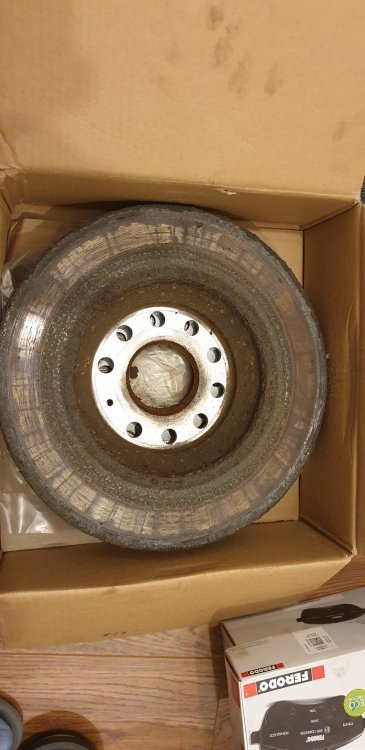
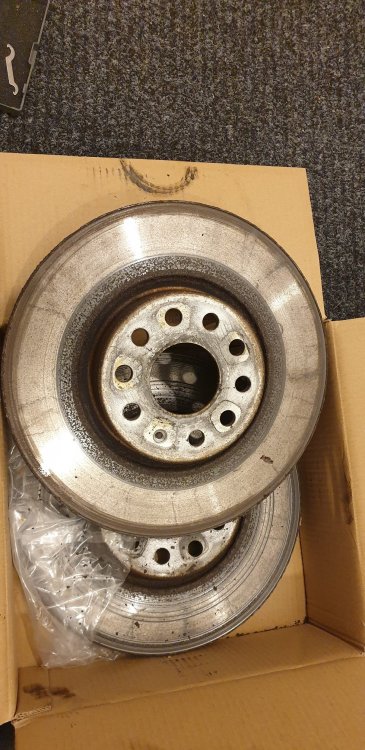
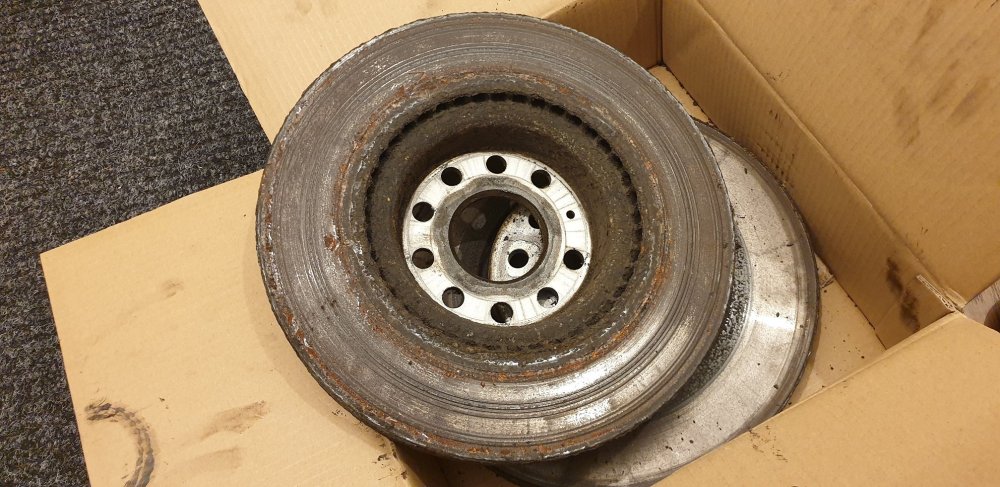
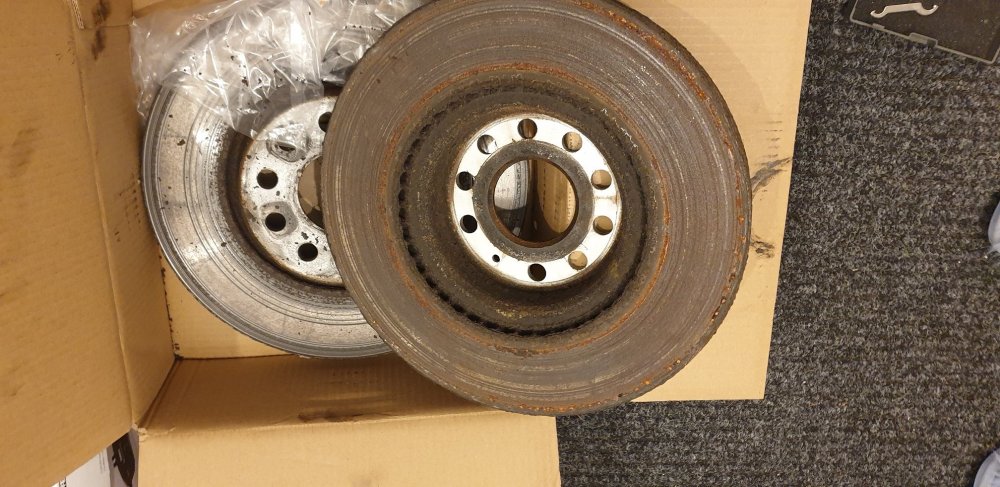
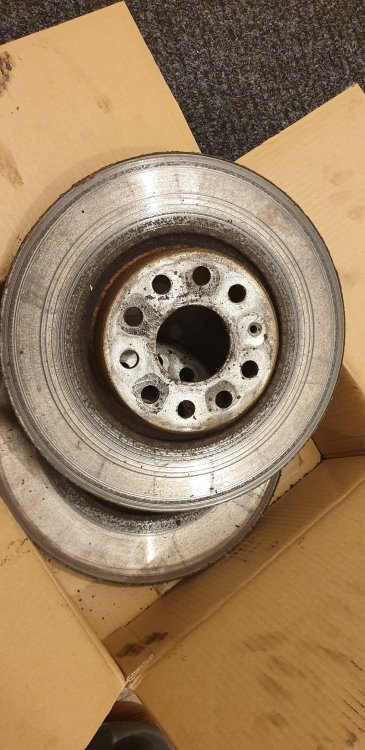
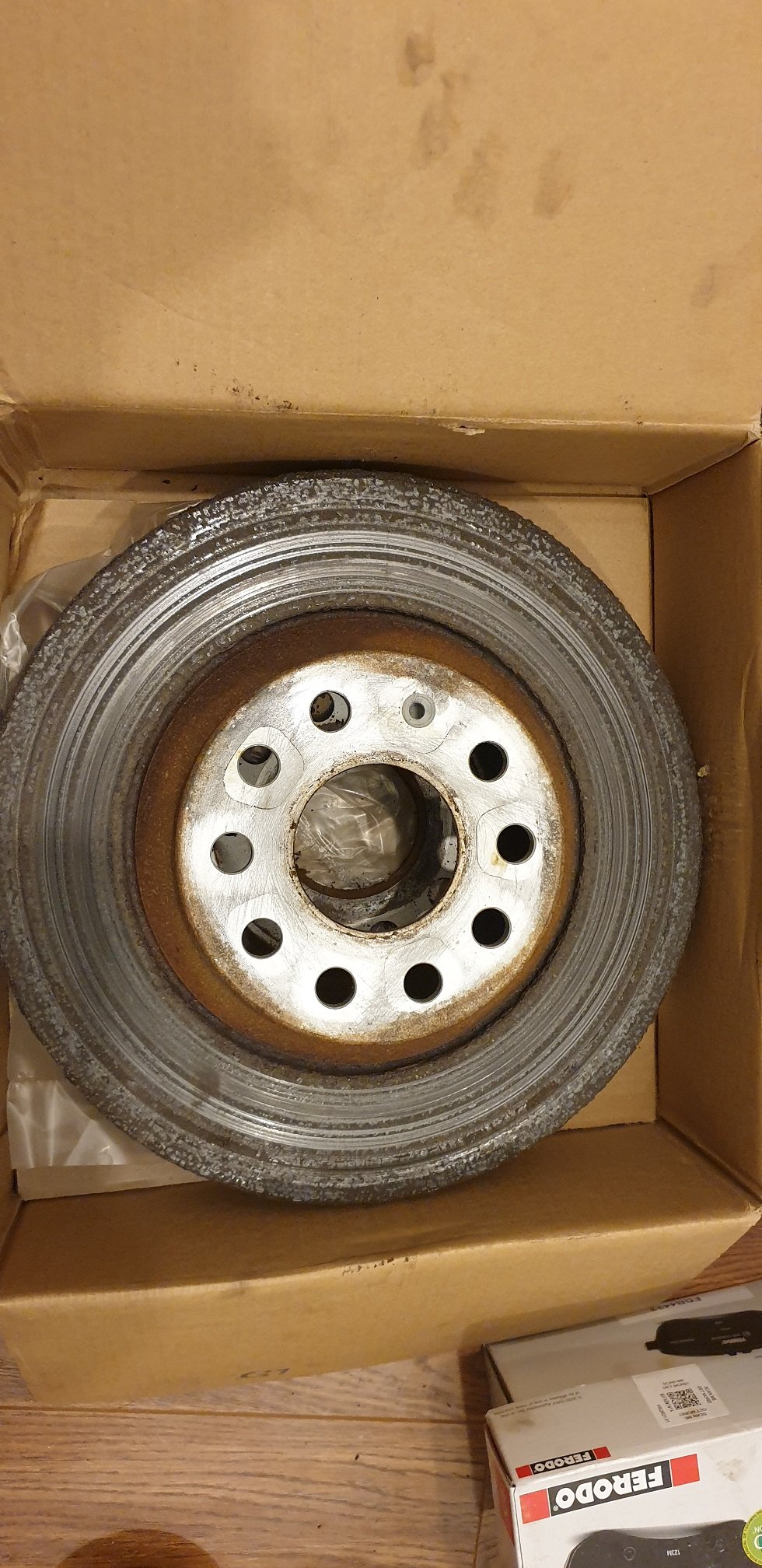
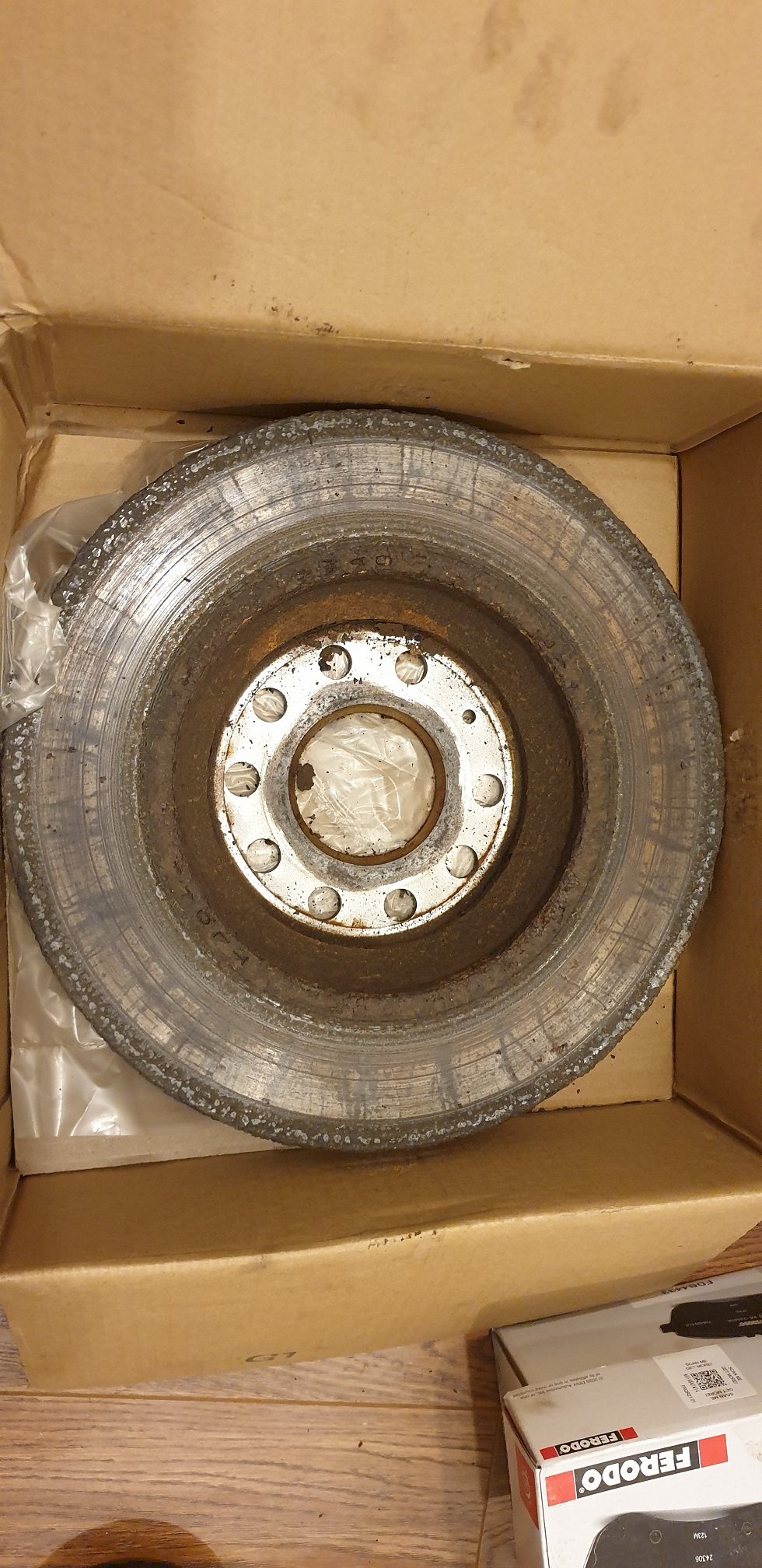
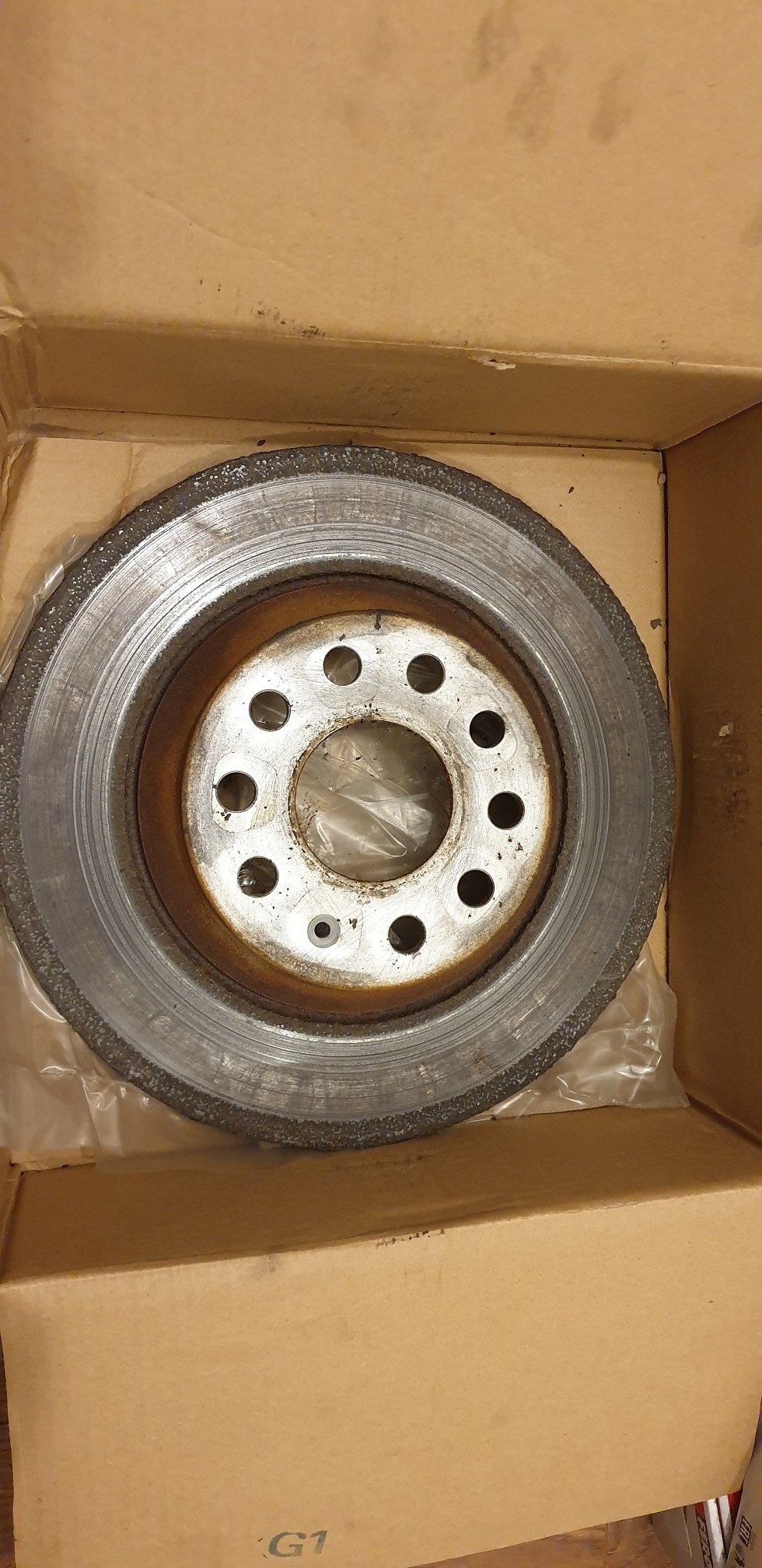
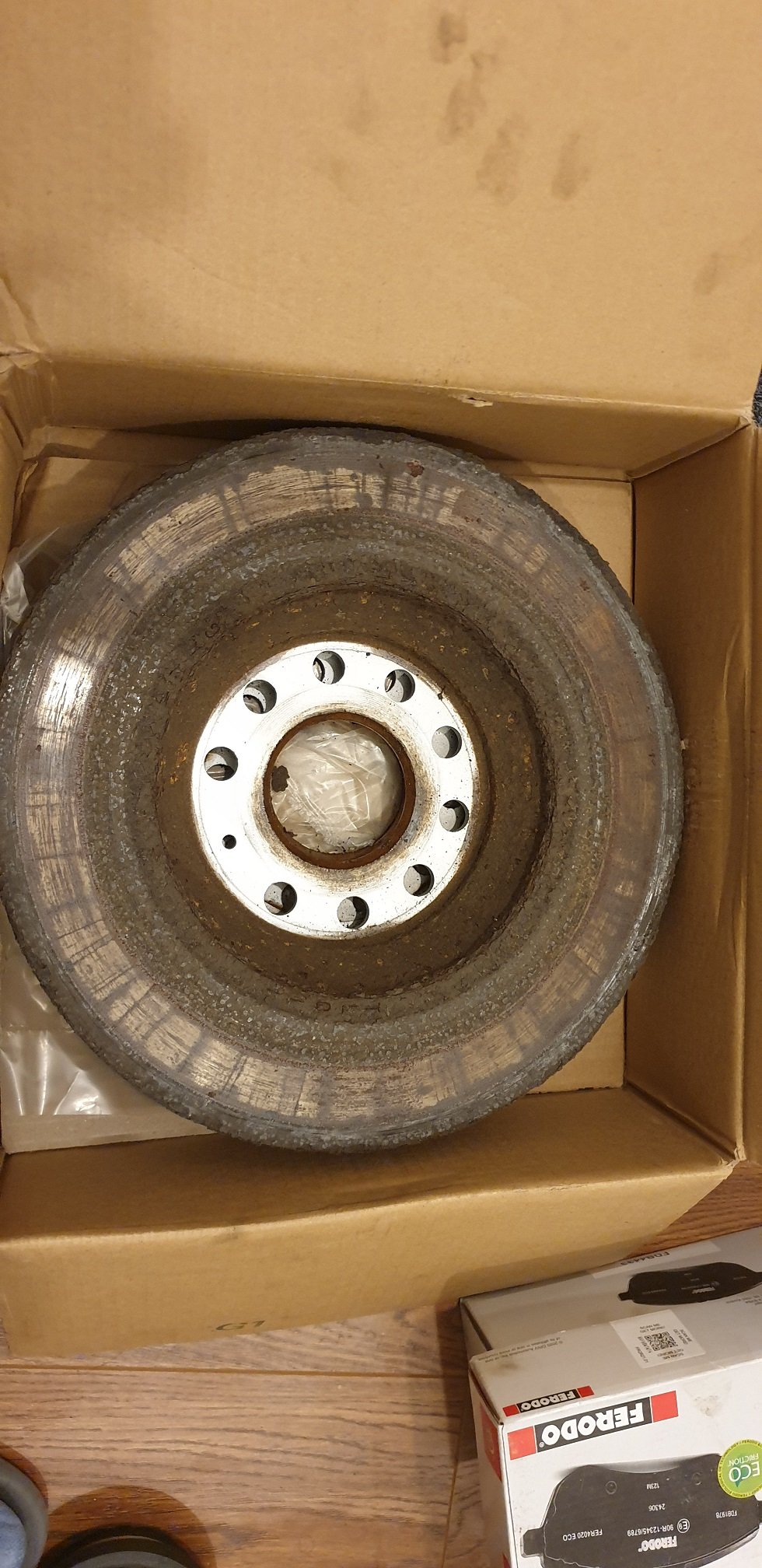
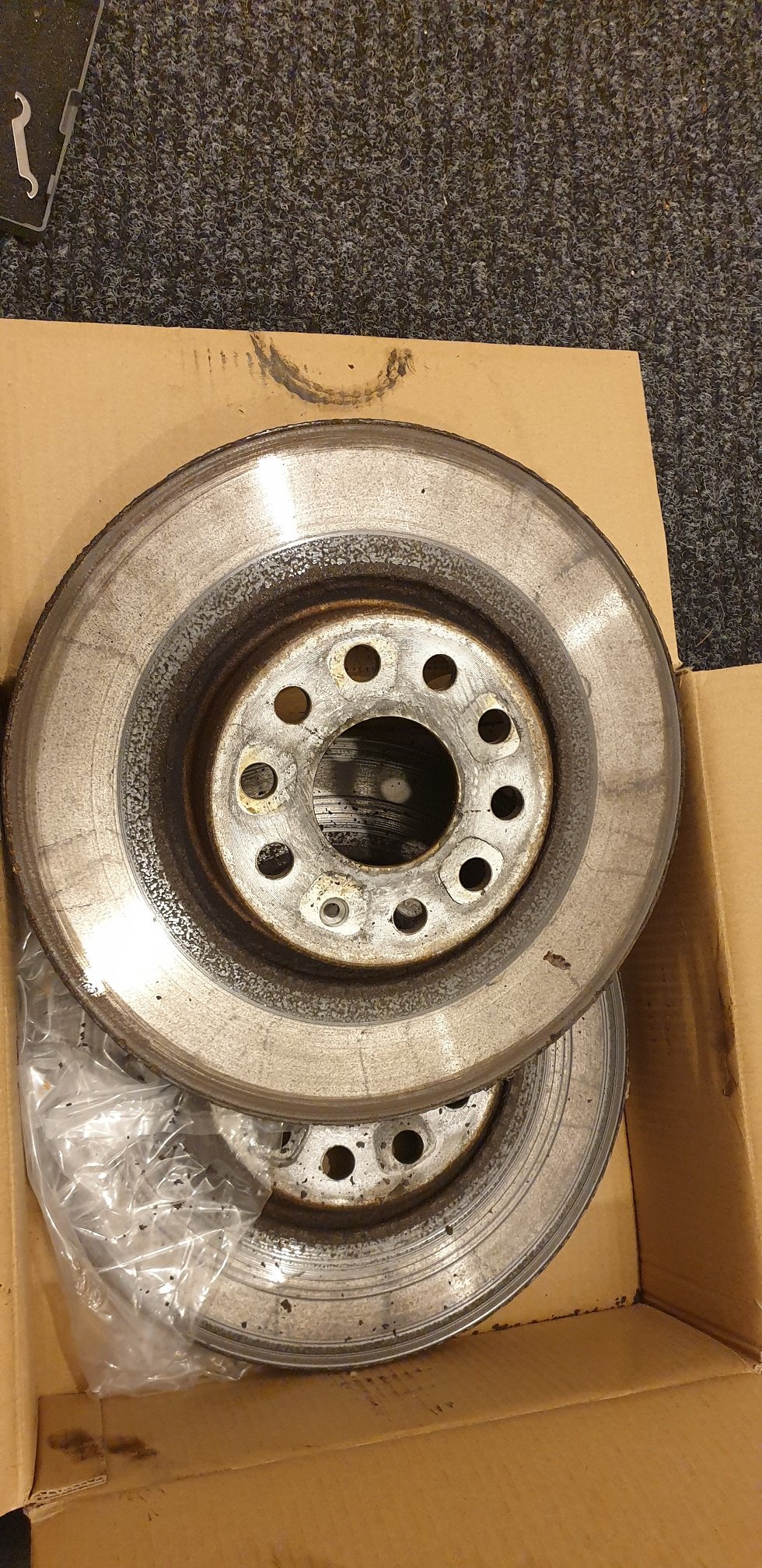
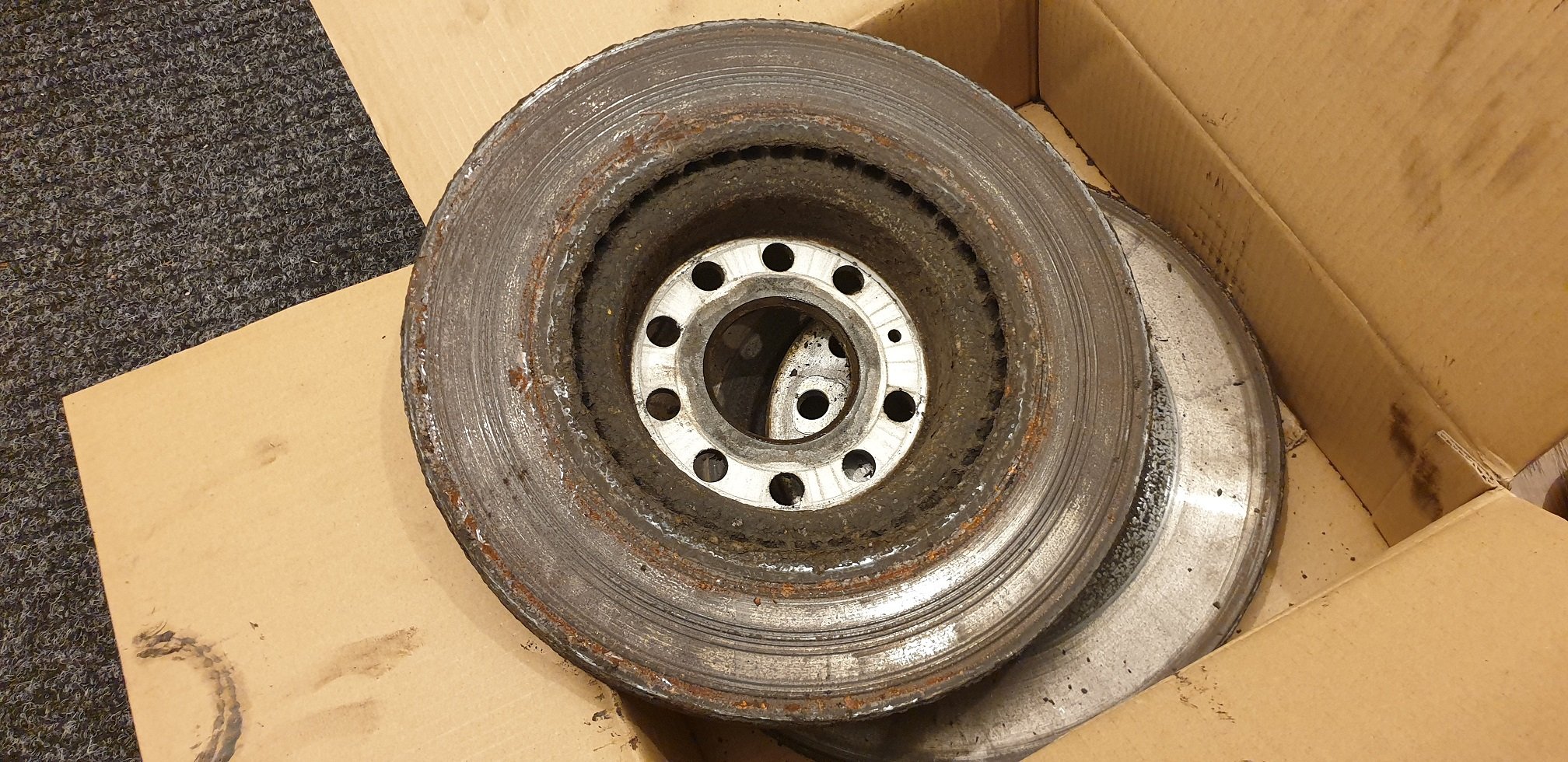
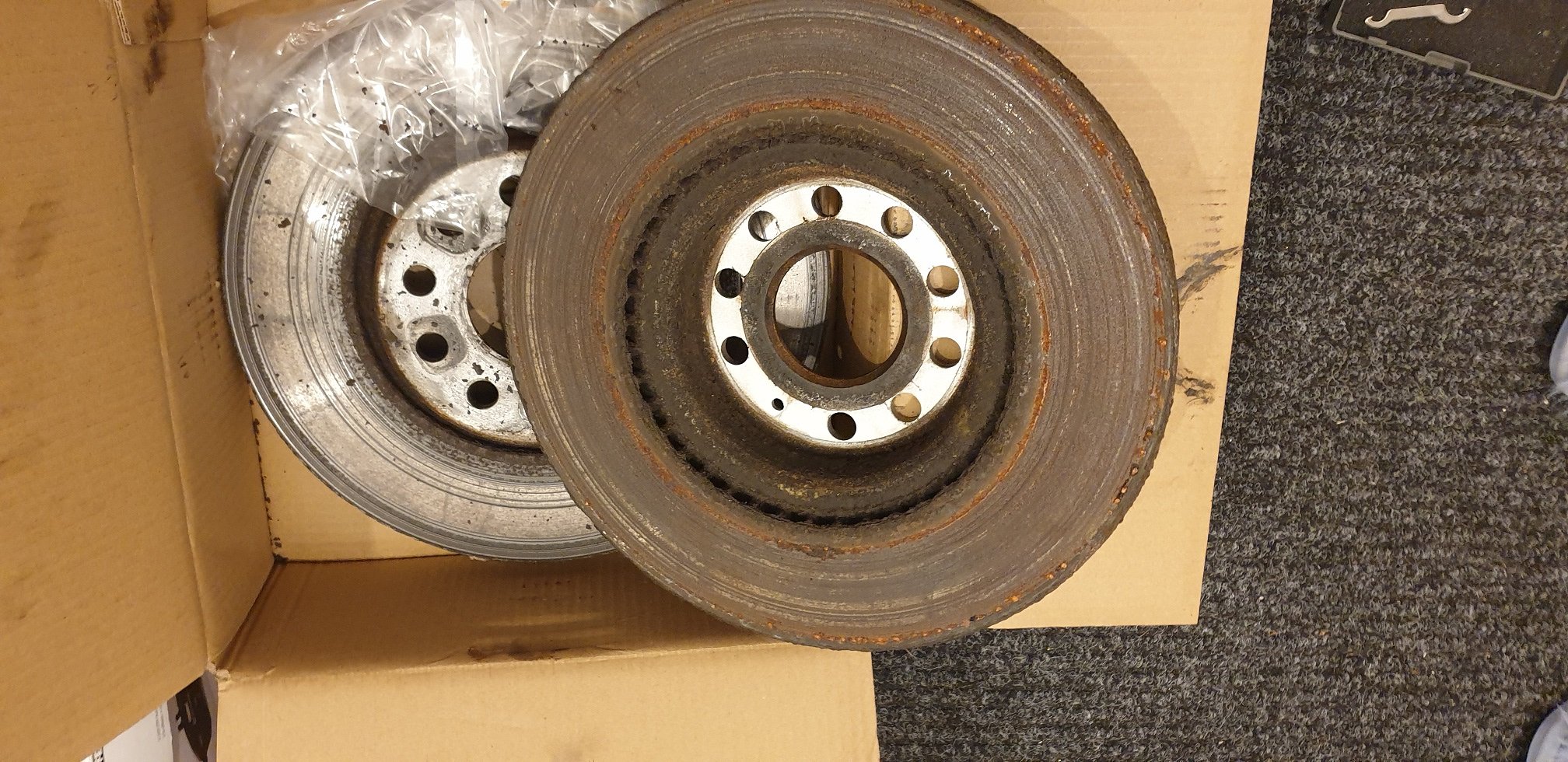
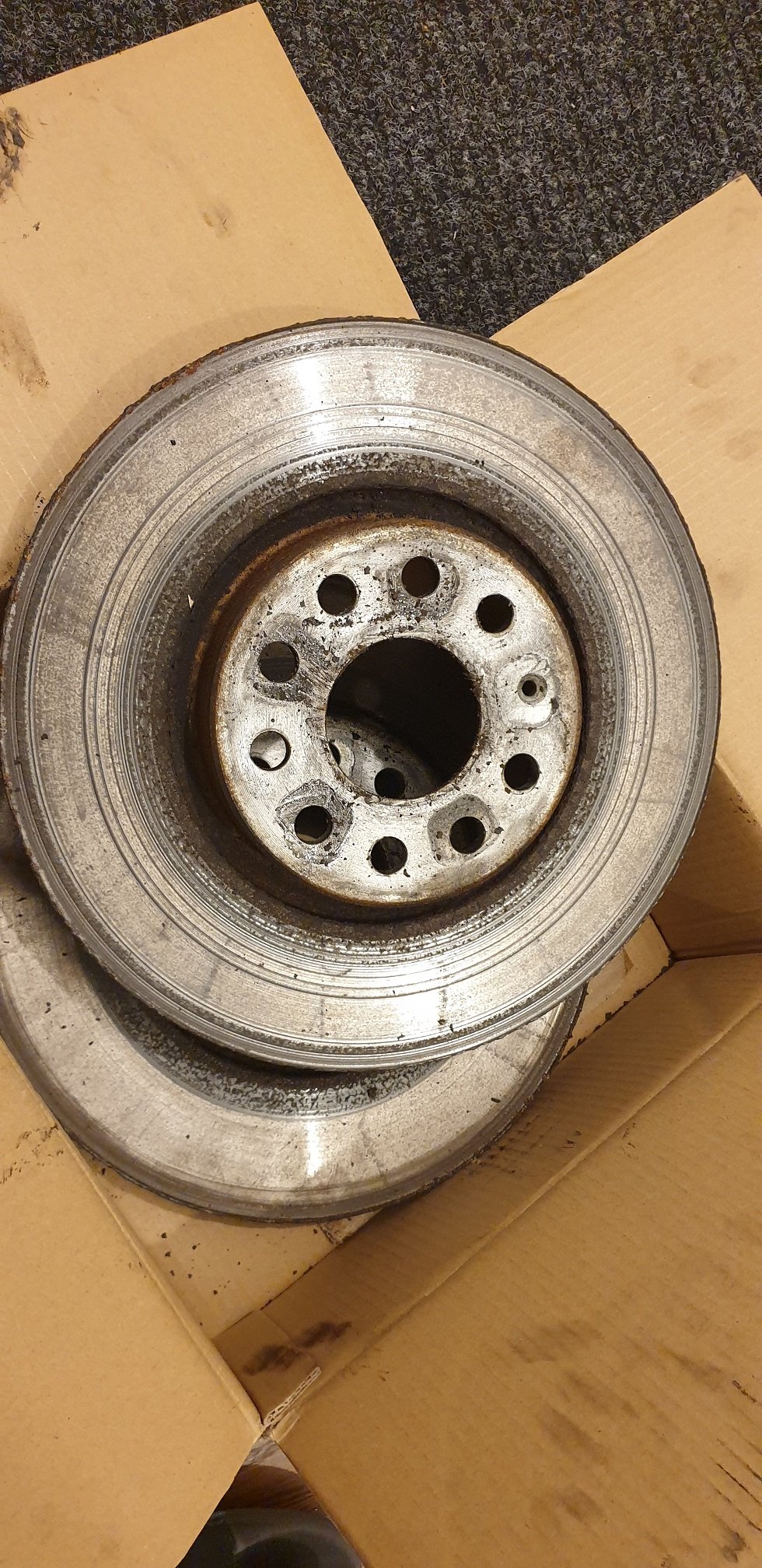
Although by now all know Skoda discs are so poor, I thought will share my experience in old thread. Changed all front and rear at 48500 miles/ 5 years, started to hear grinding noise and some rear pads were shot. Discs look horrendous but amazingly measuring thickness they still had ...in theory (poor surface affects braking efficiency I think)....few mm of life left. Similar most pads had 4-6mm life left but 2 rear pads were destroyed by poor disc surface. I recon could do 100000 miles looking at thickness if not for the poor quality. I was surprised inside of front discs looked much worse then outside. After shopping around (independent garages, kwikfit/National (just to check prices -, one of them quoted £725 for all discs/pads - Delphi), Skoda dealer came much cheaper at £417 for Ferrodo Premier and got my business. Did not fancy to buy myself with garage fit only and do not have fitting warranty in case bought parts would have defects. Dealer told me part of the problem with rear disc poor "cleaning" how he called it could be my engine braking....not convinced...My work pal 1 year old Golf has poor rear discs as well, front looks good.