
JFCarter
Finding my way
-
Joined
-
Last visited
-
-
@steevs : I could not agree more. I had a rattle coming from the left side vent (it was more a squeak than a rattle actually), which was solved by applying a light coat of silicon grease around the frame of the vent. But I still have an unidentified rattle in the driver door.
-
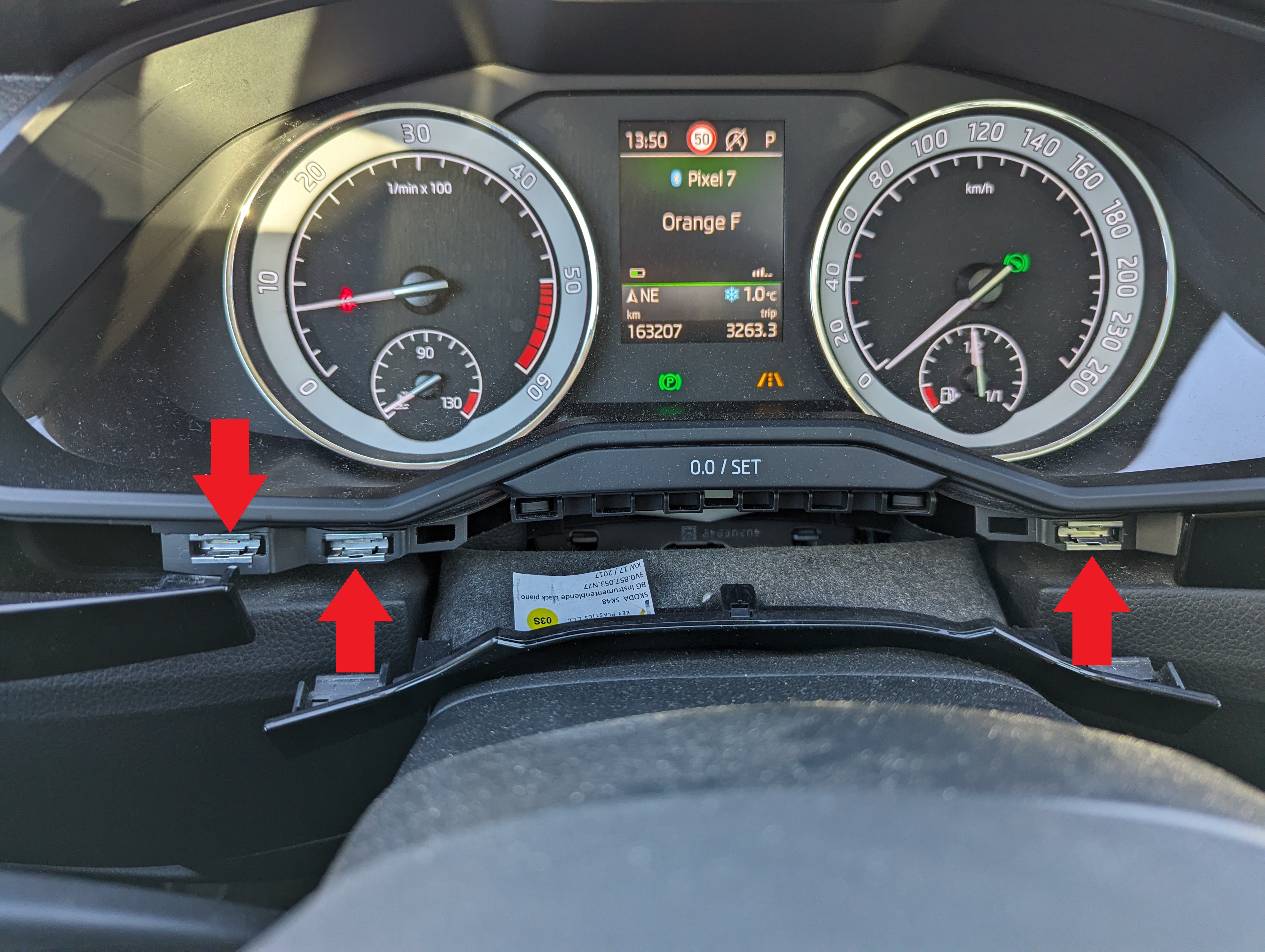
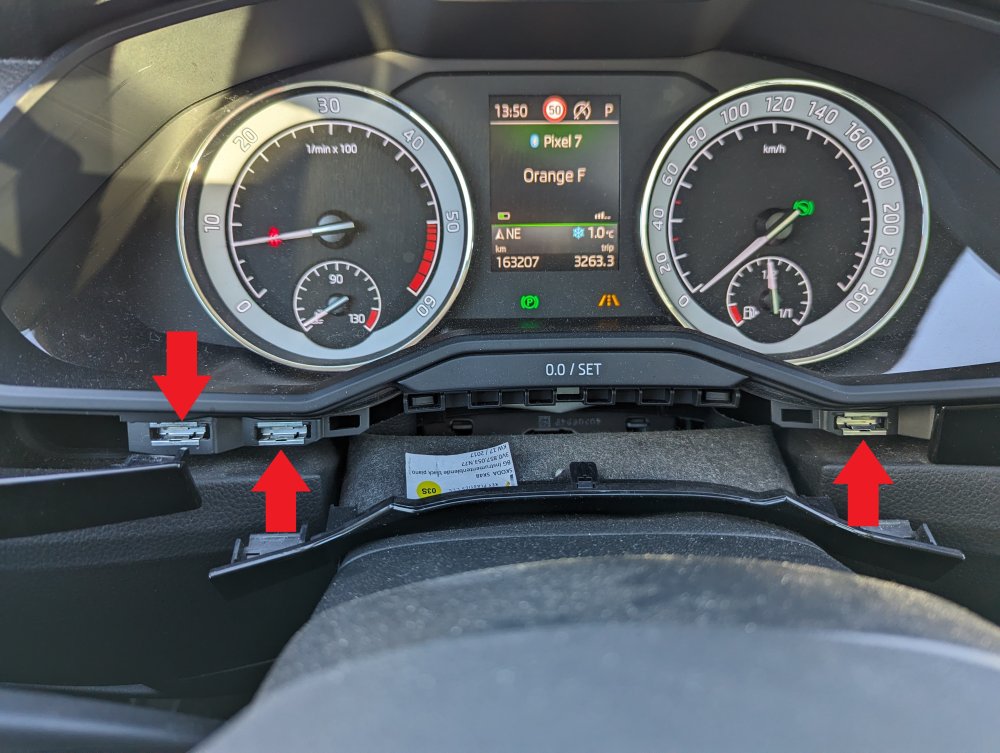
Hi guys, Mine (MY17 tdi 150 L&K combi) had annoying rattles in the center of the dash too. Could hear them especially on low accelerations with load. After removal and sound insulation of various parts of the dash (including the top speaker grill, the infotainment screen, the gps module, etc, with adhesive foam tape), I finally found what was rattling on mine. It was the piano black trim fasteners along the dash but especially the one on the left of the infotainment screen (french car, so between the steering wheel and the screen, not shown in the picture below). Several clips were not secured enough on the trim pieces: they stayed in the dash when I removed the pieces. I took these clips out of the dash, secured them tightly on the trim pieces with needle nose pliers: they are now tightly fastened to the trim pieces and I have no more rattle in the center of the dash. Might not be the case for yours @M00t1 but, if you haven't tried already, it is worth giving it a go. It is costless and easy to do (I used a plastic pry tool inserted vertically between the trim pieces).
-
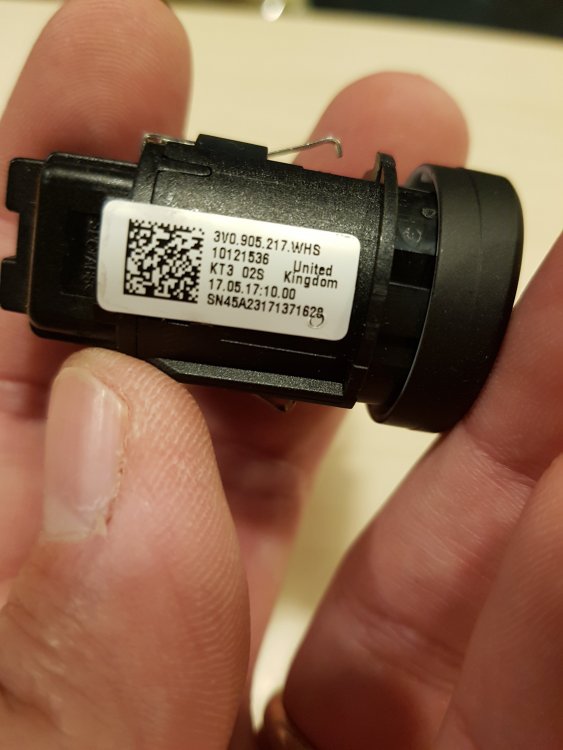
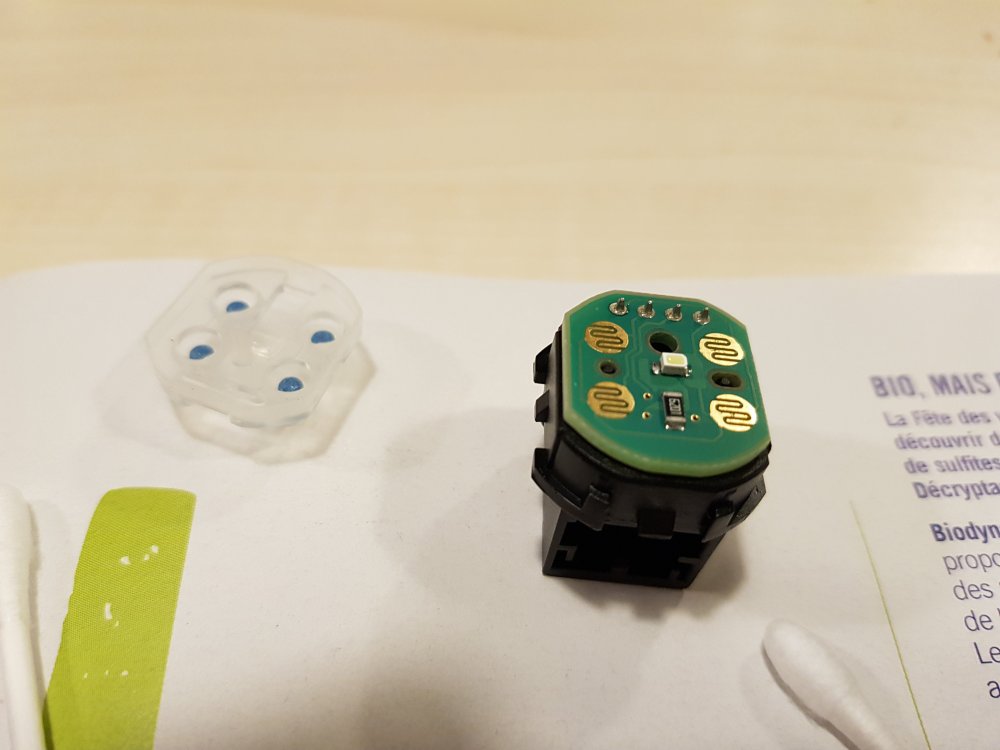
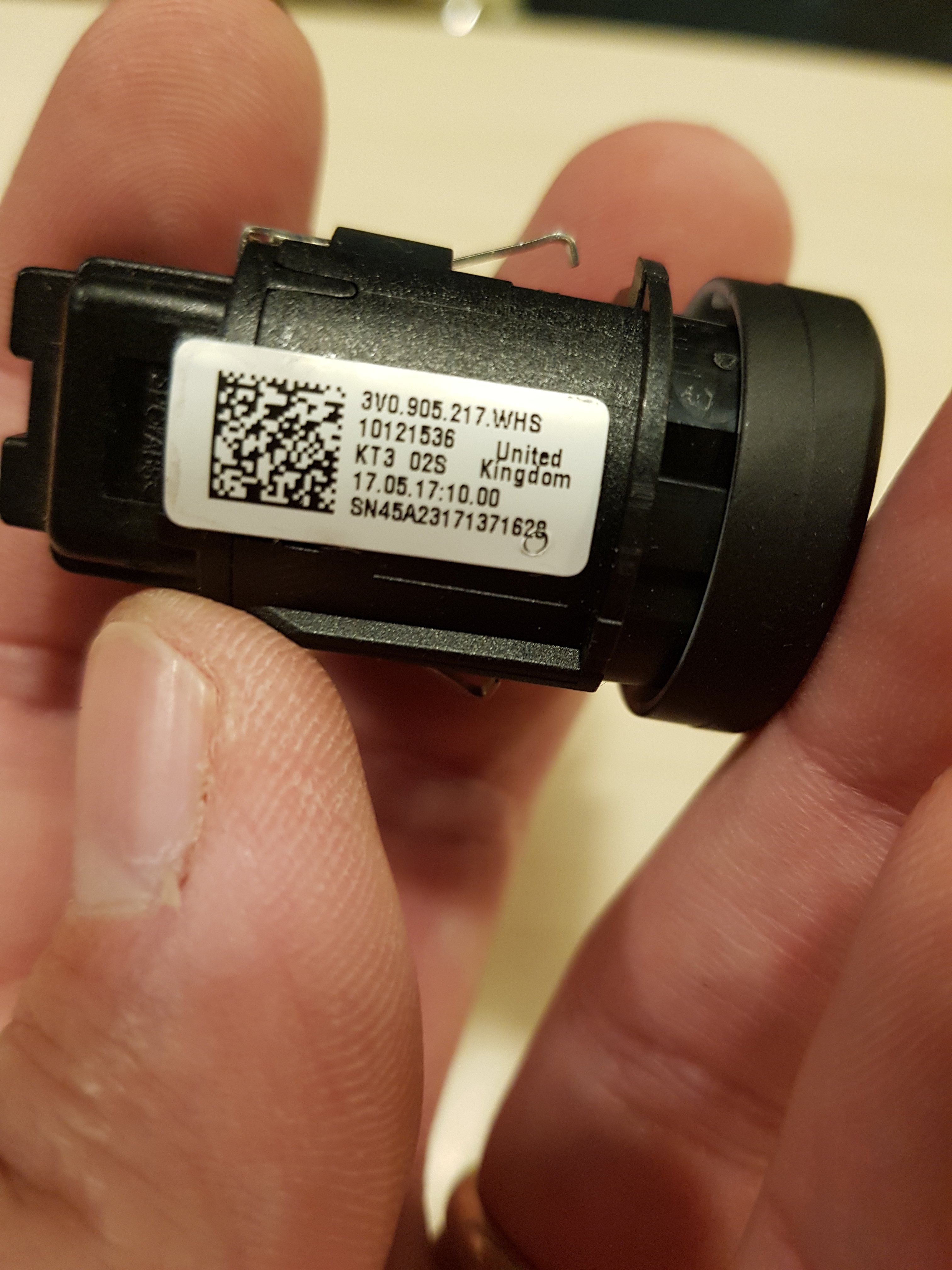
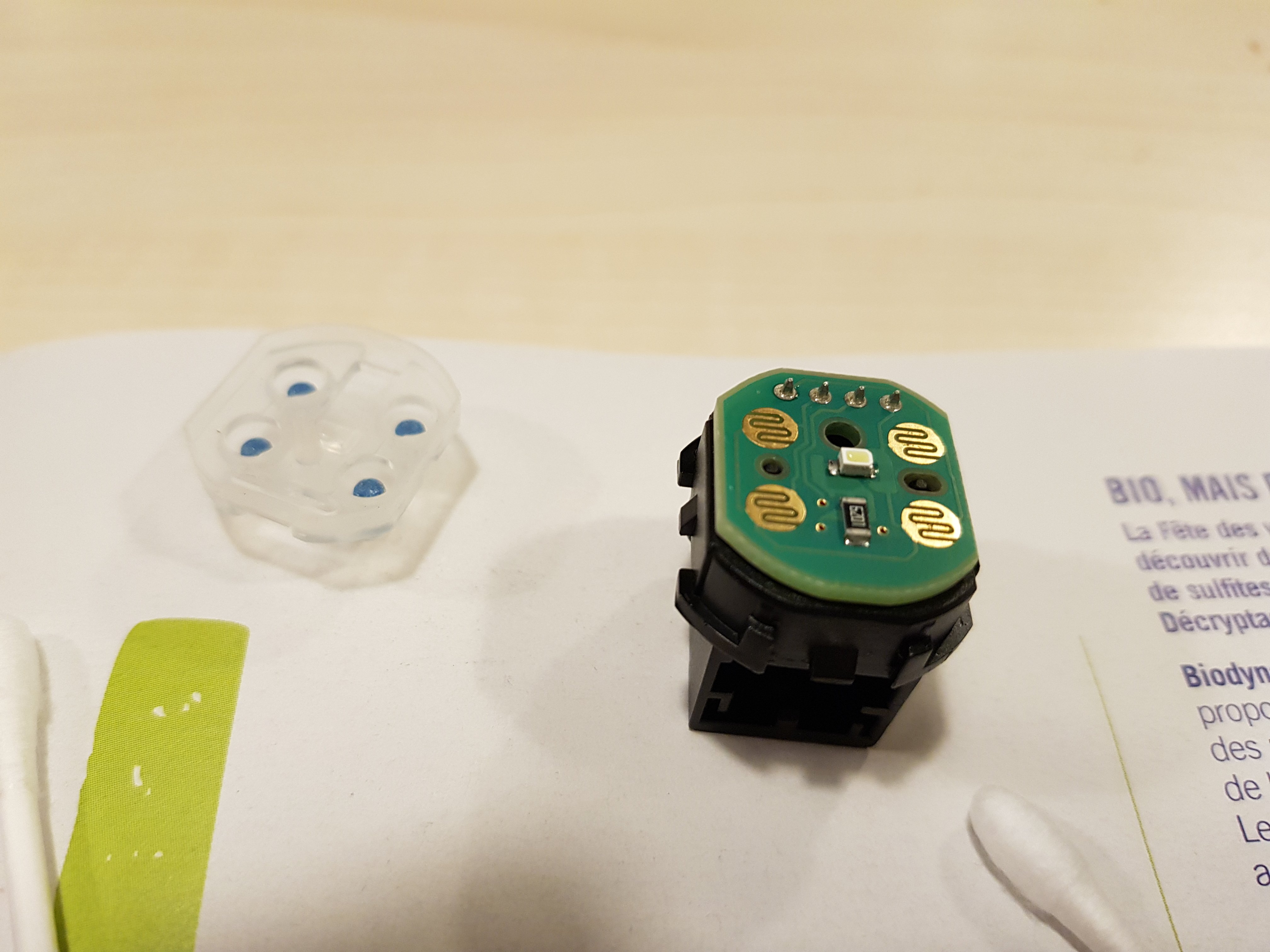
Hi, A couple of months ago, it became difficult to start the engine on my Super MkIII. I had to press harder on the ignition switch and/or press several times before the engine started. I tried to clean the contacts with a contact cleaner spray, without unmouting the switch; It did work better, but not for long. So, I decided to have a go at it, and it's a simple fix really. First, you need to take off the bottom cover of the steering column. There is one Torx screw underneath the steering column. Once removed, you can slide the top part towards the steering wheel, and lift it up: this part is just clipped in place. Rotate the steering wheel when you have lifted the top cover: two more Torx screws appear on each side. Unscrew them and the bottom cover will fall. Unplug the two connectors, one for the antenna, one for the switch. To get the switch out, insert two small screwdrivers from the inside of the bottom cover, in the slots on each side of the switch. It will pop off. Once you have extracted the switch, you need to open it: it is quite straight forward, 4 tabs to lift (delicately) on the top, no springs inside so nothing will jump away. This switch is build like the gaming controllers: four conductive silicone pads make contact on a copper plate. I found the silicon pads and the copper plate to be quite dirty. I cleaned them with a soft pad soaked in contact cleaner, and, after drying, applied a very light coat of conductive grease on each side. It works like a charm now, I can start the engine with the slightest touch from the tip of my pinky. Of course, the other solution is to buy a new switch, but I doubt the construction of the switch has changed and the switch is quite expensive (for what it is). But I enclose a pic of the part's references in case you need it.