Stratfordade
Members
-
Joined
-
Last visited
Everything posted by Stratfordade
-
Normally no, but I understand removing the RHS flange makes it easier getting past the subframe, and with the flange removed transmission oil can exit there. If it can come down and go up with the flange in place then that's great as I can get on with the job! Thanks Pete
-
In case anyone looks for answers to same problems in future, Sepulchrave’s tip for removing selector lever worked a treat. I also removed damaged connector by sliding screwdriver under release tab. Gearbox all ready to drop now. Just need to pick up correct tool to drain it. I had 18mm Allen socket and it must be a 17! The left driveshaft can be placed well out the way with lower ball joint unbolted from cross member and ARB link disconnected at one end.
-
Brilliant, thanks will give that a go tomorrow.
-
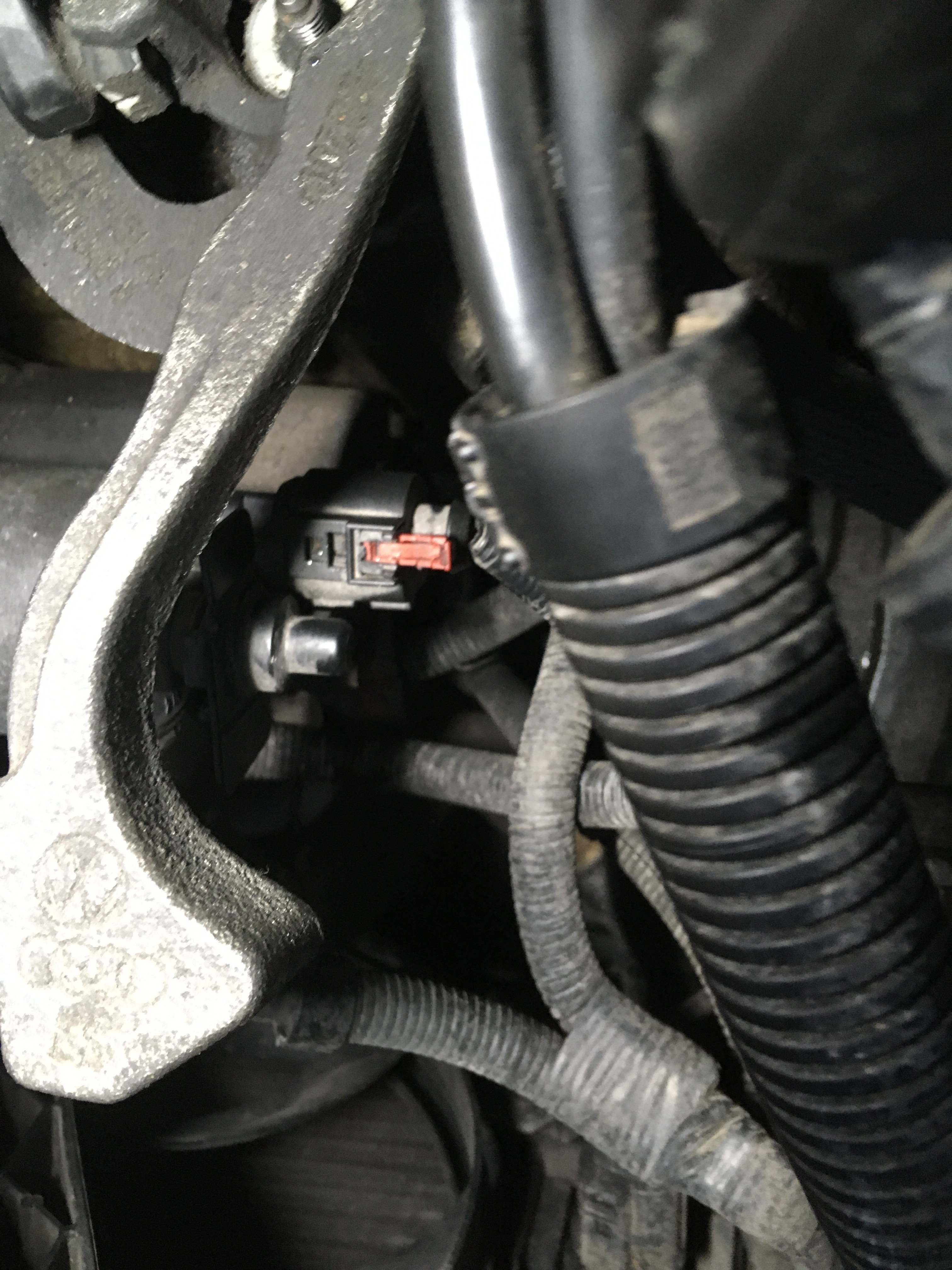
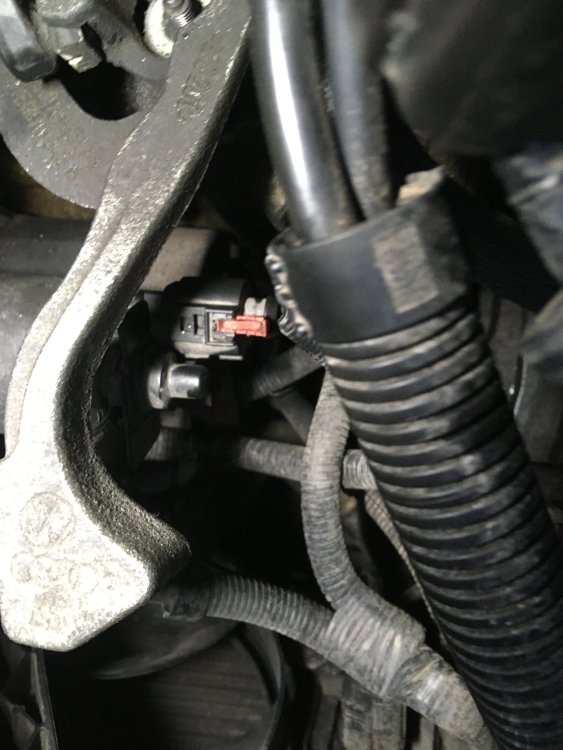
Any D connector gurus here? I'm trying to get the connector off the starter motor solenoid. Someone has been here before me as there's no release tab on the plug — you can see it in bottom left area of photo in post above. I've slid the pink catch all the way out but the plug still won't budge! How can I persuade it to disconnect? Thanks.
-
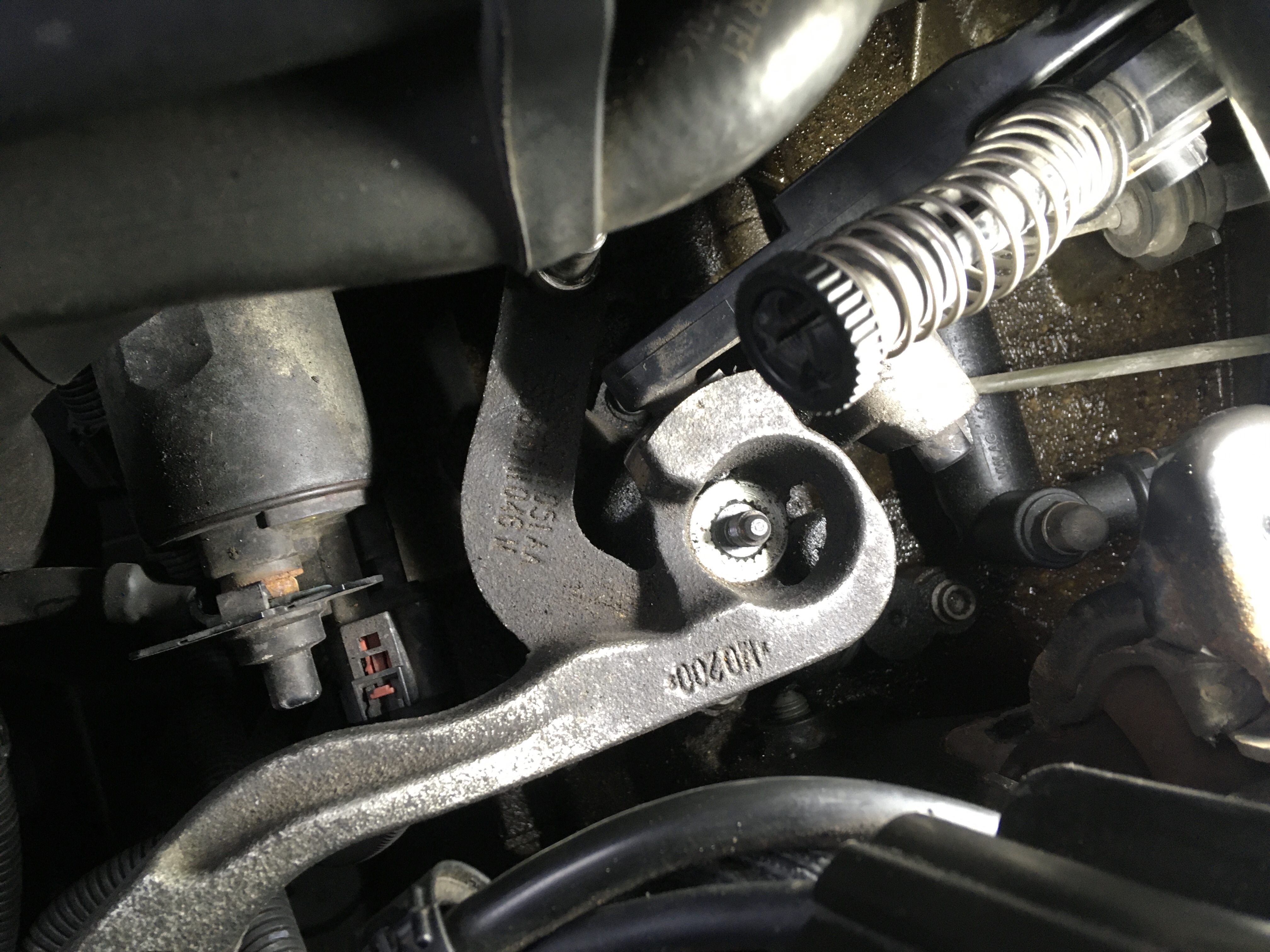
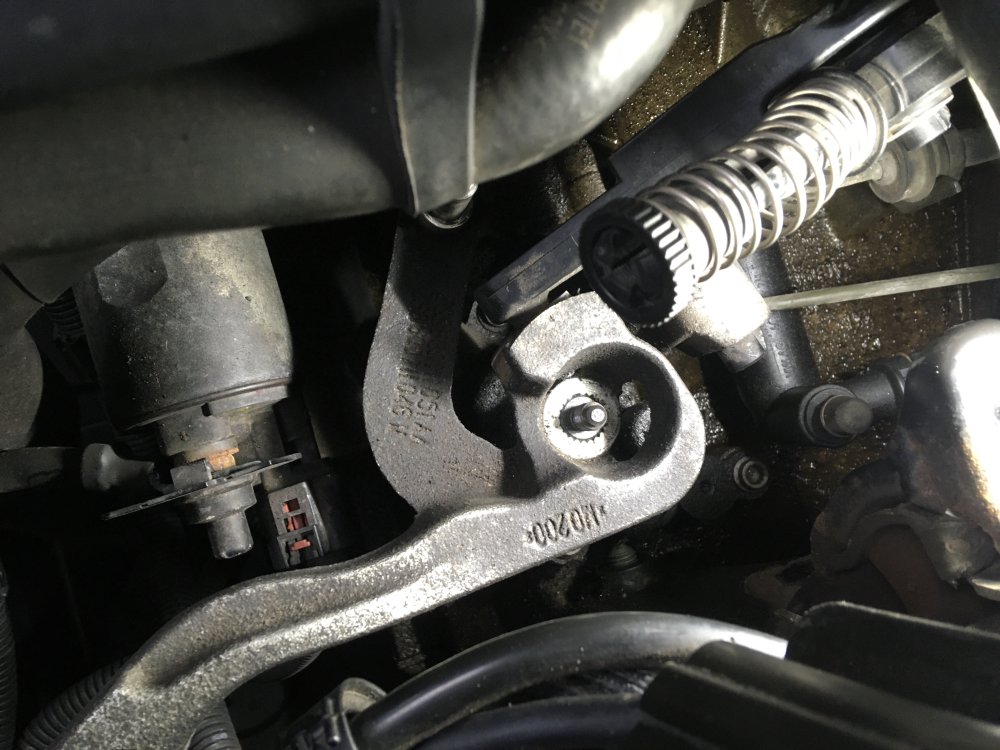
Am being held up by silly things now. I'd like to remove selector lever on top of transmission to have more room to remove starter motor, and not to have to be careful of lever when dropping gearbox. On a couple of videos people just removed nut (it's removed here) and gave the shaft a sharp tap and the lever came off splined shaft, but that hasn't worked for me and I don't want to hit it too hard and risk disaster! Has a anyone removed this part and can suggest how to go about it? Thanks.
-
Thanks Breezy Pete — sorted the cable connections now. I will see about the lock carrier frame when I get underneath and see what you mean about hinging it forward (is it just a few bolts?) — doing all the work up top initially. Also thanks for advice on O/S flange as I'll now drain oil once car is up.
-
Ah it's simple when you know how! When you lock the selector end spring you can then just pull the cable from the end and leave the actual end attachment on the lever, but can then unbolt the cable bracket from the transmission. According to a Golf manual I found using this plastic lever you can then pry the end off the lever if it needs replacing, but for some reason it carries warning only to do that when the plastic arm has been removed from the transmission.
-
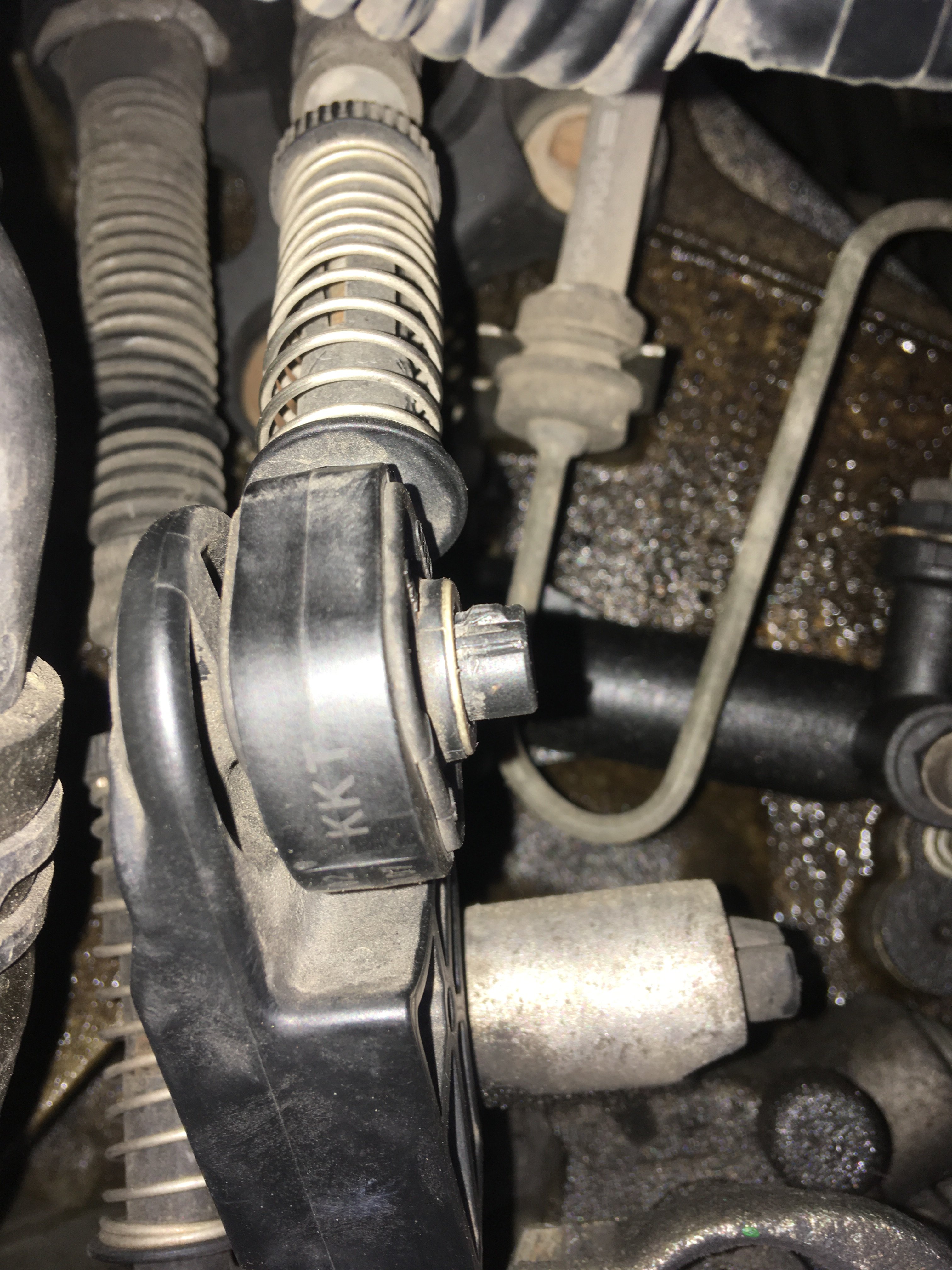
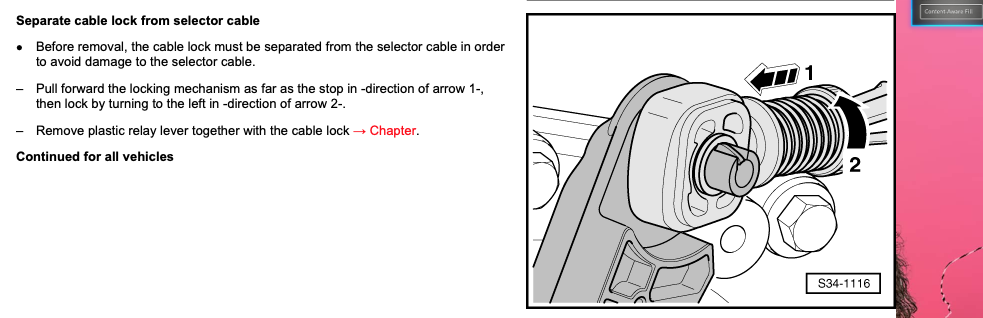
Thanks but there are no ears, just a single 'bump' that prevents cable from coming off. I did find this in the workshop manual which isn't completely clear (it refers to locking the cable on to remove it!) but is exactly the clip I'm having trouble with. I'll play around with it and it will be something very simple!
-
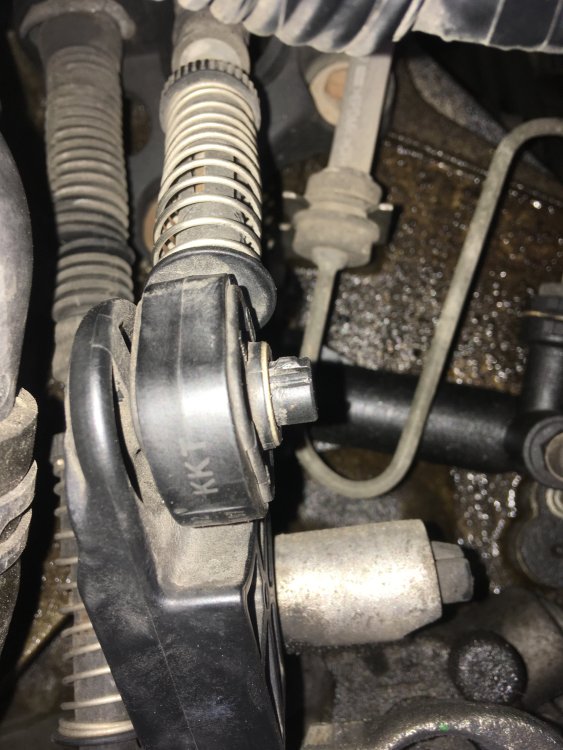
Disconnecting selector cables and the left/right cable had a normal VW metal clip holding cable to lever that was simple to remove. The fore-aft selector has this plastic affair holding cable on, and I can't see how to remove and don't want to break it! Please can anyone advise how to remove this non-destructively? Thanks
-
I have engine support I use on my other cars, and a lift that can get car to low height (not as good as standing underneath, but has always been ok for transmission jobs on my other cars)
-
Tackling clutch change on a 1.4 BXW engine code with 02 transmission and have a couple of questions. Haynes manual transmission removal; section refers to moving front cross member/lock carrier to service position but there's no other reference to this. What is this referring to? Also can the driveshafts just be unbolted at inner flanges or do they need to be removed completely? Does the right hand driveshaft flange need too be unbolted which would mean draining the gearbox oil or can the transmission be dropped with this in place? Any other tips? Thanks for any advice.
-
Thanks I overlooked that!
-
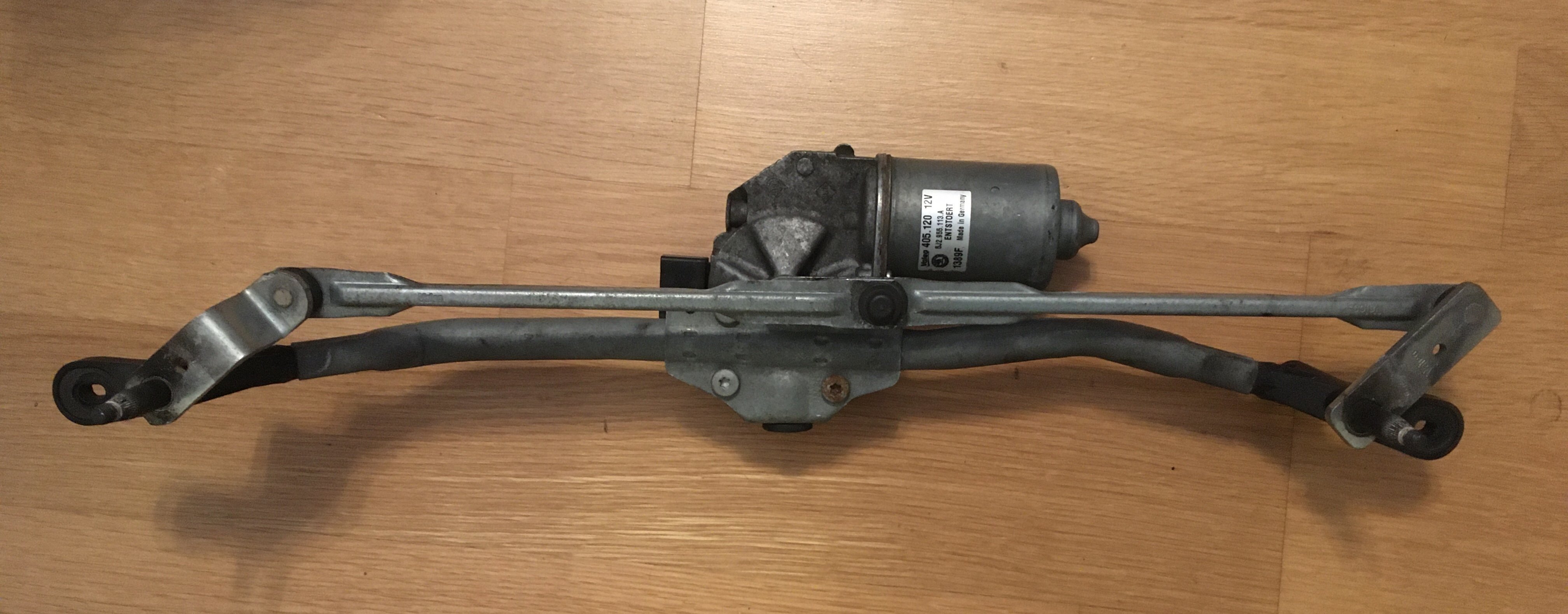
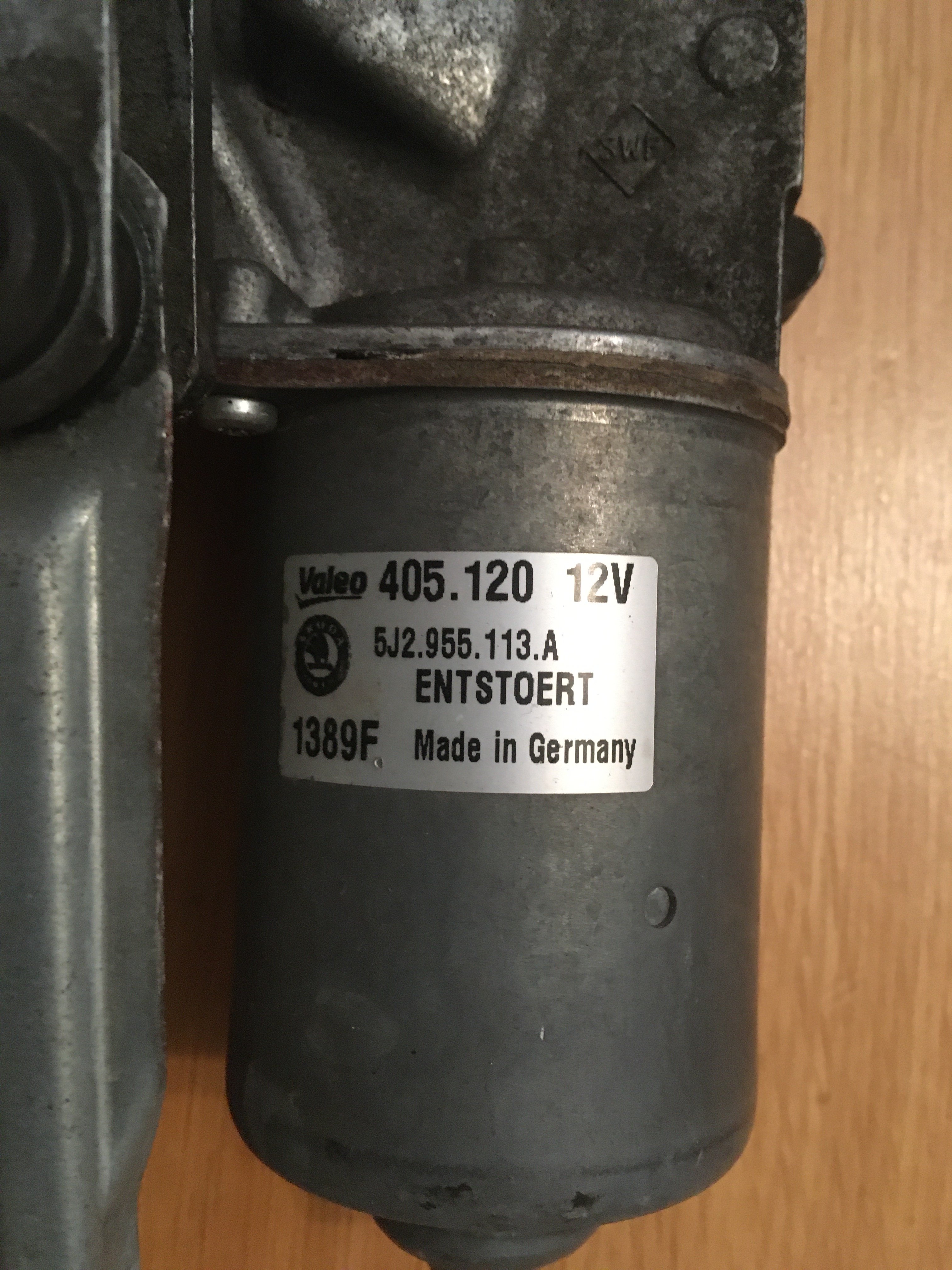
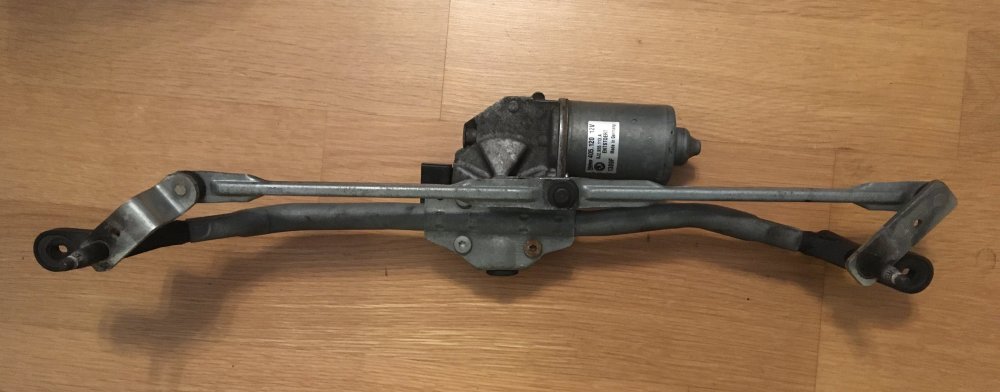
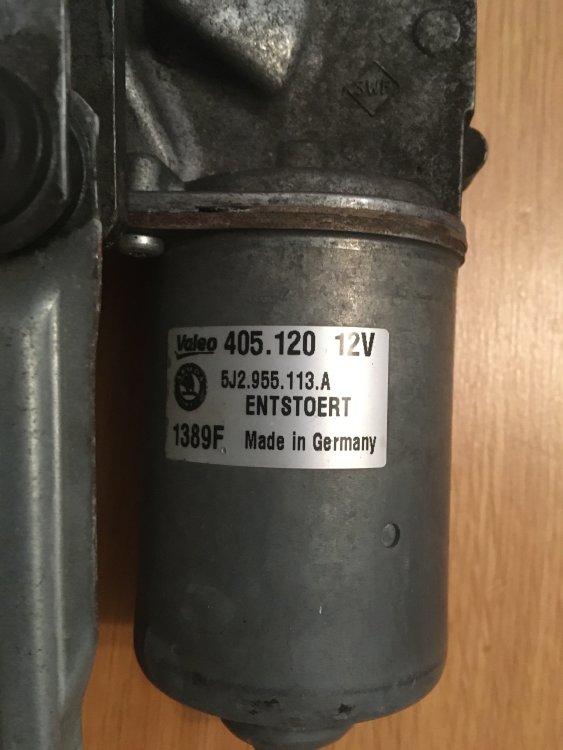
I have a fully working front motor/linkage 5J2.955.113.A free for anyone who can pick up in Stratford-on-Avon, Warwickshire. Operates very smoothly. PM me if you'd like it. Sorry can't post it so collect only.
-
Maybe as standard, but WezFab was able to improve it with a few tweaks.
-
Just to wrap this up, the kit worked fine when plugged in. Could read airbag error code which was for "intermittent side tensioner" i.e. the seat connector. I'd still had seat out the car and so disconnected when I tested when I tested replacement voltage control module. With the module working OK I reconnected seat and bolted it in, so the module must have then seen connected tensioner and correctly flagged as intermittent. Cleared the code and got 'no faults' report but airbag light stayed on even after turning ignition off and on again. But it cleared after engine was run. It tests OK as COM1 but I do get report of "poor latency". I can't see which parameter to alter to change data transfer rate, but will worry about that only if I need to use the software again in earnest. It seems completely stable with poor latency.
-
Fantastic WezFab I found the drivers thanks to your links and selected them manually. The interface now appears correctly under COM ports, and I've reassigned it to COM1 from COM8. Will plug into Fabia tomorrow and see what happens! Again many thanks — your info has meant I needn't wait till Monday to call Gendan, and has also made me grateful that I'm not a regular Windows user!
-
Thanks WezFab that’s excellent info. I’ll try that and report!
-
Thanks for that info. In which case I may speak to Gendan, and ask why their instructions say the usb cable should work with XP.
-
Well speaking was a lifelong Mac user I'm in Windows hell trying to get the cable interface to install correctly. Have tried with downloaded drivers and letting Windows XP find drivers, but each time the device manager shows USB serial interface with error symbol, and message that the driver is corrupted or can't work with Windows XP (error code 39). Trying to install on an old Acer 4211 netbook running XP. The instructions from Gendan that came with the cable don't shed any lite. They imply the drivers should work fine with XP. Upshot is that the interface doesn't appear as a virtual COM port, so I can't ry it out on Fabia. Thanks for any advice on getting this to work. Meanwhile I'm going back to my Macs which never give these problems fortunately!
-
Thanks UrbanPanzer. I unplugged the seat connector with battery disconnected, but I did reconnect battery with seat unplugged in order to lock car. Don't think seat has an airbag. I don't know whether the single connector I unplugged was just for seatbelt monitor, or for belt pretensioner as well. Don't know if there is pretensioner, but the seat definitely has no side airbag. It's possible I didn't fully reconnect the plug, so I can unbolt seat again and double check if VCDS doesn't do trick.
-
Also thanks for all your info on VCDS-lite. I’ve got it running fine on ancient netbook (I’m all Mac and use the XP machine exclusively for Porsche parts catalogue), and have lead ordered from Gendan. My son’s Fabia 1.4 is BXW engine btw.
-
Thanks Wino that's very interesting. The car is not highly specced (no heated front screen/mirrors, trailer hitch, headlight washers, cruise etc) so not surprising that it seems happy with the replacement module. I just checked the remote hatch opening and that's OK too. Will keep monitoring and get the airbag light sorted. Thanks for all your help on this project.
-
All's well that ends well. I've got the faulty relay off the voltage control board ready for new one, but that won't be here for couple of weeks. Meantime I got hold of a used same generation board as in the car (6Q1937049F) and that functions perfectly and the car has its wipers back (I confirmed that the wiper relay on the used board operates both switches, whereas the faulty one has a failed switch on one side). I'm not sure what data would be on that board that would cause a problem, given that it just seems to do all the switching for circuits controlled from dash and wiper stalks. The only problem is that the airbag light stays on, but I have researched this problem and other people have experienced this when they've pulled front and rear wiper fuses to test them. Somehow it interrupts the airbag circuitry and it doesn't reset even if you replace the fuse. I'll need to find someone local who can reset it, assuming I didn't do anything more drastic removing and reinserting all the control board plugs!
-
Thanks but wouldn’t dream of returning it - said I’d take risk! I’d put in the old board if it was same part number, but since they differ (C suffix v F suffix in my son’s car) I’ll just wait for correct relay, and also not have any problems with different data etc. Ironic as it looks like only component change on the board is that relay (also used for rear wipe in place of Tyco one on the older board).
-
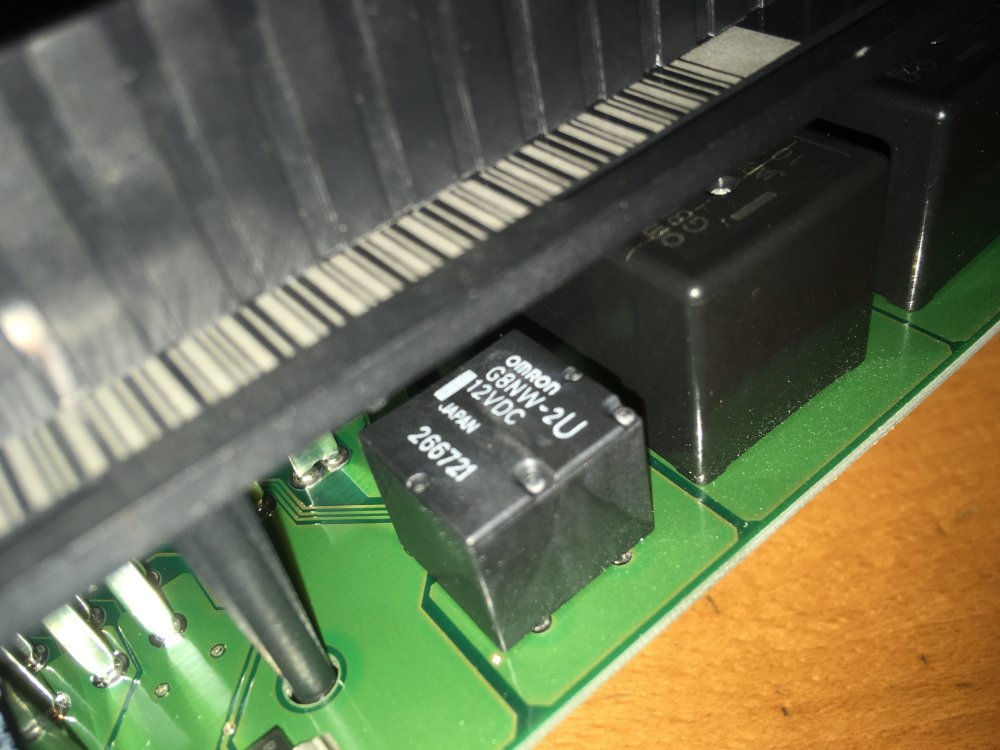
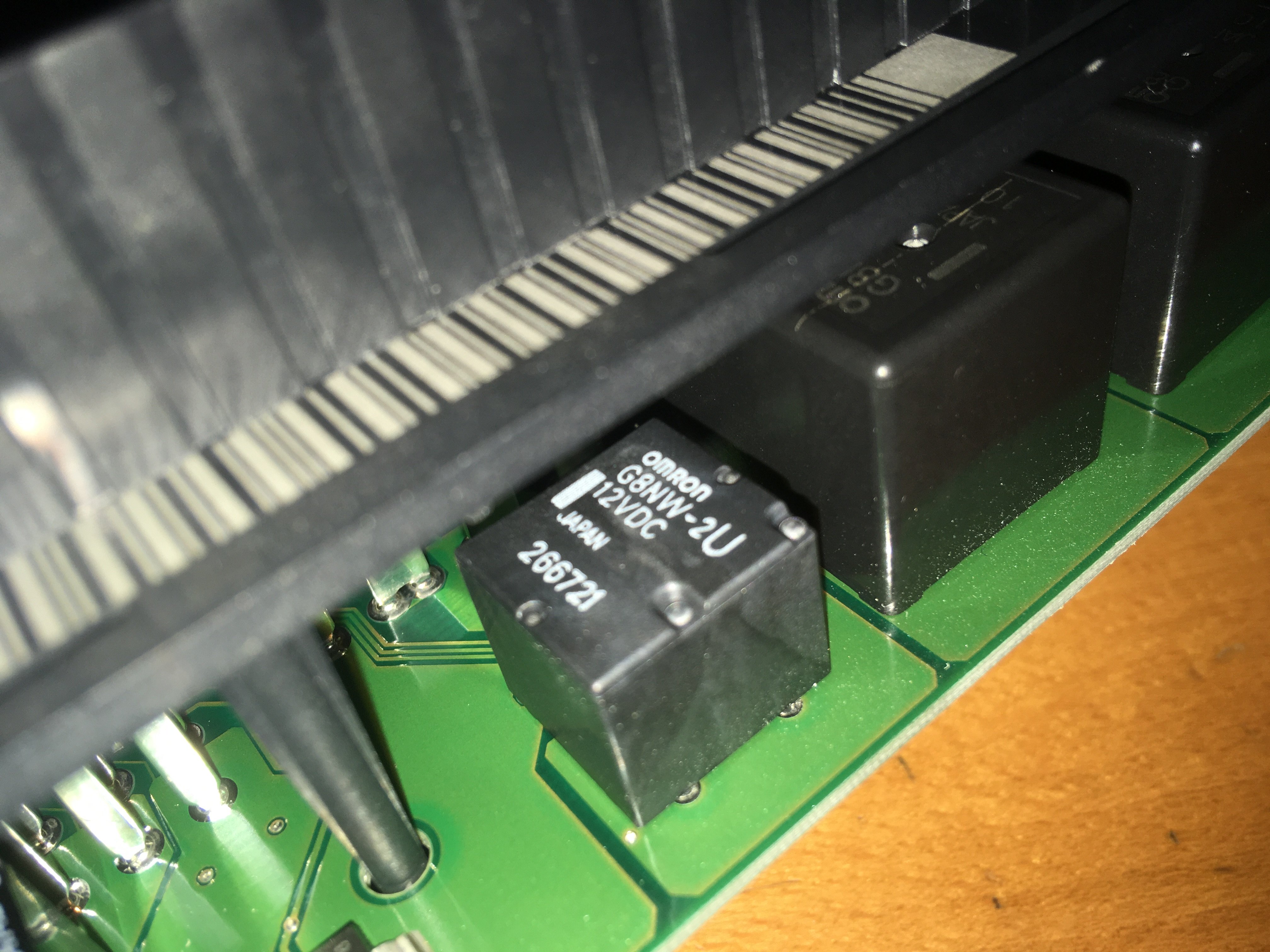
Good call Wino, with seat out I could get enough purchase to remove the module. The good news is that I did verify that the relay is faulty. Both coils are ok but only one of the relays switches. Also the two switch poles which should be isolated are shorted together. The bad news is that they changed the relay type going from the 6Q1937049D module to the 6Q1937049F which is the one in Fabia 2. Instead of the Tyco relay there's an Omron G8NW-2U with same functionality but different pin outs. I've located a UK source for the relay but for time being the car will be out of action. I could plug the module back in and reinstall the seat but it's such a pain getting the module out (despite better angle my fingers still very sore!) I don't fancy repeat performance.