




-
I wondered if maybe there was a noise (electrical) suppression component missing from this starter. Can buy clip on ferrite cable filters very cheaply, might be worth trying on radio power wiring, if there's space.
-
No hurry. 🙂
-
Waiting for link or doc.
-
I don't use AI. I just understand how VW group specify oils. If there's an official VW group document you're referring to, I'm sure you'll manage to post it or link to it in due course.
-
Where was that recommendation, and for which cars/engines?
-
Nope, even back in 2024 (last saved list I could find) it could also be 0W40, 0W30 and 5W30, here's just the first few oils listed as 502/505 approved.
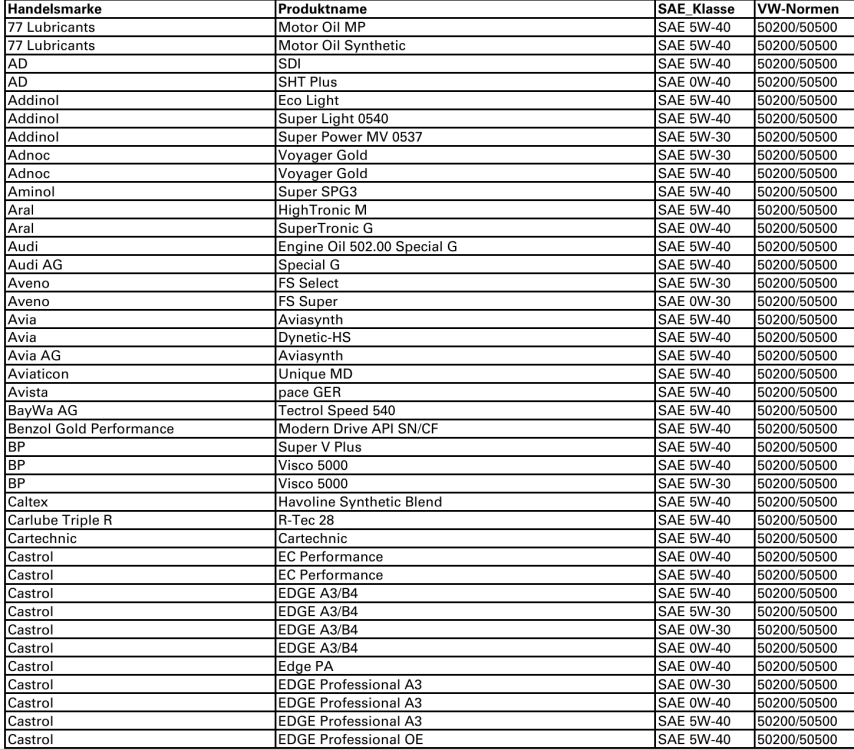
-
Can you not read the part number off the current one?
-
VW group specify the numbers like 502 00, 504 00, not viscosity.
-
I would guess that there weren't any 0W30s on the market then which met the correct VW group specs. Things evolve.
-
For best cold start-up filling of tensioner and lubing of chain, 0W oils should outperform 5W.
-
What about just turning the radio off before starting engine?
-
How bizarre Must try that even though ours makes no noise that worries me. Can't understand what possible explanation there might be for that working.
-
I nearly asked that yesterday, so many different 1.4 engines in Fabia. I know next to nothing about the 1.4 diesel. ☹️
-
Oh, it's a diesel? Ignore my previous post completely then.
-
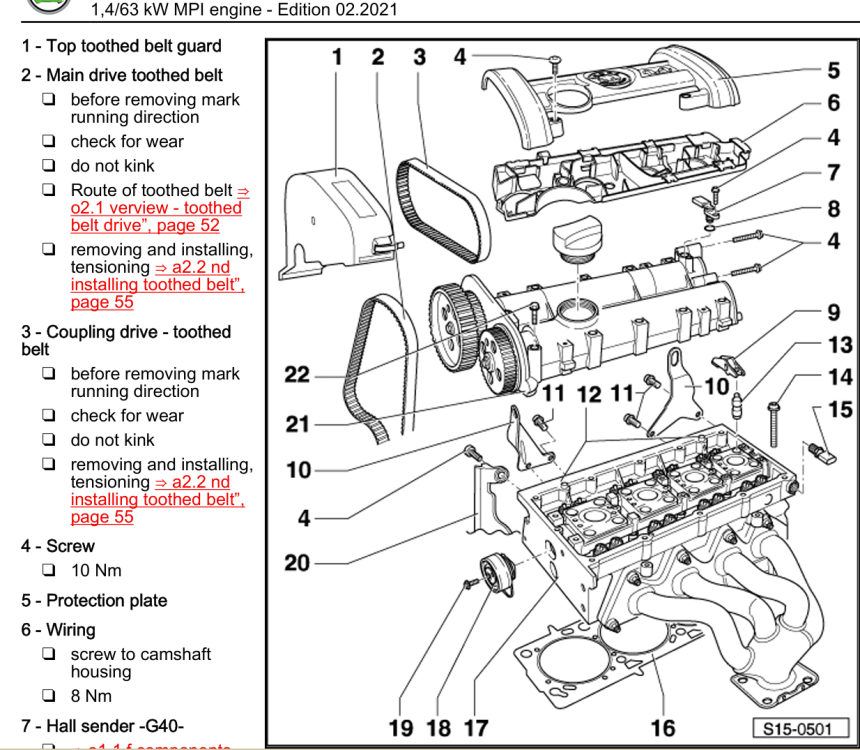
Probably one of the seals between rocker cover and head failed in one of the spark plug wells. Not a nice job to fix that as it's a sealant gasket, and the cambelts need to come off to remove the rocker cover, I think, judging by this image: There will be a problem causing crankcase pressurisation too, I think, most likely the oil separator on the back of the block being clogged to buggery. Probably worth replacing that, cleaning everything up and then seeing which plug well fills up, and how fast.




Important Information
Welcome to BRISKODA. Please note the following important links Terms of Use. We have a comprehensive Privacy Policy. We have placed cookies on your device to help make this website better. You can adjust your cookie settings, otherwise we'll assume you're okay to continue.