




Gyorgy
New here
-
Joined
-
Last visited
Everything posted by Gyorgy
-
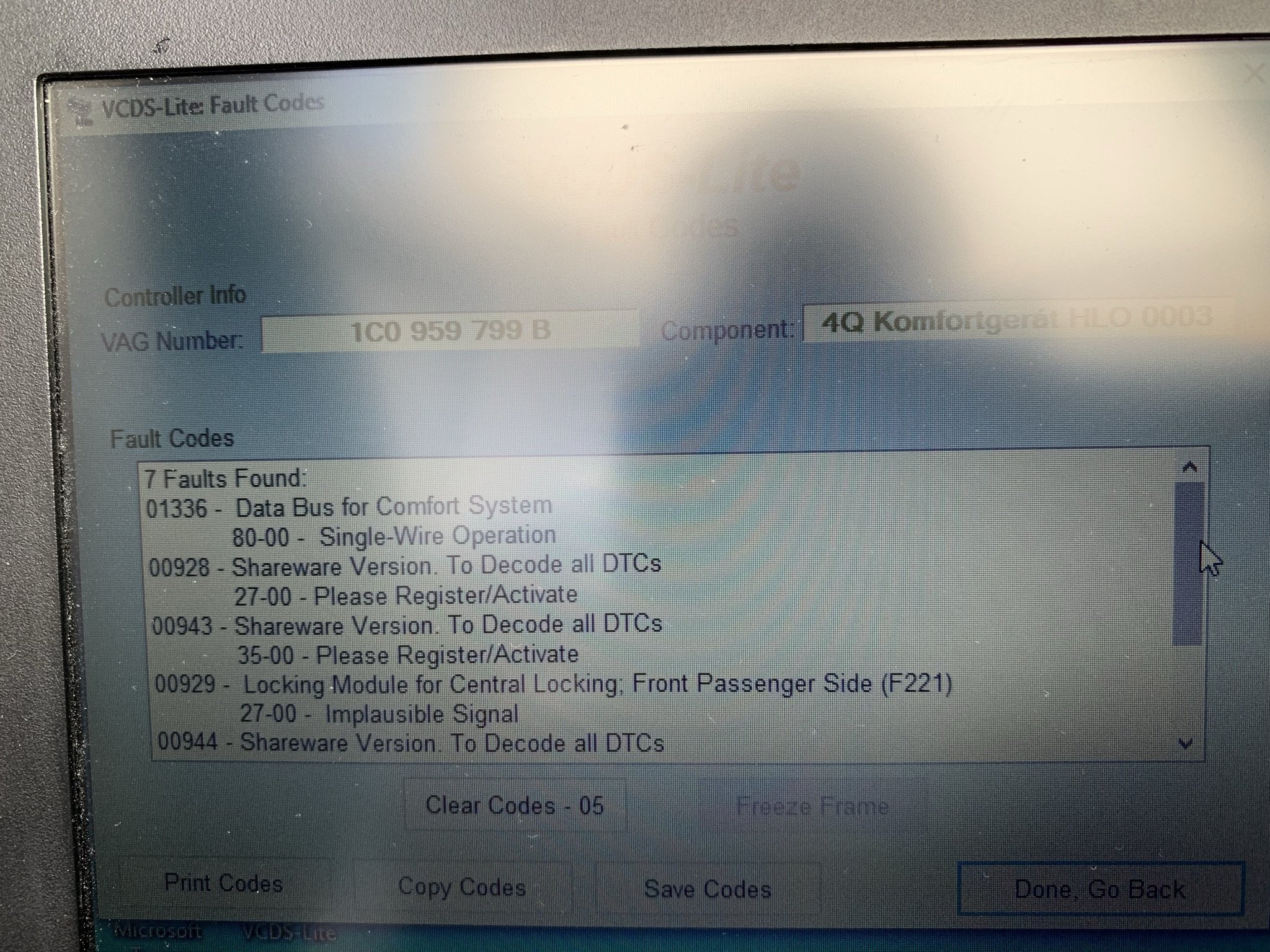
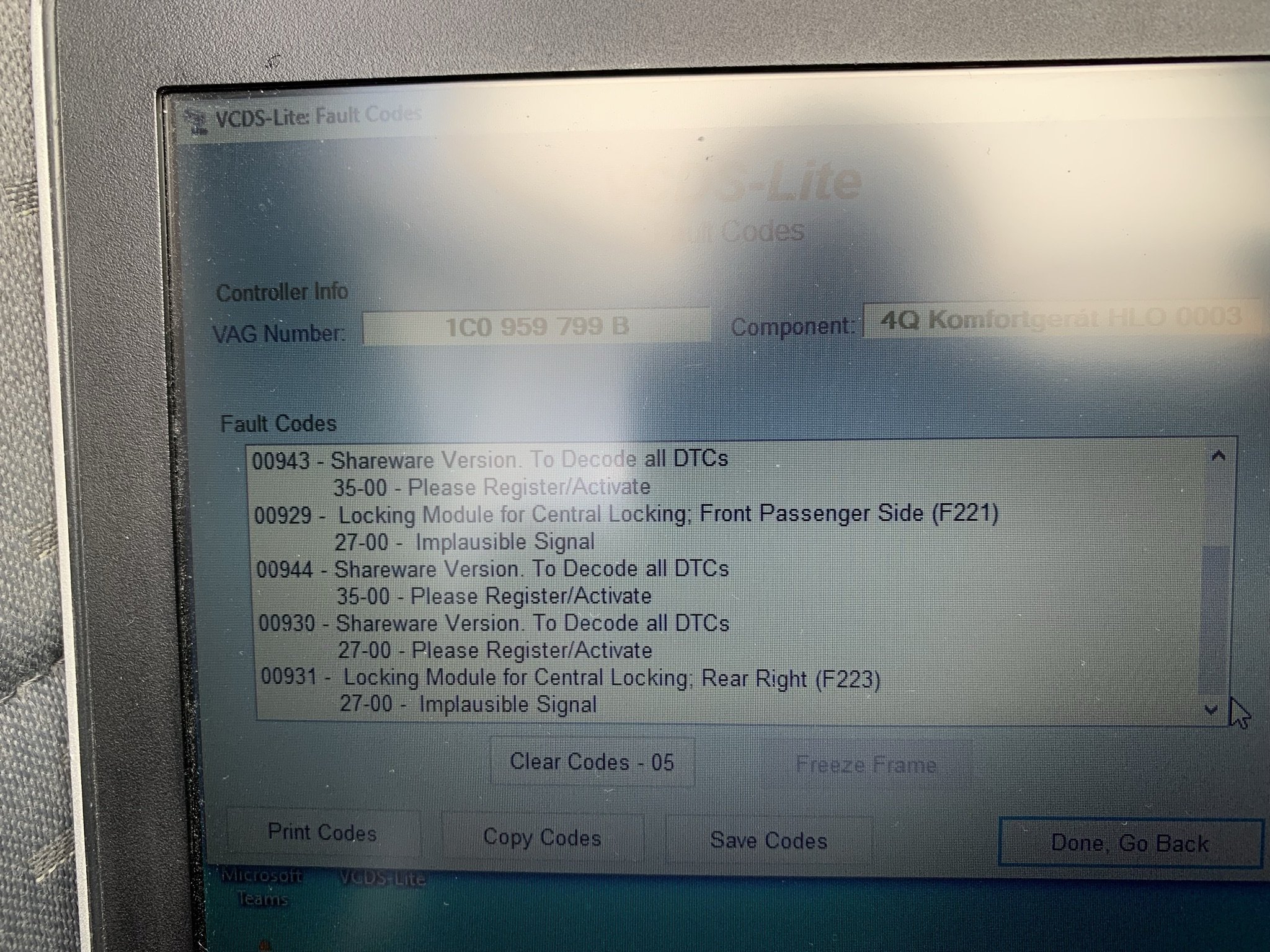
It looks like the three door locks are in emergency locked postion and they are not released. Any idea? Driver door wires are checked, no broken wires. Sombody said may be one of the three door lock is faulty or the wire, contacts going to them are faulty. But how can we found it? There are no more fault codes in the door lock system, that I had before: 01336 80-00 Single-wire operation, 00929 - 27-00 Implausible Signal - Front passenger side (F221), Rear right (F223),I still not able to open any of three passenger doors instead of using the key from outside neither using inside handles. The lock buttons can be raised by the inside handle, but they are forced to go down in locked position. (The central lock does not work, does not make any sound or button movement). Any help please how can I open at leaset one locked door?Found missing, corroded contactors in window electric motor connector. Bur the 3 passenger doors are still locked. Is there any solution to open at least one passenger doors somehow? Interior handle does not open it, tried to disconnect battery, no result. Thanks for any idea.Skoda Octavia Mk1 2003, 1.9 Diesel Estate Long story that lead to the central locking system does not work at all. 1. Started around 1 year ago the right forward mirorr adjustment stopped working 2. Next step, the right forward (driver) door did not open with key FOB. I started to use the key to open the doors 3. The right rear door did not open in every time when I used the key 4. 3 days ago I was not able to open the fuel cap flap by switch inside, only to disengage manually 5. Yesterday noticed using the key it opens only the right forward and boot doors. All three passenger doors left locked and I'm not able to open them from inside as well. Windows up-down are working. Any suggestion what could cause these anomalies? Thank you.
Important Information
Welcome to BRISKODA. Please note the following important links Terms of Use. We have a comprehensive Privacy Policy. We have placed cookies on your device to help make this website better. You can adjust your cookie settings, otherwise we'll assume you're okay to continue.