Beena
Members
-
Joined
-
Last visited
-
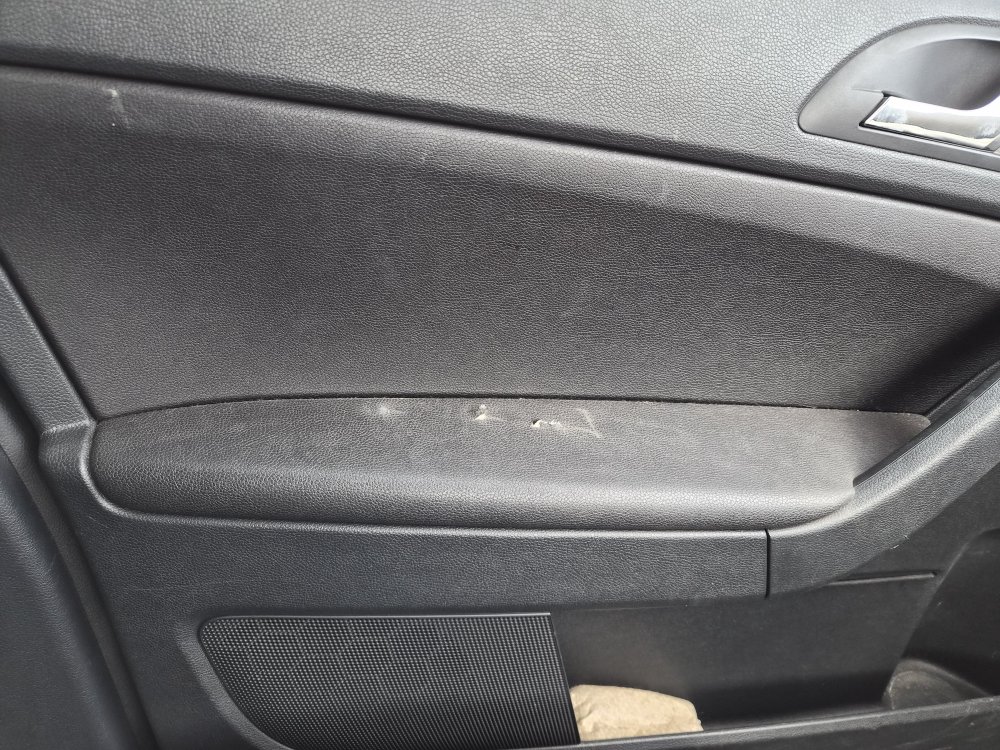
I was loading some wood into my beloved 2016 Yeti to go to the tip this morning and didn't spot the screws sticking out and managed to rip holes in the armrest on the passenger side 🤬 Am I able to replace just that pad, or would I need a whole new door card?
-
Thanks for the response. I think I’ll just take it to the dealers in that case.
-
A couple of weeks ago my rear o/s door started to randomly not unlock when using the central locking remote. I was having to reach inside and open it. I was going to get it looked at when it went in for it's MOT last week but it randomly decided to start working again so I left it. I started noticing in the last few days that when I lock the car I can hear the locking mechanism working on that door but it is rapidly clunking like it is struggling to lock......which today I discovered is what seems to be happening. Whilst driving to the supermarket I could hear the lock constantly trying to engage and I'm guessing it was trying to lock itself automatically, as it does when you pull away after started up. When I got home I locked the car and tried the back door and sure enough it was unlocked. Any ideas on this? Faulty lock perhaps?
-
I did but I don’t want to buy the wrong thing so I thought I’d ask the question on a forum of experts - particularly as someone may have had the same issue.
-
I don’t unfortunately. I was hoping someone might be able to help with that.
-
My 2016 1.2 Yeti went in for an MOT yesterday and afterwards the engine warning light came on and I paid to have it diagnosed and I’m told that the G140 downstream o2 sensor needs replacing. The dealership had quoted £261.89 for a new one to be fitted, which seems steep (£152.24 for the sensor itself). Any ideas on whether I could source one cheaper?