JonPip
Finding my way
-
Joined
-
Last visited
-
Ok after another inspection by Škoda the issue is a bent firewall heat shield which just needed bending back into shape. How it got bent is another issue but it's fixed for now. Hope this helps someone! It's a stupid fault but the noise it makes is rather worrying!
-
Having been to Autohaus Frankston (thanks guys!) it appears the issue is related to the steering column contacting one of the heat shields on the firewall. Back it will go to Skoda for a warranty repair. Wish me luck!
-
This sounds like the issue I have with my Karoq. Did anyone find out the cause?
-
JonPip changed their profile photo
-
Sadly my experience of Audi in the uk is that they are worse! My 1994 Audi A4 was the most disappointing car I ever owned. And the dealers were horrible, whereas Skoda were great (at least in the UK!) If I can't get any sense I will take it to an independent VW specialist.
-
This was Skoda Australia main agent. They were going to call Skoda technical as they couldn't work it out! The frustrating thing is the car was fine before they looked at it! Last service they put the wrong amount of oil in the car. Very apologetic but that's not the point. I have had Skodas since 1999 and never had a problem with dealers before!
-
Hi, just had my Karoq serviced by Skoda. They noted a weird steering 'click' when going lock to lock when parked. My thoughts front subframe bolts loose. It is a loud clank rather than a click and it happens 2-3 time as the steering goes lock to lock. Not always in the same place, not in sync with moving the wheel. Thoughts anyone?
-
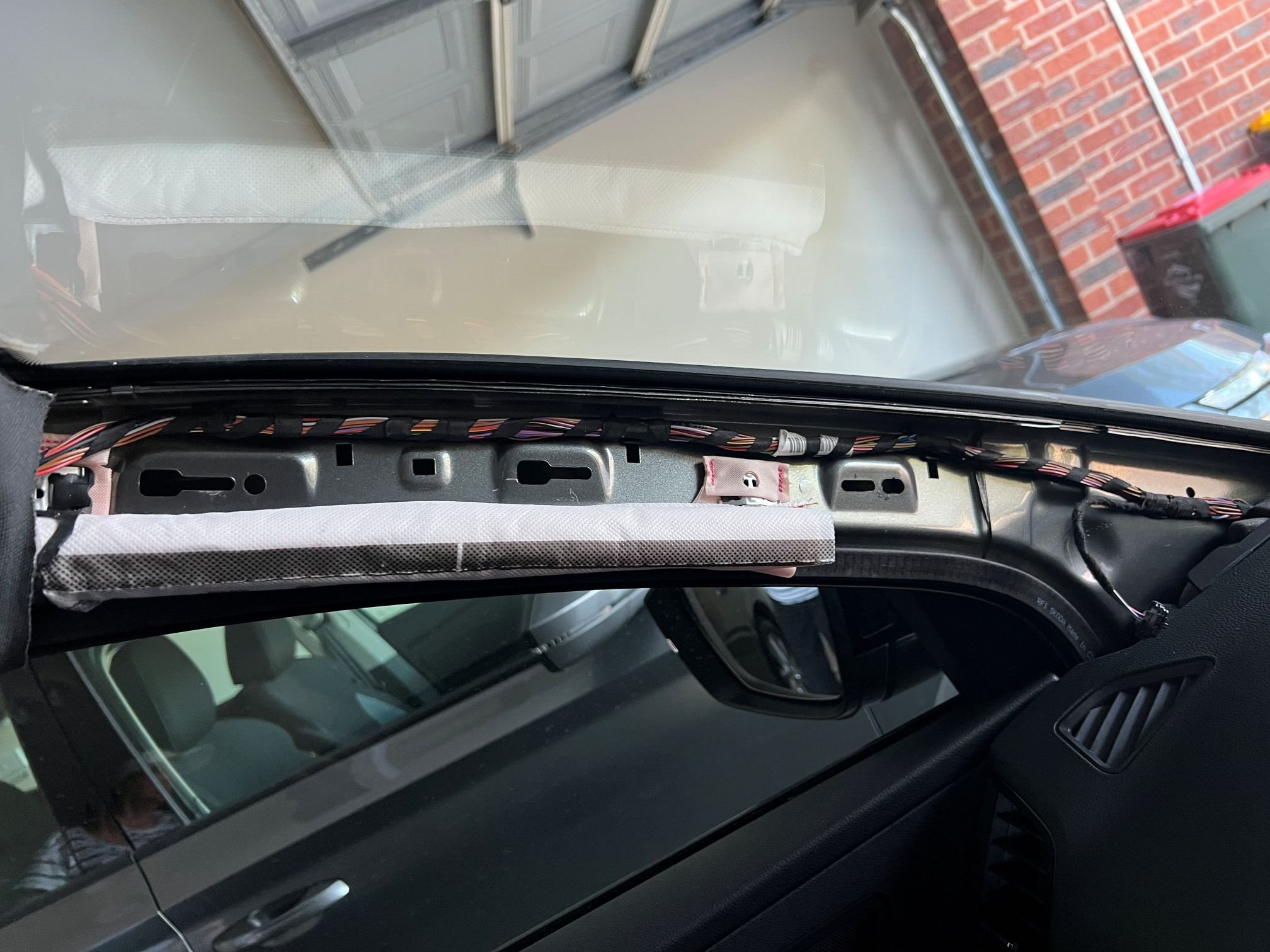
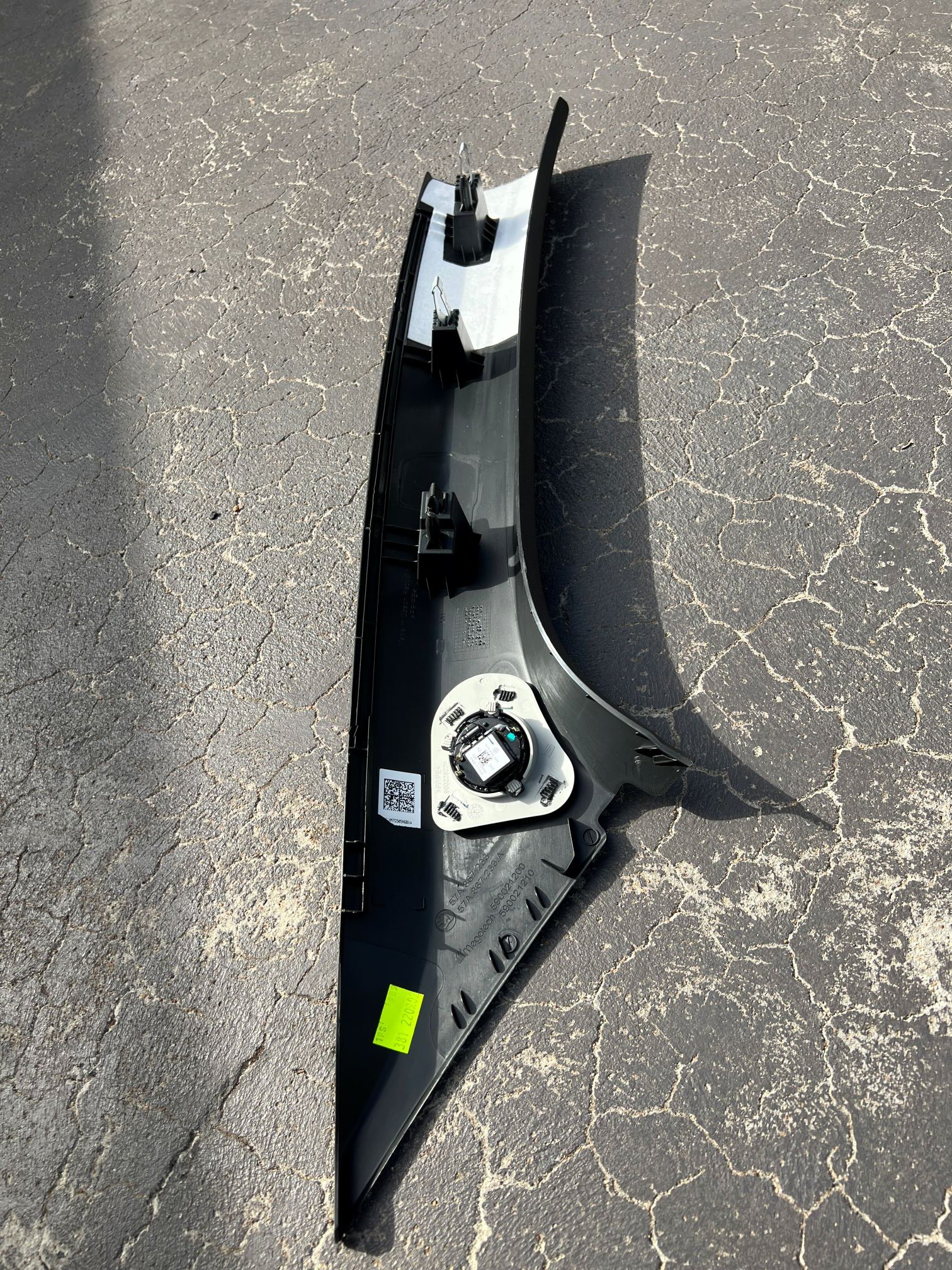
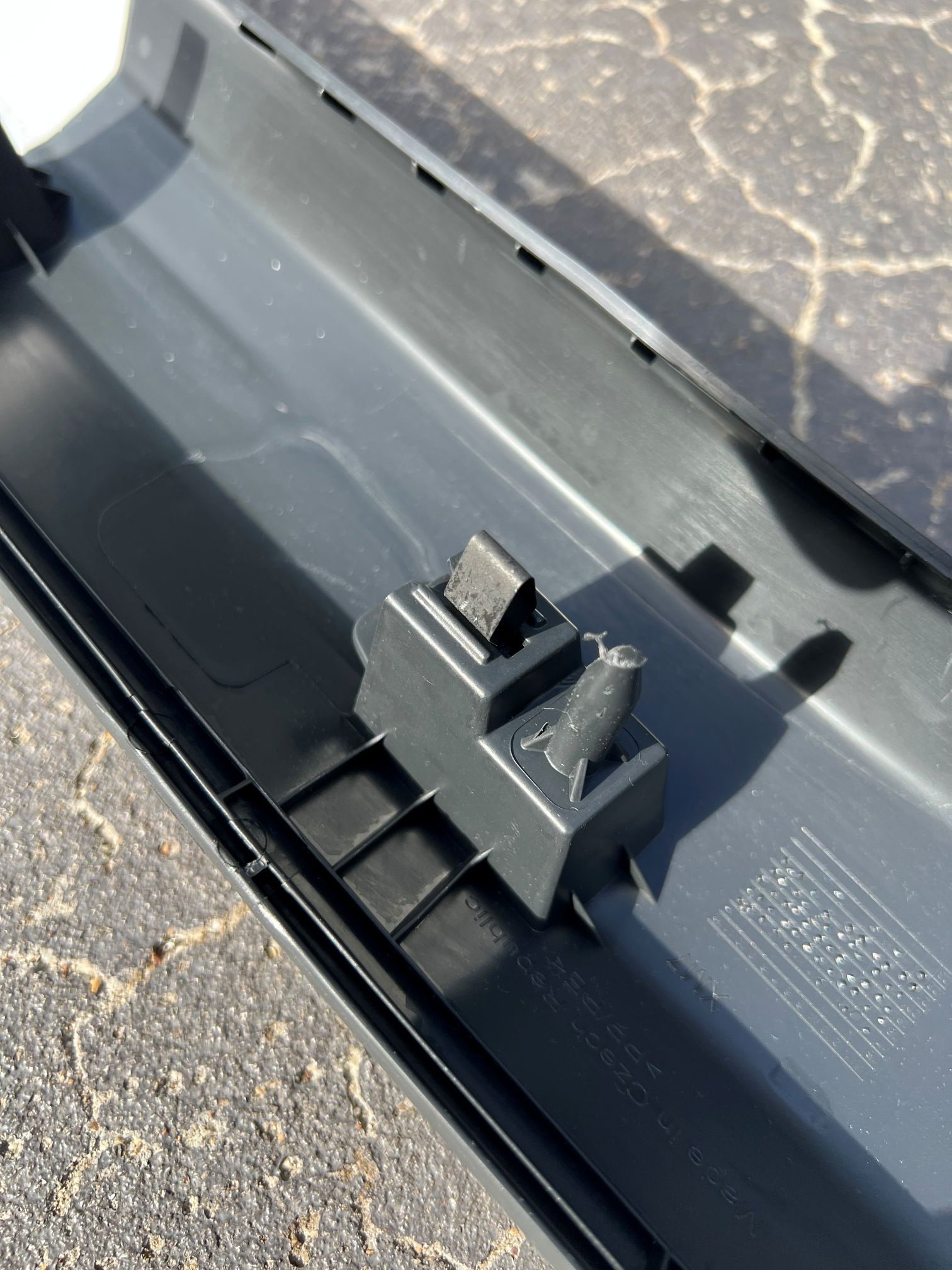
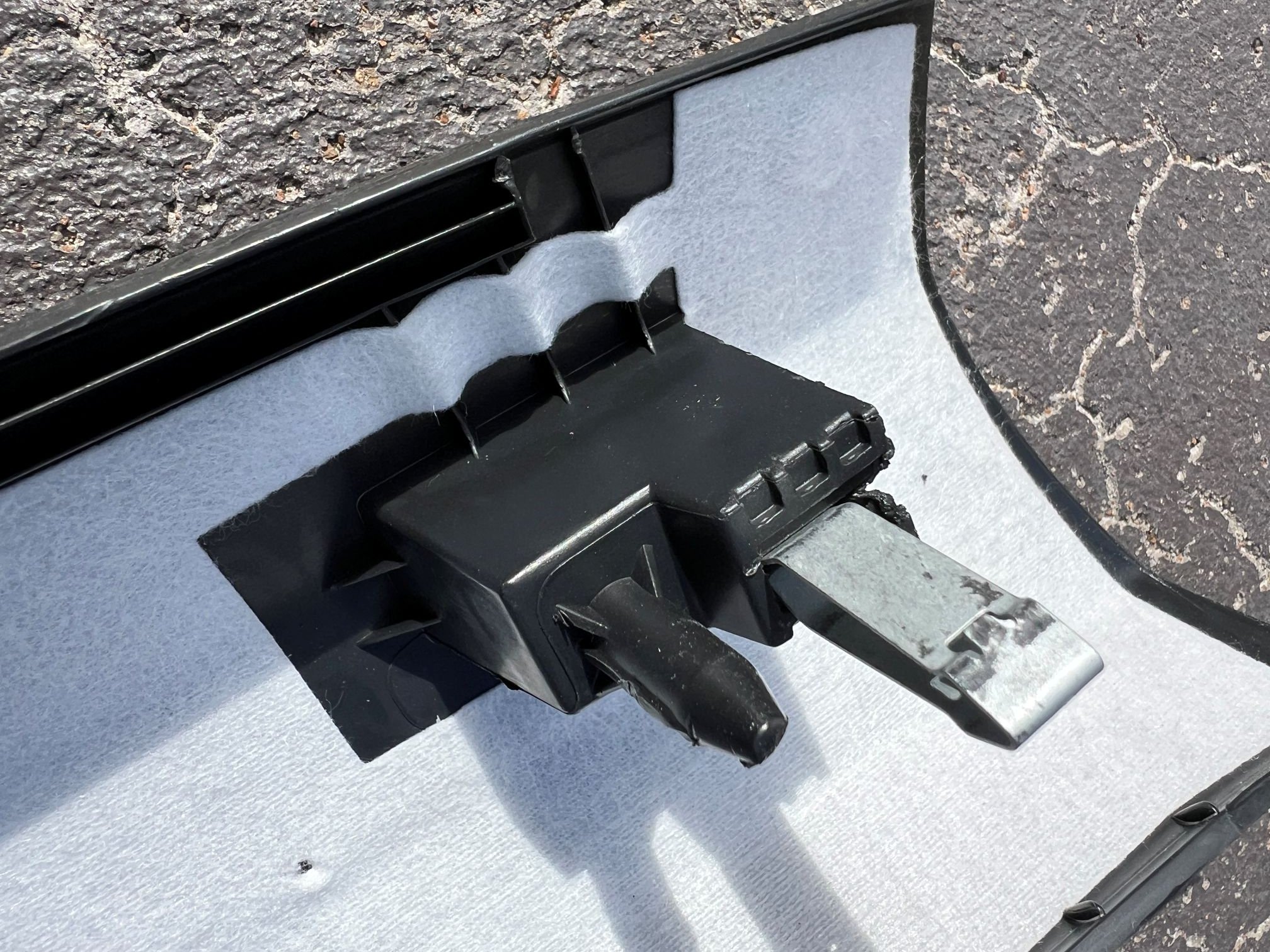
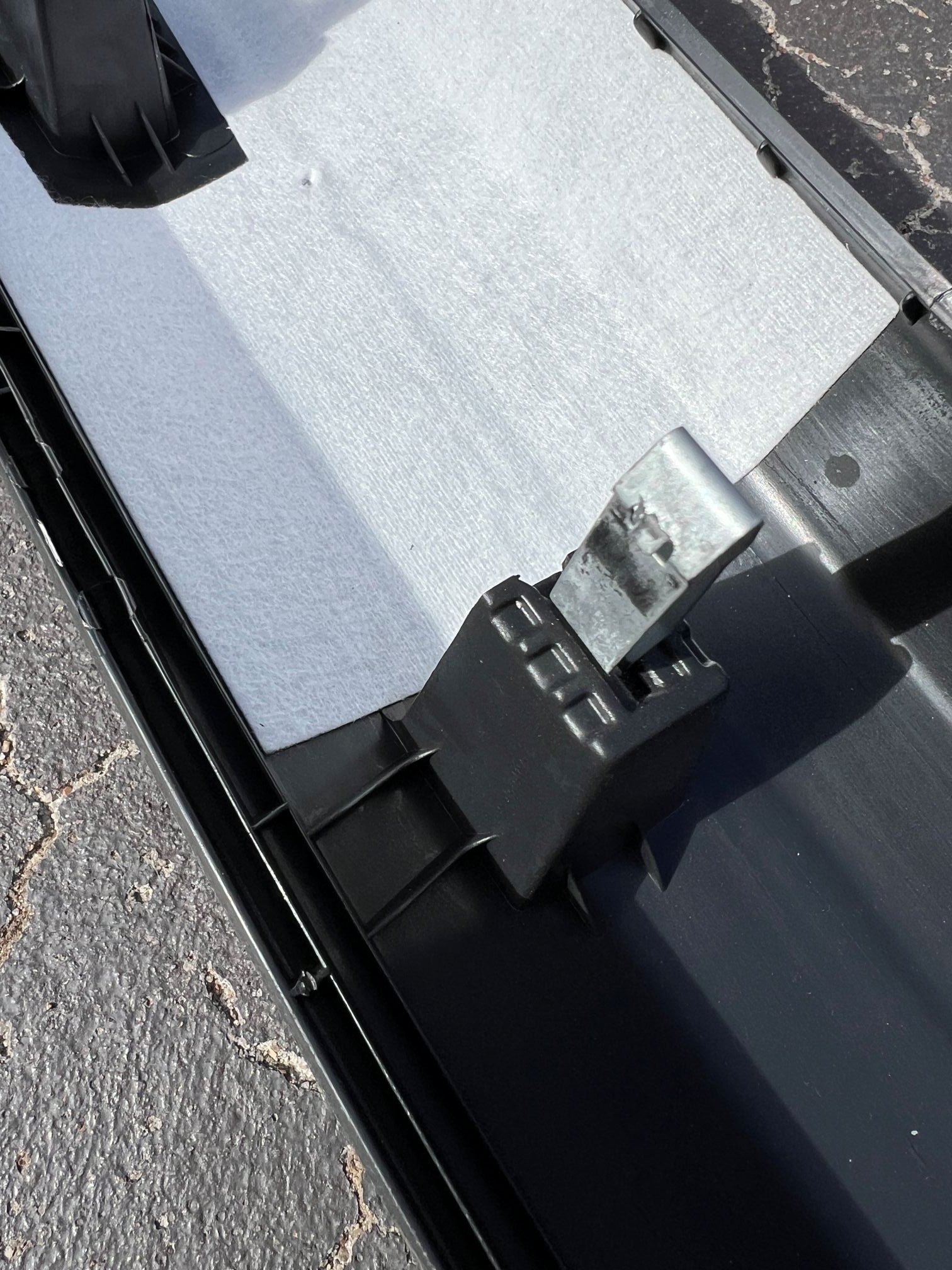
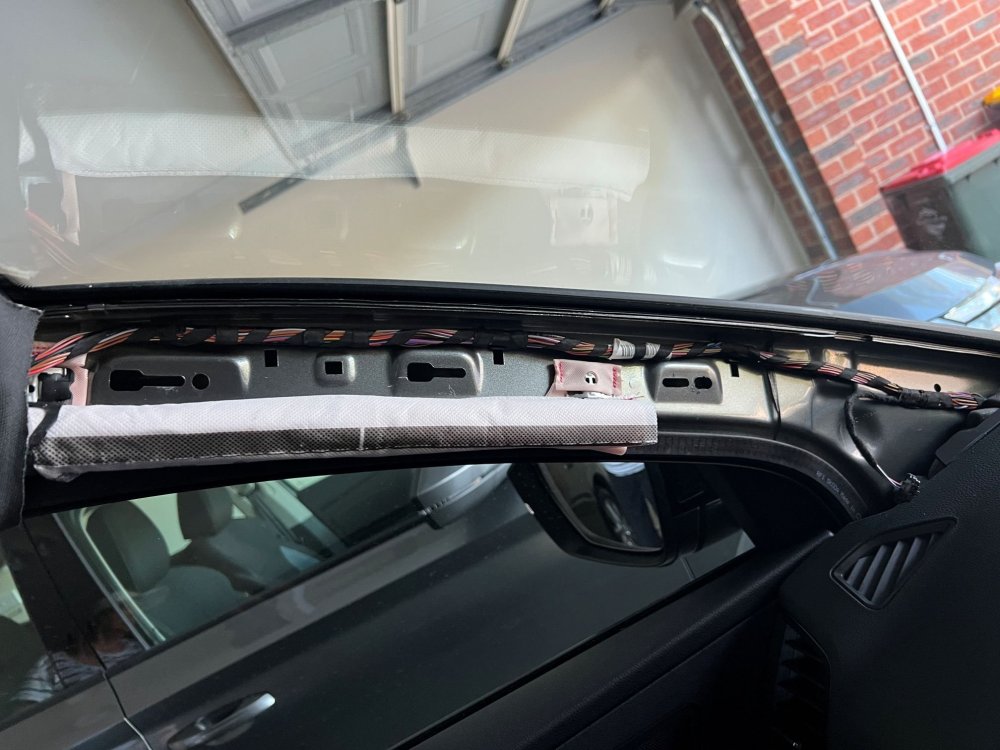
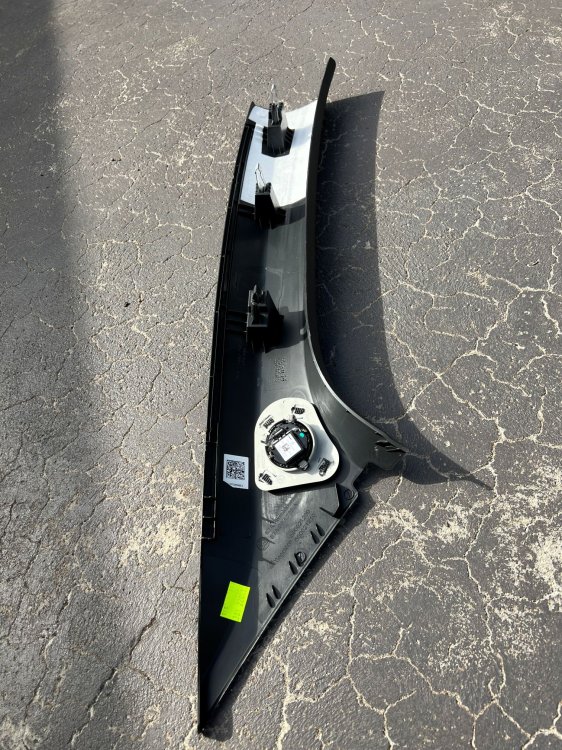
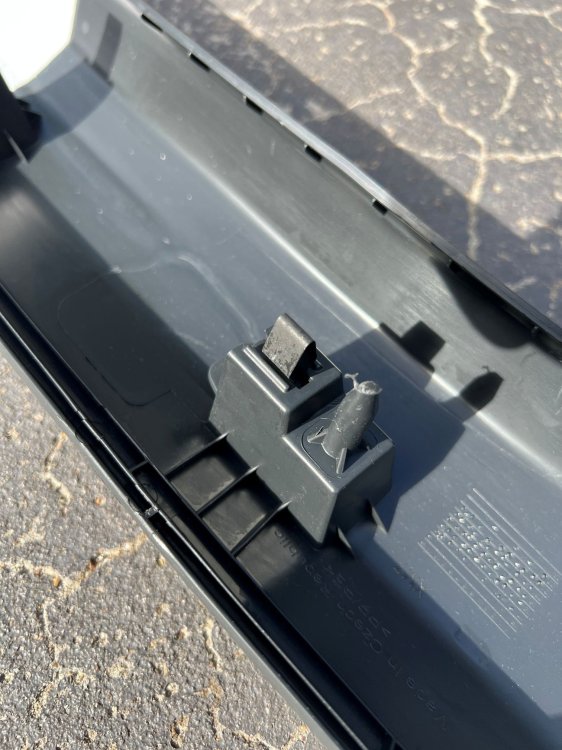
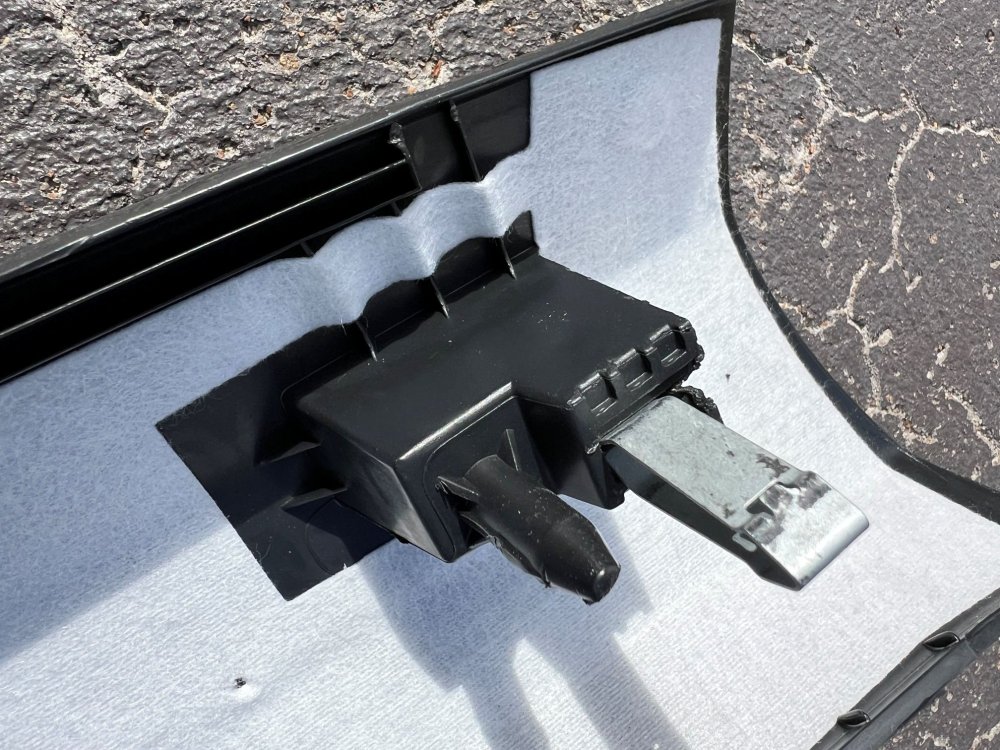
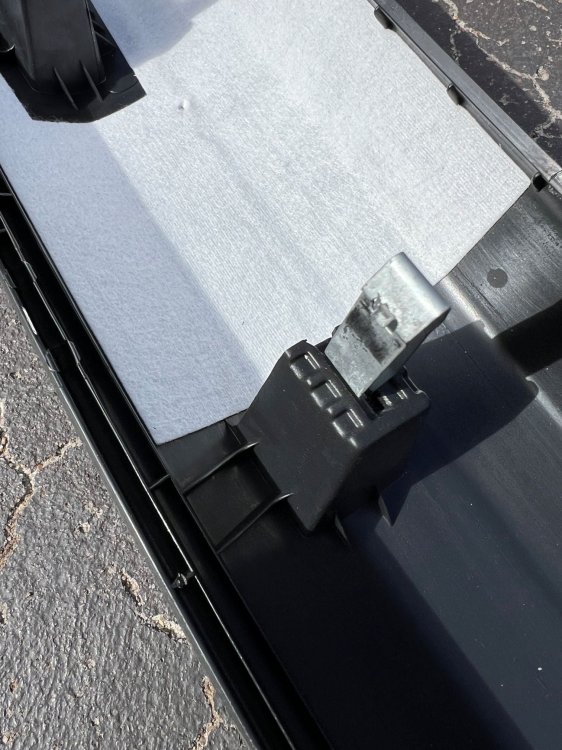
Hi Guys, thanks to all the previous posters. You encouraged me to go check what the 'professional' installers did when they put the camera in my 2023 140 Sportline Karoq here in Melbourne. I am really glad I did as they had just fed the cable up inside the A pillar trim, and it was right across the side curtain airbag. So I am now in the process of putting that right. My camera is an Azdome M300S which I would not recommend as although the picture quality is pretty acceptable the camera has a number of issues with GPS lock, voice commands and general inconsistances which make it cheap but a pain. Not worth it IMO. I use the official Azdome kit and now the car is a a couple of years old the AGM battery voltage falls rapodly to around 12.2V which effectively makes the parking camera feature useless, unless you want to pull the battery down to 12 or 11.8V when parked, which for me is a bit near the knuckle for longterm airport parking. Result of all this is I'm going to go back to using the USB-C connector near the mirror and strip out the car kit. Attached are some pictures of the A pillar and the trim. You can see it is clipped, but also pegged to the pillar. So it has to be pulled straight out, starting at the top. And it requires smallish hands and considerable force. Good luck! I am not looking forward to refitting it!
-
I suspect they filled a 2litre engine with the quantity required for the 1.4!! I don't think they test drove it at all😂
-
The dealer has fixed my passenger door rattle. They didn't disclose exactly what they did but foam and tape were mentioned! Sadly they spoiled this victory by returning the car with oil level low by 1.5L so the oil light came on after 20kms. Oh well..!
-
Thank you!
-
Hi I have similar issues with my passenger door. Seems the door card is in two parts and glued or welded together. The two halves rub and make a very annoying noise on rough road surfaces. If you press lightly on the door panel it stops. Has anyone got any tips for removing the door panels? Thanks!