CoachPat
Finding my way
-
Joined
-
Last visited
-
Hi Guys, If I fit an Amunsden to my Yeti which has built in Bluetooth, doesn't that make the funky box under the drivers seat redundant? Really hate the loud connection beep it does. Currently got the bluetooth box still connected as well as upgrading to a Columbus, but I much prefer the Amunsden's simplicity. Thanks, Pat.
-
Nice. Where does the usb wire go? Pat.
-
Hi Guys, I know there's a couple of templates floating around. Who has one for sale/rent etc. Cheers, Pat.
-
Hi Guys, Anyone know where I can get one of the storage trays for under the passenger seat? Can only fins one on Kopacek and they're not currently sending a box so big to the UK. Thanks, Pat.
-
Dang - knew there was probably going to be a problem. So it looks like I might need to invest in a Ross-Tech lead or find someone who's near Bury/Rawtenstall/Hebden Bridge/Todmorden area. Thanks guys. Pat.
-
Hi Rustynuts, Yes - interested, but not until I've picked up the car. Should it be all straightforward or will anything need re-coding when I fit it to a different car? Hoping it's all just going to be plug and play. Cheers, Pat.
-
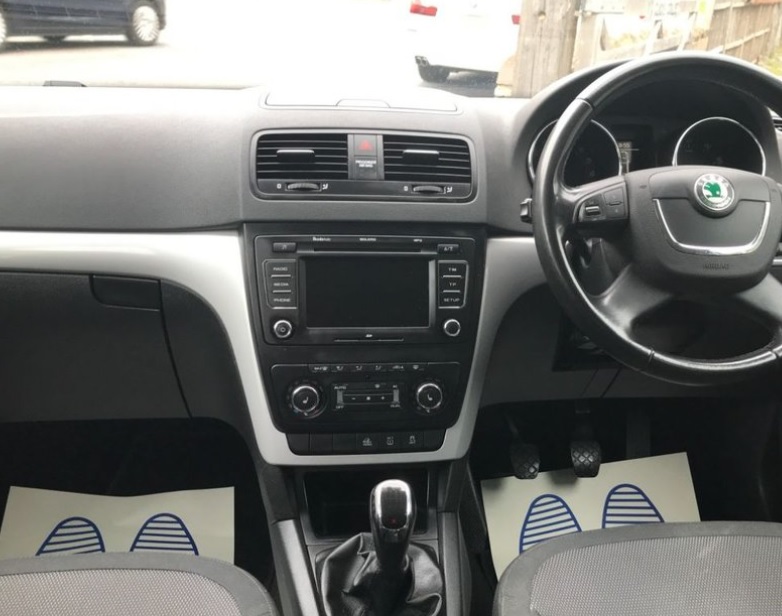
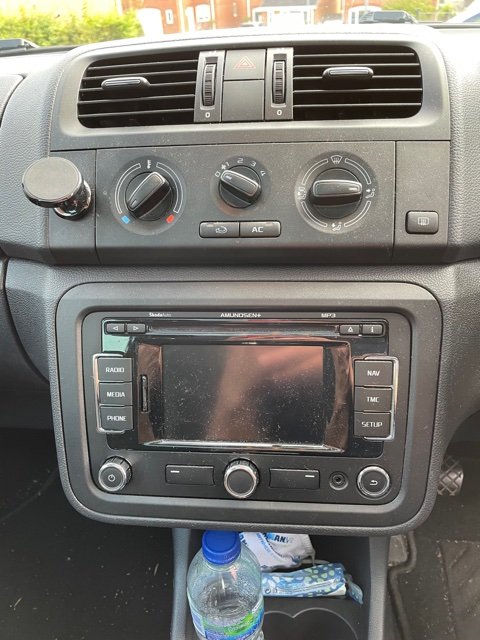
Think I've figured it out. If I buy a faceplate from a later 2014+ Yeti, they have the squarer surround so should be easy to fit the Amunsden to the Yeti. Pat.
-
Hi Guys, I've just put a deposit down on a 2011 Yeti. I currently have a Roomie which I retro fitted an Amundsen+ (including the mic and GPS antenna so it all works as it should). The Yeti comes with the Bolero, but I need the Sat Nav. Ideally, I want to fit the Amundsen from the Roomie, but the faceplate shape looks slightly different. Are there different shaped faceplates on Amundsens? Thanks, Pat.