Iasmin90
Finding my way
-
Joined
-
Last visited
Everything posted by Iasmin90
-
@technics100Please check 2nd post from this thread: Posted 5 May Please try the following steps: -Go on the phone on the wi-fi network of the MIB 3 and click to forget it -Activate Wi-fi,bluetooth,cellular data and location services on the phone -Go to the app buton on the car -Select your phone from the MIB 3 -If the MIB 3 connects to your phone, a pop-up will appear on the phone stating that :"This wi-fi has no internet connection, do you still want to connect" -> do not press anything on the phone(just leave the pop-up be) -Lock phone and it should work If it still does not work ,try these steps: -Make sure phone has already ability to do Wireless Android Auto -Go on the phone on the wi-fi network of the MIB 3 and click to forget it -Go to the MIB 3 settings and at WLAN make sure you have "infotainment sistem as Hotspot" -Go to the MIB 3 setting and at Data connection the box for :"Integrated data connection (eSIM) to be Un tickked " -Activate Wi-fi,bluetooth,cellular data and location services on the phone -Go to the app buton on the car -Select your phone from the MIB 3 -If the MIB 3 connects to your phone, a pop-up will appear on the phone stating that :"This wi-fi has no internet connection, do you still want to connect" -> do not press anything on the phone(just leave the pop-up be) -Lock phone and it should work
-
@technics100 https://support.google.com/androidauto/thread/9008705/psa-how-to-enable-developer-mode-in-the-updated-android-auto-app?hl=en
-
@technics100When I received the car back in november 2020 the P30 Pro was running with Android 10.Just go to developer options in Android Auto itself and activate Wireless Android Auto.
-
@kzendraWhen was your car produced ? if it is after kw 33(12.08.2020) then it will have MIB 3 head unit which is compatible for wireless android auto. If it is built before August 2020 then the car itself does not handle wireless android auto. P30 pro you can enable wireless android auto option from the Advanced Settings in Android Auto on the phone itself.
-
Please try the following steps: -Go on the phone on the wi-fi network of the MIB 3 and click to forget it -Activate Wi-fi,bluetooth,cellular data and location services on the phone -Go to the app buton on the car -Select your phone from the MIB 3 -If the MIB 3 connects to your phone, a pop-up will appear on the phone stating that :"This wi-fi has no internet connection, do you still want to connect" -> do not press anything on the phone(just leave the pop-up be) -Lock phone and it should work If it still does not work ,try these steps: -Make sure phone has already ability to do Wireless Android Auto -Go on the phone on the wi-fi network of the MIB 3 and click to forget it -Go to the MIB 3 settings and at WLAN make sure you have "infotainment sistem as Hotspot" -Go to the MIB 3 setting and at Data connection the box for :"Integrated data connection (eSIM) to be Un tickked " -Activate Wi-fi,bluetooth,cellular data and location services on the phone -Go to the app buton on the car -Select your phone from the MIB 3 -If the MIB 3 connects to your phone, a pop-up will appear on the phone stating that :"This wi-fi has no internet connection, do you still want to connect" -> do not press anything on the phone(just leave the pop-up be) -Lock phone and it should work This is how it is working for me with a MJ21 MIB 3 Amundsen with Huawey P30 Pro(Non rooted) just developer options activated in Android Auto for Wireless Android Auto. Good Luck.
-
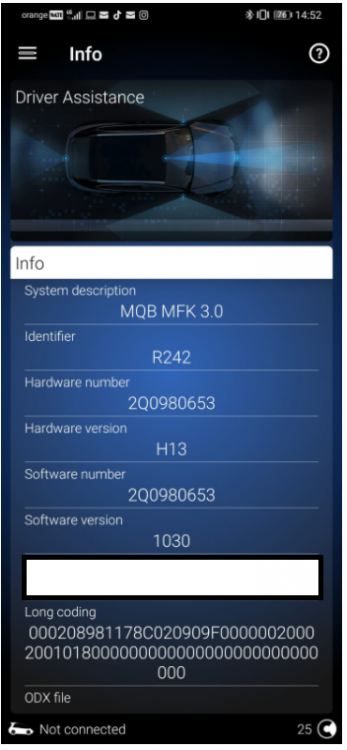
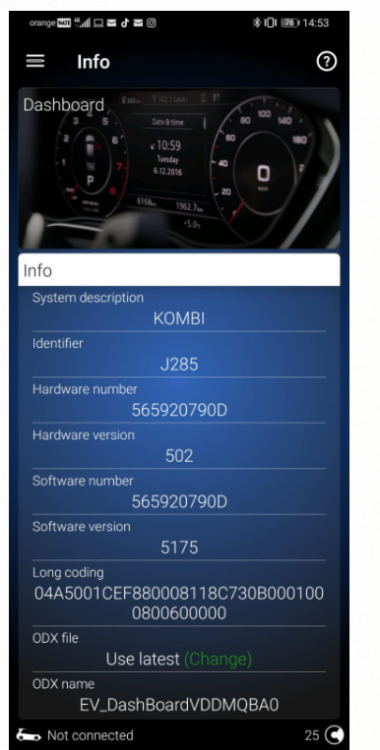
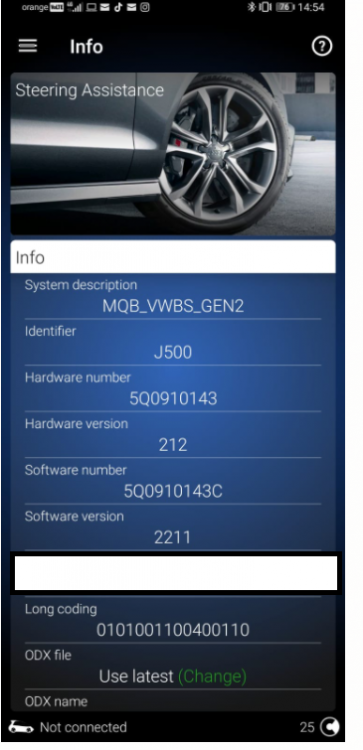
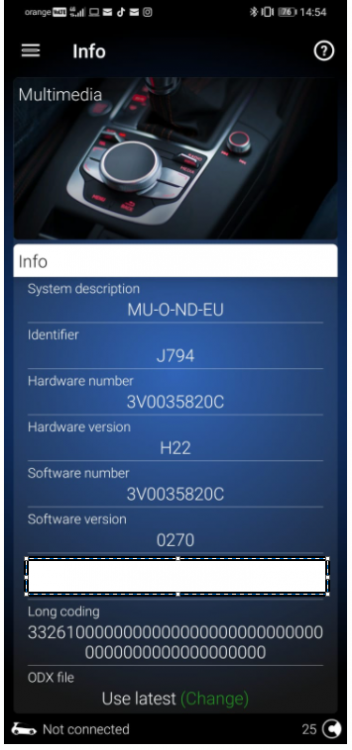
Hello @Nikos1 Please see bellow:
-
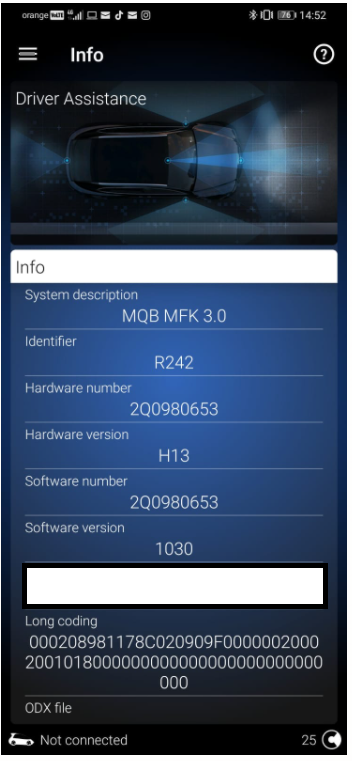
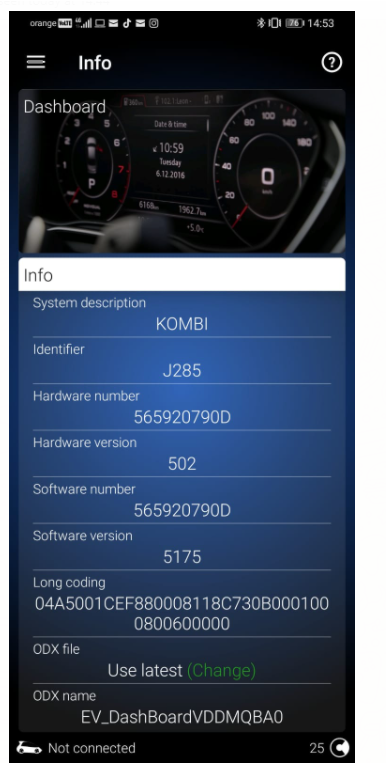
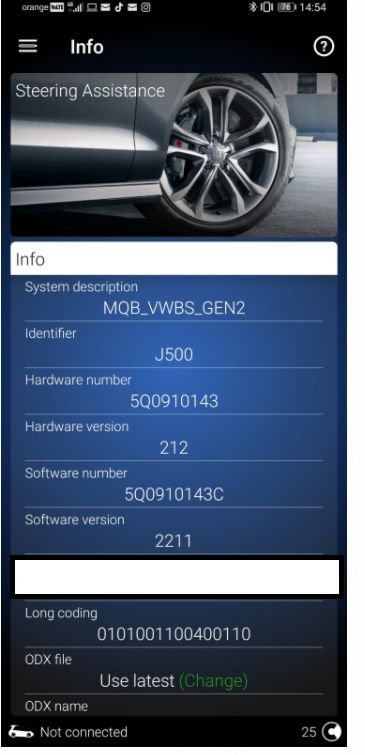
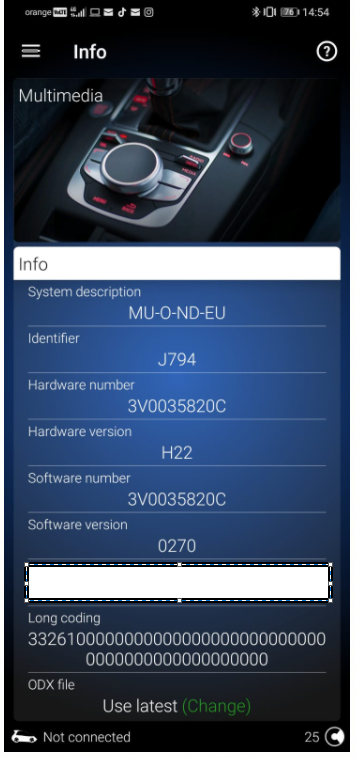
I managed to make it work with OBD 11 on MJ21 with 2Q camera & MIB3(amundsen) A5 -> Long Coding(page 0) -> Point_of_intervention -> early_setting_over_menu(It was on Late)
-
@linniAA & native maps cannot work together combined(at least in MIB 3 Amundsen). When you have Waze running on the MIB with guidance placed already and you try to search in the native maps for a destination it automatically stops the WAZE Guidance. When you have the native maps already running and then you connect to AA and start route guidance via WAZE it kills the native maps guidance. Somehow AA(Google maps/WAZE) is linked with the native maps because when Waze/Google maps is on the Amundsen display and the native map on the VC you get direction arrows in the VC from the WAZE route.
-
@linniIn my MIB 3 Amundsen I can see Google Maps or Waze from Wireless AA and native maps on VC.As far as I know for Skoda there is no possibility to show maps from AA or AC on the VC, only the native ones. @AmarSirohi When you make the test for Google Maps please test also Waze. And post some pictures here.
-
Had the same issue. Come to find out it's related to the Wireless Android Auto. As soon as the Wireless Android Auto is connected on the car it sees that you are like in a constant cell phone call ,that is why the car is muting everything of it's systems. Just drop out the top hidden menu and you should have a muted sign posted there .Push it and voila the radio of the car is working with the Wireless Android Auto turned on. When the phone is connected with the Wireless Android Auto to the car it makes no sense to do the reset of the MIB system, As soon as it starts it connects to the phone that is why you had this issue even after restarting. I had the issue on the Amundsen MIB 3.
-
I am not really much of an expert on the adding stuff to the car. What I can say to you,I ordered an style with Lane assist,side assist,front assist,High Beam Assist... pretty much everything except Traffic Sign Recognition with the thought that I would simply code it using OBD 11 after receiving the car. The option of TSR would have cost 80eur extra. My car is a MJ 21 with MIB 3 and after delivery I learned that I can only activate TSR using swaps which essentially means hacking of the main unit(and a lot more money) hope I don't say anything stupid here. Considering that MIB 3 and MJ21 are coming with different A5 cameras then the other Kodiaq's (Normal cars have either a 5Q or 3Q HW camera, the MJ will have a 2Q camera= > therefore not a lot of people would have experience in codding stuff) If I wore you I would consider to add to the order all the stuff that you would really like on the car and be done with it.
-
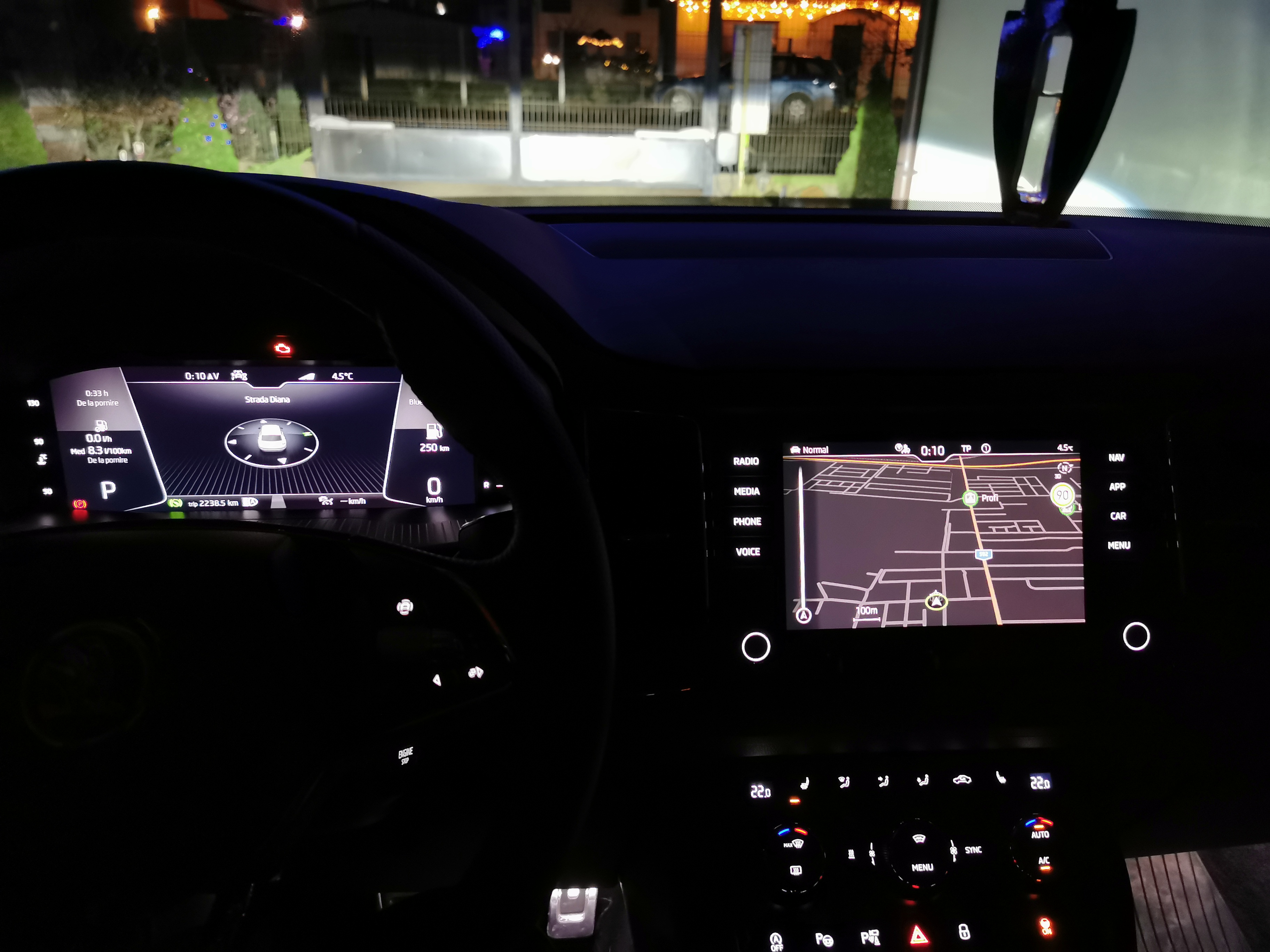
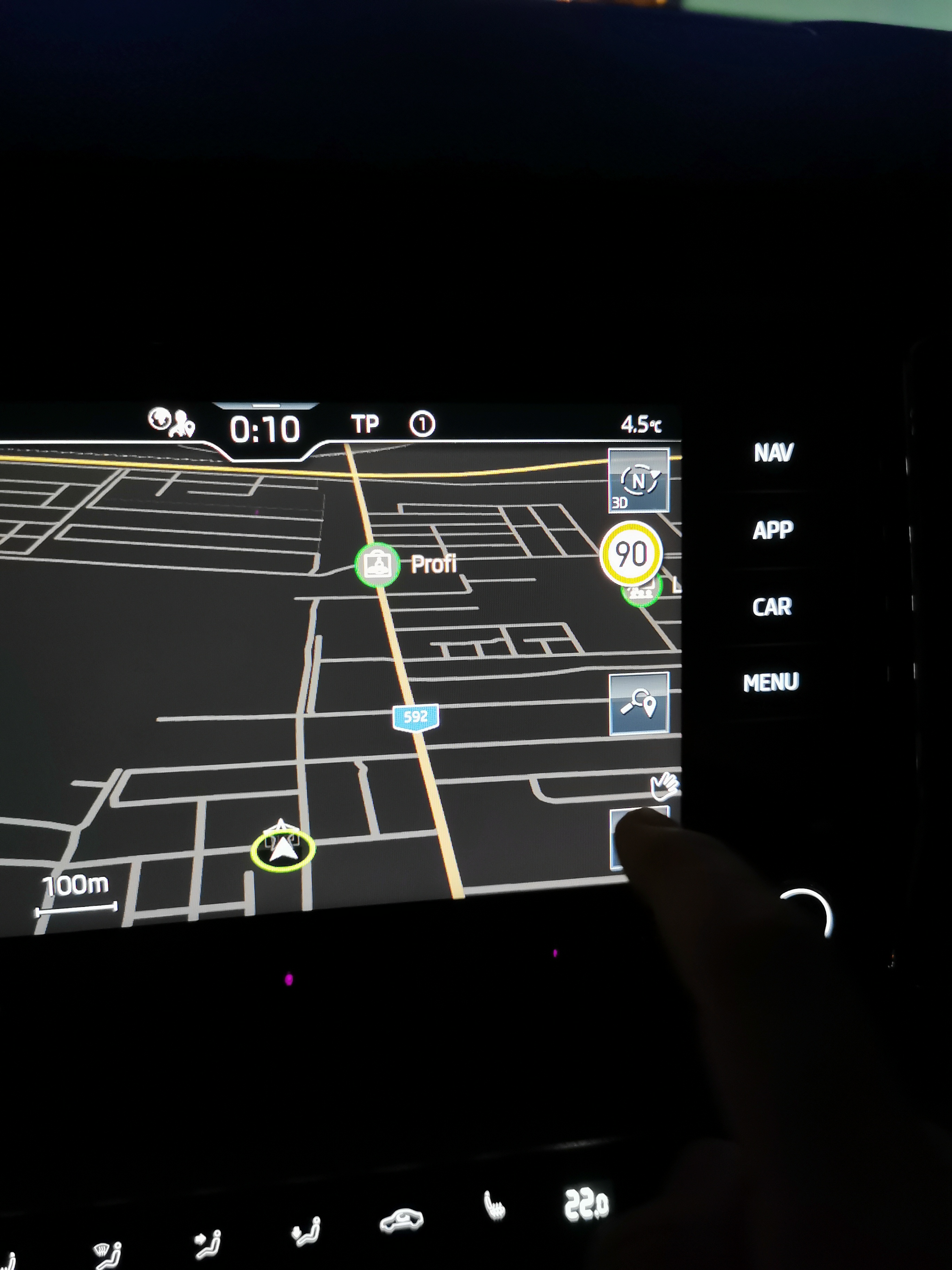
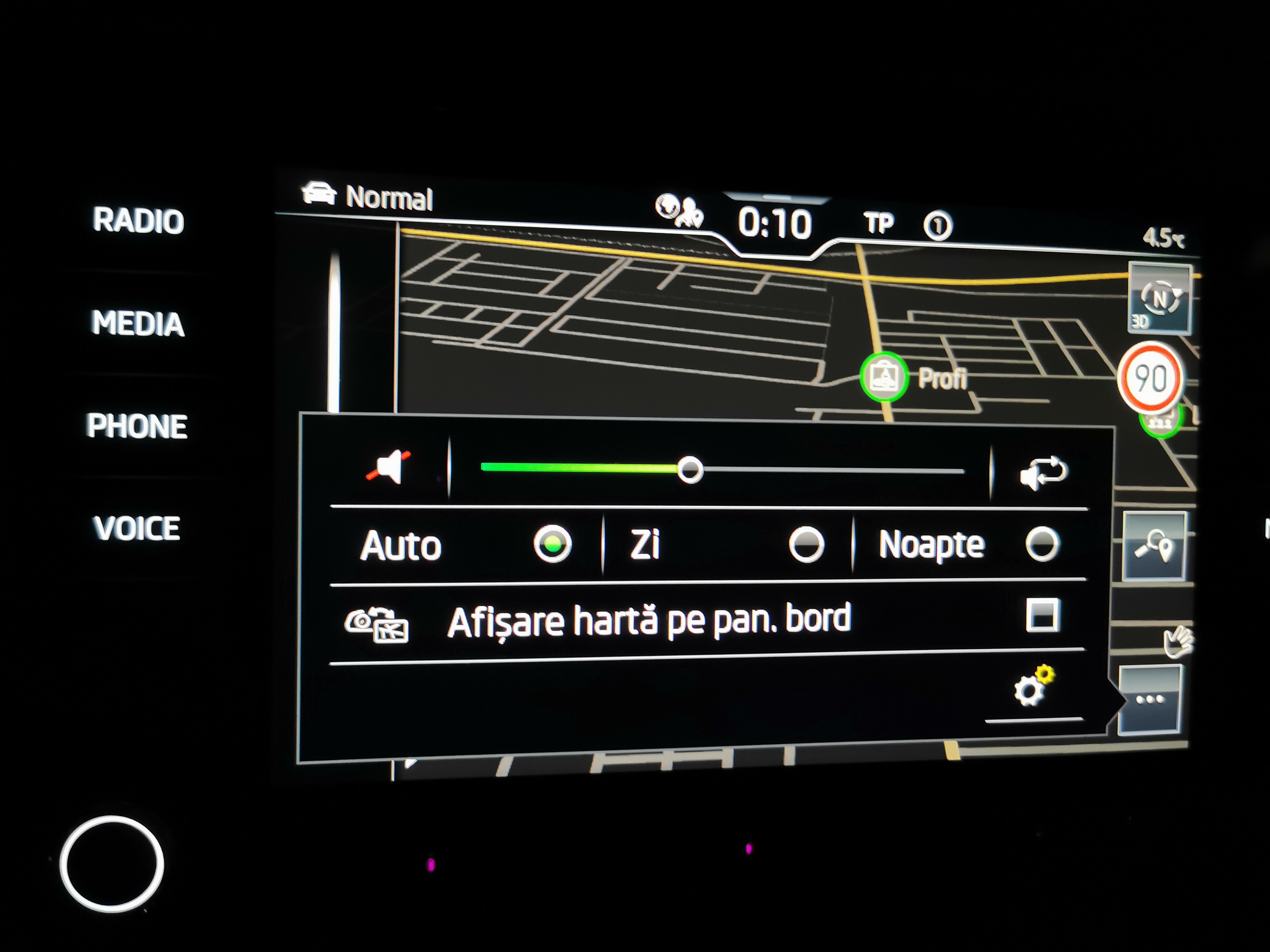
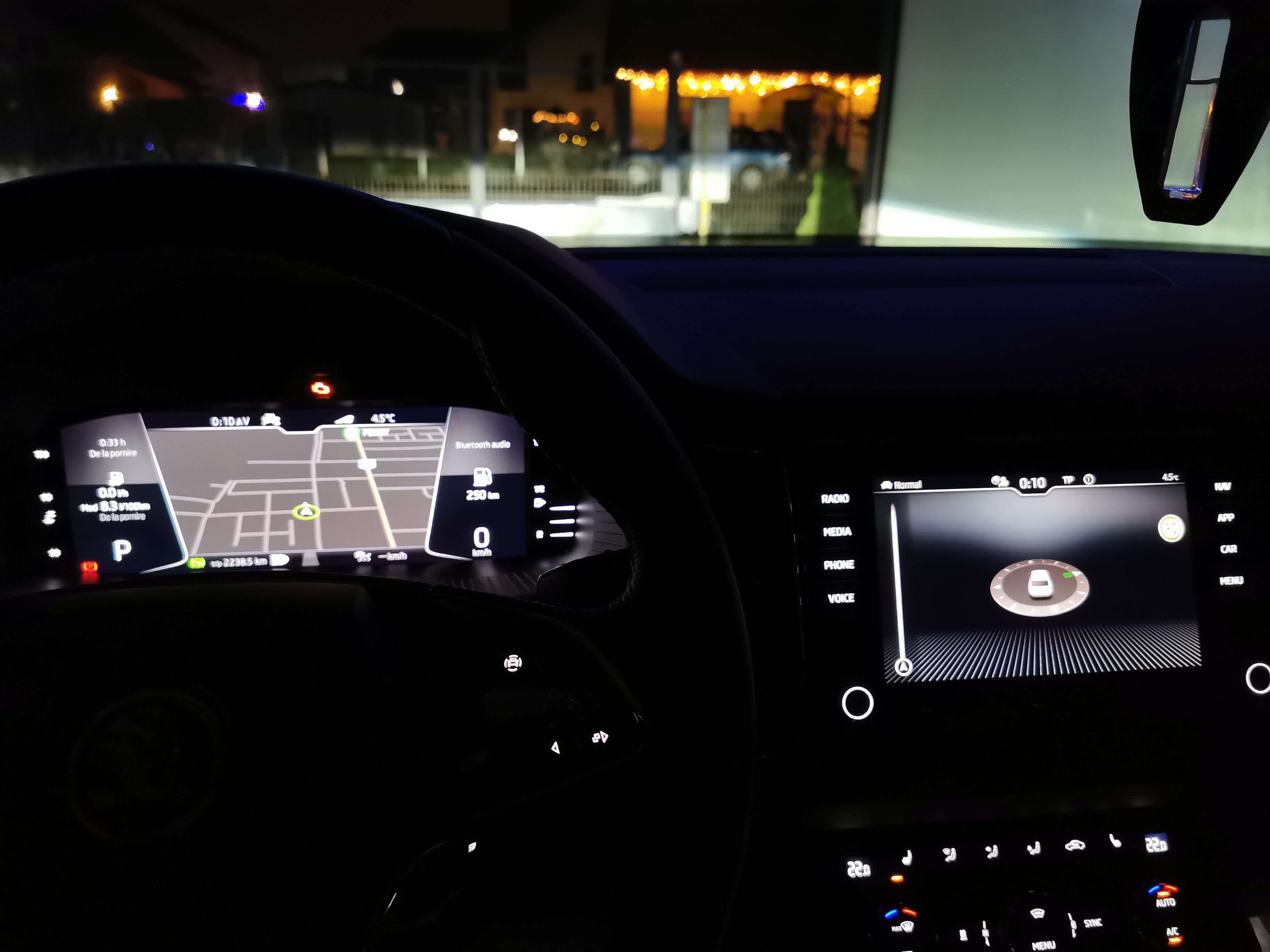
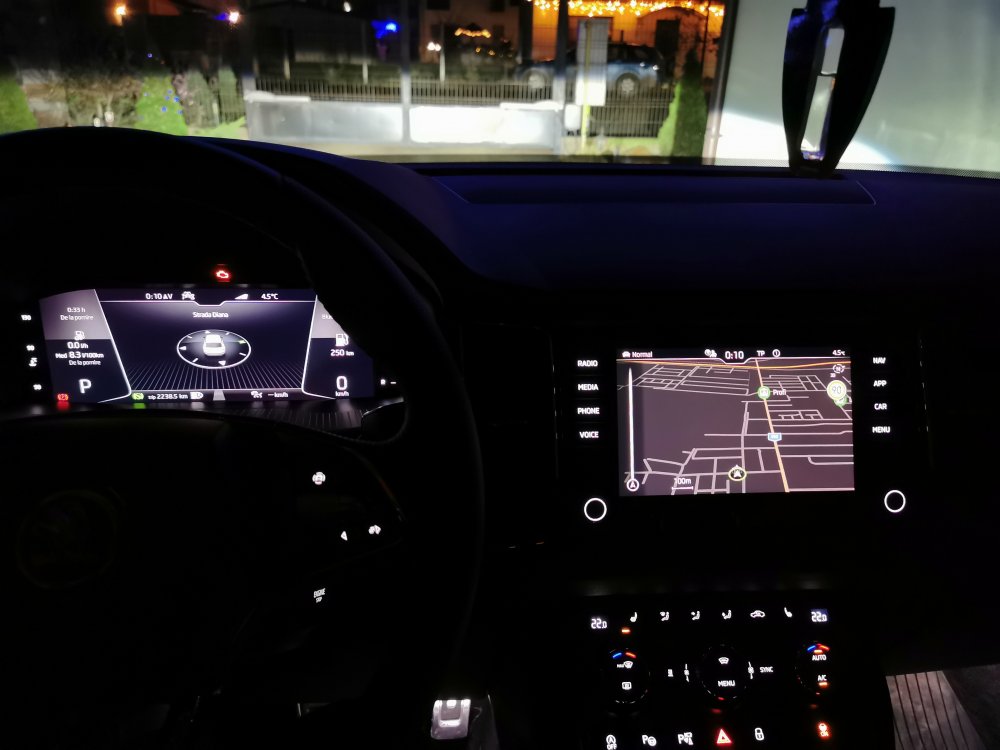
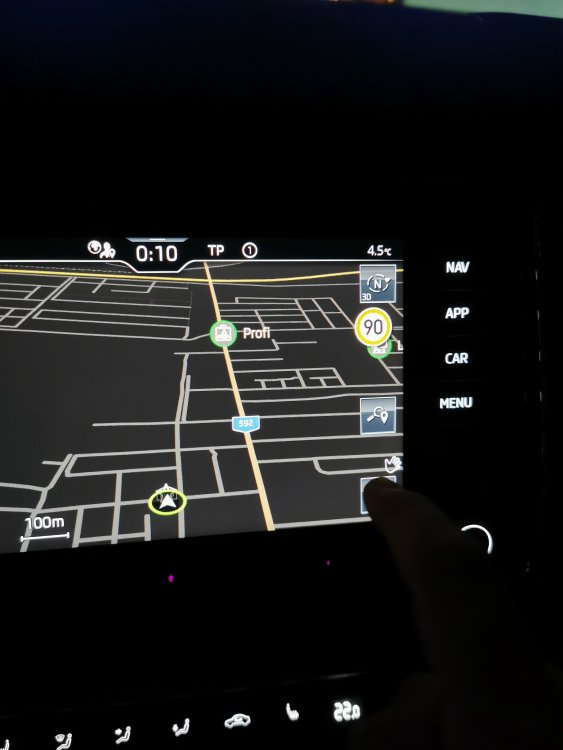
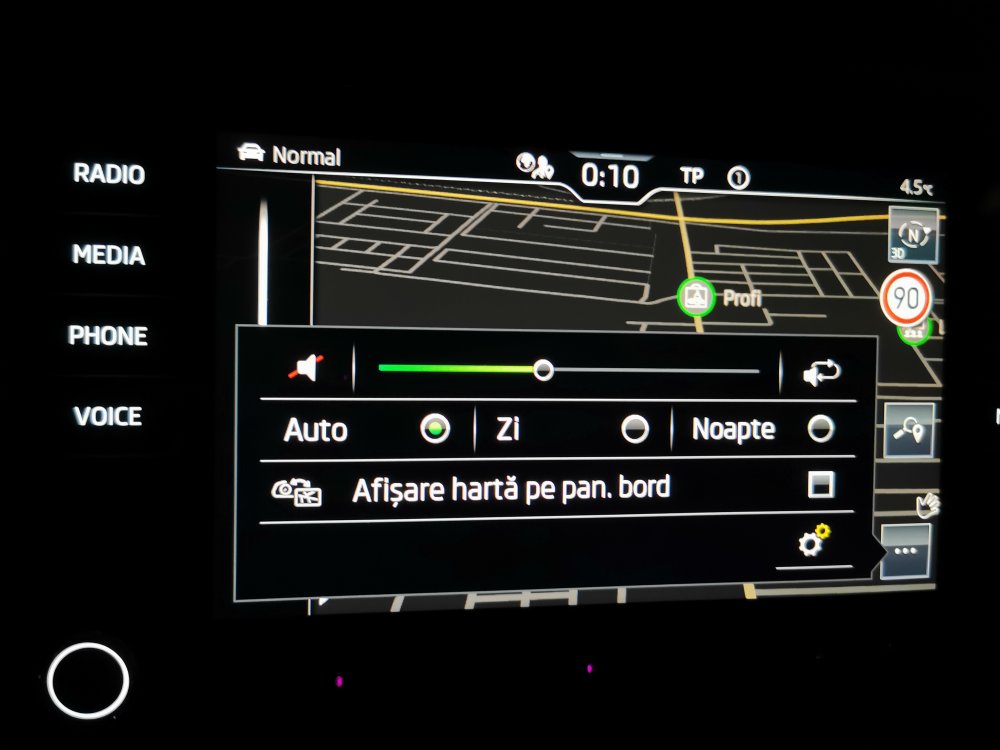
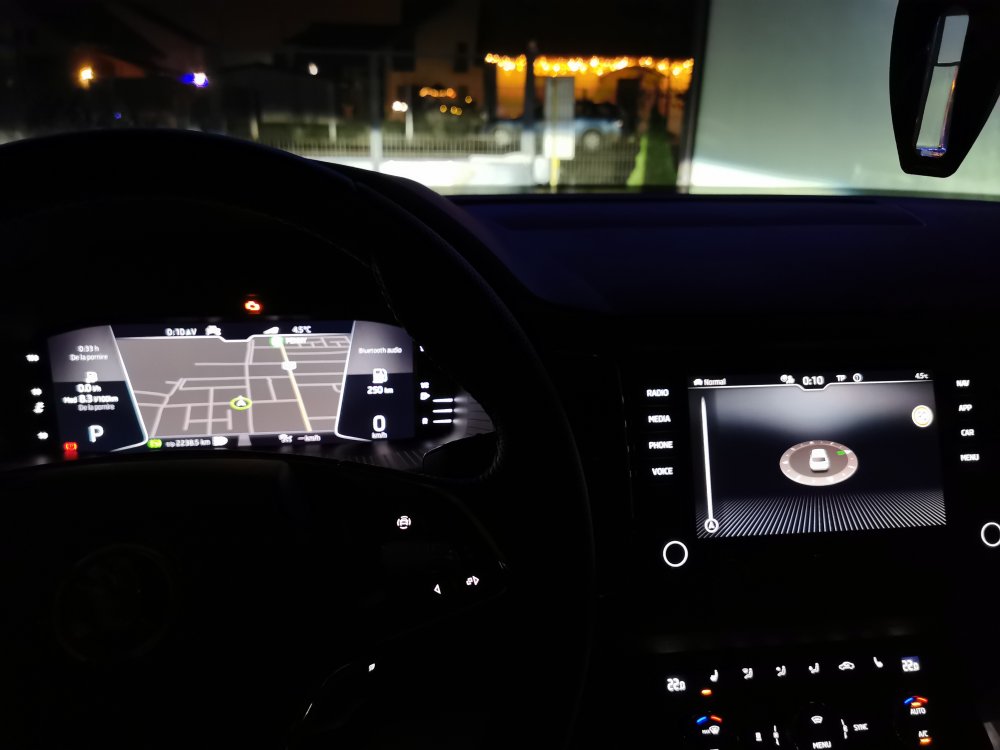
@Scot5 I really don't know what your problem is ,but you should respect more the other's around you. Furthermore as a MJ21 Kodiaq MIB 3 Amundsen owner i know what I am talking about. picture 1 is for Map showing on Amundsen Screen and just compass on the VC Picture 2 is when you go with your hand towords the screen of the Amundsen it will show you a "..." which when you touch will lead you to the menu in picture 3 Picture 3 is the menu explained before,also :"Afisare harta pe pan. bord"= " Showing of map on the virtual cockpit" Picture 4 is the Map showing on the VC and compass on the Amundsen Screen. Again as far as I know you with the Columbus will not have this option as the Columbus can show it's native map on the VC and the screen on the same time. Do you need any other info ?
-
@Scot5 Since you have a Columbus ,you don't have that problem. MIB 3 Amundsen has an option where you have to manually choose where you want the map to be displayed ,it can show in the VC or on the Amundsen screen but not both at the same time. MIB 3 Columbus does not suffer from this as far as I know, as it can display it's map on the VC and screen in the same time. With this MIB 3 generation they have a lot of trouble to justify the need of 750 Euro price difference between the Amundsen and Columbus.
-