RomanB
Members
-
Joined
-
Last visited
Everything posted by RomanB
-
You have to, otherwise you make a brick from your unit if you will have question any time welcome to ask, for me it was first time also) if you have same MIB2.5 high with SW1440 unit evrything already done you just need only d-link lan adaptor
-
Yes it does, reading is OK.
-
It was posted here because i didin't find any information how to unlock all features on the MIB2 high unit, this steps allow you to get all features like (android auto, carplay, mirolink, navigation, sport mode and so on). i spent around 10 mins for activation, and around a week to undestand)))
-
Hi, for that you need activation FEC code, OD will not activate it. I wrote the topic "how to activate carplay mirolink and so on" on this forum, all that you need you can find there. Or just ask)
-
MIB 2 address is 172.16.250.248 port 123
-
on -f rcc fla**** -v -a 0x00BA0000 -d -f /net/mmx/fs/sda0/ifs-root-part2.ifs right comand must be (flash it) without space
-
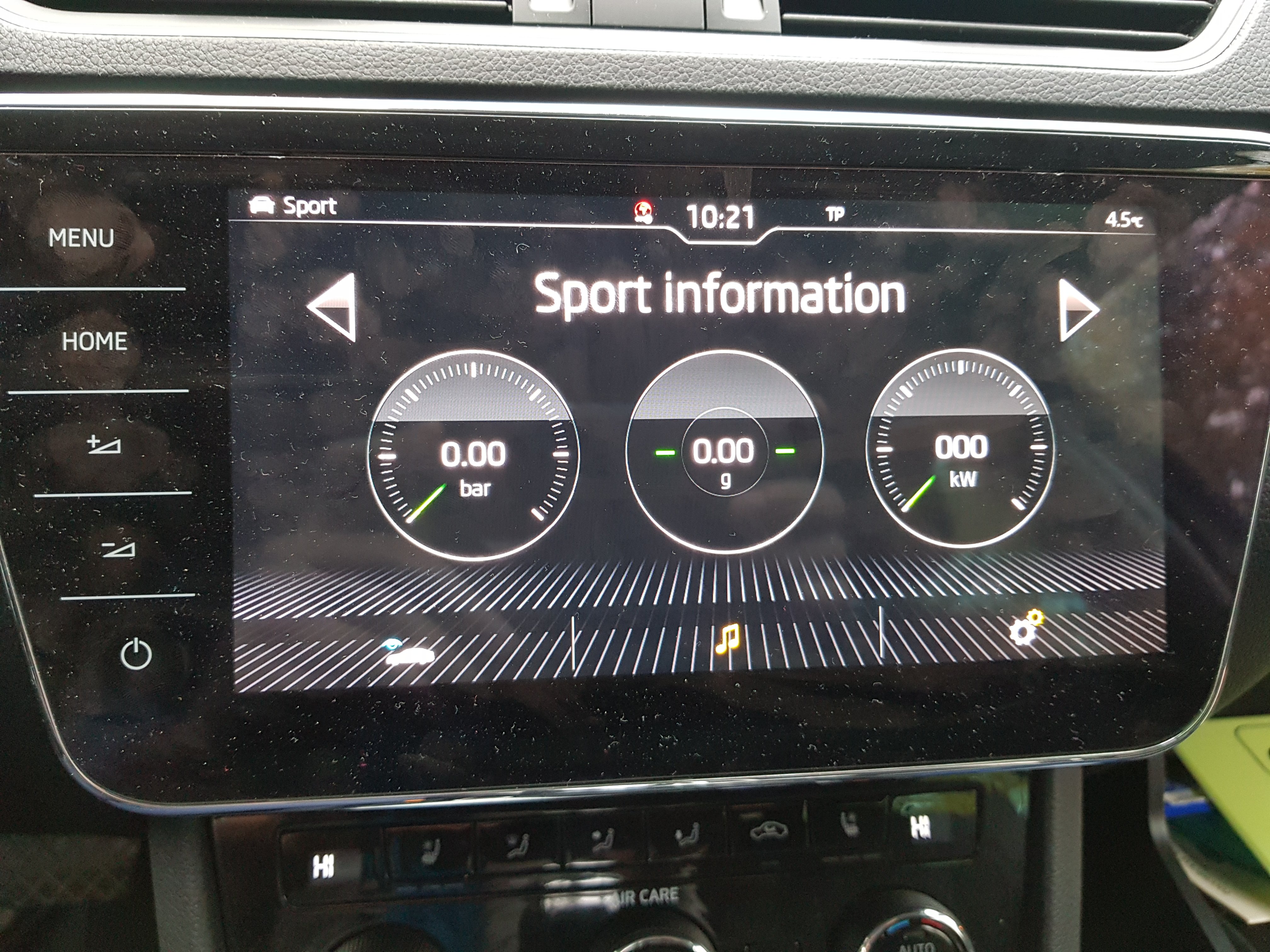
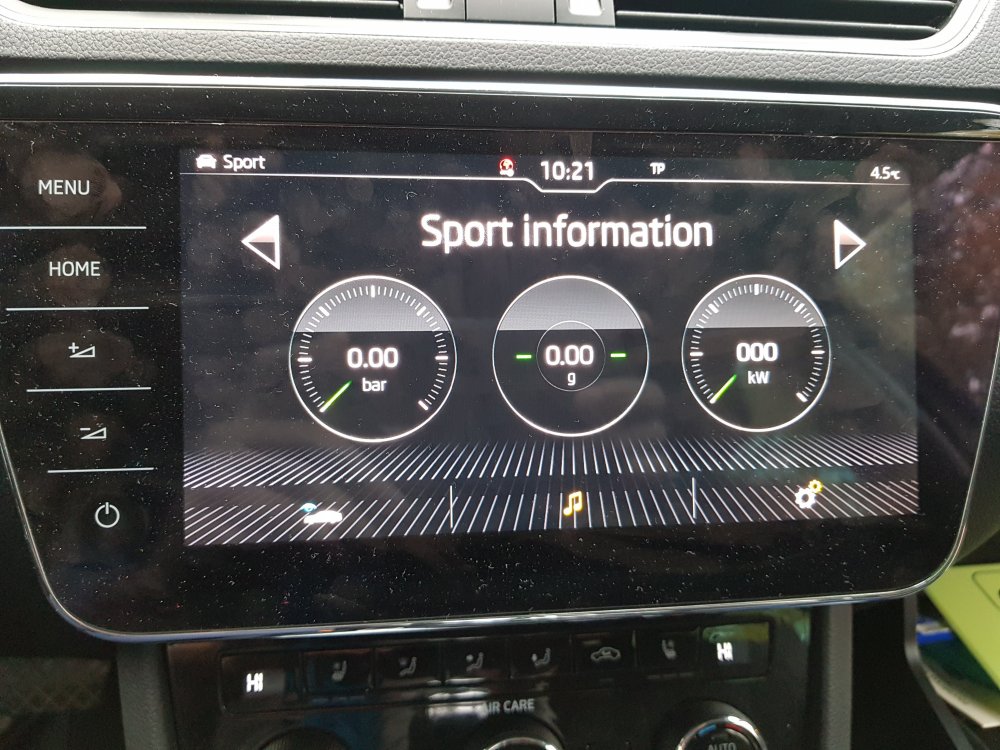
Sport menu is activated
-
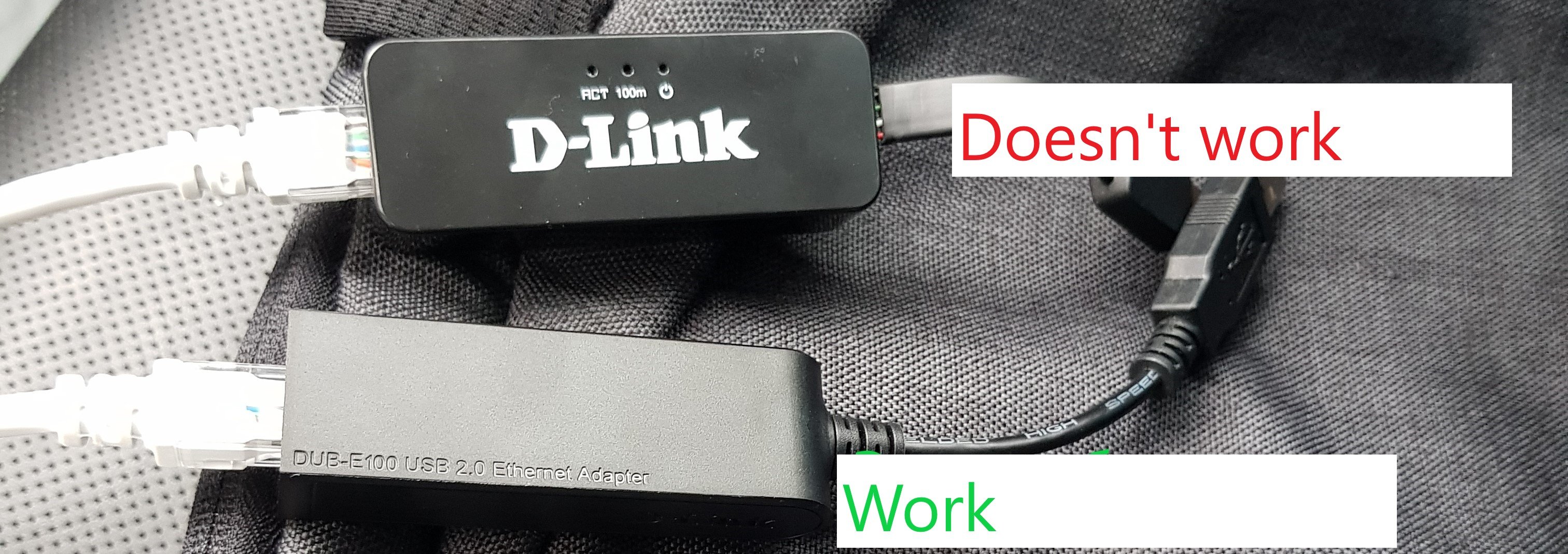
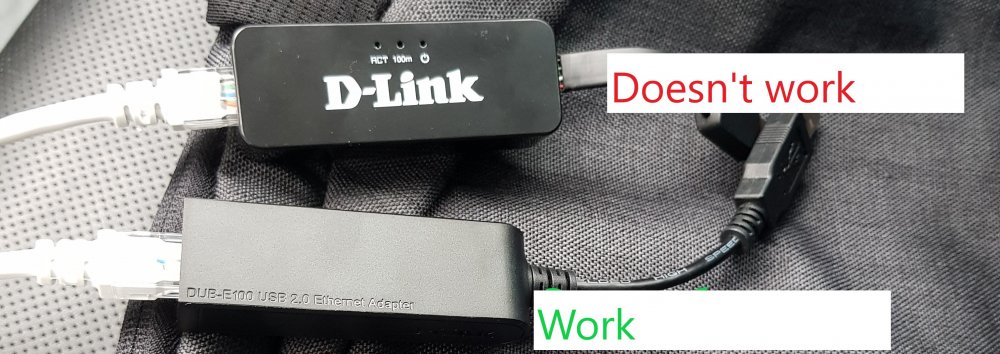
Hi, So if you want to activate all availiable function for your MIB there are few ways ask OD, ask some one or use pathes as i know there are 2 pathes aviliable: 1 Fec Patch or 2 EL Patch In my opinion El patch much easy for user because no need to eddit Feccontainer, and prepatch part of ifs-root aviliable on the link above. To activate all availiable functions you need to get d-link dub e-100 there are some revision of this lan adaptor see picture( more detailed information you can find in word document above) Let's start: make a backup of your original files 1) put a FAT32 SD card in slot1 2) Run Putty 3) use loggin and password from word document for in my case sw was 1440 so login: root and pass: wsa8ytCc (password will not apear just press enter) 4) send follow comand (to paste copied text in putty press right mouse bottom): ls mount -uw net/mmx/fs/sda0/ on -f rcc /usr/apps/modifyE2P r 0 10000 > /net/mmx/fs/sda0/eeprom.txt cp -r /net/rcc/mnt/efs-persist/FEC/FecContainer.fec /net/mmx/fs/sda0/FecContainer.fec cp -r /net/rcc/mnt/efs-persist/SWDL/Variant.txt /net/mmx/fs/sda0/Variant.txt cat /net/rcc/dev/fs0 > /net/mmx/fs/sda0/rcc_fs0 cat /net/mmx/dev/fs0 > /net/mmx/fs/sda0/mmx_fs0 5) Copy all these files to your PC (now it is your Back up in case of.....) 6) Copy from PC to SD card next files 1 and 2 these 2 files ExceptionList.txt and MIB2.5: ifs-root-part2_MHI2_ER_SKG13_P4526 MU1440_EL_patch.rar if your train is different you must use another one see here 7) Put SD card with 2 files back to your MIB2 slot1 8) Send follow commands: mount -uw /net/mmx/fs/sda0/ mount -uw /net/rcc/mnt/efs-persist on -f rcc cp -r /net/mmx/fs/sda0/ExceptionList.txt /net/rcc/mnt/efs-persist/FEC/ExceptionList.txt on -f rcc flashunlock on -f rcc fla**** -v -a 0x00BA0000 -d -f /net/mmx/fs/sda0/ifs-root-part2.ifs (this name must match with name of the file on SD card if you will use original file it must be ifs-root-part2_MHI2_ER_SKG13_P4526 MU1440_EL_patch.ifs) on -f rcc flashlock mount -ur /net/rcc/mnt/efs-persist on -f rcc /usr/apps/mib2_ioc_flash reboot 9) Hope you did everything right and you cans see all FECs now valid in your unit, you just need to activate them in 5F carplay-activate AA-activate and so on Enjoy you get all function availiable for lifetime period.
-
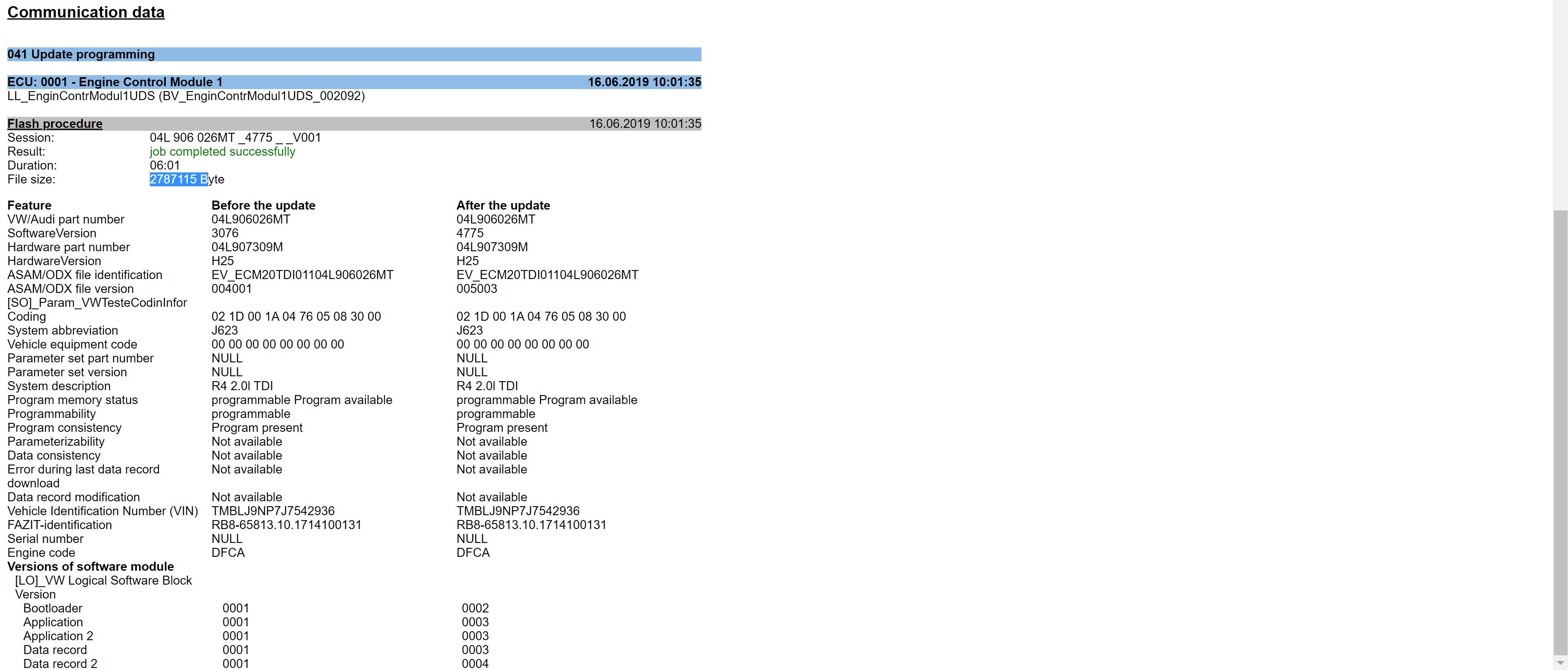
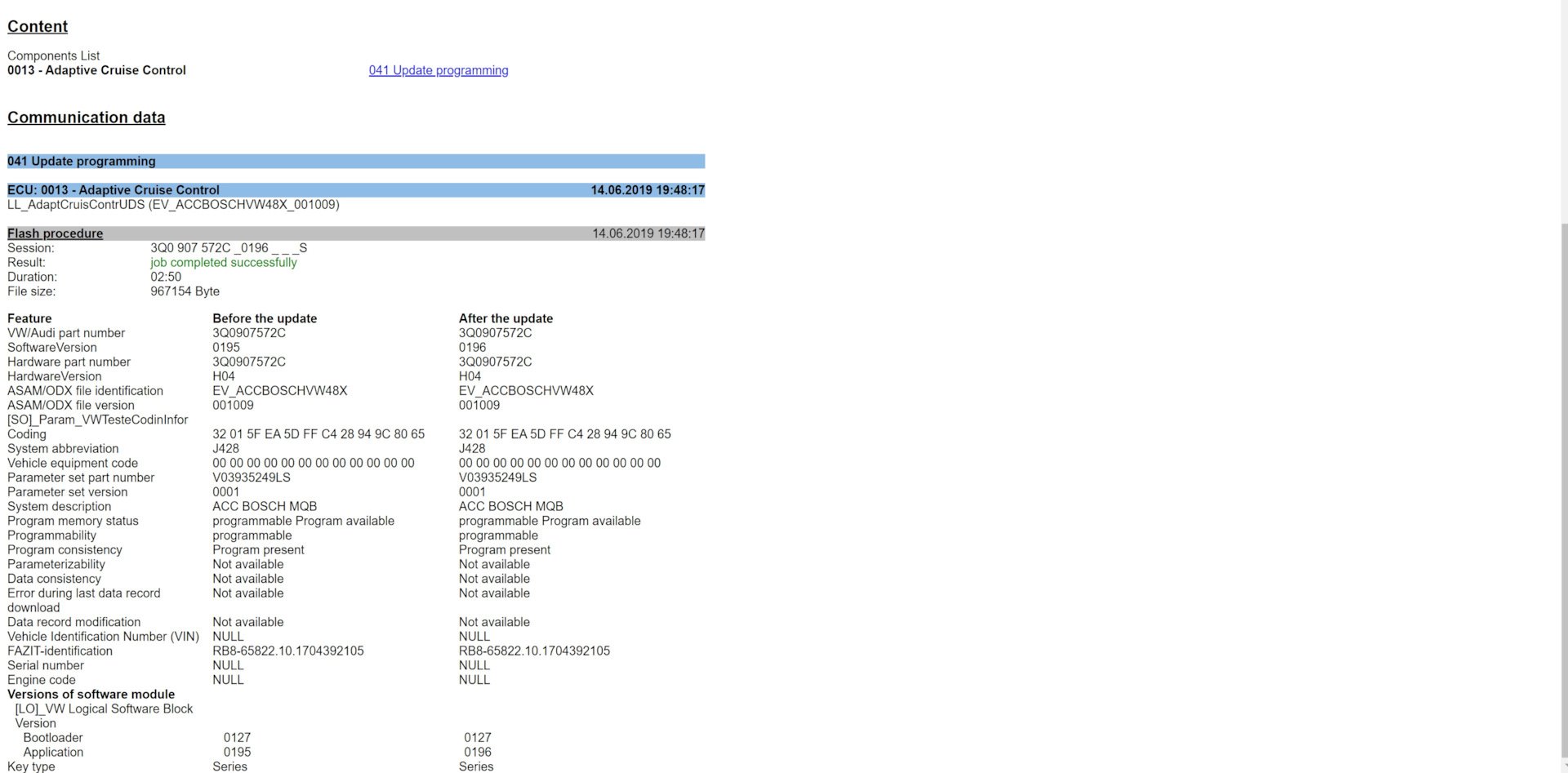
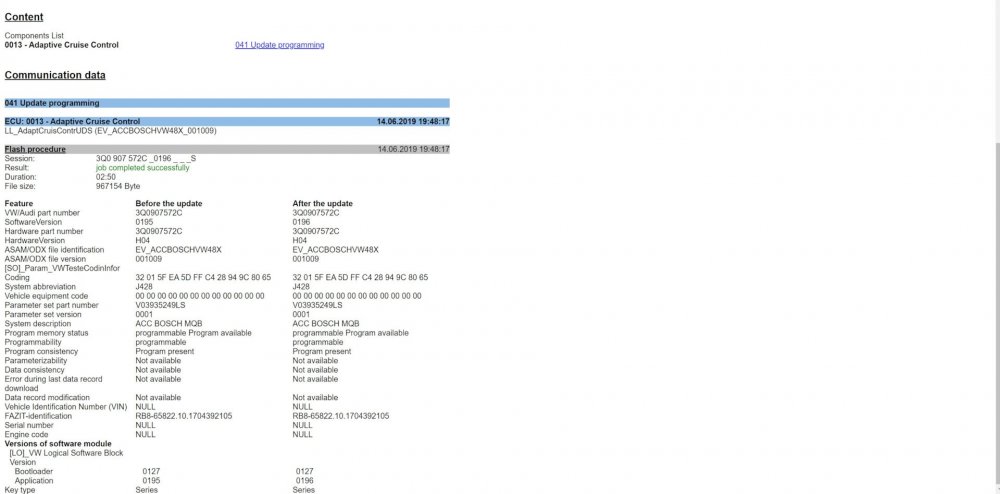
And i don't know exactly what changes were done by VAG because i don't have TPI or change LOG, but as per my opinion ACC now more comfortable, and hardly VAG waste time and resources just to make new SW without reasons, so i prefere updated it.
-
Hi first of all you need to get VAS adapter a got from here vas 5054 aviliable in UK, then you need to instal ODIS enginering i got from odis eng for win10 then you need to check what is the last availiable SW for your components here then need to find these SW here or here, after that you need just run ODIS engine chose Flash and choise right project and uptdate required SW or just visit oficial dealer
-
Delphi devices Harman devices Technisat devices Convert Seat to Skoda?? Original post Renamed as per original post info
-
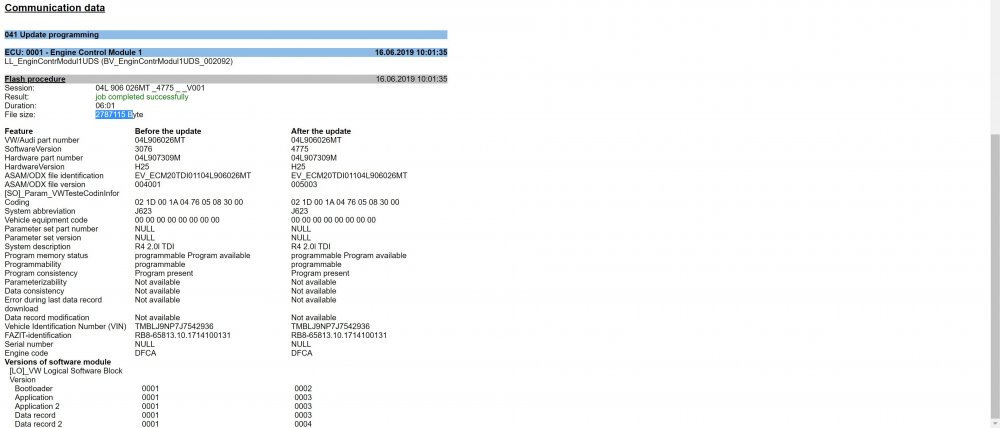
Just finished with SW update for Engine and ACC
-
I think yes it should be fine but as I mentioned previously I have no tpi, and you are doing everything on your own risk. No idea try to check on the German site that I mentioned and from where I hot all this info also there are some instructions. Good luck
-
Check your current train, if it has same name like mst2_eu_sk_zr_ it should fit, I have no tpi and software compatibility chart to be 100%sure. Normaly metainfo has an SupportedTrains information
-
You are right this error will appear after new sw installed, and you need erase it by any tools obd 11 vcds or odis, but error will not effect for device itself. And in my case I can't overwrite new value until another errors on 5F were cleaned.
-
VCDS CODING 5F (Infotainment) module, Adaptations, channel: 'Confirmation of installation change' Note your current coding Start Windows calculator and set it to 'Programming mode' and select 'HEX' option Calculation: (current coding) XOR C9D2 Change the adaptation channel to the new (just calculated) code VCDS main screen, 'Auto-Scan' Check for fault codes (generated by the update) and clear them (software version, interrupted communication, etc.) Note that VCDS shows your code on the adaptation channel with a space ('xx xx' format).You have to remove the space before you calculate your new code. At the point you enter your new (calculated) code, insert the space again. EXAMPLE (don't use these values): '1A 1A' (original coding of the adaptation channel) 1A1A XOR C9D2 equals D3C8 Enter it as 'D3 C8' (with space) on the adaptation channel If your original code starts with zero(s) just remove them before calculating (if it's 0AFB for example calculate with AFB Also you can use link http://mib-helper.com/im-so-xory/
-
Sorry you are right 1433 highest sw for mib 2 and 1440 for mib 2.5
-
Still confused, you mentioned that you have Columbus so it means mib 2.5 high so highest available version is 1440. If you have 1433 you can update to 1440.
-
Hi https://mega.nz/folder/3Y5T2Z5A#L2endnMmtyOdbjr_K1oDyw/folder/HJ4UFS5Q but what is the reason to install 1433 if 1440 available?
-
If someone is looking for a SW for the MIB you can grab from here list of availiable SW below for (audi, VW, Skoda, seat) Information was getting from german site:www.digital-eliteboard.co…0571/page-84#post-3811658 Additionaly you can find the way how to unlock features like Mirolink Aple car play nav and so on it was an original goal of that thread MIB2 High: mega.nz/folder/rdxF3TzB#RKPXpjFVzgPrEna2mP1_zA MIB2.5 High: mega.nz/folder/3Y5T2Z5A#L2endnMmtyOdbjr_K1oDyw Skoda: Columbus VW: Discover Pro, Discover media Seat: Navi System Plus Audi: MMI4G/MMI Plus manufactured by Harman Seat_PQ: MST2_EU_SE_PQ_P0363T_5F0919360F MST2_EU_SE_PQ_P0252T_5F0919360D Seat_ZR: MST2_EU_SE_ZR_P0252T_5F0919360A MST2_EU_SE_ZR_P0363T_5F0919360E MST2_EU_SE_ZR_P0469T_5F0919360G MST2_EU_SE_ZR_P0475T Skoda_PQ: MST2_EU_SK_PQ_P0138T MST2_EU_SK_PQ_P0252T MST2_EU_SK_PQ_P0253T Skoda_ZR: MST2_EU_SK_ZR_P0252T_S0010001599 MST2_EU_SK_ZR_P0253T_V0020171002 MST2_EU_SK_ZR_P0367T_V0020180501 MST2_EU_SK_ZR_P0475T_5F4H5Q00358 MST2_EU_SK_ZR_P0478T MST2_EU_SK_ZR_P0366T_0366 MST2_EU_SK_ZR_P0468T_0468 VW_PQ: MST2_CN_VW_PQ_P0252T_0252 MST2_CN_VW_PQ_P0253T_0253 MST2_CN_VW_PQ_P0363T_0363 MST2_CN_VW_PQ_P0367T_0367 MST2_CN_VW_PQ_P0475T_0475 MST2_EU_VW_PQ_P0245T-0245 MST2_EU_VW_PQ_P0253T_0253 MST2_EU_VW_PQ_P0363T_0363 MST2_RoA_VW_PQ_P0252T_0252 MST2_RoA_VW_PQ_P0253T_0253 MST2_RoA_VW_PQ_P0363T_0363 MST2_RoA_VW_PQ_P0367T_0367 MST2_RoA_VW_PQ_P0475T_0475 MST2_US_VW_PQ_P0253T_3G0919360DP MST2_US_VW_PQ_P0367T_3G0919360CL MST2_US_VW_PQ_P0478T_3G0919360JP VW_ZR: MST2_EU_VW_ZR_P0140T_3G0919360P MST2_EU_VW_ZR_P0252T_3G0919360AC MST2_EU_VW_ZR_P0363T_3G0919360AJ MST2_EU_VW_ZR_P0469T_3G0919360BL MST2_EU_VW_ZR_P0475T_0475 MIB 2 High Aud: (A3) MHI2_ER_AU37x_P5089 MU1326 (A3) MHIG_EU_AU_K1549 MU0404 (A4-A5-Q5-Q7) MHI2_ER_AUG22_K3346 MU1438 (A4-A5-Q5-Q7) MHI2Q_ER_AUG22_P5092 MU1329 (A6-A7) MHI2_ER_AU57x_K3663 MU1425 (Q2) MHI2_ER_AU276_P5088 MU1325 (R8) MHI2_ER_AU62x_P5099 MU1340 (TT) MHI2_ER_AU43x_P5098 MU1339 Seat: MHI2_ER_SEG11_P4708 MU1409 Skoda: MHI2_ER_SKG11_K3343 MU1433 MHI2_ER_SKG13_P4526 MU1440 MHIG_EU_SK_K1552 MU0411 VW: MHI2_ER_VWG11_K3332 MU1187 MHI2_ER_VWG11_K3342 MU1427 MHI2_ER_VWG13_P4521 MU1367 MHIG_EU_VW_K1550 MU0407 VW: discover media2 : mega.nz/folder/DRZQ1a6b#Y…PHzHfTs2Q/folder/uAhH3CrC MST2_EU_VW_P0635D MST2_EU_VW_P0867D MST2_EU_VW_P0891D MST2_EU_VW_P9122D MST2_US_VW_P0635D MST2_US_VW_P0867D
-
Hi, even if you even will do everything by yourself hardly you find the VC itself less than 1k euro and you need to add vas 5054 + optical fiber + optical adapter if you have Canton installed. For instance price for vc on ebay. https://www.ebay.de/itm/114242469884
-
Gents, if you want to install it I can arrange it for you but as i mentioned, I installed it by myself only coding was done remotely, for this purpose you need to have vas5054. And if you need more details please send pm.
-
Thx man it was missed in my case too now it is working fine
-
Address 19: CAN Gateway (J533) Labels:| 3Q0-907-530-V1.clb Part No SW: 3Q0 907 530 G HW: 3Q0 907 530 C Component: GW MQB High 518 5304 Serial number: 12061710803555 Coding: 030100345F087300EB00025E9C0F00010001070000000000000000000000 Shop #: WSC 33361 790 00160 ASAM Dataset: EV_GatewNF 013023 ROD: EV_GatewNF_VW37.rod VCID: 3365AACB9A35611EDE-8066 Alternator: Multi Function Steering Wheel Control Module: Subsystem 2 - Part No SW: 3V0 919 719 A HW: 3V0 919 719 A Component: E221__MFL-PR6 H02 0160 Serial number: 000000000A0378171017 Battery Monitoring Control Module: Subsystem 3 - Part No SW: 5Q0 915 181 K HW: 5Q0 915 181 K Component: J367-BDMHella H10 9070 Serial number: 5267805604
-
Address 5F: Information Electr. (J794) Labels:| 3V0-035-MIB-HGH2.clb Part No SW: 565 035 043 A HW: 565 035 043 Component: MU-H-N-EU H54 1163 Serial number: A856I0HB013585 Coding: 03840201000000005111000200080A002F0101E441208400DE Address 09: Cent. Elect. (J519) Labels:. 5Q0-937-08X-V2.clb Part No SW: 5Q0 937 084 CQ HW: 5Q0 937 084 CG Component: BCM MQBAB H H36 0253 Serial number: 01001729700913 Coding: 000000000000000000000000000000000000000000000000000000000000 Shop #: WSC 33361 790 00156 ASAM Dataset: EV_BCMMQB 018001 ROD: EV_BCMBOSCH_018.rod VCID: 09192823A8394BCE44-805C Control Unit For Wiper Motor: Subsystem 1 - Part No SW: 3V1 955 119 HW: 3V1 955 119 Labels: 5QX-955-119-V1.CLB Component: 48x LL 170915 032 0121 Serial number: 00000001709130304774 Coding: 164DDD Rain Light Recognition Sensor: Subsystem 2 - Part No SW: 5Q0 955 547 B HW: 5Q0 955 547 B Labels: 5Q0-955-547.CLB Component: RLHS 047 0105 Serial number: S8Y17M10D27H06M34S24 Coding: 00084D Seat Backrest Fan 1 Front Left: Subsystem 3 - Part No SW: 3G0 963 345 HW: 3G0 963 345 Component: SysNameFanLin 014 0101 Serial number: ESE0438377 Seat Cushion Fan 1 Front Left: Subsystem 4 - Part No SW: 3G0 963 345 HW: 3G0 963 345 Component: SysNameFanLin 014 0101 Serial number: ESE0830269 Seat Backrest Fan 1 Front Right: Subsystem 5 - Part No SW: 3G0 963 345 HW: 3G0 963 345 Component: SysNameFanLin 014 0101 Serial number: ESE0350261 Seat Cushion Fan 1 Front Right: Subsystem 6 - Part No SW: 3G0 963 345 HW: 3G0 963 345 Component: SysNameFanLin 014 0101 Serial number: ESE0830266