




Golanl1978
Finding my way
-
Joined
-
Last visited
Everything posted by Golanl1978
-
Disconnect your car battery for 5 Min. It supposed to work and get to the normal state
-
Thanks a lot my friend @omadon
-
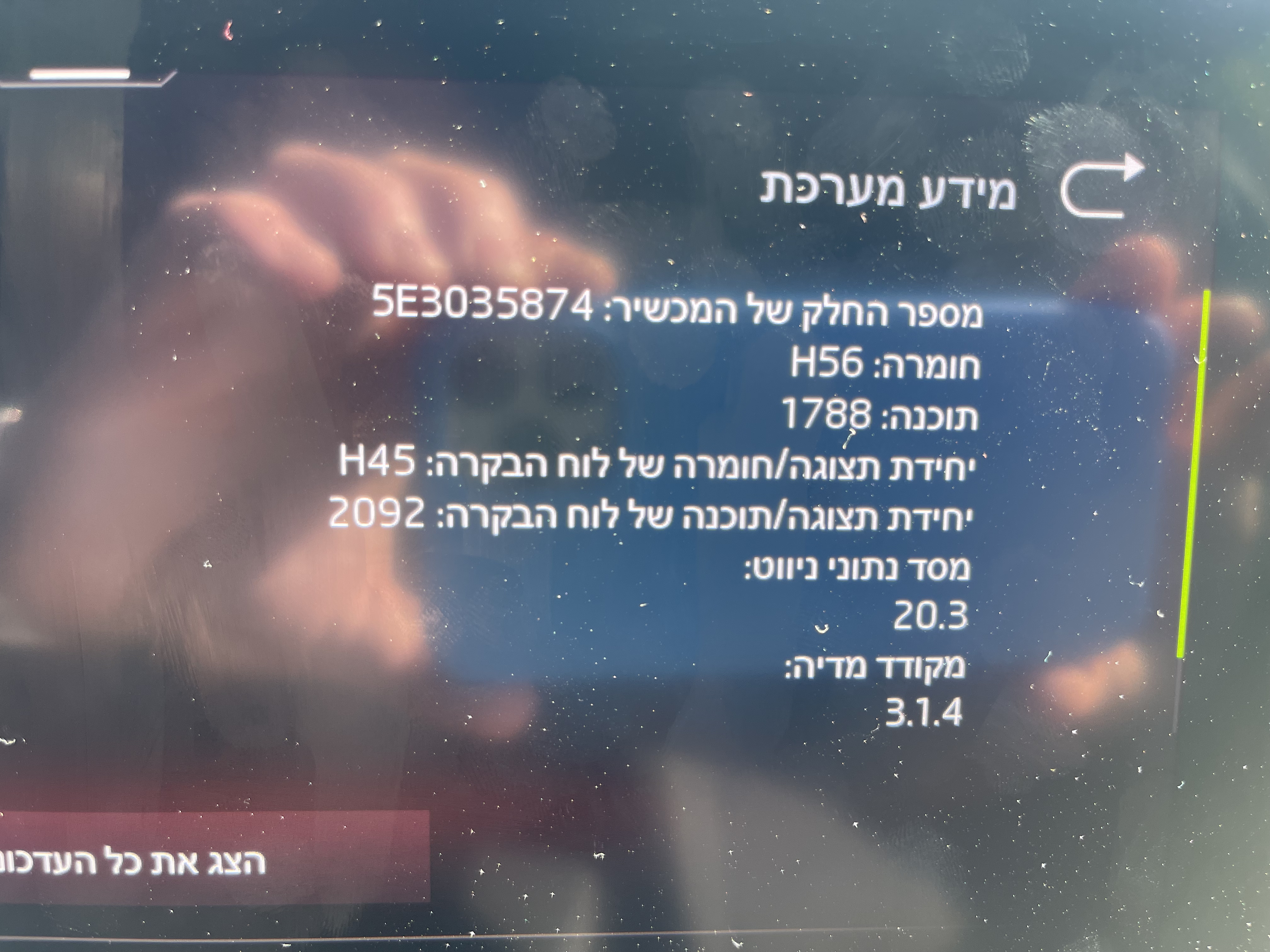
Hi, Is there any way to extract or download the firmware you currently have? Your software is the latest and we seem to have the same device yet in the skoda update, portal when I enter my VIN, I get no updates.
-
Ok.. thank you for clarifying this!
-
Thank you for the info! Is there any way for me to get a download link to the file?
-
Hello guys, I’m new to this forum, happy to be here. I was wondering whether anyone here knows if there is a firmware update for my system. If so, is there any way for me to download and flash an update without taking the vehicle to local service? The vehicle is brand new, yet there seem to be a lot of bugs in the system. SKODA OCTAVIA, STYLE, BOLERO MIB3 (10”) VIN# : TMBAR7NX3MY125820 Thanks in advance and have a good one! 👍🏼
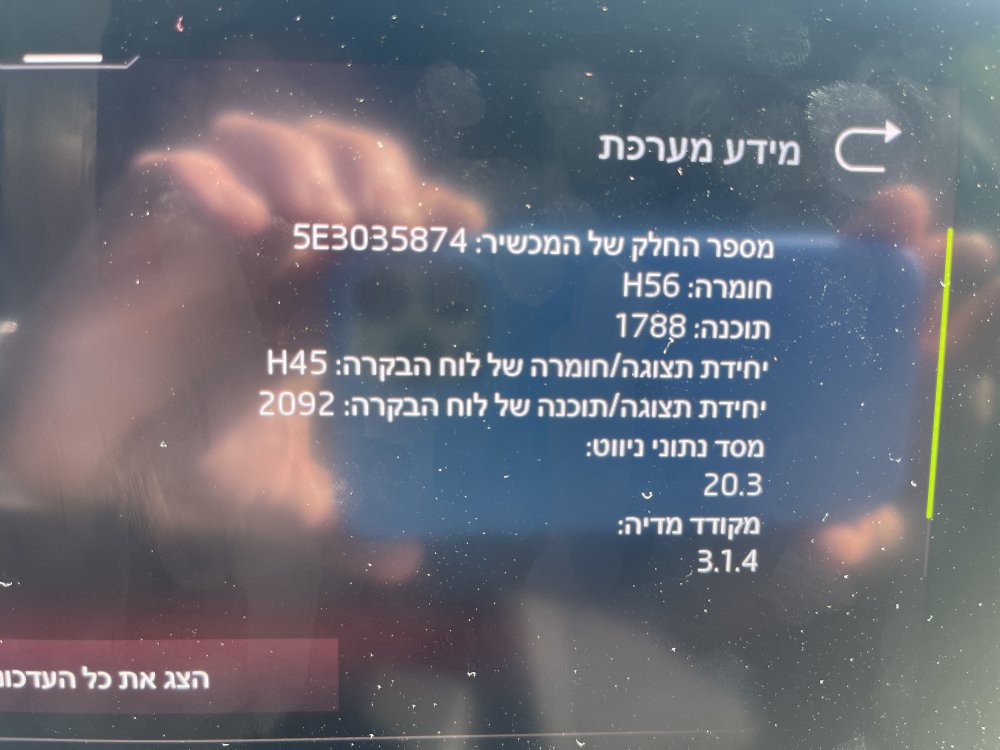
-
Thank man!
-
@pab567 Hello man.. I was wondering if you could some how help me with some issue.. I would appreciate any help! I have recently bought the new Skoda octavia (4th gen 2021) recently, while driving I suddenly get push update notifications. I pressed on “UPDATE” and got a screen with two options USB1, USB2. Can I update the infotainment system firmware using this interface? Is there any way I can download the firmware file to a USB drive and flash the firmware without taking my car to service? Note that my VIN number shows there are no updates (Maps) for my vehicle while applying it on the Skoda update portal. Bolero infotainment, 10 inch screen, Octavia “Style” model, VIN# TMBAR7NX3MY125820 and I live in Israel, if that is of any help. Thanks in advance, Golan.
-
Me tooooo! I have recently bought the new Skoda octavia (4th gen 2021) recently, while driving I suddenly get push update notifications. I pressed on “UPDATE” and got a screen with two options USB1, USB2. Can I update the infotainment system firmware using this interface? Is there any way I can download the firmware file to a USB drive and flash the firmware without taking my car to service? Note that my VIN number shows there are no updates (Maps) for my vehicle while applying it on the Skoda update portal. Bolero infotainment, 10 inch screen, Octavia “Style” model, VIN# TMBAR7NX3MY125820 and I live in Israel, if that is of any help. Thanks in advance, Golan.
-
Hello, I have recently bought the new Skoda octavia (4th gen 2021) recently, while driving I suddenly get push update notifications. I pressed on “UPDATE” and got a screen with two options USB1, USB2. Can I update the infotainment system firmware using this interface? Is there any way I can download the firmware file to a USB drive and flash the firmware without taking my car to service? Note that my VIN number shows there are no updates (Maps) for my vehicle while applying it on the Skoda update portal. Bolero infotainment, 10 inch screen, Octavia “Style” model, VIN# TMBAR7NX3MY125820 and I live in Israel, if that is of any help. Thanks in advance, Golan. Hello, I have recently bought the new Skoda octavia (4th gen 2021) recently, while driving I suddenly get push update notifications. I pressed on “UPDATE” and got a screen with two options USB1, USB2. Can I update the infotainment system firmware using this interface? Is there any way I can download the firmware file to a USB drive and flash the firmware without taking my car to service? Note that my VIN number shows there are no updates (Maps) for my vehicle while applying it on the Skoda update portal. Bolero infotainment, 10 inch screen, Octavia “Style” model, VIN# TMBAR7NX3MY125820 and I live in Israel, if that is of any help. Thanks in advance, Golan.
-

Important Information
Welcome to BRISKODA. Please note the following important links Terms of Use. We have a comprehensive Privacy Policy. We have placed cookies on your device to help make this website better. You can adjust your cookie settings, otherwise we'll assume you're okay to continue.