



MikeO68
Finding my way
-
Joined
-
Last visited
-
For anyone who suffers the same fate, it appears that the latch dropped slightly when the bonnet was slammed and that locked it up. No amount of pulling on the cable was going to shift it. In the end I took it to a local garage and we managed to get it open by removing the latch bolts in situ. The bonnet could then be opened with the latch still attached. It was extremely fiddly and took a couple of hours but worked in the end with minimal damage. Most likely victim is the wiring to the bonnet sensor.
-
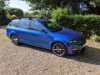
Morning all. I've been a member for a while but my 2016 VRS diesel estate has been so reliable I haven't posted much. Now it's come back to bite me... I changed a dodgy glow plug a couple of weeks ago and noticed the bonnet release was a little sticky. I made a mental note to give the latch a proper clean, sprayed with a little WD40 and dropped the bonnet to check if the new glow plug had done the job. So far, so good... When I went to open the bonnet again, no resistance on the bonnet release handle. Checked cable still attached to handle, it is. Bounced up and down on bonnet. No joy. So I got it up on stands and went in through the passenger wheel arch. Wheel off, liner off all good. In fact it was easier than I'd expected to locate the joiner box and release both parts of the cable. However there is no play on the bonnet latch side of the cable. I had pliers on it and was yanking as hard as I could while someone pressed on the bonnet. No joy. I can only assume the latch has stuck in the locked position. I can get a trim tool under the front edge but there's not much to see there. Has anyone faced the same. I'm reluctant to smash the grille as it's a pre facelift so I know it's a pain to replace and in not 100% sure it would give me the access I need. I presume the other route is from below with the undertray off but again, I'm not sure if this would work. Hoping someone has faced the same / similar and can offer some advice. Thanks!
-
Thanks for the replies. The car is "standard" ride height for a VRS. I assume when you say lowered you mean lowered vs a standard, non-VRS car? ie you're classing my car as lowered hence the recommendation for B8s. I wonder if there are any other options beyond Bilstein that may be a better match for OEM. I've no plans to fit lower springs.
-
MoT called out some misting on the rear shocks so I was planning on changing them out. I hadn't appreciated quite what a minefield it was, figuring out part numbers. Would appreciate any help / validation of my list. Shocks themselves seem to be 5Q0513029KF based on PRs ON4, 1JE, 1X0, K8D. Bilstein don't list an exact equivalent as far as I can see, instead they point me to their 19-230559 (B4s) which covers a broader range of models Aside from the shocks themselves I have N10628301 (lower mounting bolt) N10106402 (nut) N90648402 (upper mounting bolt) 5Q0513425J (dust cover) 5Q0511357G (bump stop) I assume I may be able to re-use the existing dust covers. Does that seem like an accurate list. Any thoughts on the "correct" shocks? Thanks!
-
I certainly don't expect free charging but it's nice when you get it. Aldi near us are very generous with free fast chargers. I got 6kWh yesterday while I did a quick shop. People abuse it inevitably...
-
It's an 8 mile walk each way, even I'm not that mean...
-
Took our EV to London yesterday. 200 mile round trip for £3.33. Would have been about £35 in my VRS. Was it as much fun? No, but it is an incredible utility vehicle. It's saving us a fortune on the school runs!
-
Be careful. The model number is the infotainment system, not the screen. You can see screen model number on the back of the unit in the photos. You could always remove yours to check the model number. The one in the link looks a slightly different shape. I'd stick with an Octavia one.
-
Do you know which model you have? I upgraded my screen - assuming it's an issue with your screen - for about £150 with a 2nd hand one from ebay. If you don't know which model, post a picture of the model number from the settings screen.
-
I'll give a shout out for MusicBee (https://getmusicbee.com/) which is the most phenomenal - and free - music manager. And it has a nice "sync to device" feature to keep your SD card in sync with the collection.
-
Likewise I have Artist / Album as my folder structure . In fact I think the sync may create a single top level folded on the SD card called Music which contain the Artist folders. But as above, too many tracks in a folder may be the issue.
-
Which head unit do you have? I have a 128Gb card and more than 500 albums so roughly 5000 tracks. I can't say I've noticed any issues.
-
Ah well. Thanks for confirming. It's a minor nuisance in the grand scheme of things!
-
No app button on my MY.
-
I recently had Smart Link activated on my 2016 VRS for Android Auto. Its great apart from one annoying thing I can't work out. If I switch to Radio or Media the only way I can find to get back to AA is to select Menu -> Smart Link which isn't easy when on the move. I keep looking for a 'Back' function or some easier way to navigate back. Am I missing something?


