LLuuccaa
New here
-
Joined
-
Last visited
Everything posted by LLuuccaa
-
Thanks The continuity is ok Now I remember that a friend close the EGR for me a lot of years ago. He remap my ECU. So, the 0.1V on pin 6 (N239 valve) can be ok. Sorry! I thought my friend close the EGR instead he fully open it? What difference between engine code AXR and ATD? Can I use the 6q0906625C unit from and ATD engine?
-
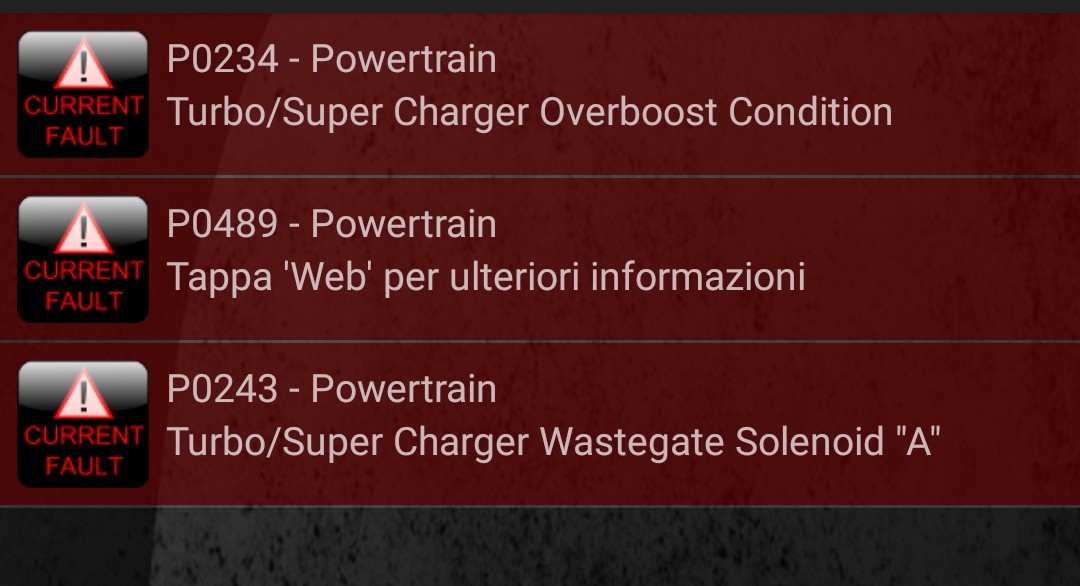
Hi! Yesterday I thought that the ECU was in error and then was it that pushed the wire to 0.1V. So I erase the ECU error. The line was to 0.1V another one time because the connector to 6q0906625C box was open and another error was in ECU. So I measured the pin 6 during the ECU error erasing procedure and.... the voltage went up for a moment then it went down to 0.1V because the error return. It is good? I don't have a VCDS tool for drive the vacuum valve box via ECU but I think that I must replace the 6q0906625C unit. What do you think? I discovered a second hand ones but it was of a polo with ATD engine. Is it compatible with mine AXR?? Thanks a lot Attached the error before the first ECU erase
-
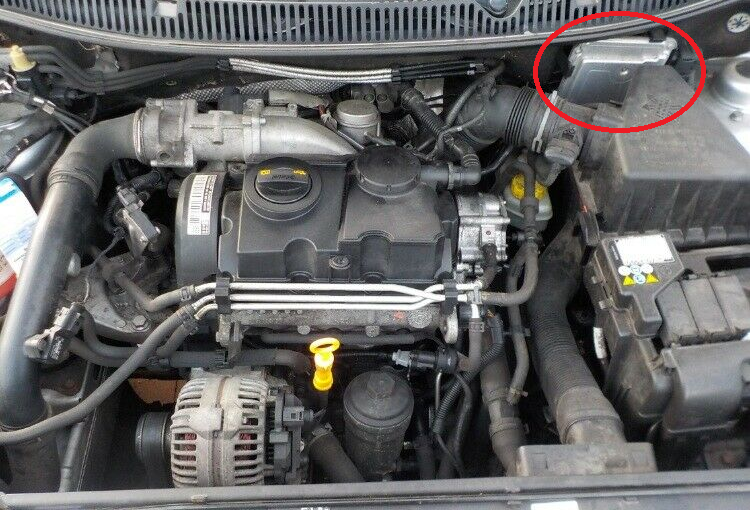
many thanks! I knew about only 2 valves. Is this the ECU? thanks
-
Thanks for your reply I'll check it but I haven't the car now. However I think my engine is AXR. I'm going to check the sticker as soon as possible.
-
Sorry.. I have a Polo 9n3 1.9 TDI (2005)
-
Hi, Can anyone help me please? With this topic I discovered a problem of my car. The turbo actuator doesen't work fine. I checked the vacuum tubes and the system is ok. I haven't 3.3V on 6q0906625 connector. I have 12V, 12V, 3.3V and 0.1V. Can anyone say me what is the ECU that drive these 3.3V wires?? I would open it for check. I would also check the continuity of the wire. I will change the ECU if it resolve the problem but I don't know which is it. Thanks a lot