Touchoftheclutch
Finding my way
-
Joined
-
Last visited
-
Pics
-
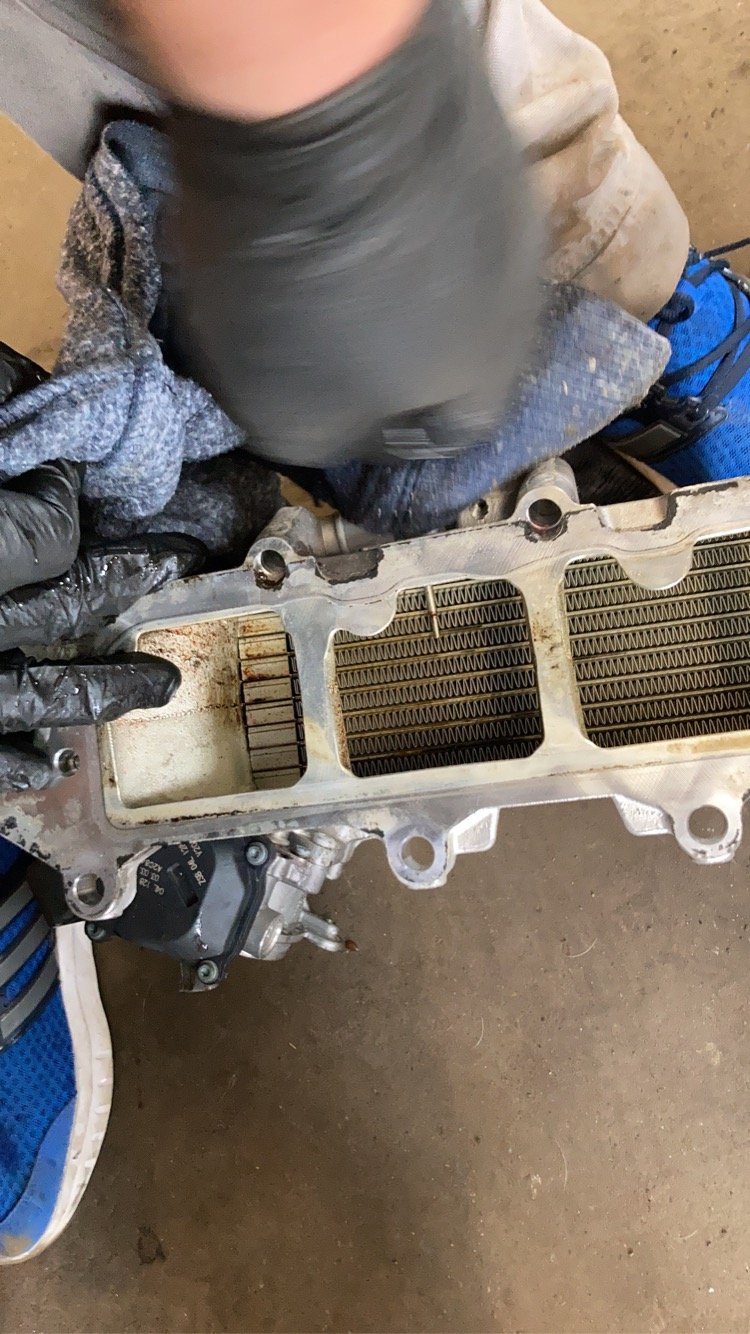
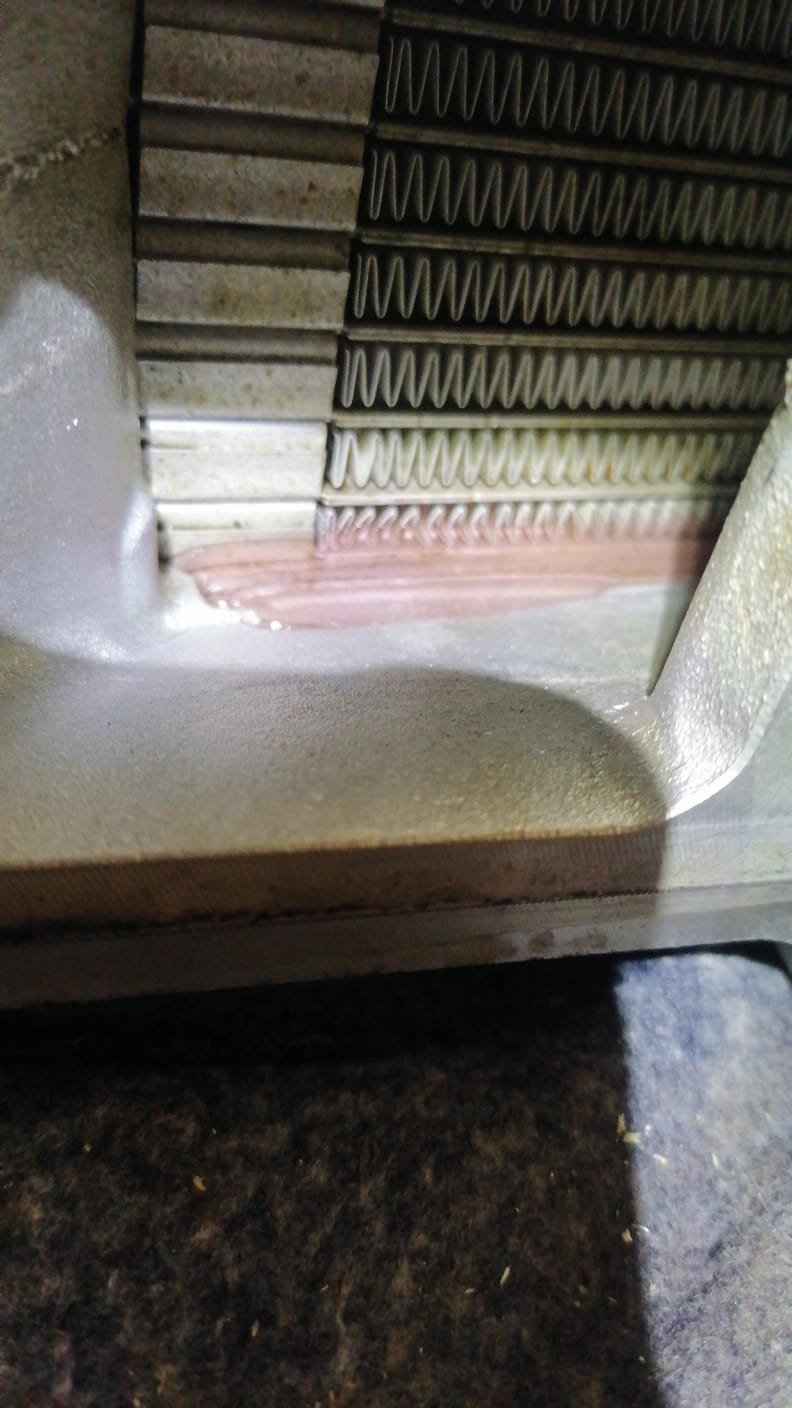
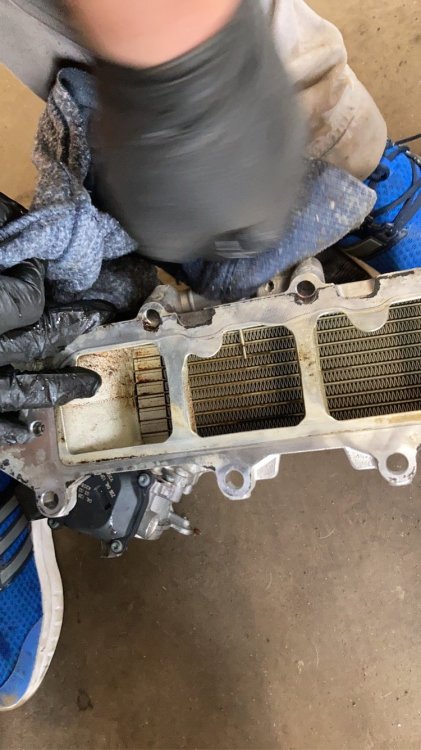
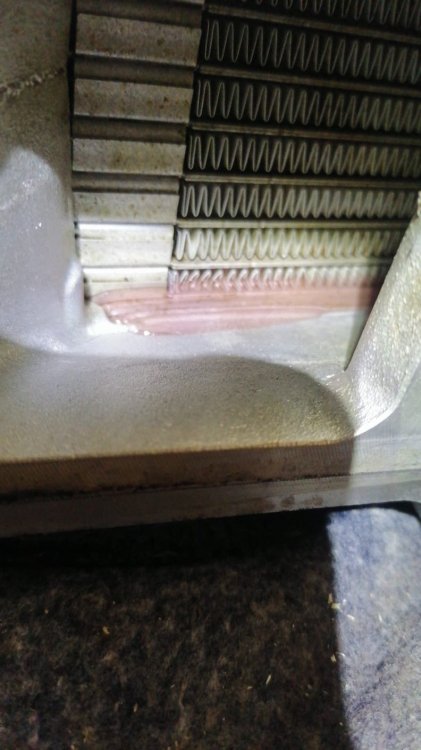
I had this on a ckfc engine - it was the casting of the intercooler - failed and leaked into no4 cylinder - got worse until car was hard to start. Easy to diagnose - 2 pipes in the top - fill it with antifreeze and block one pipe - rig a pressure tester to the other - pump the pressure and wait 30 mins
-
Hi everyone So my mk3 Tour de France has had its Haldex eat itself - I’m struggling to locate a replacement. If I go for an updated part number or superseded version - how new can I go before it won’t work or will any newer versions work. My initial research says any Will work you just do A Haldex relearn but I’m skeptical with all the ai derived horseapples on the internet now. For reference I have a gen 5 Haldex with the OCQ 907 554d could I use a 907 554j for example? Thanks legends
-
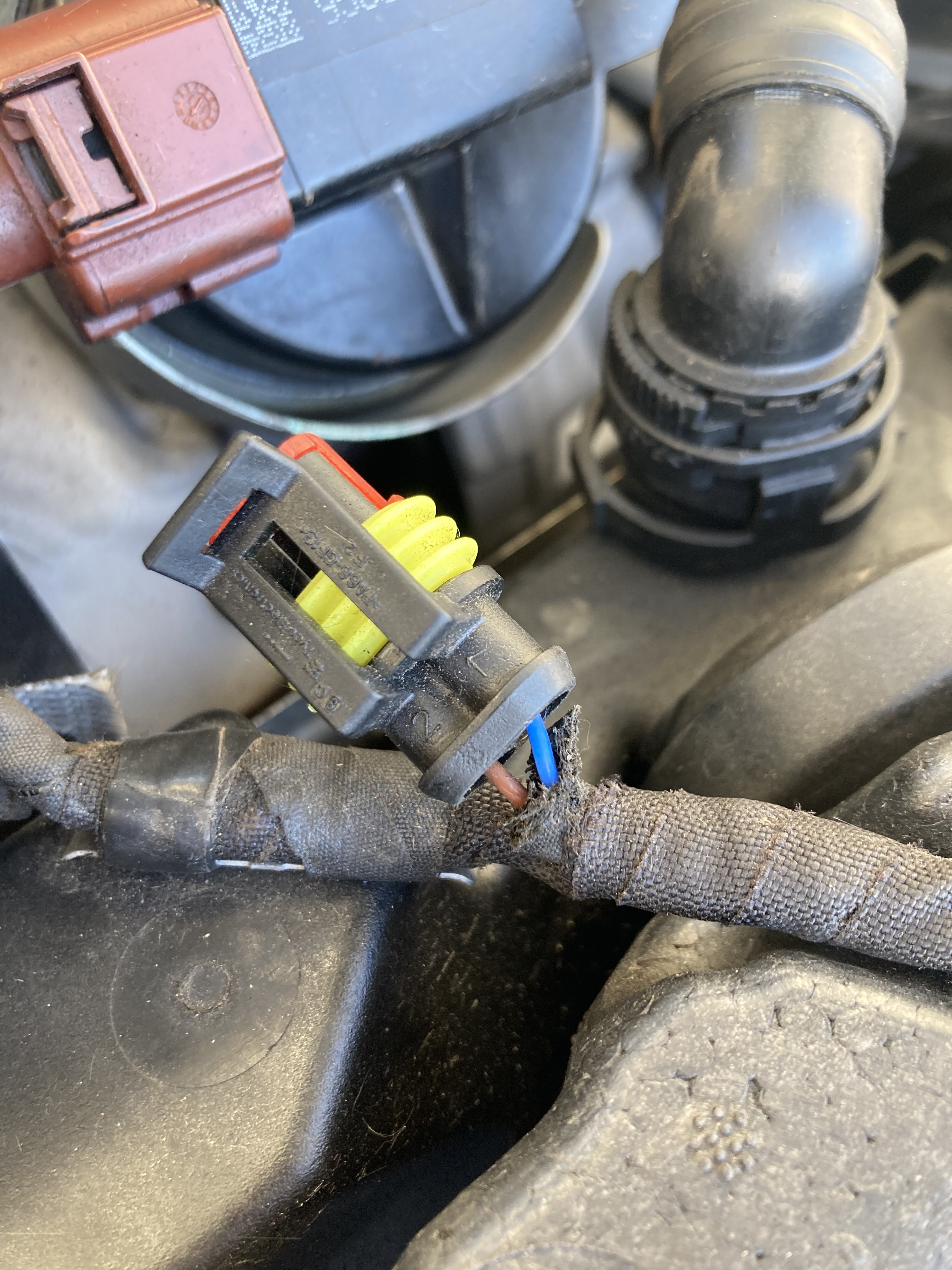
So it should be brown to white blue to grey?
-
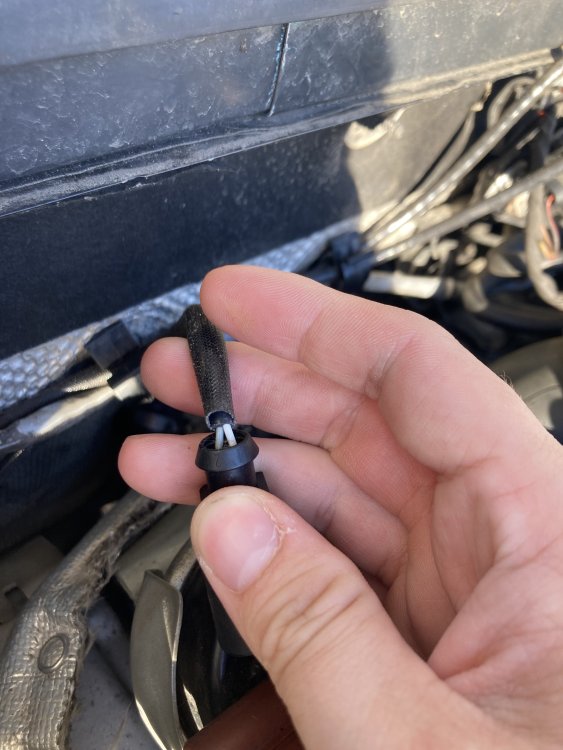
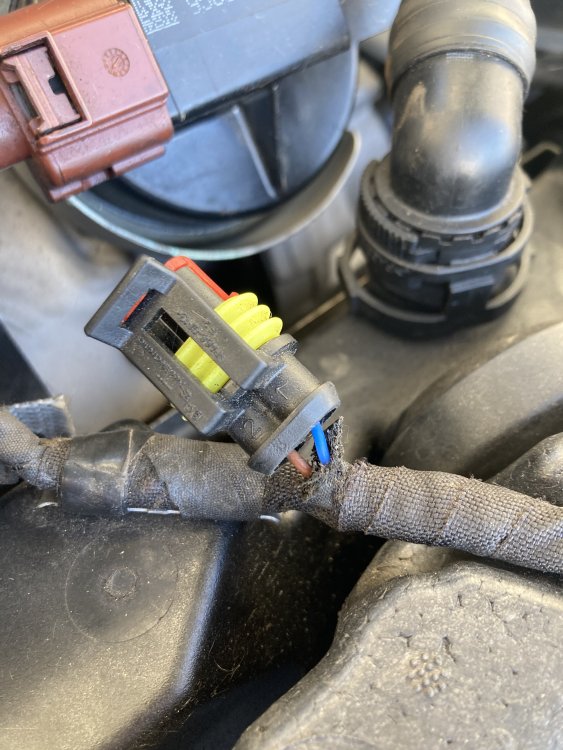
So I put a sureseal connector onto the loom end as seen and the sensor still has the standard plug on it but you can see the wire colours
-
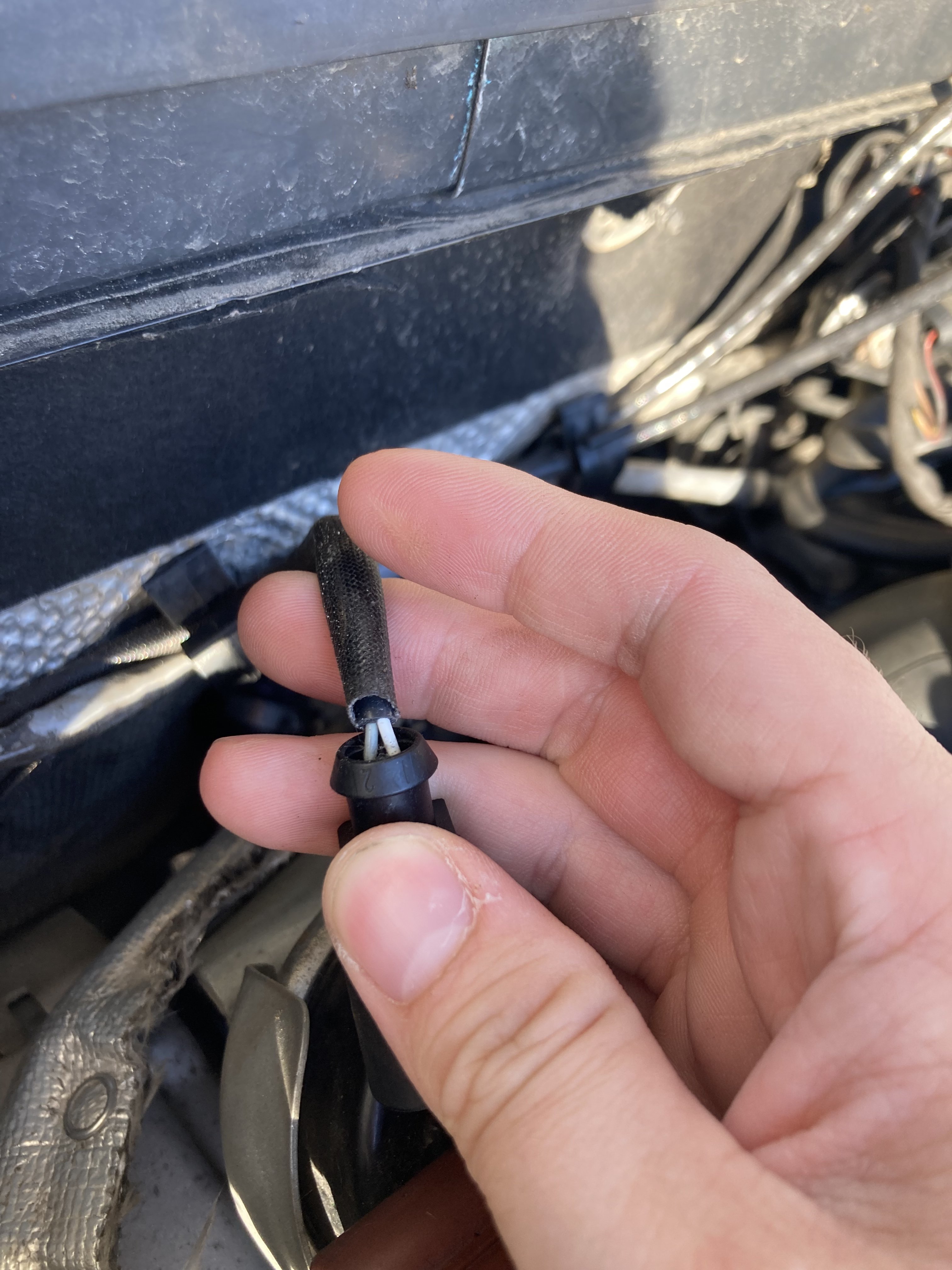
No not to hand its a grey and white wires - can't remember the loom wires off hand but the plugs cut off the loom as it was damaged
-
its the number 3 - 04L 906 088 Mine was coded 04L 906 088 HT for the ckfc engine
-
Hi - I have a 4x4 cr150 tour de france estate - Its fair to say ive had a bit of a time with the car - from a broken wire under the battery box causing the 5a CAN BUS controller fuse and the inlet manifold let go inside and ran the coolant into the engine and took some time to source. Long story short - in the past number of jobs the pre turbo temp sensor started playing up - I pulled it off - ordered a new one - in the process discovered that the plug was cracked - chopped it off and binned it... when the new sensor arrived - I can't remember the wire colour combination and they are different from the plug to the sensor flying lead - Could anyone confirm what goes to what. I did make a note at the time but we moved some things about and it has since been misplaced. The sensor is grey / white wires thanks in advance
-
Done the checks tonight and replaced the battery - only thing I can find is a blown fuse to data bus control unit. Must be a short somewhere as the fuse is blowing as soon as I replace it. Car on or off
-
So I had the battery out and had it on a trickle charger - I’ve no tools other than basics where I’m at so I was able to charge it and try it but it’s the same. Tried an obd diagnostics tool the same as the bigger laptop diagnostics we tried and it also failed to connect to the car and both have done so previously. Going to bite the bullet and put a new battery into it to see if it does anything but I’m not hopeful. does the lack of diagnostics also ring true to a battery issue? don’t get me wrong I know the battery can’t be good when I saw the date stamp so I’m praying this cures it. No mechanic I’ve spoke to wants to touch it Also - no battery light on at all on the car
-
Sadly not - lands on me to fix unfortunately or it would have been kicked to the kerb a while ago. Shame as I love the thing when its right
-
Bit extreme for battery no? Haven’t noticed a battery light when I turn it on. Surely it would have put a battery light on when the car was still running?
-
IMG_8455.MP4
-
So here goes. I bought a Tour de France edition 2014 Octavia mk3 2.0cr diesel about 3 months ago - I love the thing. I also loathe it. since I got it it’s had nothing but trouble. It lost coolant originally - after bypassing the egr cooler and a new timing belt and water pump I tracked to a cracked inlet manifold Cooler. Ballache but sorted. Discovered a broken wire last week that goes over the top of the engine and down to turbo. Mechanic repaired it - was told it was a pre turbo air temp sensor. Cleared the fault then the next day after driving 70 miles it throws up brake workshop fault - also anti skid, tyre pressure flashing engine management abs and air bag lights - steering got a touch heavier and the Bluetooth to My phone died. Car still ran and did another 30 miles home and the infotainment worked but the car stats didn’t. come this morning tried to start - all same lights are on - starts and runs for 5 seconds and dies. tried to plug in a basic diagnostics and it’s coming up no communication what the hell do I do now? I’m beat