petopzdiag
Finding my way
-
Joined
-
Last visited
Everything posted by petopzdiag
-
check this site https://forum.obdeleven.com/thread/14736/adaptive-lane-guidance-activation
-
activate lanne assist or memory setting ? Lane Assist to "Last setting" (asistent jazdného pruhu na "posledné nastavenie" ) EN- driver assistance (module A5) > long coding > Configuration for lane departure warning KI15 > change to "last setting" sfd2 not available for cars 24or new
-
Hello new coding : Disable rear window wiper in automatic mode : because turn off the wiping of the rear wiper in the auto mode for the front wipers, because the rear window is often dry : central electronic 09 : Adaptations -> rear window wiper ->Automatisches Heckwischen set to not active ...
-
Yes but sometime dealer can see resrt interval or delete dtc code in ecu parameter..
-
Yes and many other coding .. vrs theme daytime running light to menu radio. And other coding from list you can coding all options only dont disable seat belt Warning and start stop and dont delete error code , dont reset service interval
-
hello, warranty will be gone when you : clear error code or reset service inetrval, do something with mechanics work, and turn off start stop or seat belt.... other coding all safe because your car only has those things when you unlock them. you don't have to worry, we code 3.4 new cars under warranty every day and warranty not gone ... we coding new car skoda audi seat bmw and other .... dont wory
-
no, working good normal just coding
-
if anyone needs coding, we can do it remotely, any car, vcds or obd11 needed
-
yes :)
-
I coding cars for more than 9 years without problem i coding 30 octavia 4 cars without problem all coding is tested
-
check first post its manual coding not 1click coding nice day
-
stop spam, post only coding information..... new codes ! its write up 1first text... comunication forum have many .. this post only coding new coding not talking what about...
-
a car that is under warranty will not lose its warranty after coding things except to turn off seatbelt or start stop warranty you only lose when you do some things new retrofit but unlock stagging, oil temp, dont loss warranty.. i have o4 2021 in warranty nad after coding dont loss
-
even a professional sometimes makes a mistake and breaks the car;) every person's thing who makes a car and comments only if you have a new encoding stop spam about nothing
-
everyone who codes for a car does so at their own risk :)
-
not run engine only turn on ignition and dont start
-
yes turn ignition on,open bonet and aply parking brake and coding after turn off how to coding without on ignition ?? vrs theme not working for all octavia 4
-
i coding only obd11 my octavia 4 2021 all working ,and up info coding tested
-
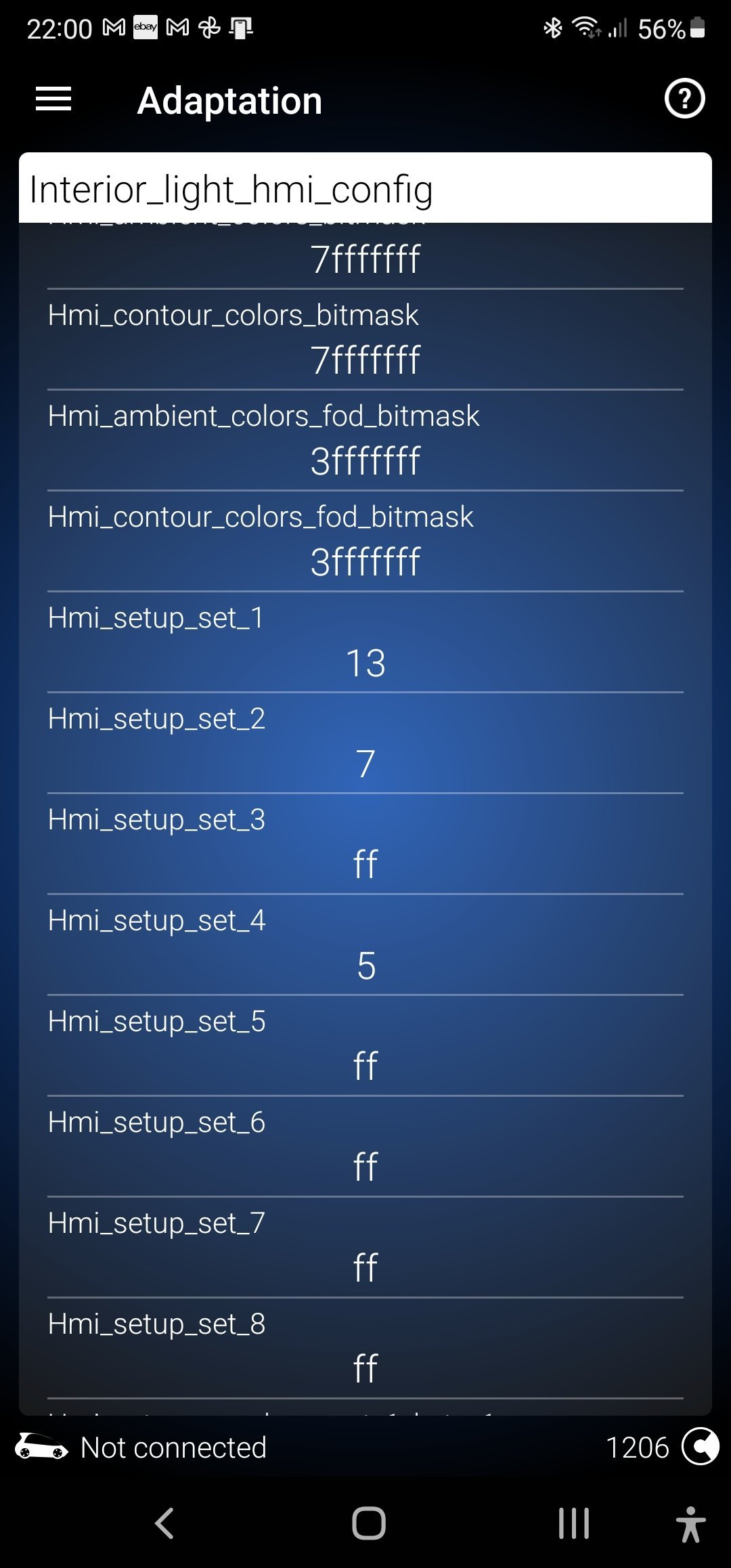
activate additional ambient light colours open the bonnet 09 central electrics - adaptations - interior light hmi config first and second value should be 7fffffff coding and ignition of, ignition on turn multimedia on , find ambient lights and shoul be activated additional 20 colours
-
not all engine support turbo boost:)
-
do you unlock sfd protection ? open bonet ?
-
obdeleven is very good, elm327 i not connect in car is not stable.. obd11 ist original authorized device very good for coding
-
i dont tested you have coding ?
-
obd can read code just connect car select airbag and obd show code:) for your talking you have problem with seatbelt
-
hm? whats problem ?