bodrot
Finding my way
-
Joined
-
Last visited
Everything posted by bodrot
-
the information in the manual is pretty poor i have dowloaded power amp which is better
-
mine is the Bolero
-
I used to have the option in my old skoda cars to scroll through the albums with my finger I have just purchased a Fabia Monte Carlo DSG 2024 , have they removed this function ?
-
any one expirienced a poor fitted boot board that makes a noise when driving
-
thanks
-
just had my Amunsden radio hacked at my local VW garage now got vurtual surround and sub woofer its sounds a lot better, he didn't charge me either it took like 30 seconds using VDCS
-
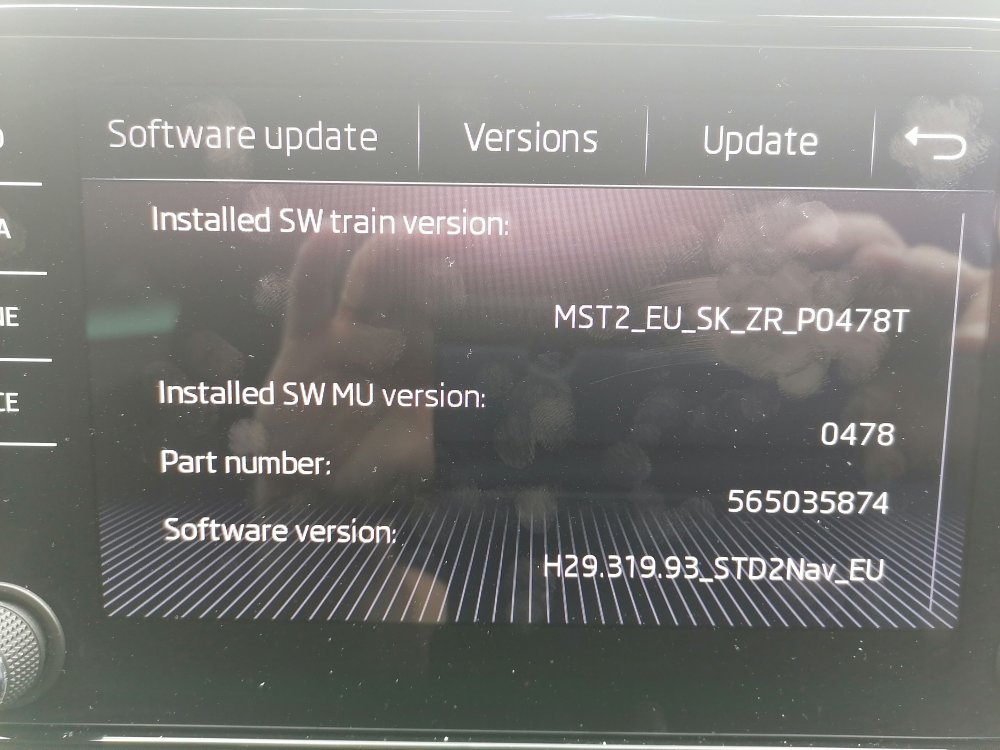
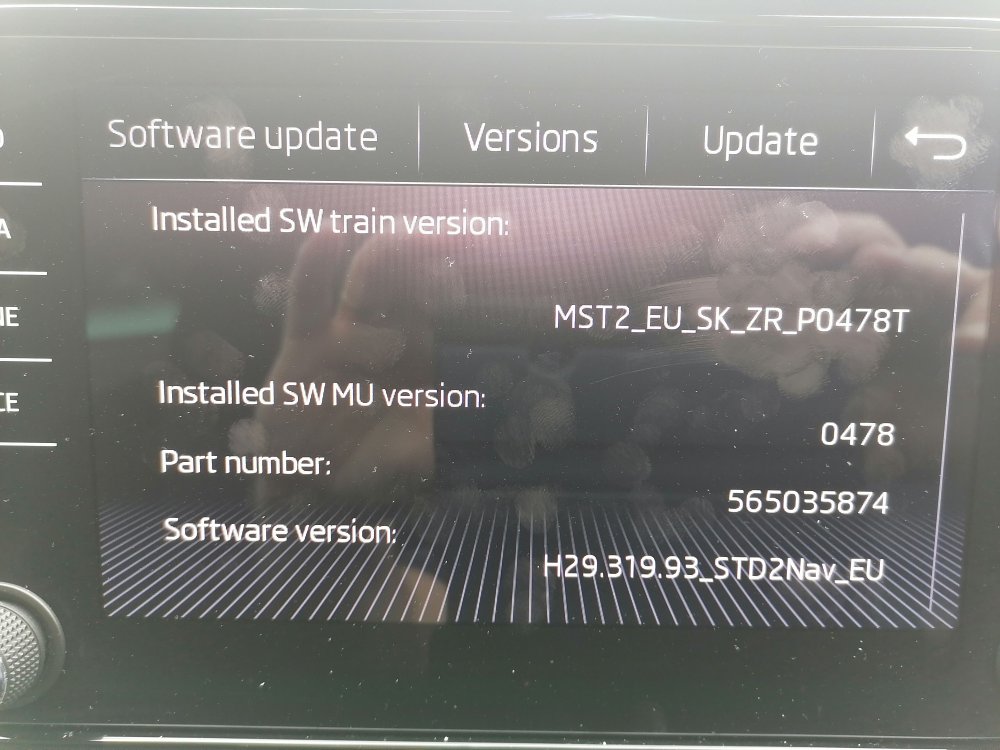
has any body succesfully hacked this unit to enable virtual sub an surround
-
cheers
-
thanks
-
thanks for your quick response where do i get the firmware
-
is there a firmware update for this , if there is is there any benefits also can this be hacked for virtual sound and sub thanks in advance
-
-
sound quality
-
just update from a Rapid spaceback to a Karoq the stereo is friggin awful compared with the Rapid,any ideas
-
actually my mistake it is formatted to fat32
-
thanks will try it
-
I own a rapid space back I am using a 32 gb usb stick , i put say 15 albums on, and they all display,come back a couple of days later and half of them are missing, card is formatted exfat