Skip to content

ArchStanton

New here
  • Joined

  • Last visited

  1. @varooom Thanks so much for your reply and advice, much appreciated. At present, everything else seems good (famous last words!) so perhaps I'll just look to update the maps via the link you recommend. Again, thanks for your time and thoughts.
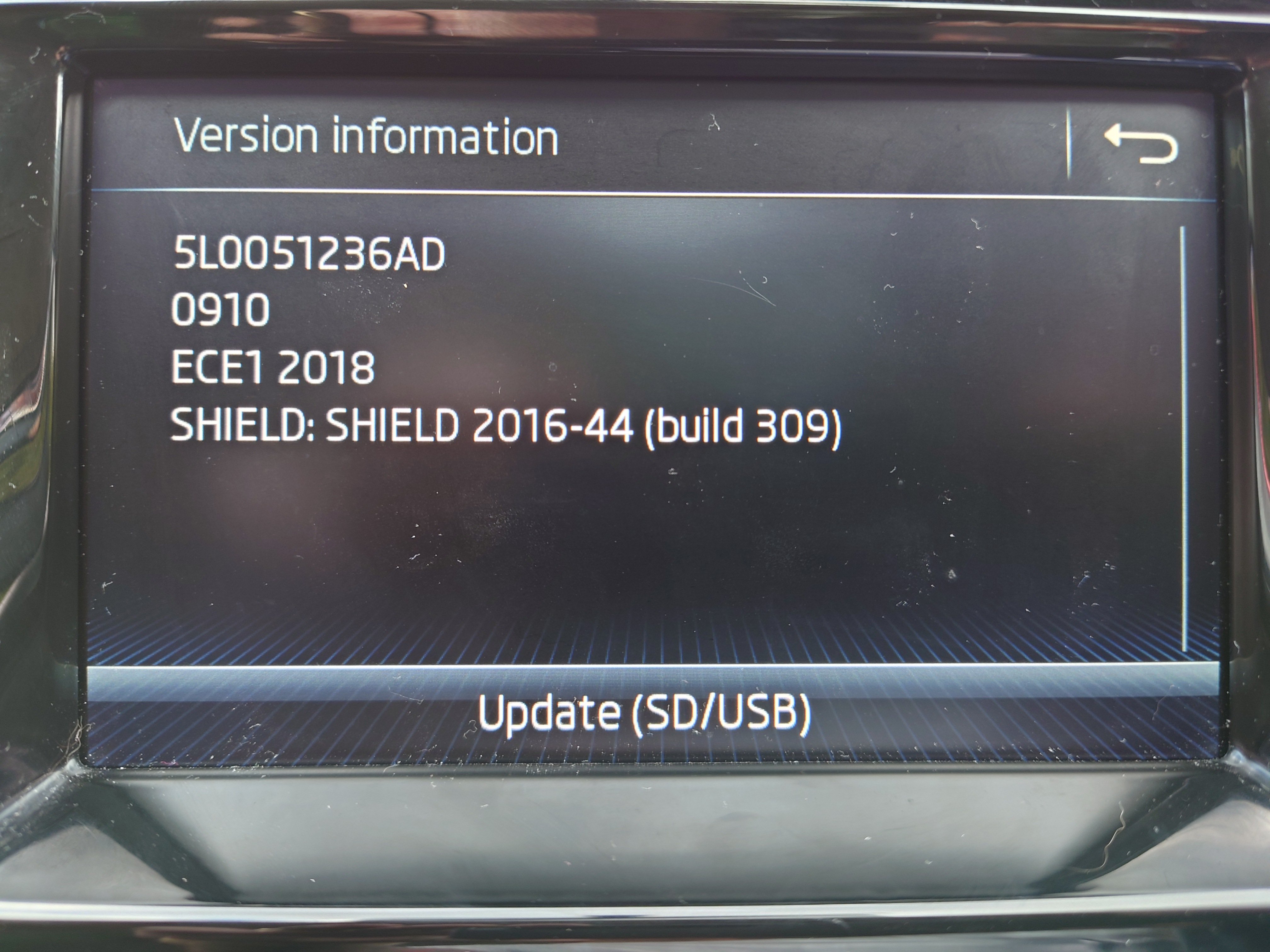
  2. @pab567 This is my System Information: Thanks for your time.
  3. Thanks so much for your reply. Initially I was looking to update my maps but to be honest I don't really know what I'm doing! I've just brought a 2018 Skoda Fabia Mote Carlo. What would a firmware update give me?
  4. @pab567 Hi, sterling work you're doing! Do you have a link to update the below?

Important Information

Welcome to BRISKODA. Please note the following important links Terms of Use. We have a comprehensive Privacy Policy. We have placed cookies on your device to help make this website better. You can adjust your cookie settings, otherwise we'll assume you're okay to continue.

Account

Navigation

Configure browser push notifications

Chrome (Android)
  1. Tap the lock icon next to the address bar.
  2. Tap Permissions → Notifications.
  3. Adjust your preference.
Chrome (Desktop)
  1. Click the padlock icon in the address bar.
  2. Select Site settings.
  3. Find Notifications and adjust your preference.