SelfResetInput
New here
-
Joined
-
Last visited
-
What about 1.4 TSI? Same procedure?
-
SelfResetInput changed their profile photo
-
Hello everyone, just bringing back this post, seeking for advise and try to record here all the neccessary steps to install a multi function steering wheel (MSFW) into my car. First of all, starting point: Octavia mk3 State from 2014, elegance trim Steering wheel: 4 spokes without any button Radio: 5E0035867A (swing radio without bluethooth, no unit in the glovebox) Can gateway: Part No SW: 5Q0 907 530 T HW: 5Q0 907 530 F Component: GW MQB High 128 1188 Can someone confirm that this is a valid gateway? couldn't find anywhere that is a valid GW Cluster: 5E0 920 750, I guess that is a maxidot, can someone confirm? So taking this into account, I have two options for the material required Recycling Buy second hand steering wheel with all buttons required Buy new Set of buttons 5E0919719B Wiring between buttons 5E0971584A Frame for buttons: NA Apart from this, it will be also required: Airbag harness: 5E0971584A -> Skoda harness, is possible to fit any other VAG harness with MFSW? like 5K0971584C Wiper switch: 5Q0953513D I could not find just reference for the right switch to remove the trip buttons, only the full set After this, some VCDS coding will be required, I will post steps required for this as soon as I have done it (To be confirmed) Module 16- Steering wheel > 07 Coding > Any feedback advised will be very welcome!
-
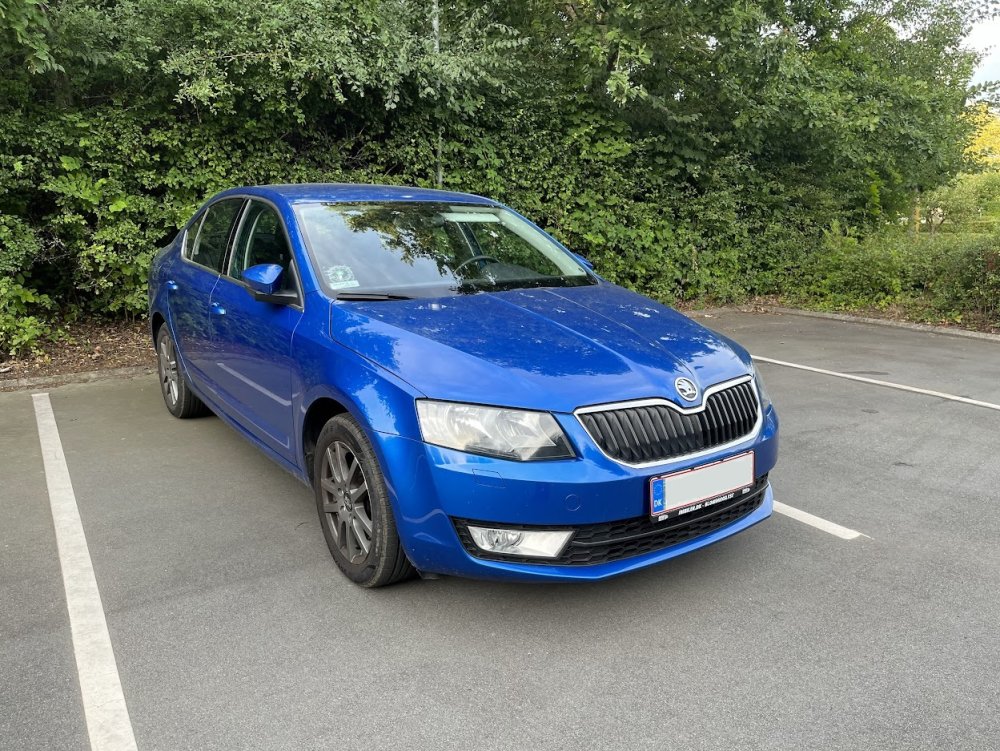
Hello folks, I just moved to DK and had to buy a new car here, I took the oportunity to get one model that has been always on my mind, an Octavia mk3. 1.4 TSI 140 hp race blue from 2014 with 90.000 km Car is stock, but as I love to improve the cars that I own, no better place than this forum to learn all the possibilities. and of course, a proper picture, because no photo = no car
-
Hi Goncalves, did you manage to do it? I am also checking what I need to fit a MFSW but in my case, in a pre-fl mk3, any information will be welcome
-
Hey Martin, Seems that manual is not available. Can you reupload it? Thanks!