koaly
Finding my way
-
Joined
-
Last visited
Everything posted by koaly
-
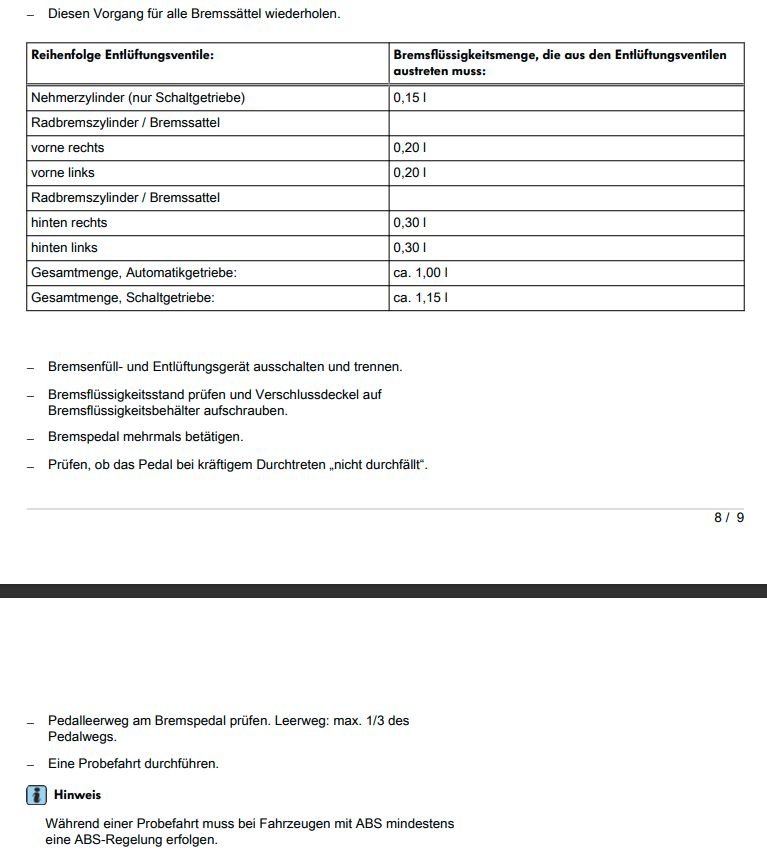
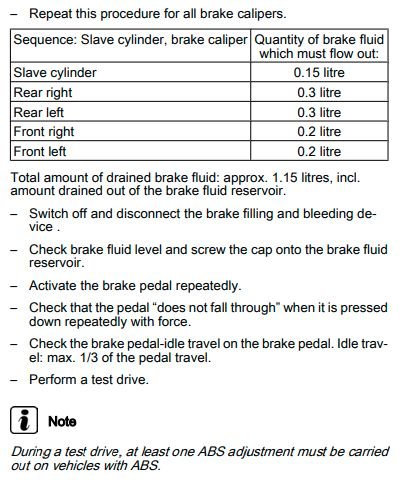
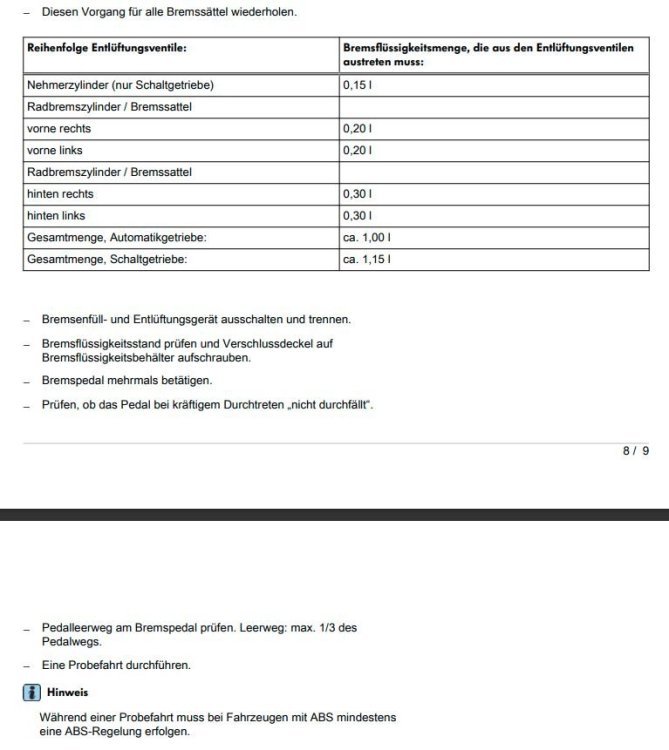
Hello Everyone, I am about to change a brake liquid on my Octavia and I have a Maintenance manual from 12.2014, which describes the process in details. But before going forward i decided to invest €7 and get up-to-date workshop procedures from Skoda. The reason for doubts was a video on Youtube, where the official workshop by the dealer said that the sequence is changed, This video is in Russian and therefore I give no link. I have chosen German language for documents as I wanted to avoid wrong translations. I was surprised to see a big difference to 12.2014 in a bleeding sequence. 2014: 1. Slave cylinder (clutch) 2. Rear right 3. Rear left 4. Front right 5. Front left Actual: 1. Slave cylinder (clutch) 2. Front right 3. Front left 4. Rear right 5. Rear left As for the test drive, the actual German version says "Während einer Probefahrt muss bei Fahrzeugen mit ABS mindestens eine ABS-Regelung erfolgen", which means exactly what is in English version. No adjustment, Just extreme braking on gravy or slippery surface. I have attached screenshots of both sequences for reference.
-
As I understand, VW considers that the coolant shall serve the whole lifetime. Nevertheless, I have changed mine BASF Glysantine G65, which is a G12evo after 2,5 years and also flushed the system about 7 times to remove steel sand particles from the system. I have also removed a bag with silica gel from the reservoir and washed it with some detergents.
-
I do not think about investing into any new adapter as I am not sure it is required and see no benefits vs ODIS. My aim is to resolve the DTC and so far it is not clear what to do. I will check ODIS-E with my VAS 5054a adapter. This is what I'm going to do next.
-
Thanks for the advice! I got a hint @Drive2.ru to use ODIS-E for finding a link with another module, from which the required message is missing, I will try that and post the result here as well. I do not have anybody local to try VCDS, but I found some local offers of used VCDS HEX-V2 interface with software 22.3. Looks like copies of original being sold for €80. Does it make sence to buy such a device in addition to my VAS 5054a? Is there a benefit of using VCDS instead of ODIS for DTC resolution?
-
Thanks for the hint. I will check it, but not sure if it might be a solution. All actions, which have been advised are for DTC 1555, related to non-confirmed FW update. I receive a completly different DTC 7237 "Function restriction due to missing message". As I understand, the module 5F tries to communicate with another system, but does not receive a response. How could I find it out, from which module the message is missing?
-
Thanks for the response. Car Scanner Pro have had such an option in coding to fix MM after firmware update, but it referenced to another DTC. I tried - did not work. Do you have an idea where shall I dig to find a guide or example of a solution out?
-
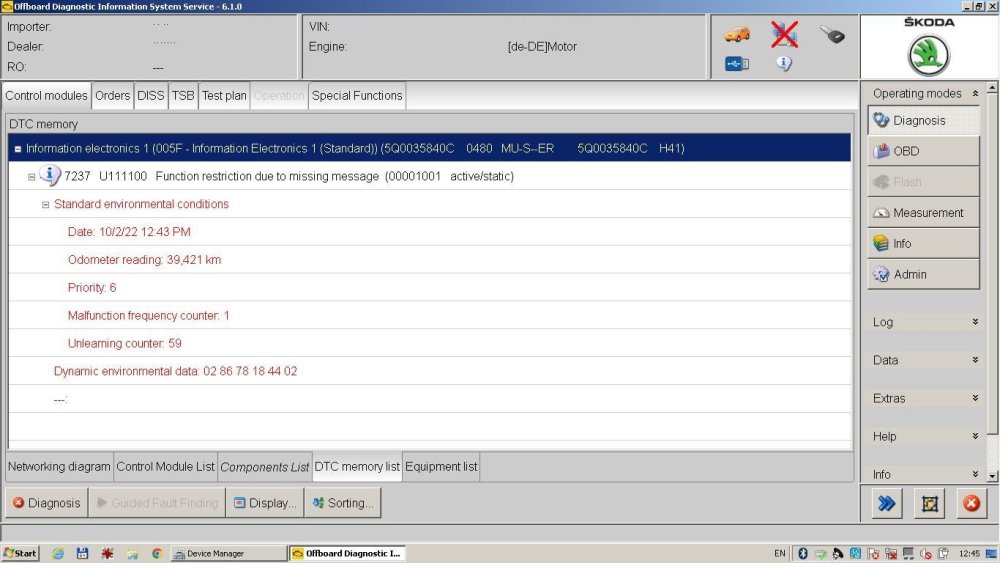
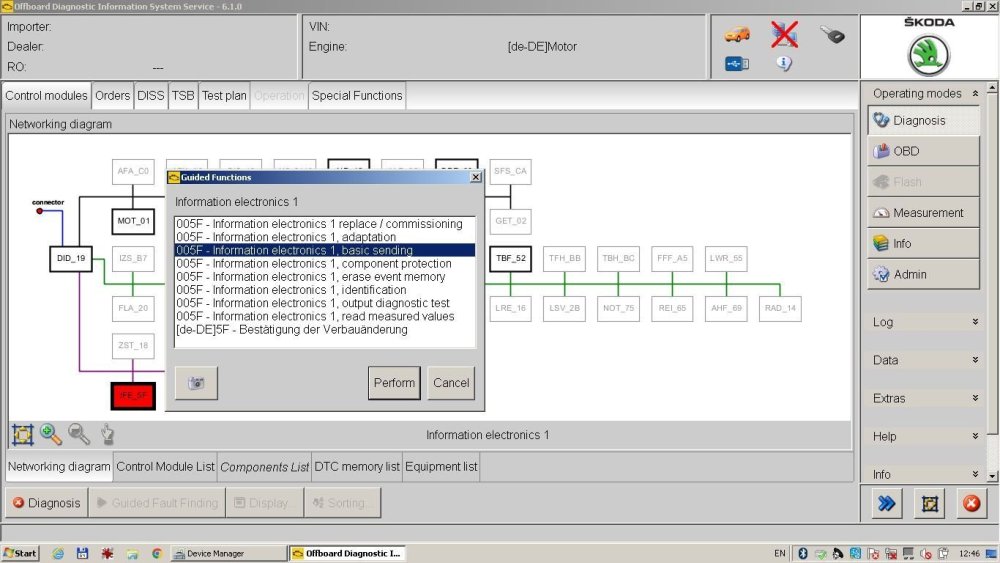
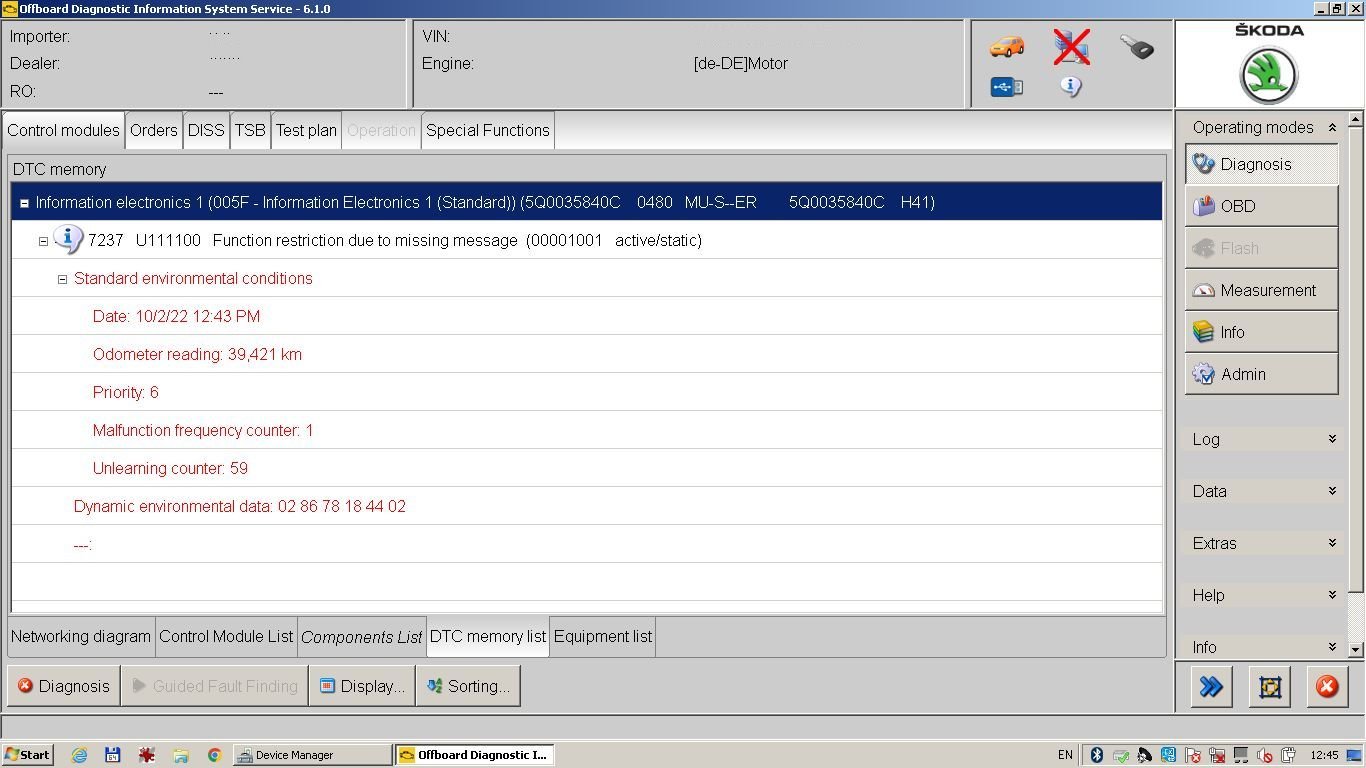
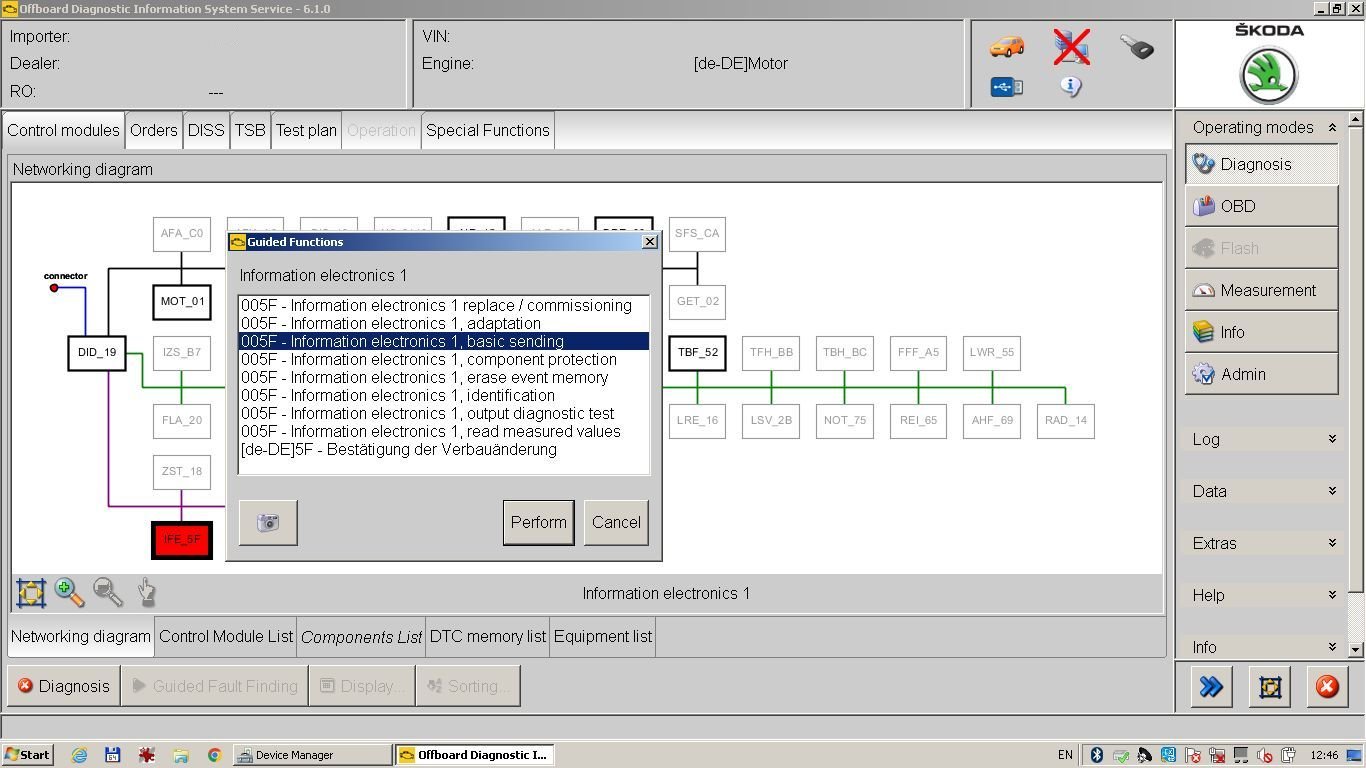
Hi all. After I set up Odis-S, the diagnostics showed error 7237 "Function restriction due to missing message" in the IFE_5F block, which is, the Multimedia block. Before the DTC appeared, I updated the MIB 2.5 to 480-firmware, and also checked the settings in Car Scanner Pro with ELM327 adapter. I reviewed the Multimedia section in the app a few more times, but did not find any suspicious / inappropriate settings there. I cannot just erase the fault code - it comes back immediately. In Odis-S, there are a lot of options for this block in guided functions, but I don’t want to poke without understanding what’s what. Could you please advise what can be done here to fix the error? Many thanks in advance!