r8umar
New here
-
Joined
-
Last visited
-
Thank you so much thats perfect. I input everything as you told me and it worked. Really appreciate the time you took out to help.
-
@langers2k was that file any good to you? Thank you
-
Hi langers2k I have attached a text document which contains all modules which I backed up yesterday. I have attached here history.txt Thanks
-
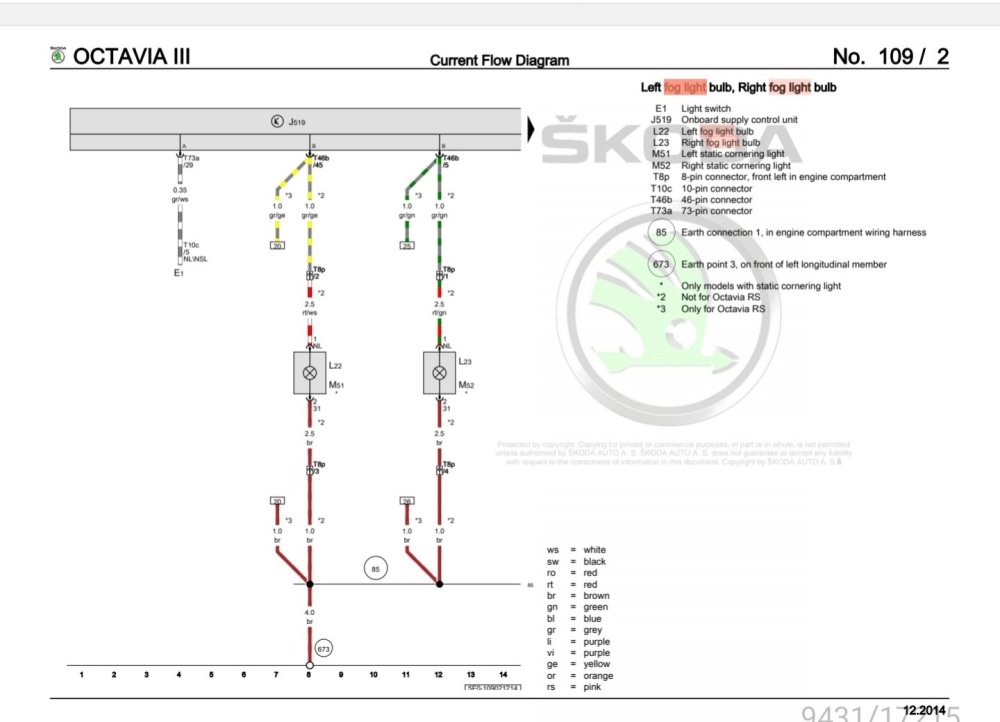
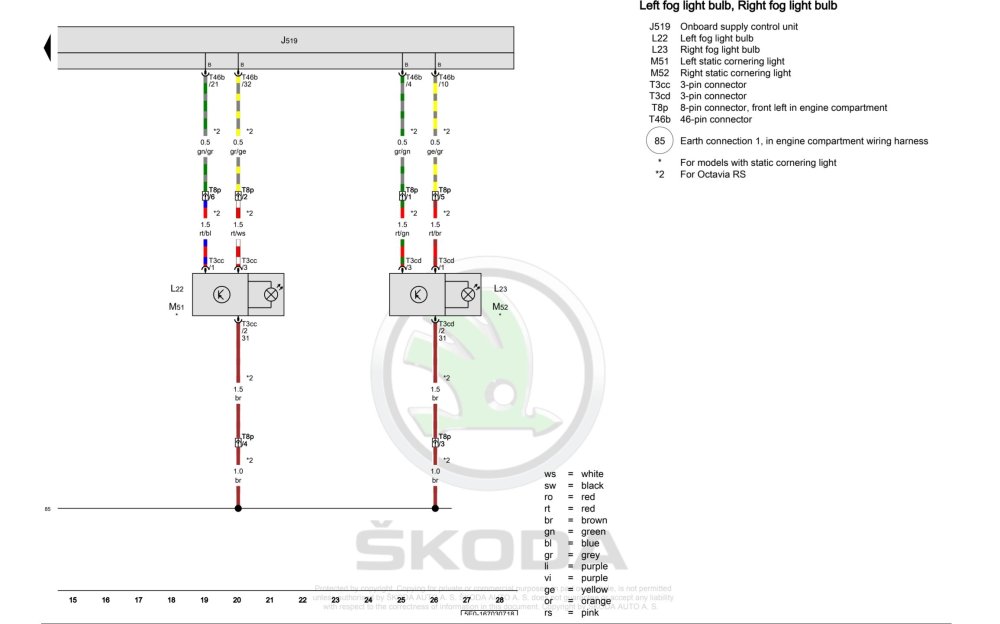
Hi, I have the same question. I have an octavia scout 2019 but due to a front end hit I have installed VRS front bumper. The foglights I have are full LED foglights and no removable bulbs. They require 3 wires in each fog light I have the following wiring diagram showing the original 2 wires going from the fog light to the bcm And this is how it should be wired into the fog light and the BCM So from plug B at the BCM I have moved grey/yellow wire from pin45 to pin32 grey/green wire from pin 5 to pin4 Added the 2 extra wires Yellow/grey to pin10 Green/grey to pin21 After doing this I would like to know how to activate these changes via coding. When checking live data for foglights it still mentions the location as pin45 for the left fog and pin 5 for the right fog. How do I code the new changes in to let the module know I have fitted in LED foglights and the new pin locations. Any help will be appreciated Thank you