CiprianEm
New here
-
Joined
-
Last visited
Everything posted by CiprianEm
-
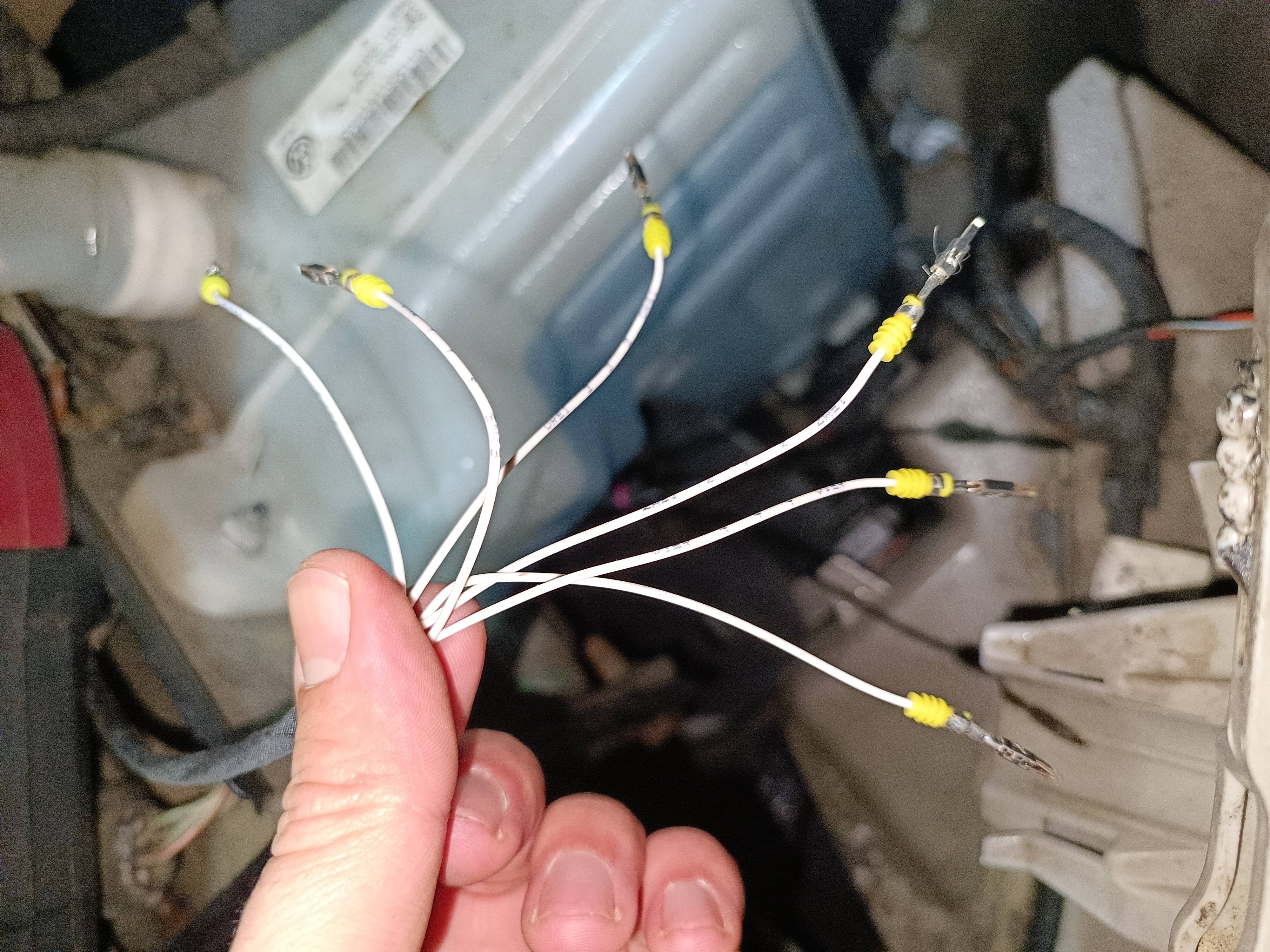
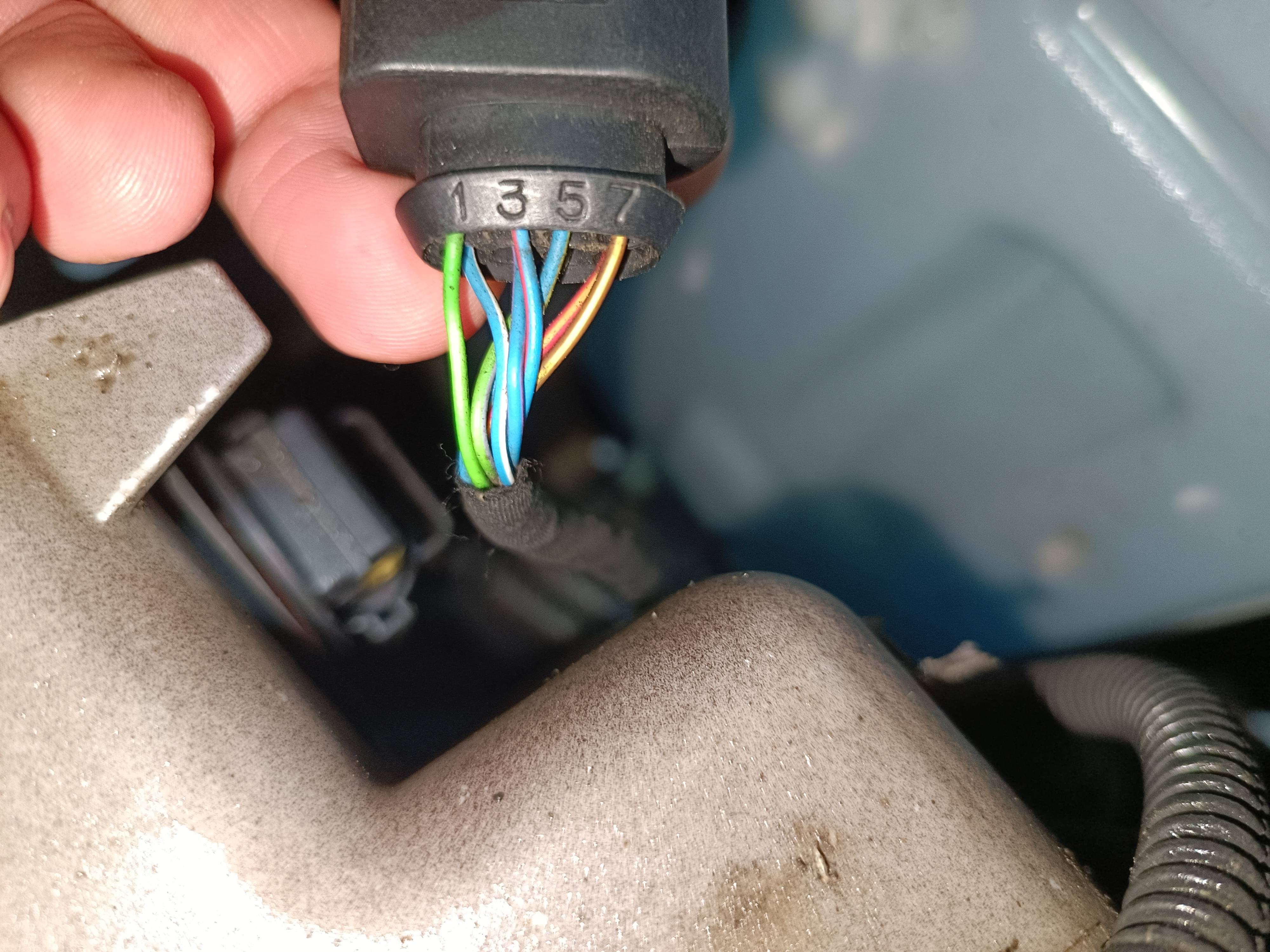
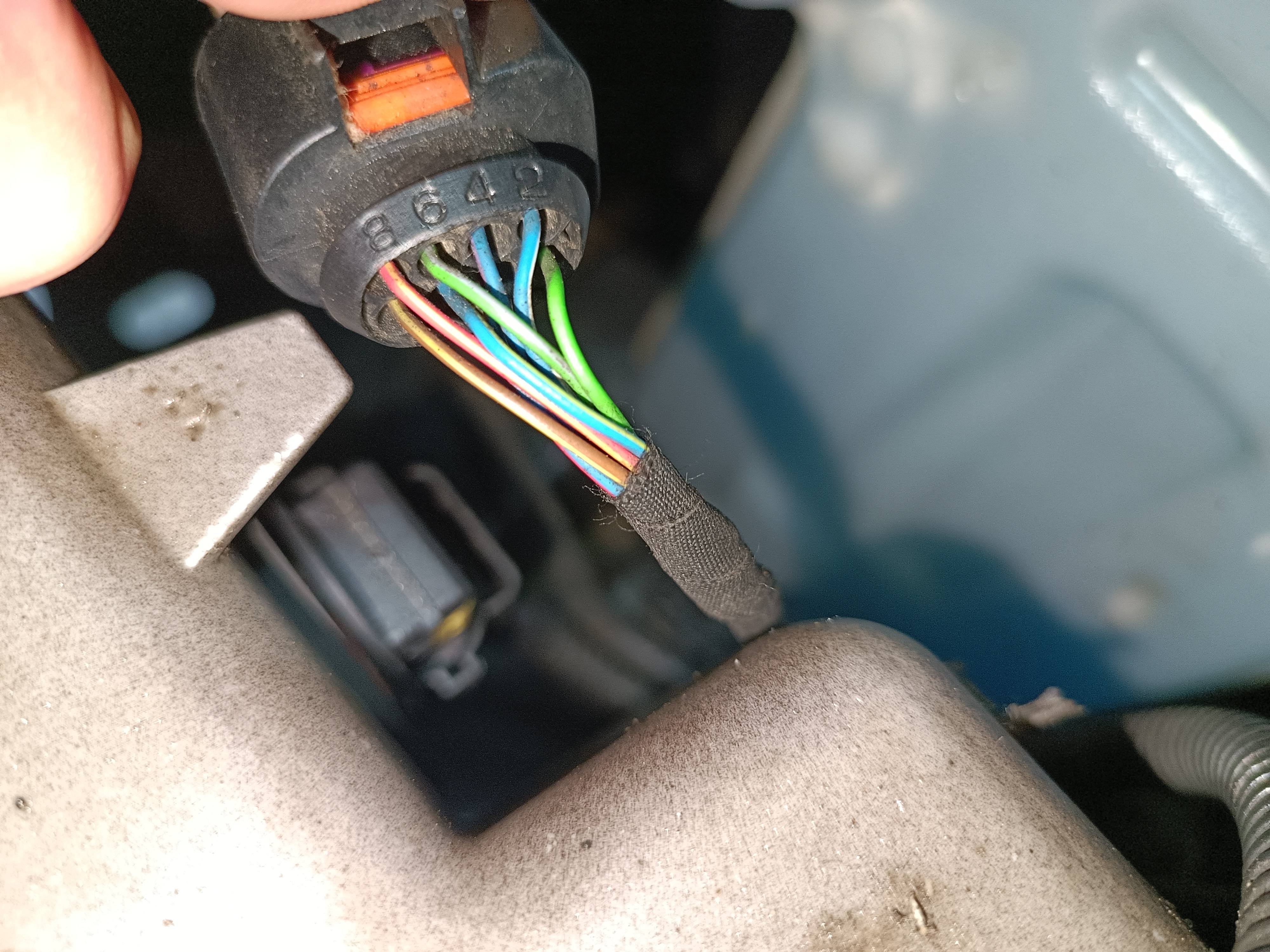
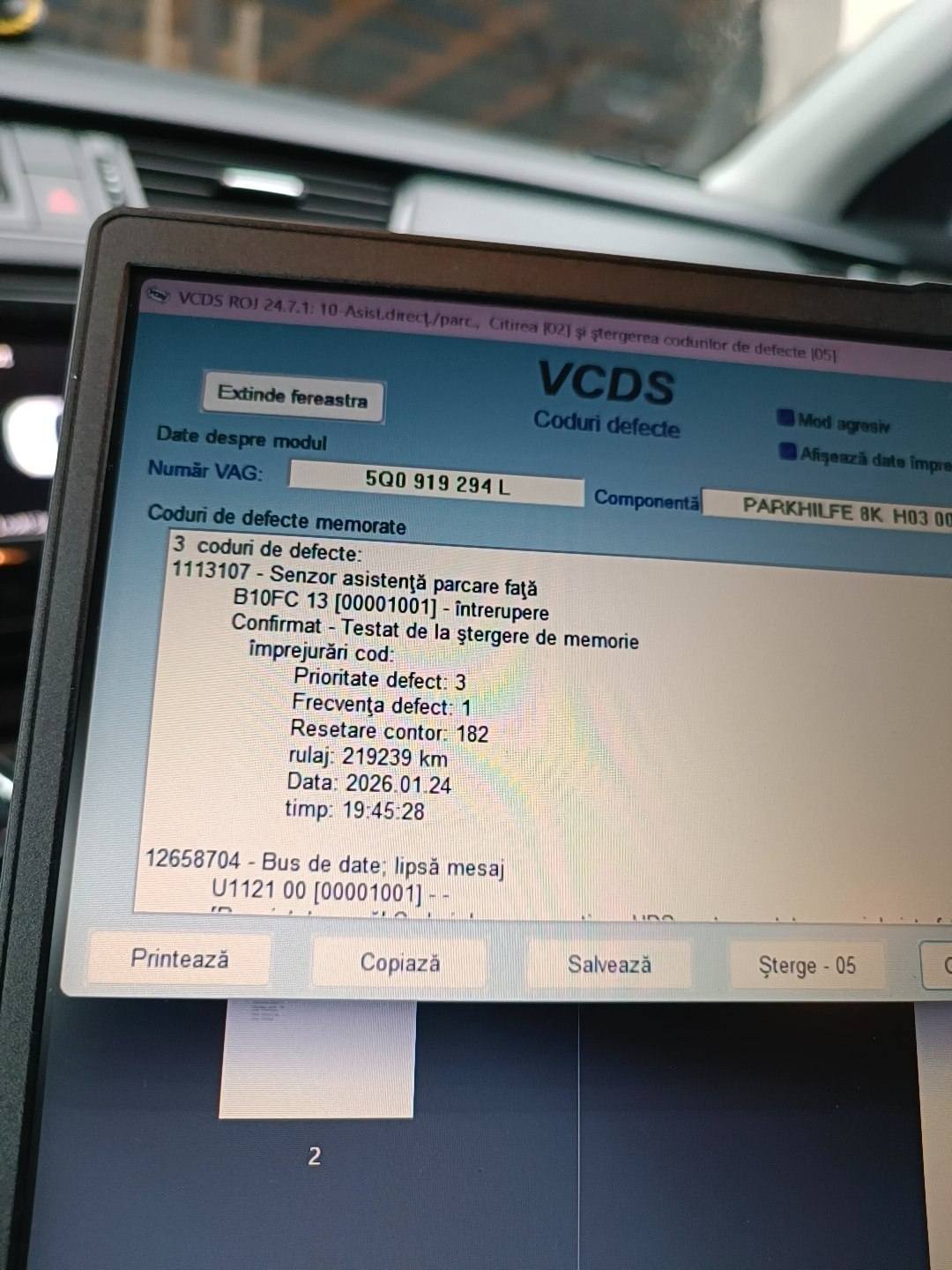
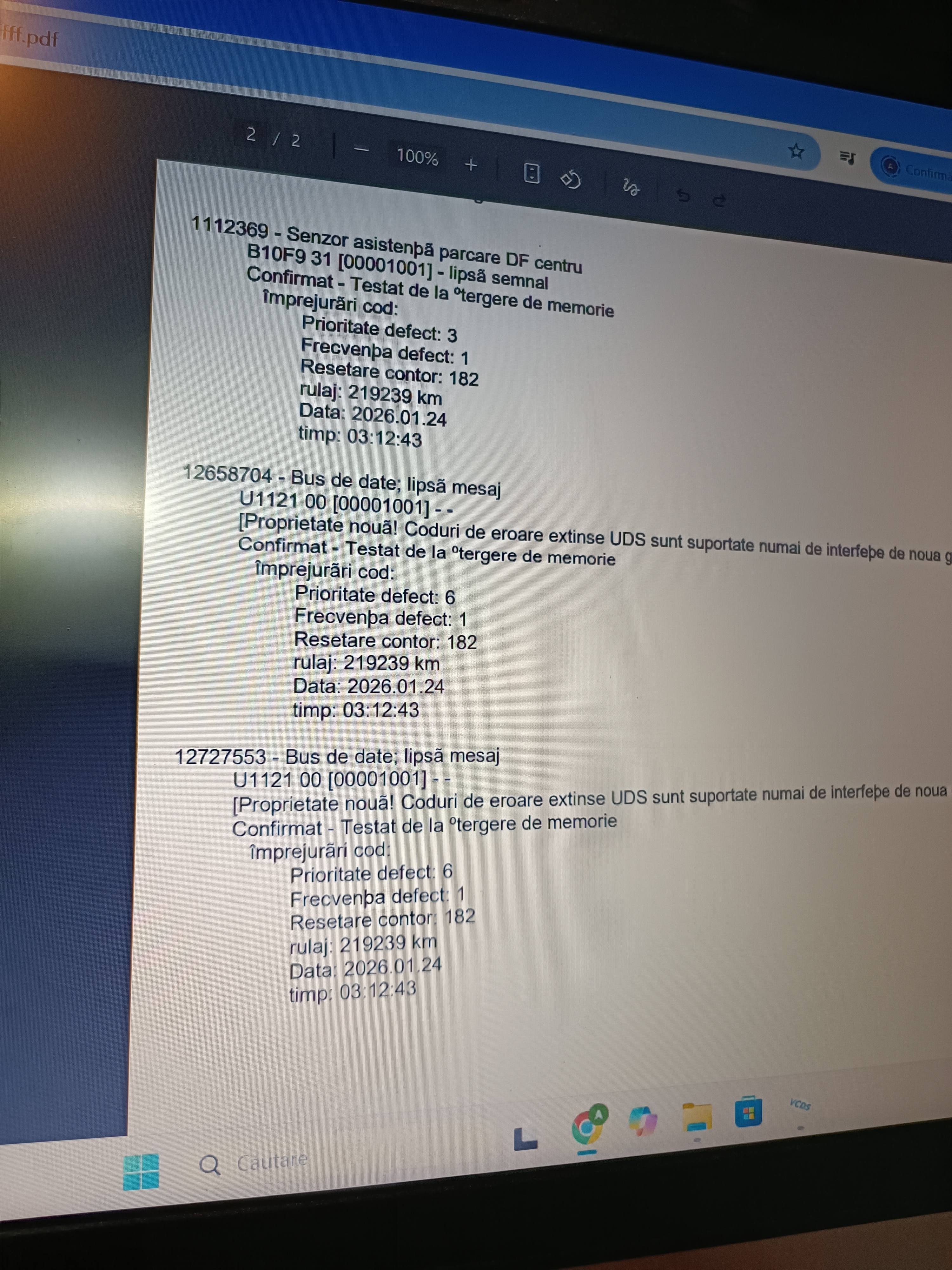
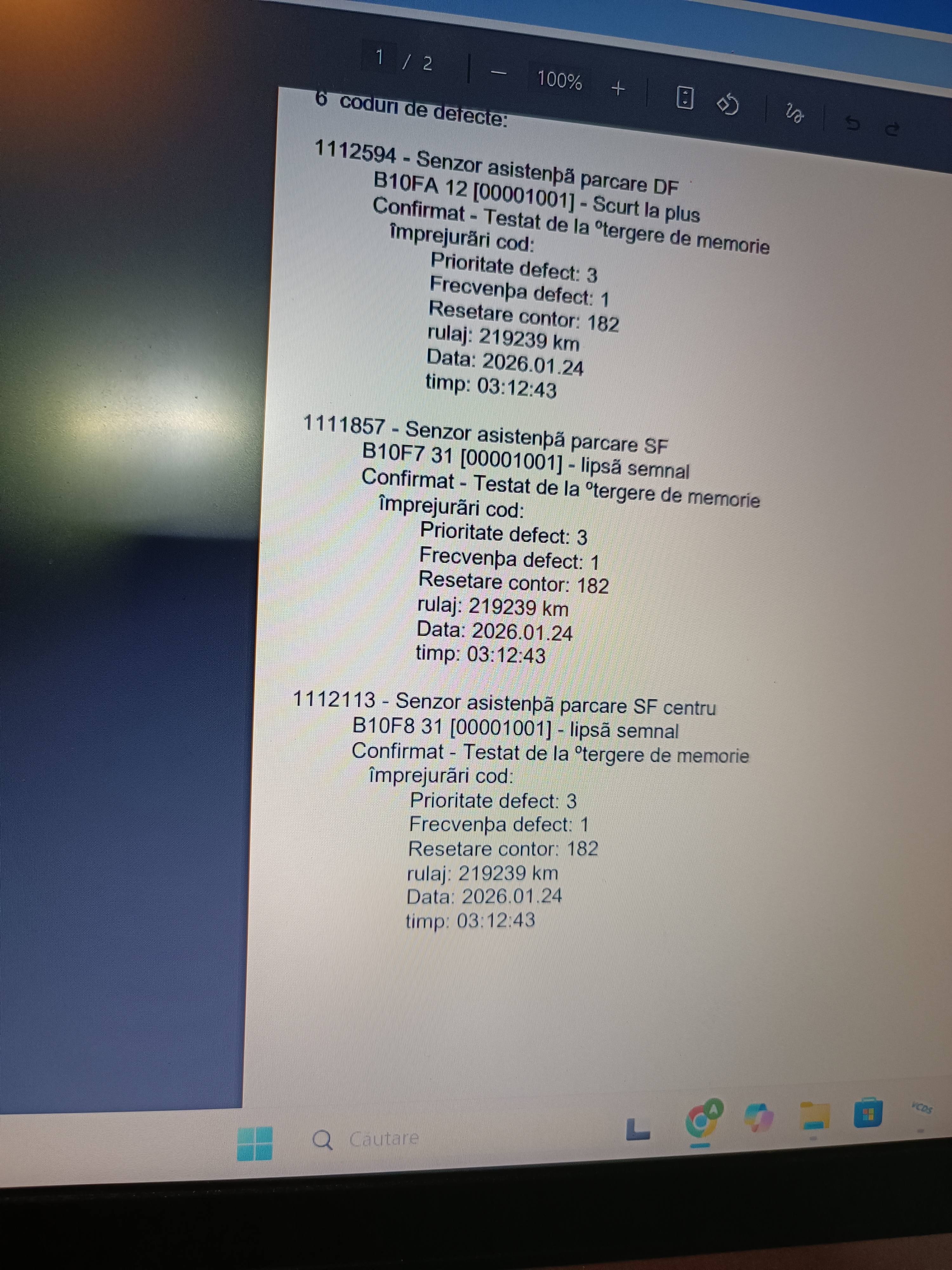
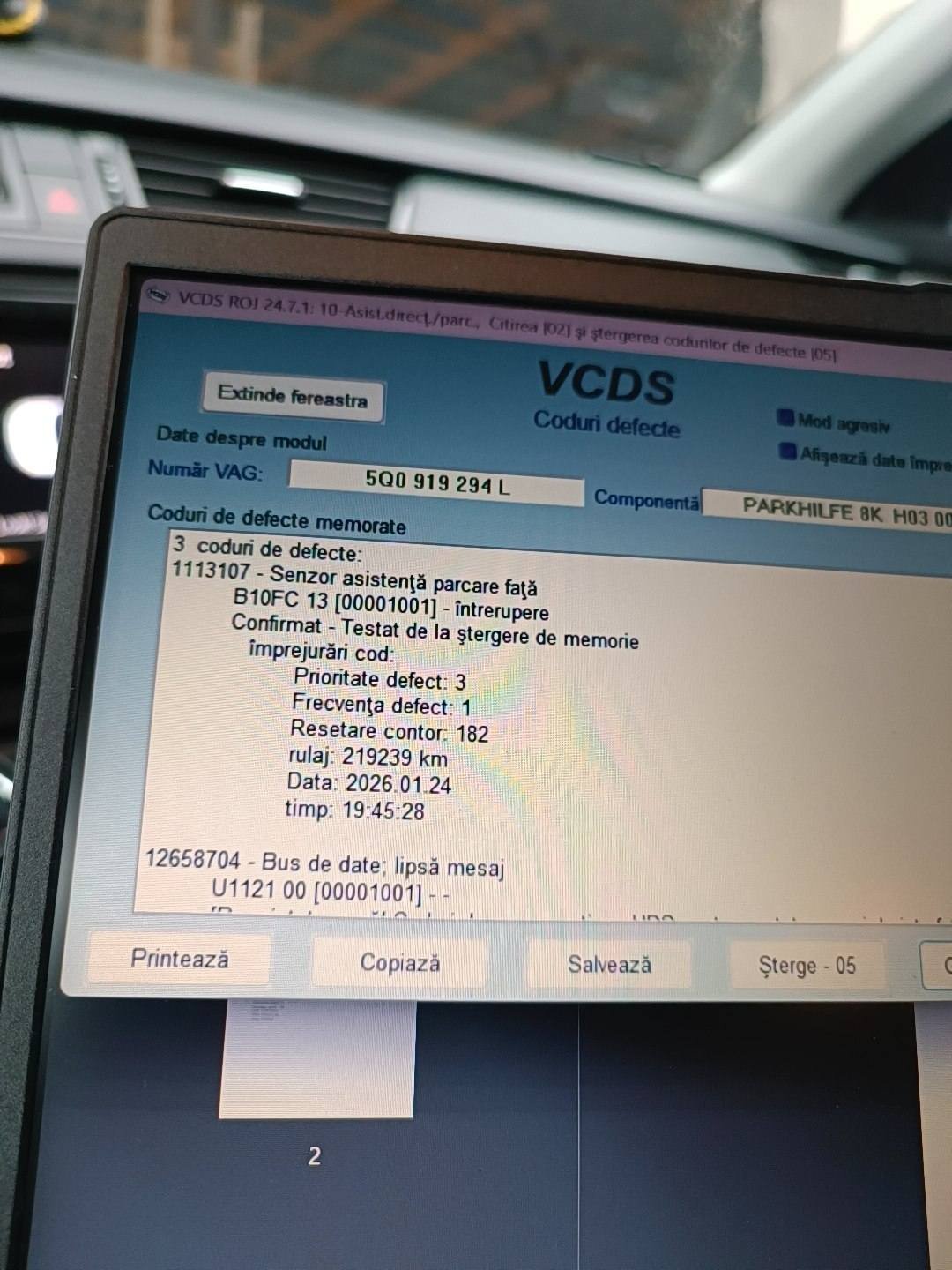
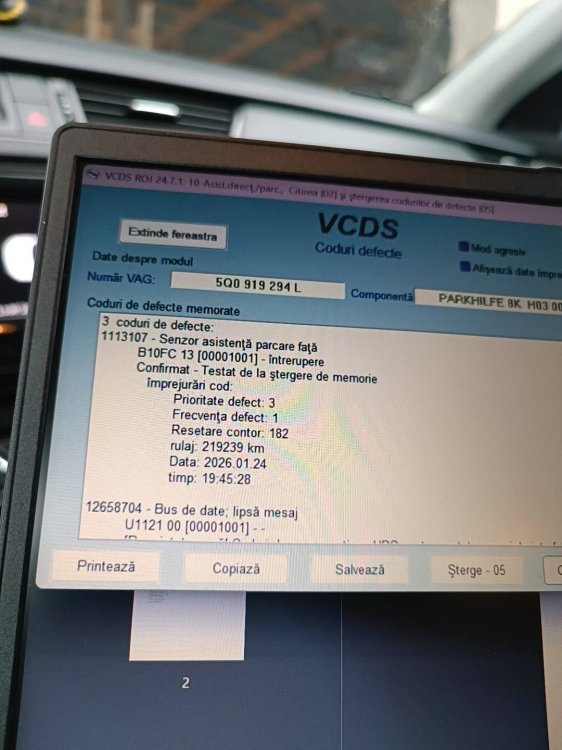
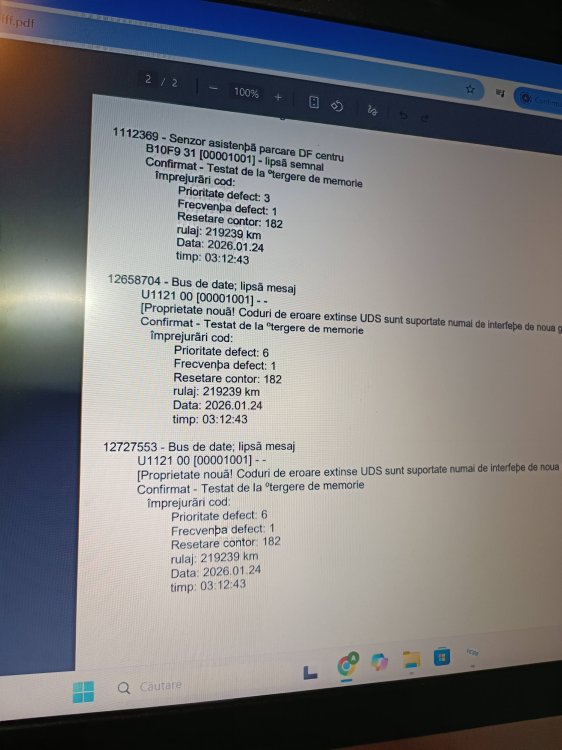
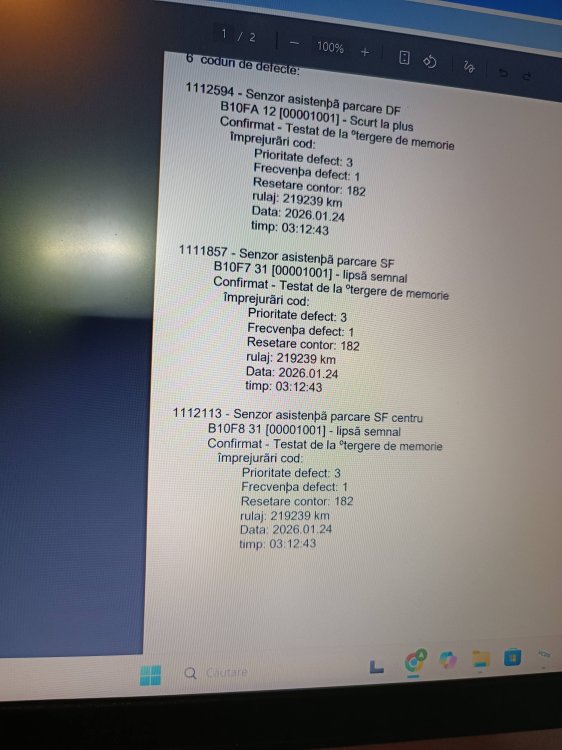
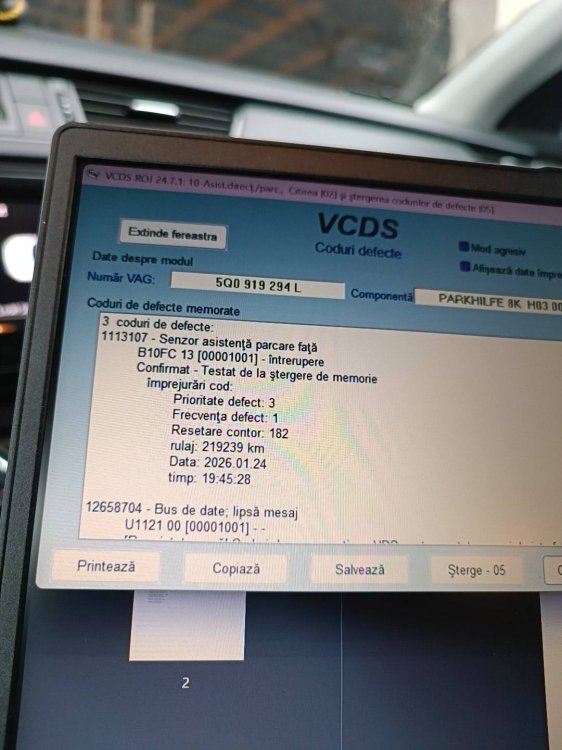
Hi everyone, I need the exact wiring map to connect a Kufatec interior harness to a factory bumper connector. The Setup: PDC Module: 5Q0 919 294 L (Supports 8 sensors / 8K). Harness: Kufatec with 6 white wires, numbered 1 to 6, leading to the bumper. Bumper: Sourced from a dismantler, came complete with sensors and original harness. The bumper has 6 sensors (4 PDC + 2 PLA), so the main connector has 8 pins. The Task: Since my module is 8K, I only want to connect the 4 standard PDC sensors. I need to know which Kufatec wire number (1-6) goes into which pin of the 8-pin bumper plug (1-8). Current VCDS Faults (due to incorrect pinning): B10FA 12: Front Right (DF) - Short to Plus. B10FA 14: Front Right (DF) - Short to Ground / Open Circuit. 1113107: Front Parking Sensors - No Signal. B10FC 13: Front Parking Sensors - Open Circuit. The internal bumper wiring has been tested for continuity and is fine. I just need the correct mapping (e.g., Wire 1 to Pin X) to match the Kufatec harness to the VAG bumper plug. Thanks!
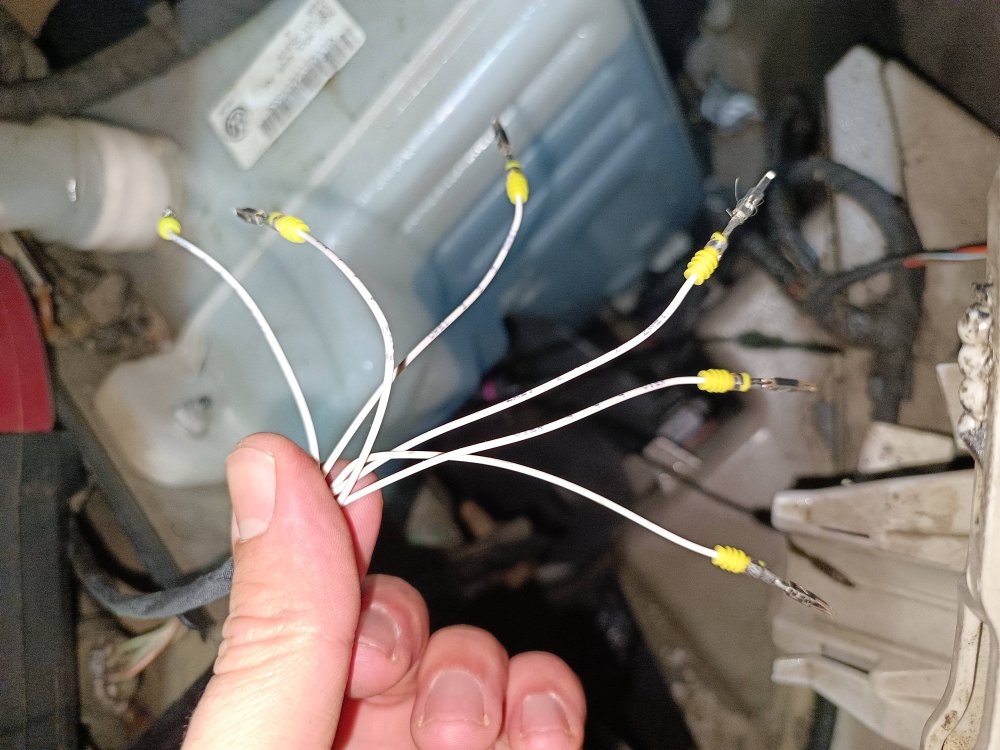
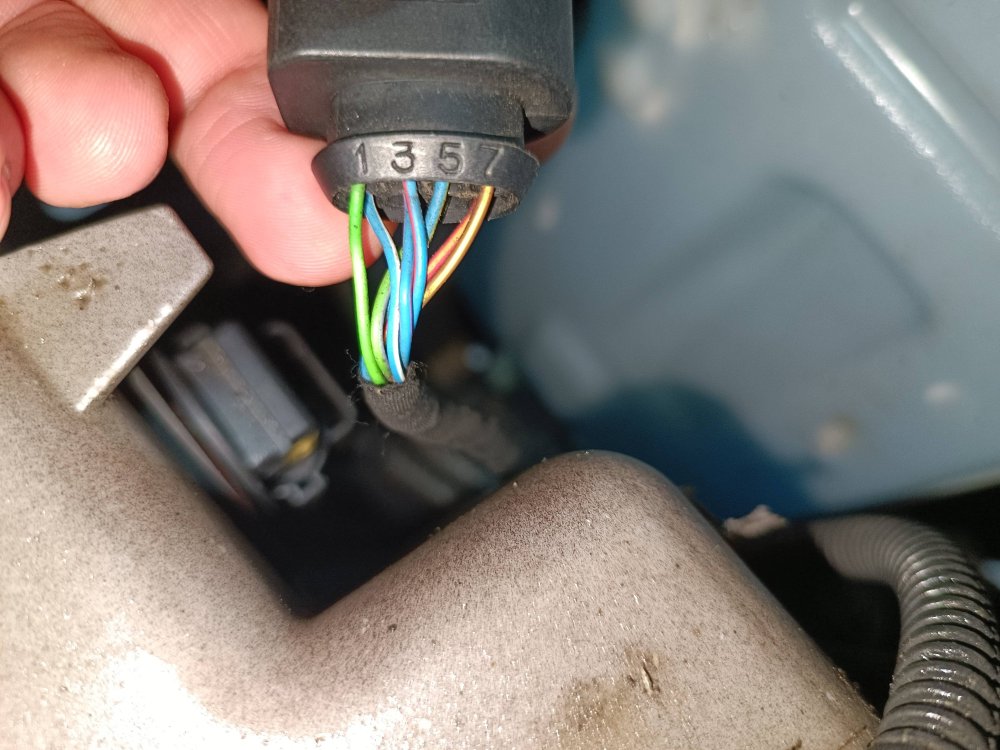
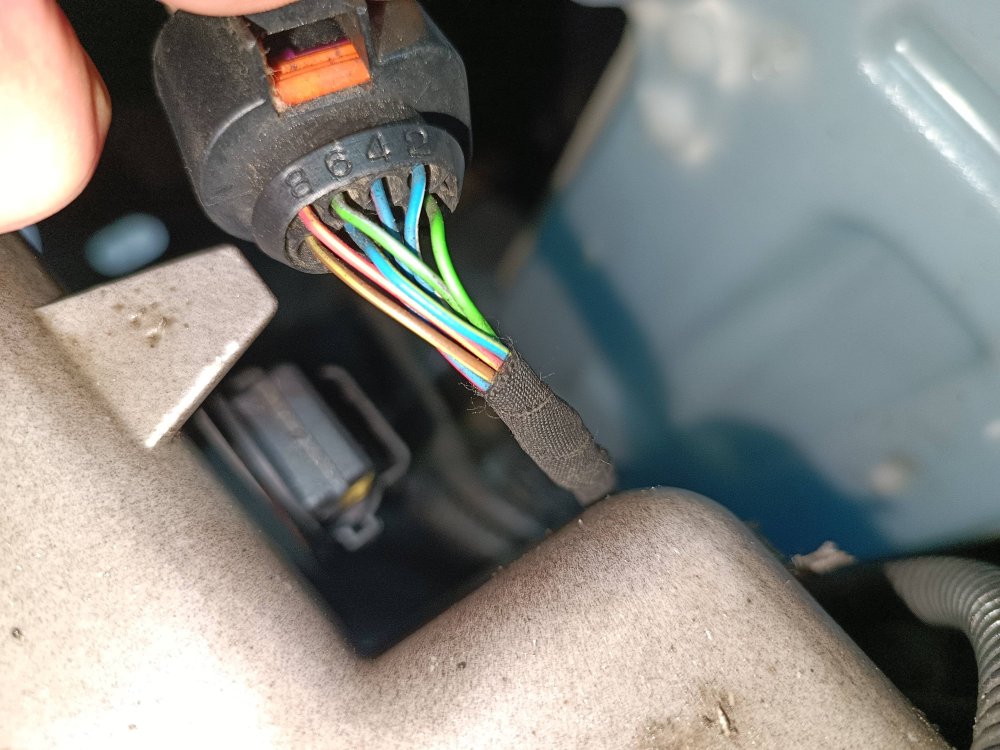
-
Hello, Can you please help me with the problem below? I tried to put cornering lights with VCDS on the fog lights on my Skoda Octavia 2015 1.6, 77kw, 5E5 Combi I followed the steps in a YouTube video and after completing all the steps everything seemed ok. YouTube video link: https://youtu.be/XY5YoGb77W8?si=jy8KCM0neDmjfmon My problem now is that my high beams do not work with a single flash, but they work when you remove the lever for always on. When you pull the lever for single flash, the blue indicator on the instrument panel lights up, but the high beams also come on. This worked before I changed the settings in VCDS and now it feels really bad and is making me angry. I would be very grateful if you could help me fix the problem. Thank you for any help. Respectfully, Ciprian.
-