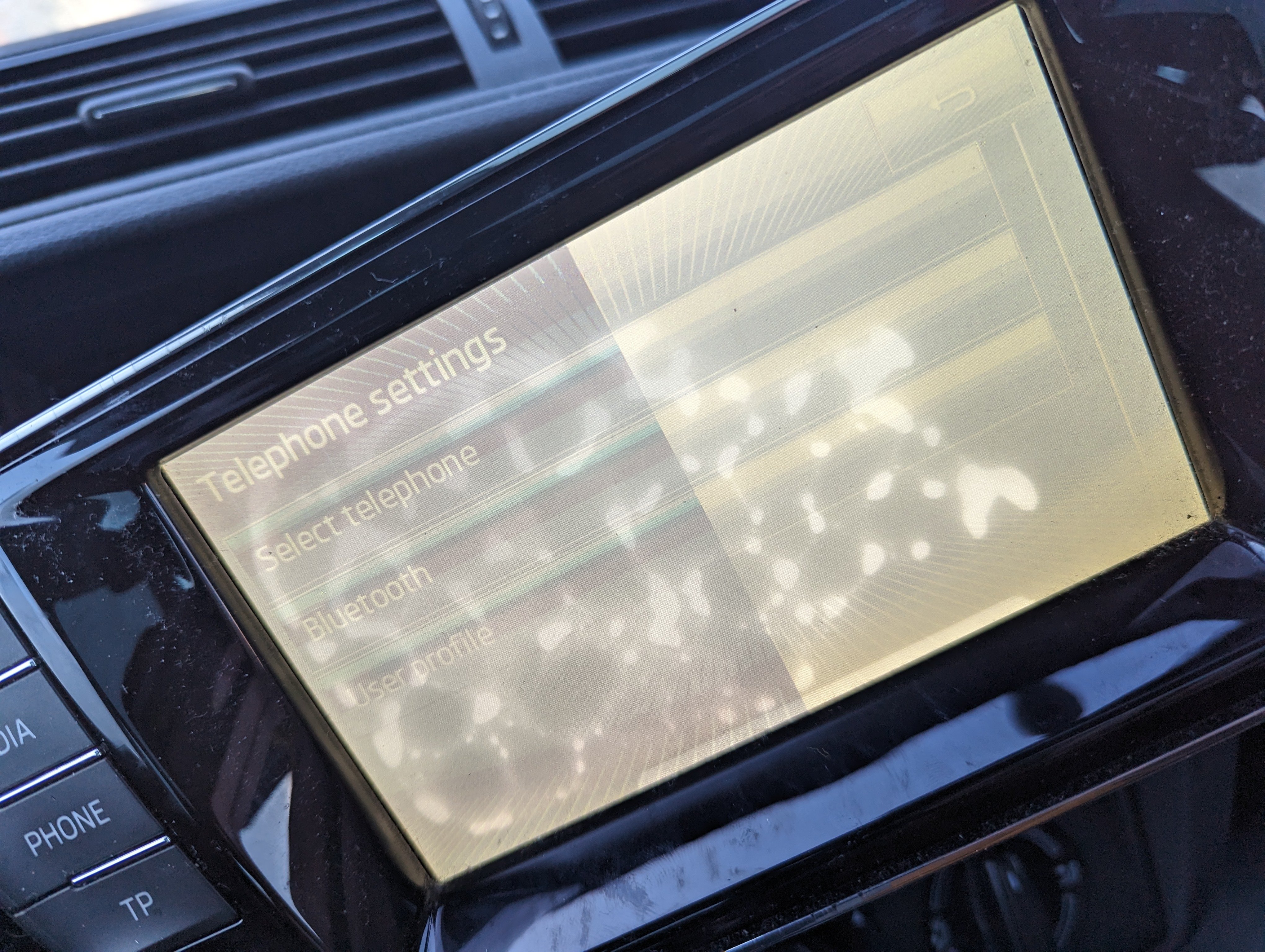
brknscrn
Finding my way
-
Joined
-
Last visited
-
@pab567all seems to be working with replacement. PM if I can buy you a drink.
-
Thank you, I will buy if it is plug and play!
-
Sorry for the late reply @pab567 a combination of a new baby and a throwaway email! Here is an example I have found but seller says it is coded. I assume I can just buy a code of this is the case? I think I did read you comment somewhere that it has software protection instead. Any ideas? Thanks again!
-
Thanks bud. My mistake, thanks for the catch!
-
UK, I might add the screen showed water damage for 2 years before it went like you see with the line down it. That happened when on the motorway.
-
I also bought second hand and am unsure whether the screen is water damaged or whether that is glue that can be seen!
-
Hi all, I have browsed forum but cannot see anything similar to my issue described (see picture). I removed the unit w/ release keys and didn't notice any lose connections, etc. I assume it's a broken screen and needs a replacement. If so is it best to go like for like or are there any branded replacements you guys would recommend. Thanks in advance! brknscrn