YENDYS
Finding my way
-
Joined
-
Last visited
Everything posted by YENDYS
-
10/2021 HW H56 ABT HW H47 ABT SW 2092 From version 1985, no problems, OTA to 1989, no factory reset. No problems.
-
In Germany, updates are already available via OTA.
-
Hi. Please try to do a factory reset first. Let us know if the Home button issue is gone.
-
Hi, what about the stability of wireless Android Auto? Last time everything worked stably for me on 1941, but the updates to the top broke everything. Connection drops between the radio and the phone (S23 Ultra) in the same places - it drops out completely and waits for a connection.
-
where is the engine temperature and fuel level? 😶Are there no white LEDs on the FL anymore?
-
Did you manage to solve the problem? I have the same problem with the order of connecting the phones
-
Well yes. I have the last 480. Thanks to you here..
-
Rear camera and parking sensors, the background around the sensors is no longer dark and is clear. When the seat heating is turned on with the button, the level of steering wheel heating can be changed on the screen, this was not possible before. Colorful menu icons. Loading picture albums and their previews works better... I guess. I don't have the experience right now, as I don't have the 2.5 in the car so there are certainly other things that are not immediately visible.
-
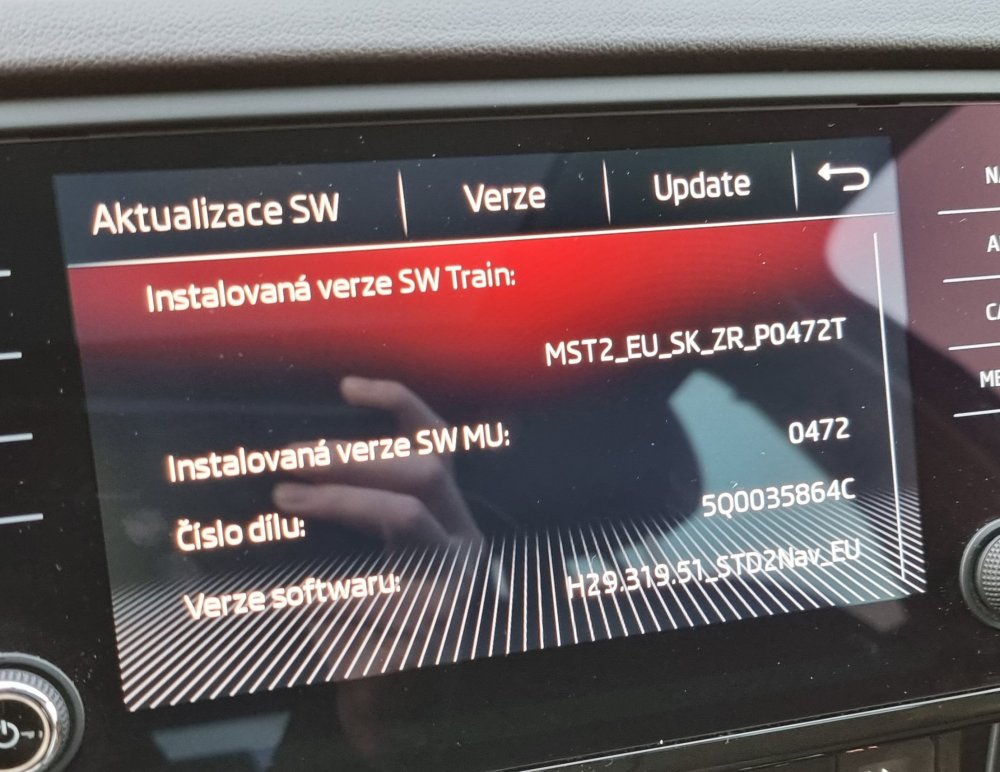
I see. Thanks. I guess I understand now. I have an Amundsen, so it would have to be changed to a Columbus and then possibly an update... I currently have a unit in my car: 5Q0035864C
-
Hi, is it possible to load MIB 2.5 on MIB 2? Or does the unit need to be replaced? 5Q0035864C. Thank you. 😊
-
Hi, I am attaching a photo. Thank you
-
Hi, I would also really like some help with the update. Which update will be best for my Amundsen? Can you please also send me the file? Thank you Now: 5Q0035864C H41 0472