Beareka
Finding my way
-
Joined
-
Last visited
-
Let me please accept your generous offer. I would be keen to measure it first and then I order a new motor if appropriate. I will contact you via PM for the rest. Thank you!
-
great, thank you. I probably will go ahead and buy it because I can return within 30 days if the problem is not solved...
-
Thank you I do not have, but if you could tell me which wires, where and what voltage I should measure/expect, then I would prefere to do it first before ordering a new motor and dismantling a passender door to find out the problem was not solved. I would just drive to some car electrical and asked him to do the appropriate measurments as per your suggestion, as I do not think they will know in detail which wire on Skoda MK2 is for what...
-
to avoid any confusion, regarding manual, headlights, doors or windows in my replies above: right = driver`s side left = passenger`s side
-
with right window I mean driver`s window on my UK RHD Fabia
-
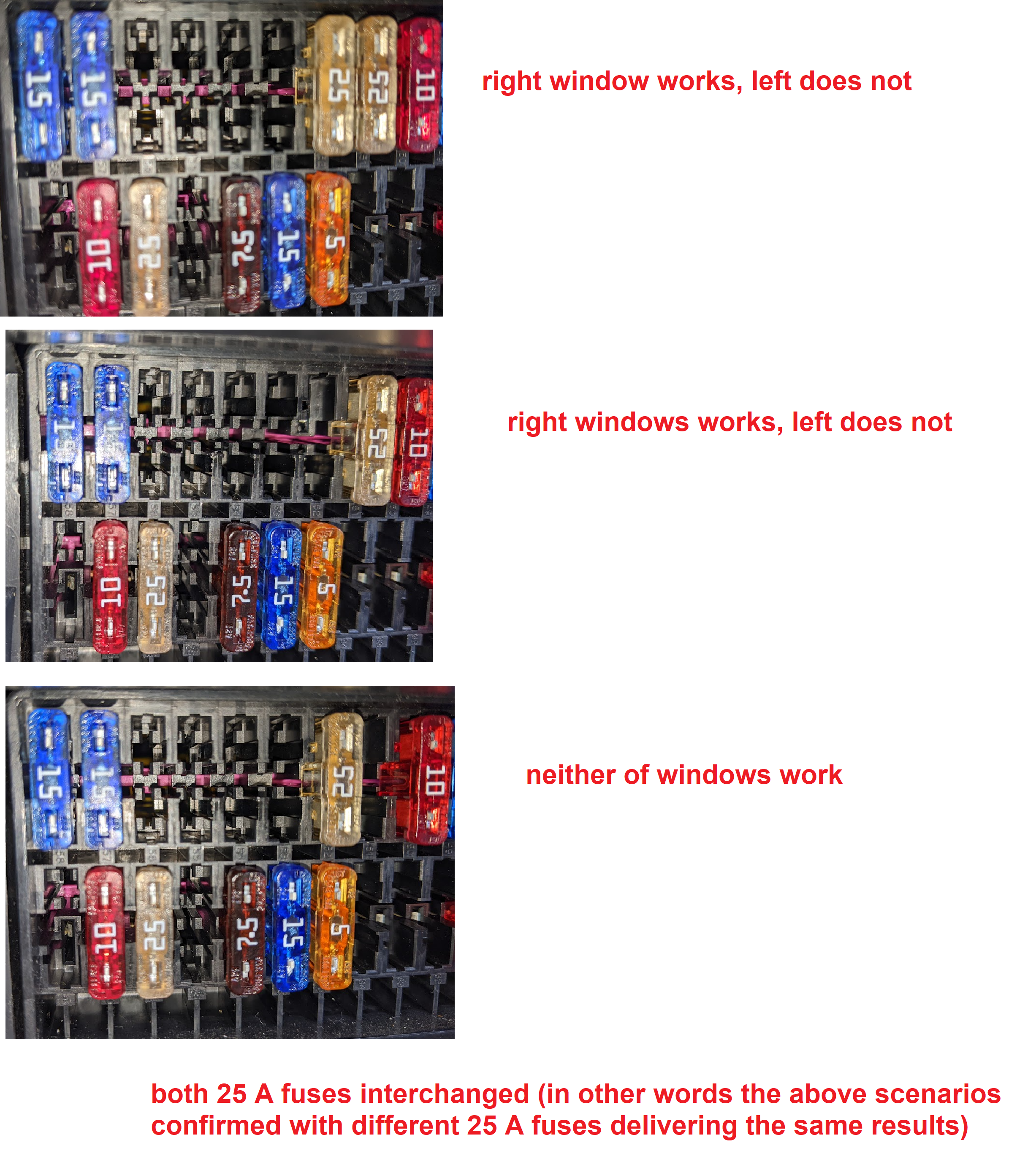
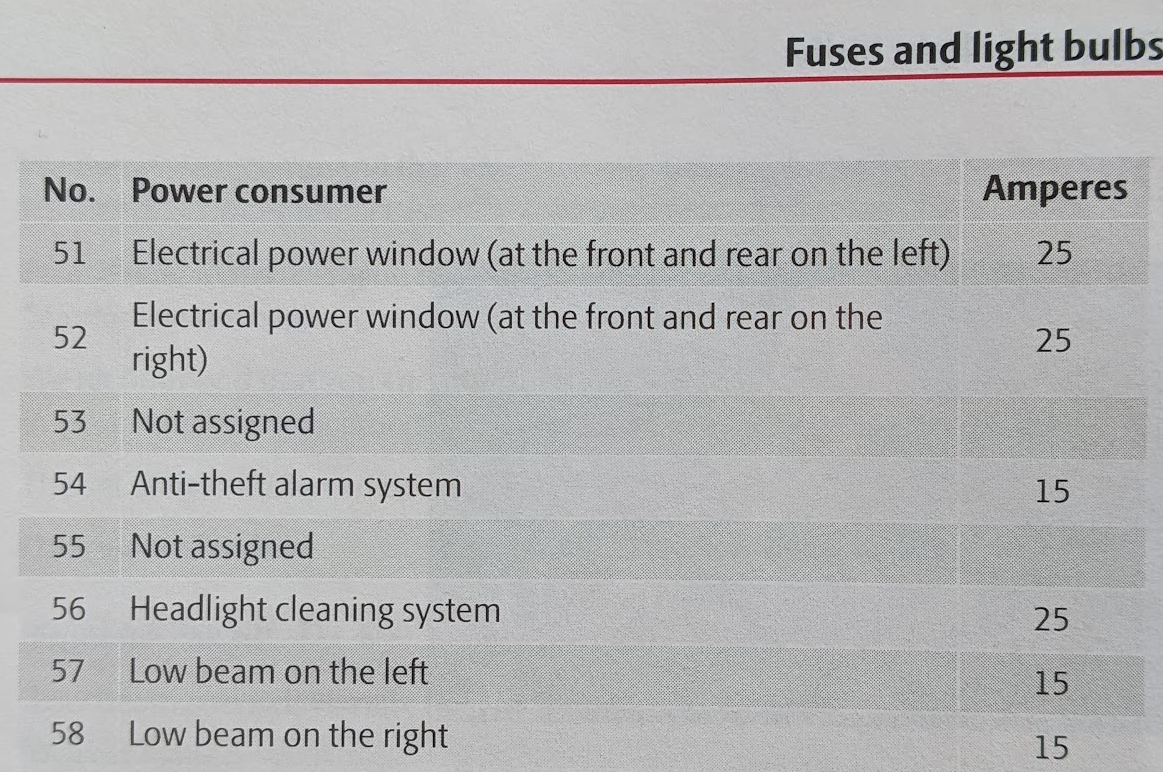
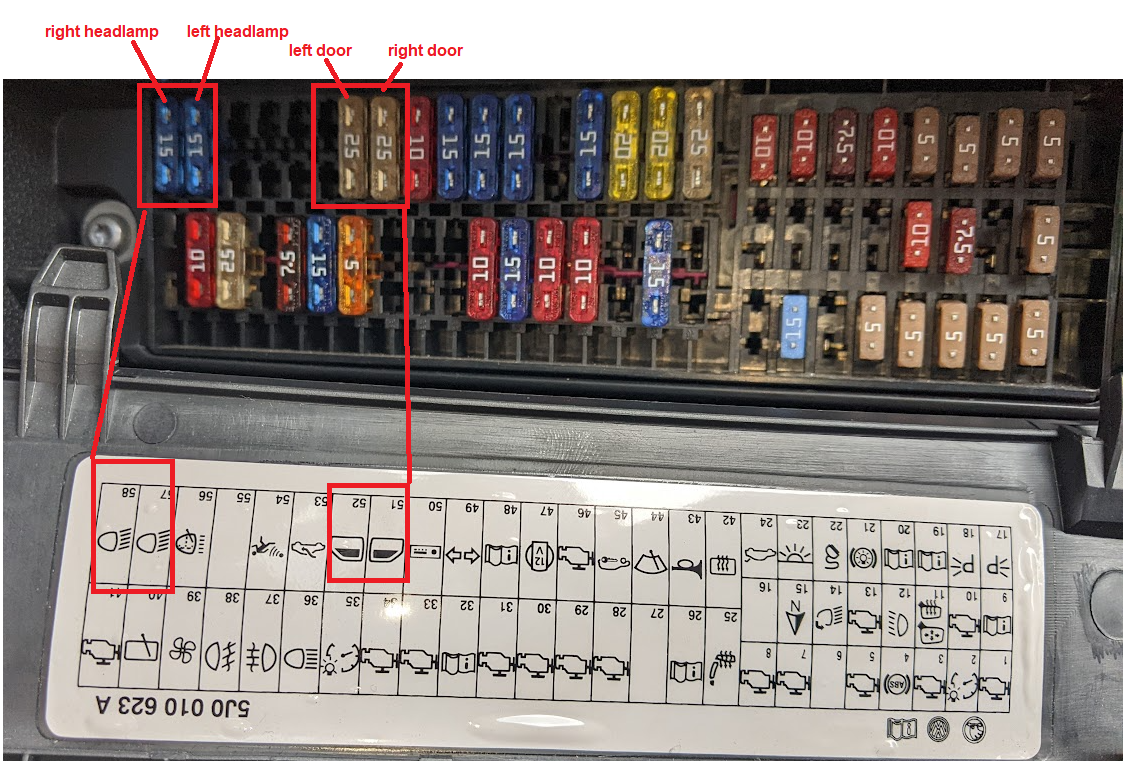
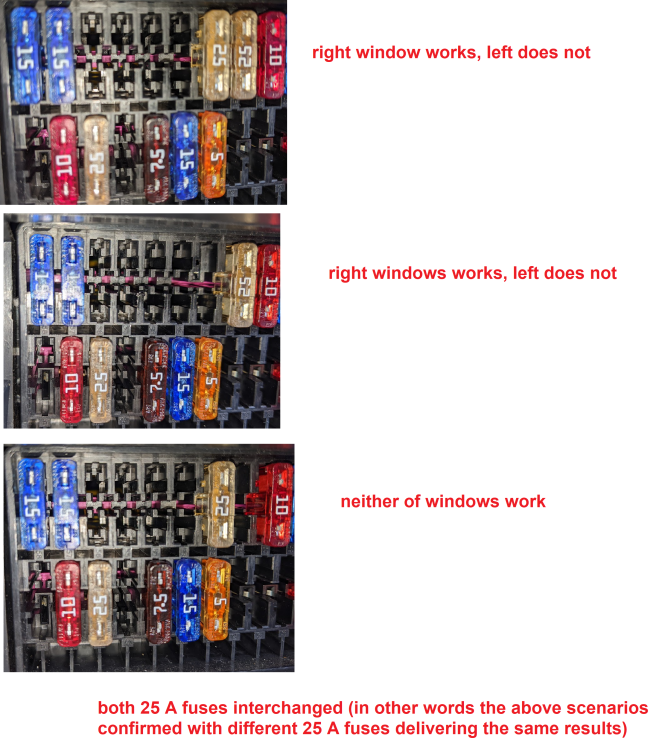
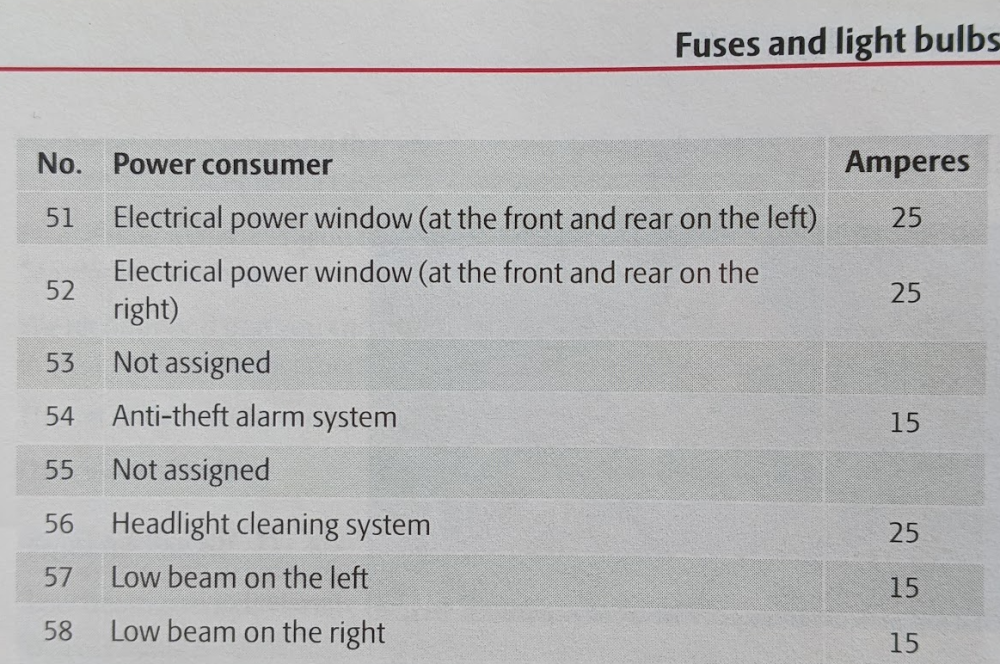
You are right, not only the pictorials suggest the fuse 51 should be for the left door, it is according to the manual as well: Correct - after I remove fuse 51 right window stops working and that is why I assume the 51 fuse is for the right window on my car (in contrary to manual or pictogram):
-
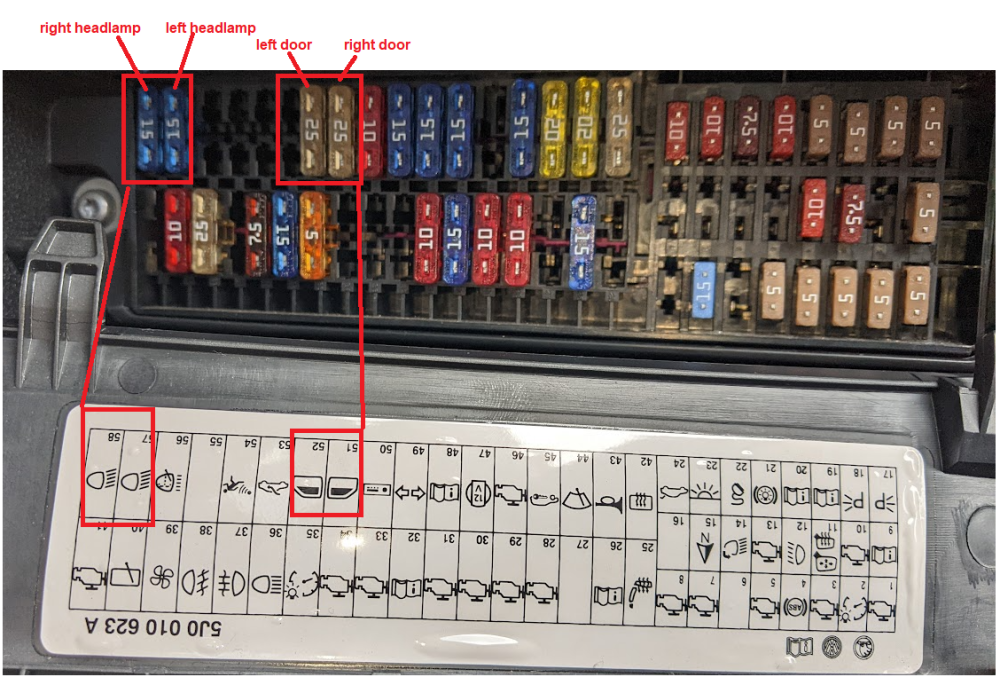
Thank you I have just rechecked the fuses and made the following "interesting" observation: 1. I inpected fuses 51, 52, 57 and 58 - visulally ok 2. By removing and interchanging fuses 57 and 58 with each other fuses 51 and 52 with eatch other I could confirm that: - the right fuse 51 is for right door/window - the right fuse 57 is for left headlamp AND - the left fuse 52 is for the left door/window - the left fuse 58 is for the right headlamp (see picture below) Considering - you mentioned fuse 51 should be for the left door (I have it for right doow/window...) and - the unlogical right/left fuse orientation for both headlamps compare to both doors, I would like to ask if this is a normal finding and if not what would be my next step...
-
really sorry for late reply - was flat busy with junior doctor`s strike (basically spet 4 days in a row in the hospital...) with a switch in this position courtesy light behaves as follows (car has no remote control) Passenger`s door (where the electrical window does not work) 1. Unlocking door with a key -> courtesy light remains off 2. Opening unlocked door -> courtesy light turn on 3. After closing the door (unlocked or locked) -> courtesy light turns off after 30 seconds Driver`s door 1. Unlocking door with a key -> courtesy light turns on immediatelly 2. Opening unlocked door -> courtesy light remains on 3. Closing door (unlocked) -> courtesy light turns off after 30 seconds 4. Locking closed door -> courtesy light turns off immediatelly I can fix many things in human body, but before I start dealing with this any help would be really appreciated! Thank you
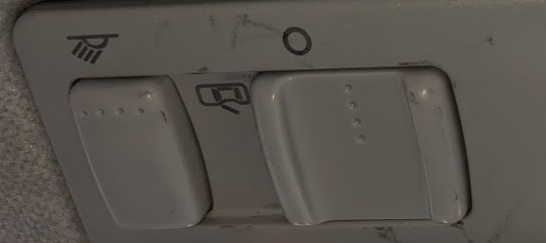
-
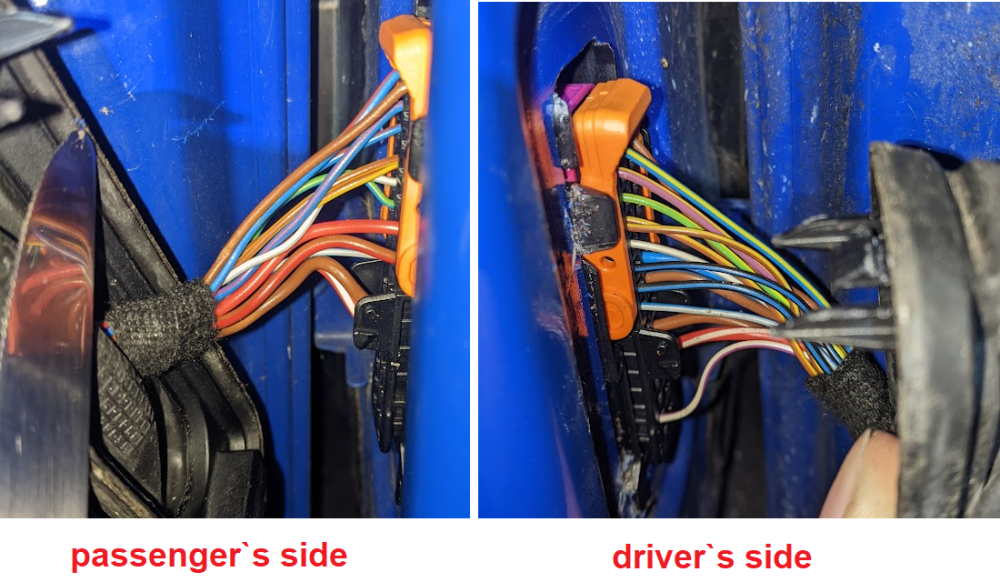
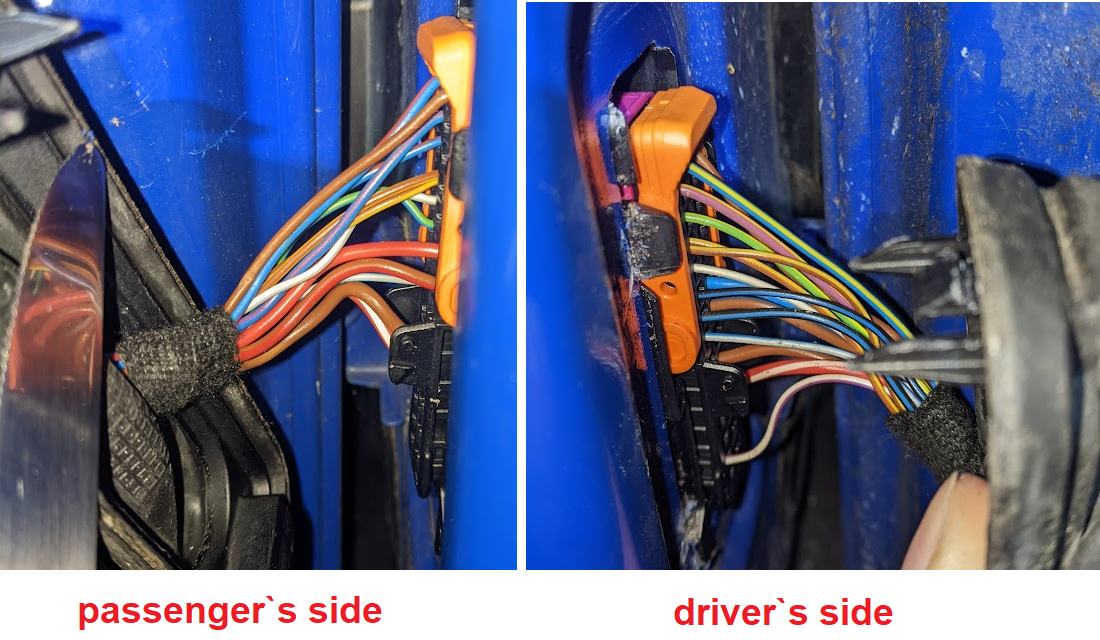
Hi all I need seome help please regarding Skoda Fabia MK2 (2008): Driver's side switch operates well but only for driver`s electric front window. Passenger's side front electric window not working either from passenger`s or driver`s window`s switch. Both electric window switches light up when lights are on. Wires in both bellows seem to be intact as you can see from the photos What would be the next step to do, please? P.S. The passenger window has not worked since I bought this 2nd hand car a few months back. As on the passenger`s side the manual mirror is not working either I have the feeling somebody was already playing with the passenger door...