john1952
Members
-
Joined
-
Last visited
Everything posted by john1952
-
I've Just plugged my mobile phone into one of the sockets with the ignition switched off and my mobile started charging, so I guess they are live.
-
Glad you are pleased with the result. I didn't realise that these trims were also fitted to the SEL model with silver wheels/trims. I've got the Colour edition which are black. You'll be able to clean your alloys so much more effectively and not have loads of brake dust accumulate in areas which are inaccessible with the trims on.
-
My Fabia had its first service yesterday after 12 months. Wasn't sure if the garage had reset the service interval and oil change indicators, so I did a reset of both myself. (Had to Google to find out how to do this because I've got the Virtual Cockpit as Skoda don't provide any documentation !!). Sure enough the oil change told me that next change is due after 365 days (one year), but was curious as to why the inspection service interval got set to 740 days (2 years). After doing some more Googling I now know that Skoda and VW have this "Variable Service Interval". For those of you that don't know about this I suggest you Google it as it will be quicker than me explaining it in this post. What are other Skoda owners opinions about this? I'm leaning towards sticking to a fixed 12 month service and oil change regime. My annual mileage is low - about 5000 to 6000 miles; sometimes less; mixture of urban motoring and occassional long trips.
-
I agree, I'm having my Fabia serviced this Friday, (1st anniversary is the start of November). I'm not giving them any chance to find an excuse to get out of any warranty claim !
-
The link AGFalco gave you appears to go to a non UK site and the postage charge looks like it's twice as much as the cost of the item. Might be best going to a Skoda dealer in this country. I couldn't see it anywhere else online. Obtained mine from AGFalco - came from a Mk3, but fits my Mk4 perfectly.
-
Thanks for that - I'll try holding the dash. I agree - I think it's temperature related as in the past few days during this hot spell it's a lot better.
-
Would be interested to see if it fits my Mk4 - Whereabouts in North Dorset are you? If it did fit how much do you want for it?
-
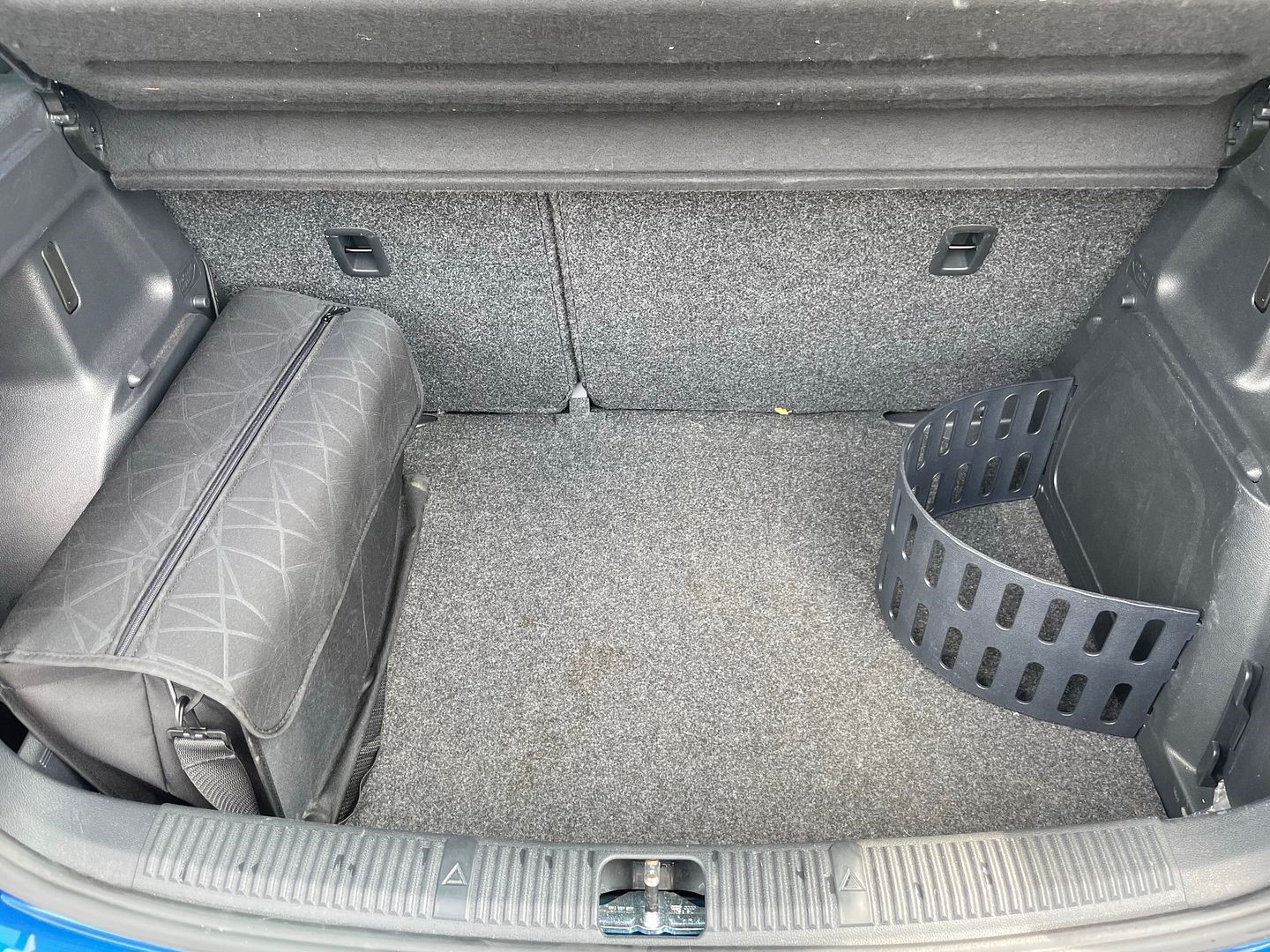
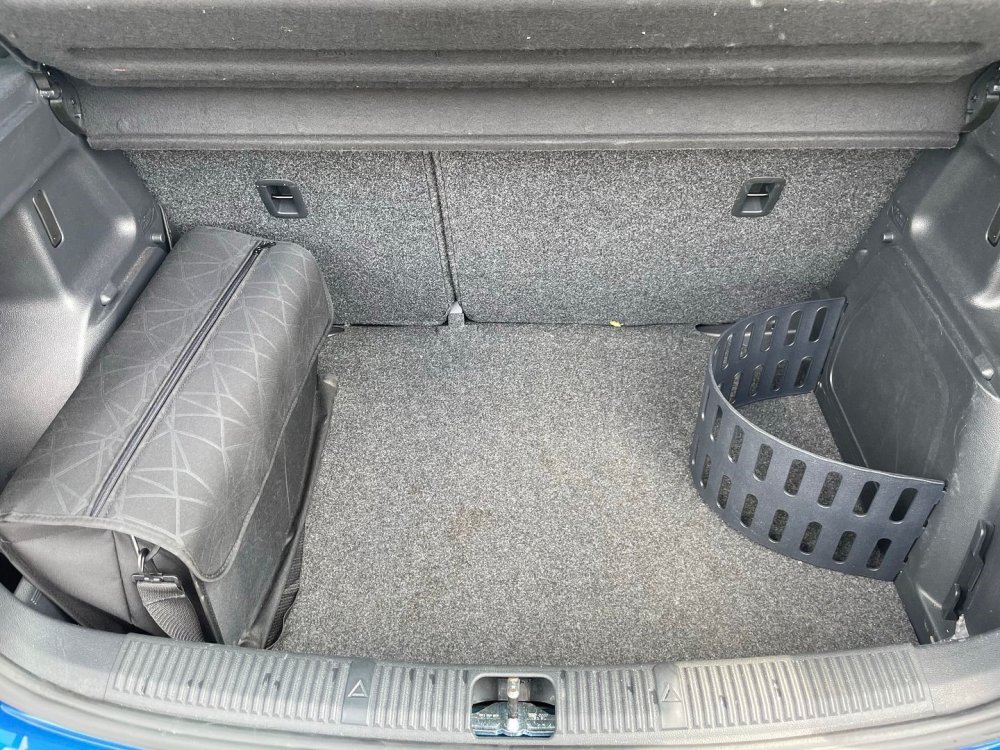
The attached picture shows a Fabia Mk 4 boot. It has a semi-circular bendy piece which appears to fit into the small slots on the right hand side of the boot. Any ideas on where these can be obtained from ??
-
Thanks - I'll see if that is the source of my rattle. However, I've noticed that on the last couple of jouneys I've done, the noise appears to have subsided considerably. Maybe it's temperature related ? as it improves after a few miles when the engine has heated up and also we've had hot weather just recently?
-
I'm getting a slight rattle noise in my Mk4 Fabia Colour edition which I think is coming from somewhere inside the car. It's very difficult to pin point the source. At first I thought it was coming from somewhere towards the rear, but it could be the dashboard. It noticeable when I start my journey, but tends to improve a bit after I've travelled a few miles. I've done all the obvious checks - removed everything from glove box, storage areas, removed tool kit/jack etc.. from boot, taken out rear parcel shelf, adjusted head restraints............ Have any other owners experienced anything similar?
-
I can recommend "The Wheel Shop" where I obtained a space saver tyre for my Mk 4 Fabia. It came with good quality jack, wheel wrench and strong tool bag.
-
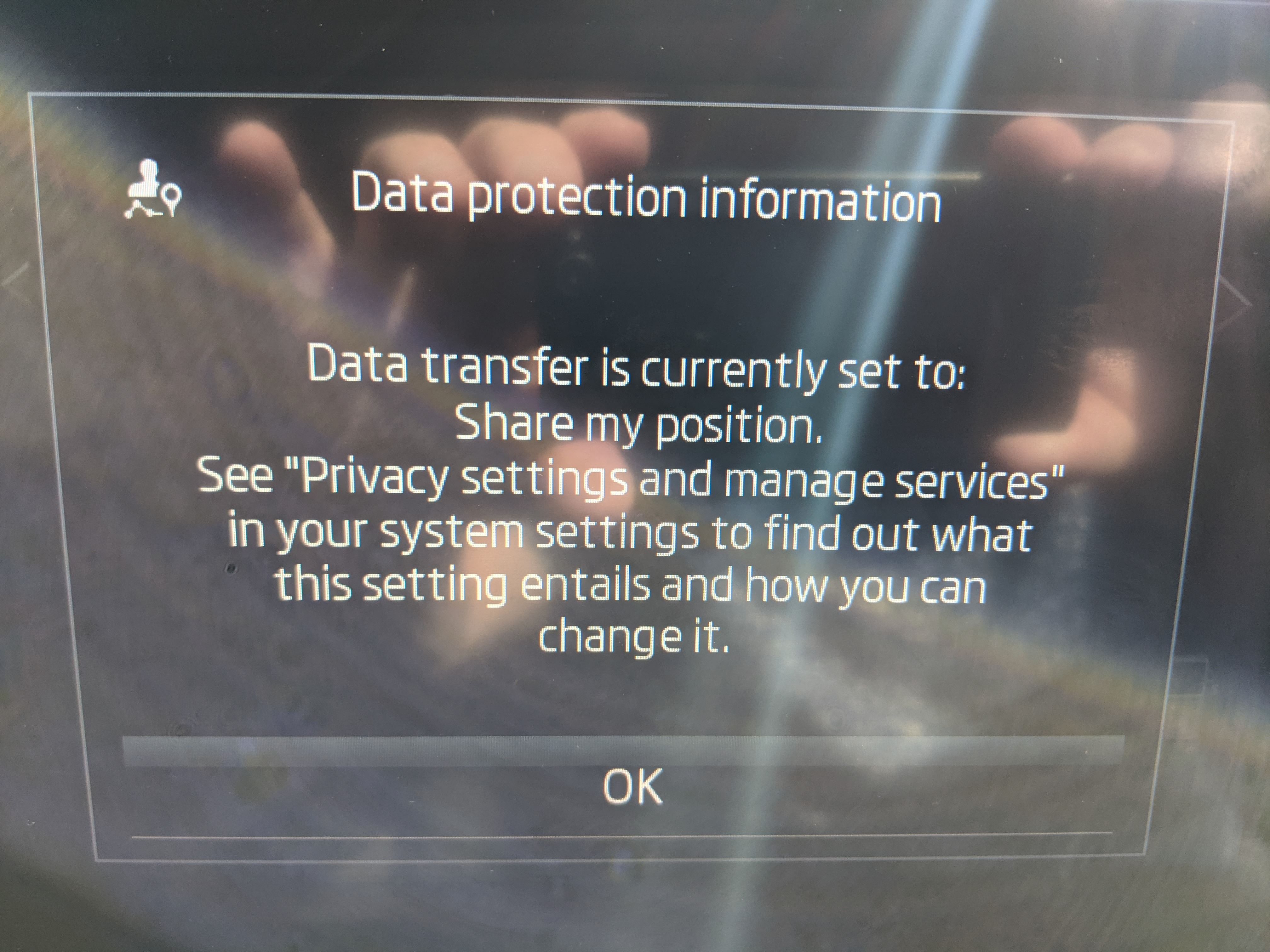
This "Data protection" display appears on my Mk4 too. I believe it's something to do with the "Skoda Connect" package that you can sign up to. I took my Fabia into the dealer I got in from and he played around with all the menu settings including doing a full factory reset which I'd tried myself beforehand. No luck - the message still appears. If you sign up to the Skoda Connect package I think it may then allow you to amend some setting that may get rid of it. However, I wouldn't recommend it as I think it's a waste of money - they charge you £50+ after the 1st year for a bunch of useless "features". An excuse for Skoda to extract more money from their customers. At first it was a bit annoying having to acknowledge it every time I started the engine, but i've got used to it now and it's just become automatic.
-
Getting low to mid 50's with urban driving. Longer trips on 'A' roads getting high 50's. Haven't done any long motorway trips yet, but reckon 60+ should be achievable. Really pleased with the mpg.
-
My colour edition Fabia doesn't have built in sat nav, but it's got Skoda Smartlink - I believe the Comfort edition has that too. That enables you to connect your mobile phone via USB-c connection and you can then use Google maps as your sat nav. As regards the clock - if the Comfort edition is the same as my Colour edition you can choose between 3 versions of a clock display - 2 analogue style and one digital.
-
Removing the aero trims - wise move! You'll now be able to clean your alloys properly. With the trims on I found it impossible to clean all the surfaces of my alloys.
-
I went to my Skoda dealer who tried to get rid of this message. He managed to get into the "Privacy" settings, but it didn't allow him to amend anything related to this message. He did a system reset with no joy. (I'd already tried this previously myself). He agreed with me that it's most likely something to do with Skoda Connect. If I was to sign up for that then it would probably allow me to amend a setting that would get rid of this message. I've no intention of getting Skoda Connect as I don't see the point of paying £50+ a year for a load of "features" that I'm not in the least bit interested in!! eg. I'm told I would be able to view all the car's journey statistics on my mobile phone. Big deal. !! It tells me when my car needs a service and books it for me - what's wrong with Google calendar reminder and picking up a phone ?? There are other so called "benefits", but I honestly can't see me using them or wanting them. Just an excuse for Skoda to extract more money off their customers. I've now got used to just tapping the "OK" button on the screen when I start up, so it's no real issue anymore.
-
Only had my Fabia a few weeks and haven't driven it at night-time so far, so I've yet to see how the LED headlights perform. When I recently went into a dimmly lit car park with lights on Auto setting, they switched on and lit up the car park very brightly. The jury's out !
-
Yep, I've seen that picture too. I reckon you only get those extra tailgate lights if you opt for the enhanced LED package. My Colour edition model just has the standard LED set up with LED running lights and headlights. I'm not bothered though - I was just curious .
-
Lights on the tailgate don't come on in all modes - Auto, Full, dipped, etc...
-
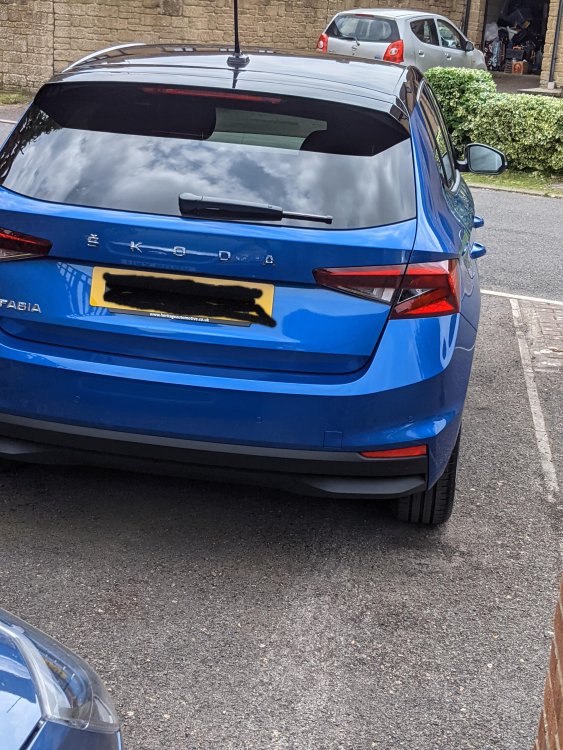
My MK4 Fabia, (Colour Edition), appears to have only one reversing light on the driver's side. Is this correct, or should there be two (passenger side as well). Also, the red lights on the tailgate don't appear to come on - only the lights on the rear side panels. Is this because I've got the standard light package and not the full extra LED option package?
-
Maybe the ones youv'e got a just a bad batch ?? The ones I got from Amazon fit perfectly - nice firm fit
-
This is the link to the Amazon site where I got mine from - they are a good fit. https://www.amazon.co.uk/dp/B01IY7ZM1C?psc=1&ref=ppx_yo2ov_dt_b_product_details
-
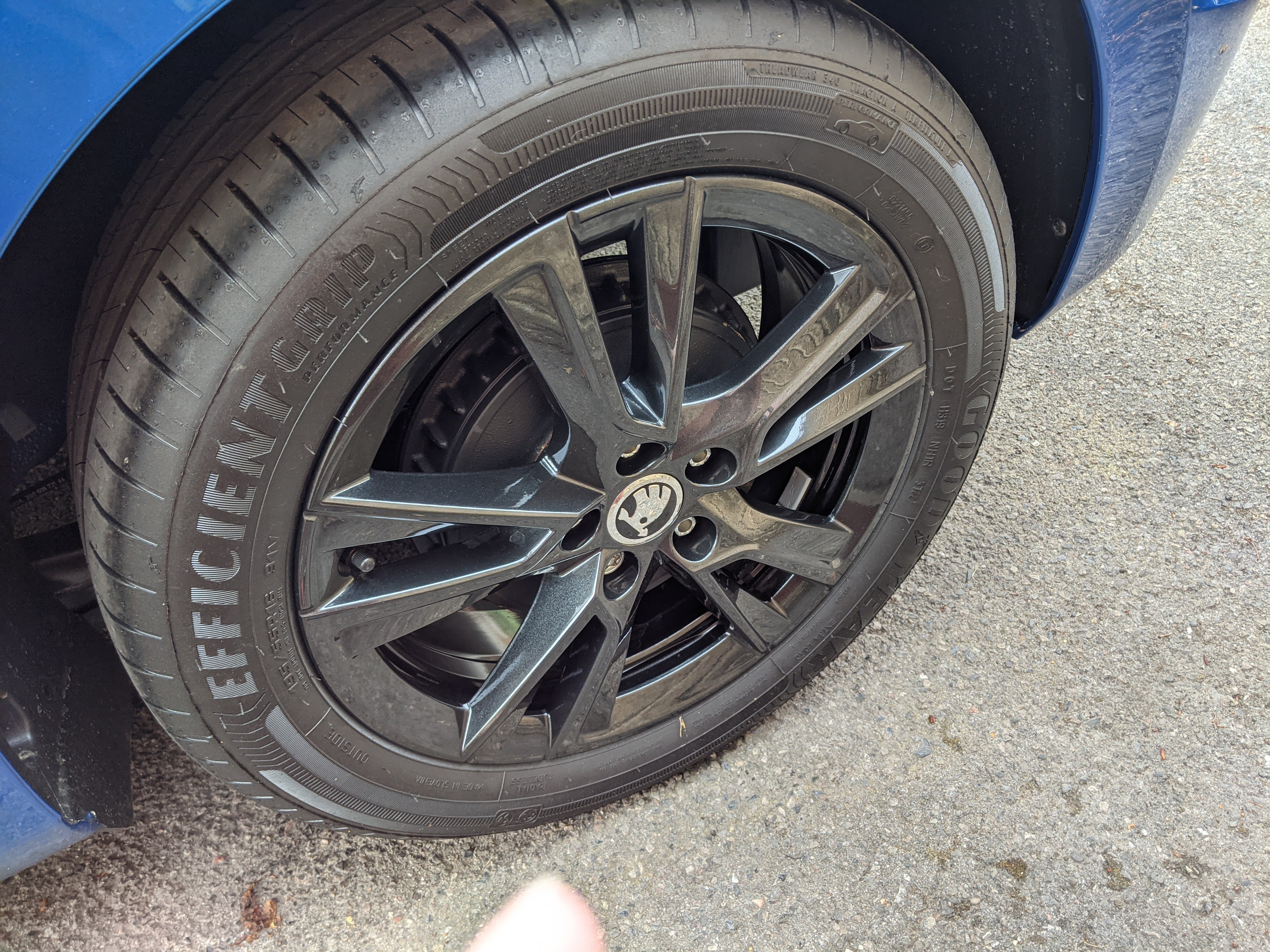
I got my centre caps from Amazon - the actual company was called Premium Sales who sell through Amazon. They cost £12.95. they fit perfectly. The wheel nut covers I've ordered also through Amazon - that company was called Partsdealers, but I see they are now "currently unavailable". They were quite expensive for what they are at £25.99. However, they are the genuine Soda ones. You can get those covers a lot cheaper through ebay, but they are the more generic ones and some user reviews say they are sometimes not a good fit, so beware. Yep - with the covers on they make the alloys, as you say, a pain to clean. I'd say impossible as you just can't get to the inside rims. Over time all the brake dust gudge would probably ooze through the aero trims and stain the spokes. Not good. Obviously the guy who designed them has never cleaned alloy wheels !!
-
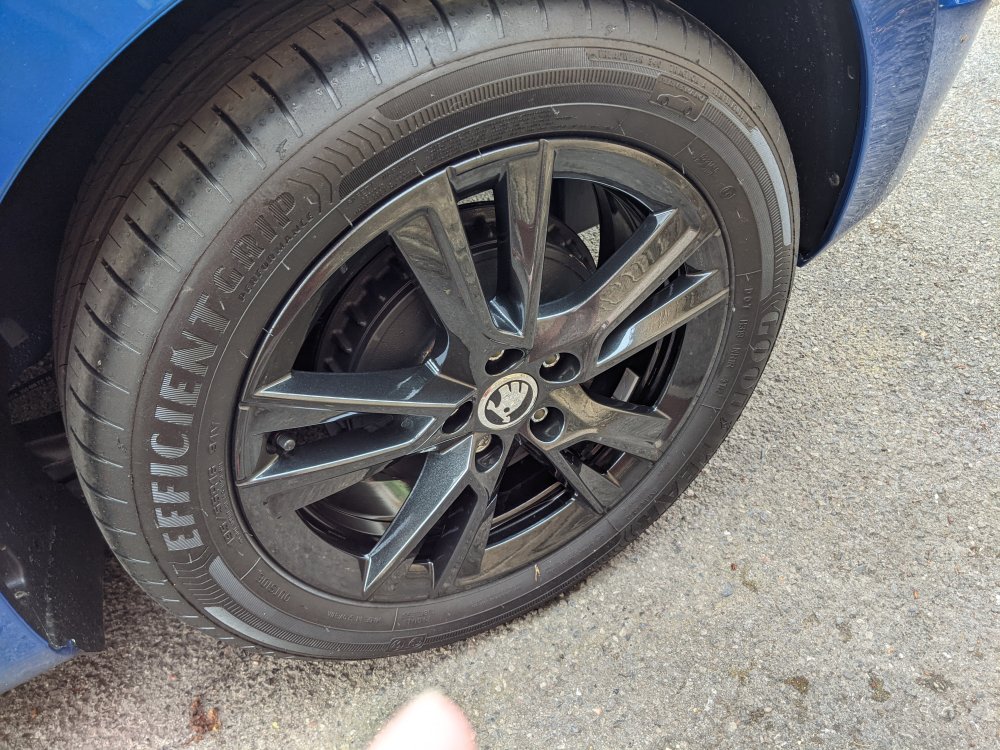
Advice to any owners of Fabia Mk4 (Colour edition). Recommend you remove the aero trims from your alloy wheels. A lot of owners do this because they don’t like the appearance of them, but I did it for another reason – it was impossible to properly clean the black alloys with them on. They prevent cleaning the inside of the rims and all the sides of the spokes. My car was only 6 months old when I bought it and when I took the trims off the inside of the alloys were covered in loads of black brake dust muck especially the front wheels. Took two buckets of car shampoo to get them all clean! I bought and fitted the centre caps and I’ve got some black wheel nut covers on order, although the wheels look OK without them – I’ll see what they look like with them on. Planning to buy some black alloy wheel polish to make cleaning them easier. Any recommendations? Anyone used Poorboy’s Wheel Sealant?
-
Every time I switch on the Infotainment screen I get this "Data Protection Information" displayed - see attached photo. I have to tap the "OK" on the screen to get rid of it. Not a huge issue, but slightly annoying. It's telling me to go into "Privacy and Manage settings" in the "System settings" to change it . However, I don't have any of those options in the "System settings" . Anybody know how to get rid of this message permanantly? I've got my mobile phone linked via Smartlink OK, but I don't think it's anything to do with that. Is it something to do with Skoda Connect Services - I haven't signed up to that and don't want it anyway. Could the previous owner of my Fabia signed up to it and it's some sort of hang over from that ?