Harbroe
New here
-
Joined
-
Last visited
Everything posted by Harbroe
-
That worked for me too: Octavia hatchback diesel 2016. Many thanks, Client 76
-
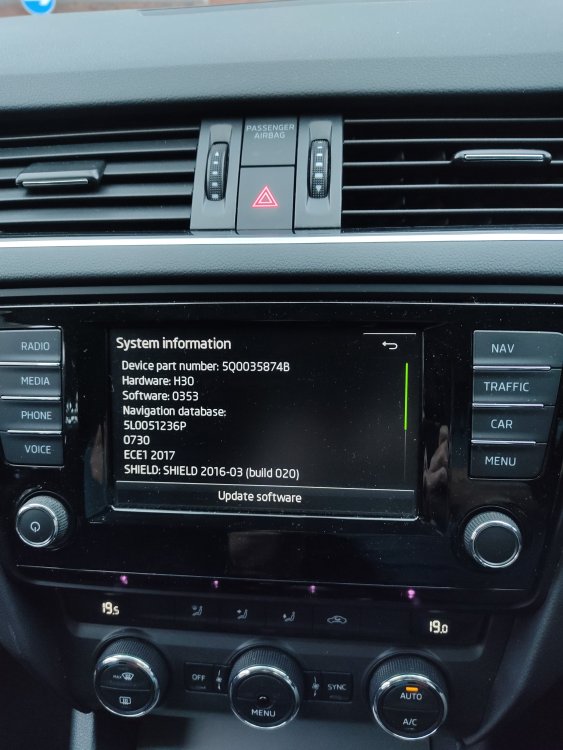
Hi - the phone is a Redmi Note 9S. That bit's easy. As to the device, I hope the image below tells you because otherwise I don't know how to discover what it is! Many thanks.
-
Sorry - should have been USB connection!
-
I'm a newbie on Skodas,though quite IT literate elsewhere. I can find no details anywhere of how to get the playlist system working. Currently I just get the "no playlist available" messsage when I try to use the facility with a Bluetooth link to my phone. Is this available only on an SD card or a USM connection, please? Or has someone written a basic guide to playist construction and use, or answered the question before? Thanks for any help.