




KR15PY
Finding my way
-
Joined
-
Last visited
-
It was coded in wrong when replaced. It was coded as though the CC was on the indicator stalk when it is actually a separate switch in the column. He recoded it in as a separate switch and all has been ok since. Unfortunately he didnt save the code or backup it up before replacement, so he just coded it as he thought. Tried to put the old one back on to read the code but it failed when doing so. Not sure yours will be the same issues but worth checking it's coded as the right type of switch.
-
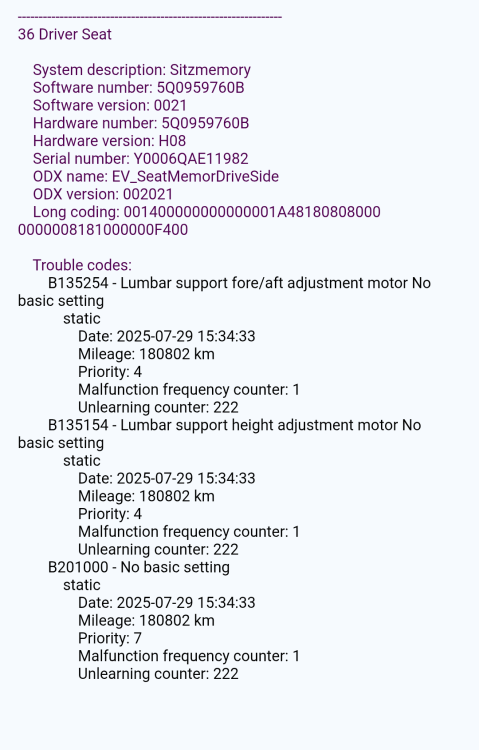
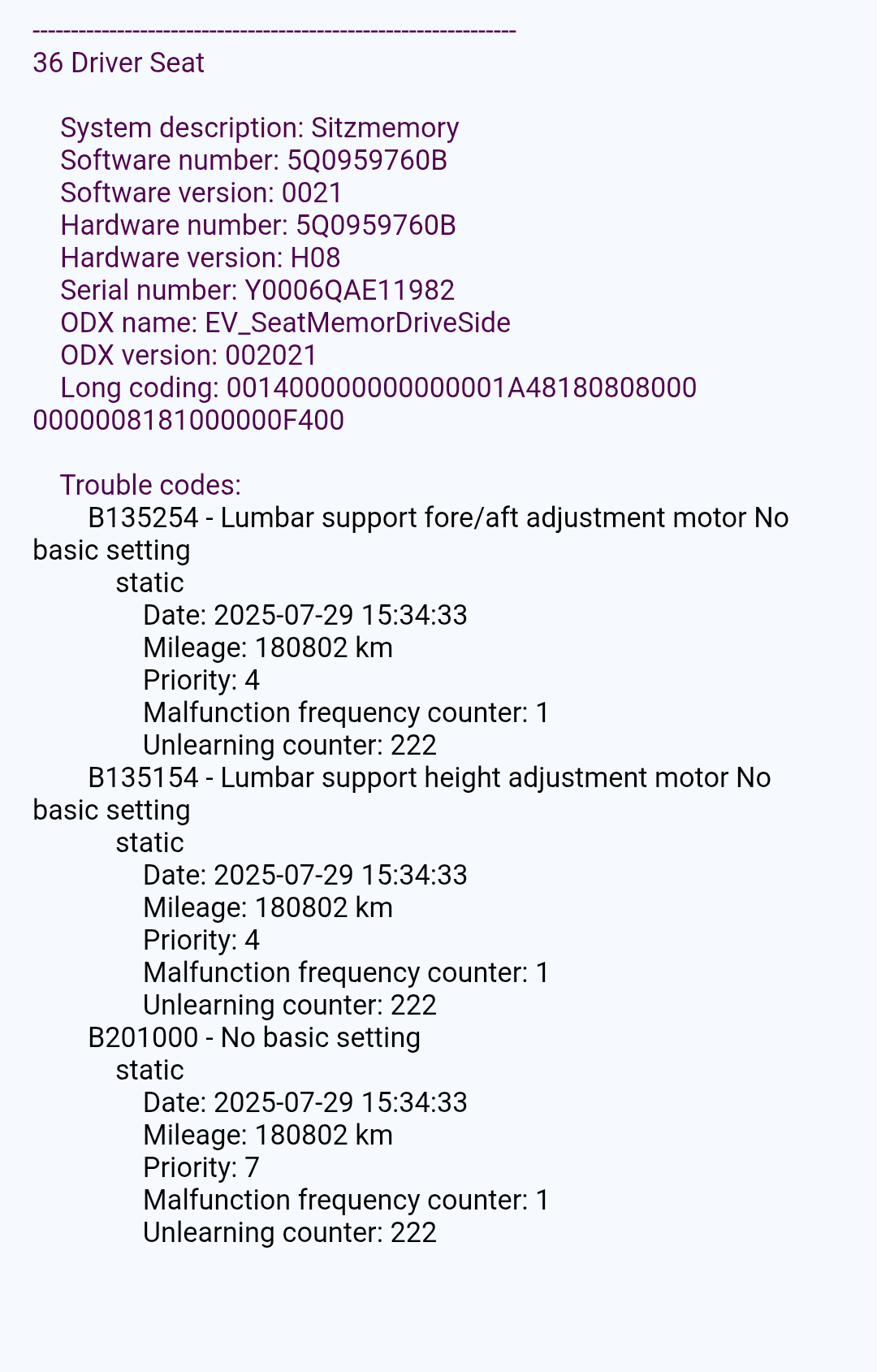
I lost seat memory after clock spring replacement. The mechanic wasn't sure what to use from the 3 options in VCDS so I told him to restore factory settings. Apparently I should not have suggested that as it should have been the one that sets the parameters. Is there anyway I can find the code and check it against the one I have to see what needs to be changed without having to go to Skoda Dealership. I have OBDEleven Pro and have tried normalisation with that but it does nothing, I have also tried the manual way of doing the parameters again with no result. I'm hoping I can just somehow pull the coding or copy the coding from a similar model and change the long coding values if they are wrong. 2017 Skoda Superb Estate 1.6 TDI SE Technology.
-
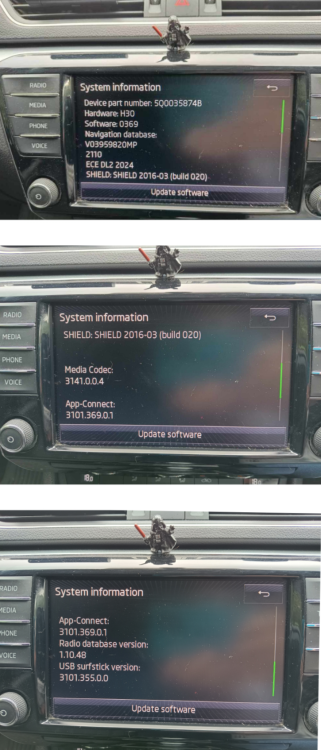
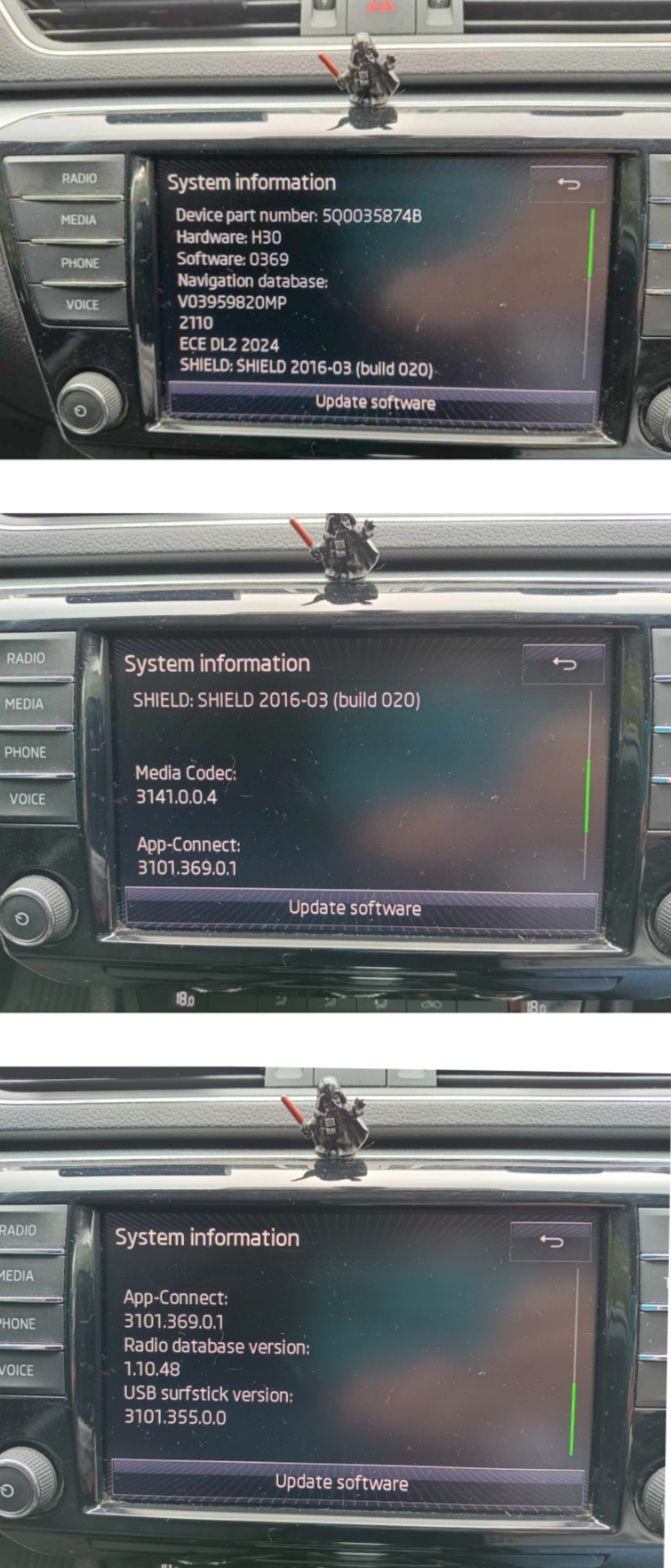
Hi @pab567 can you please let me know if mine needs any updates or if it's all up to date? Skoda Superb 1.6 SE Tech 2017 Thankyou
-
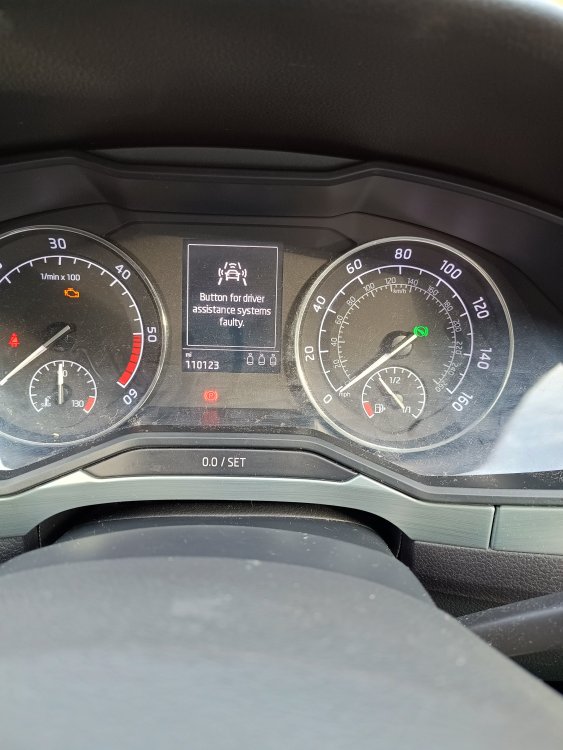
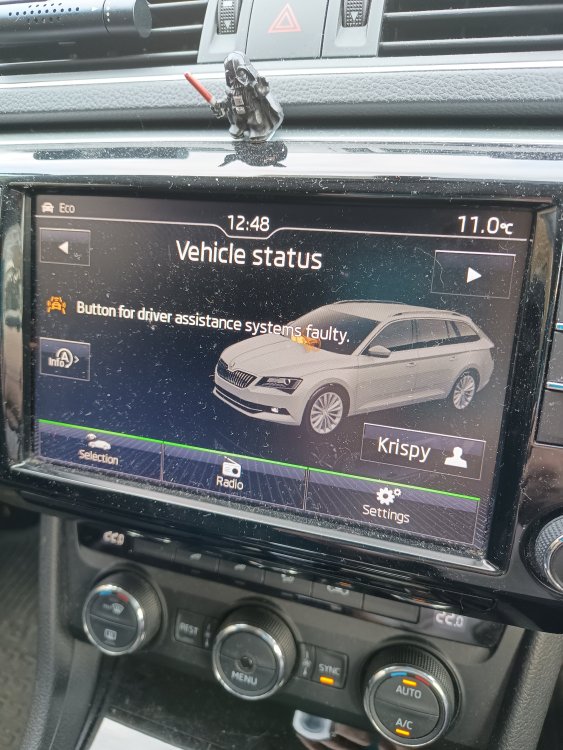
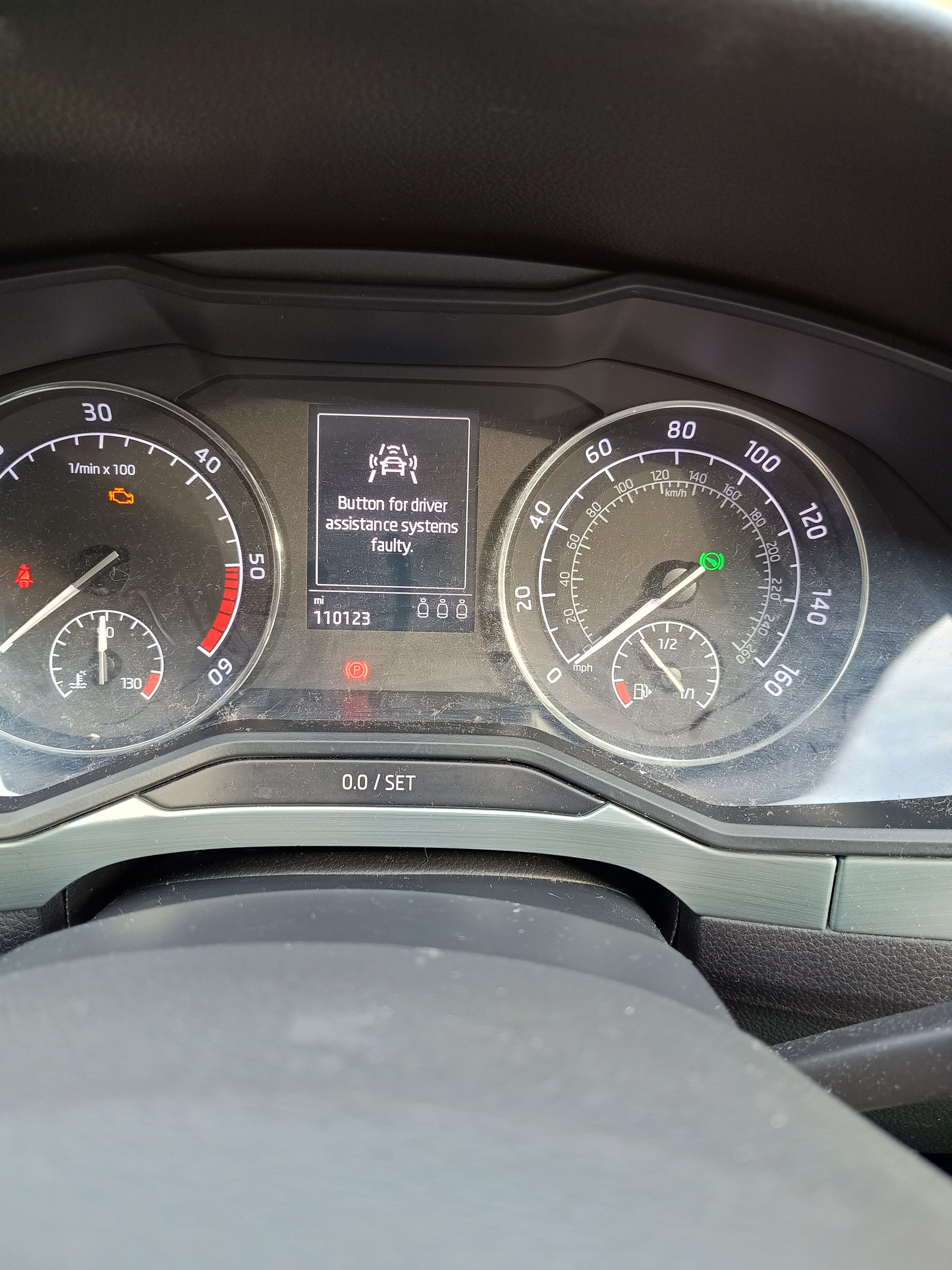
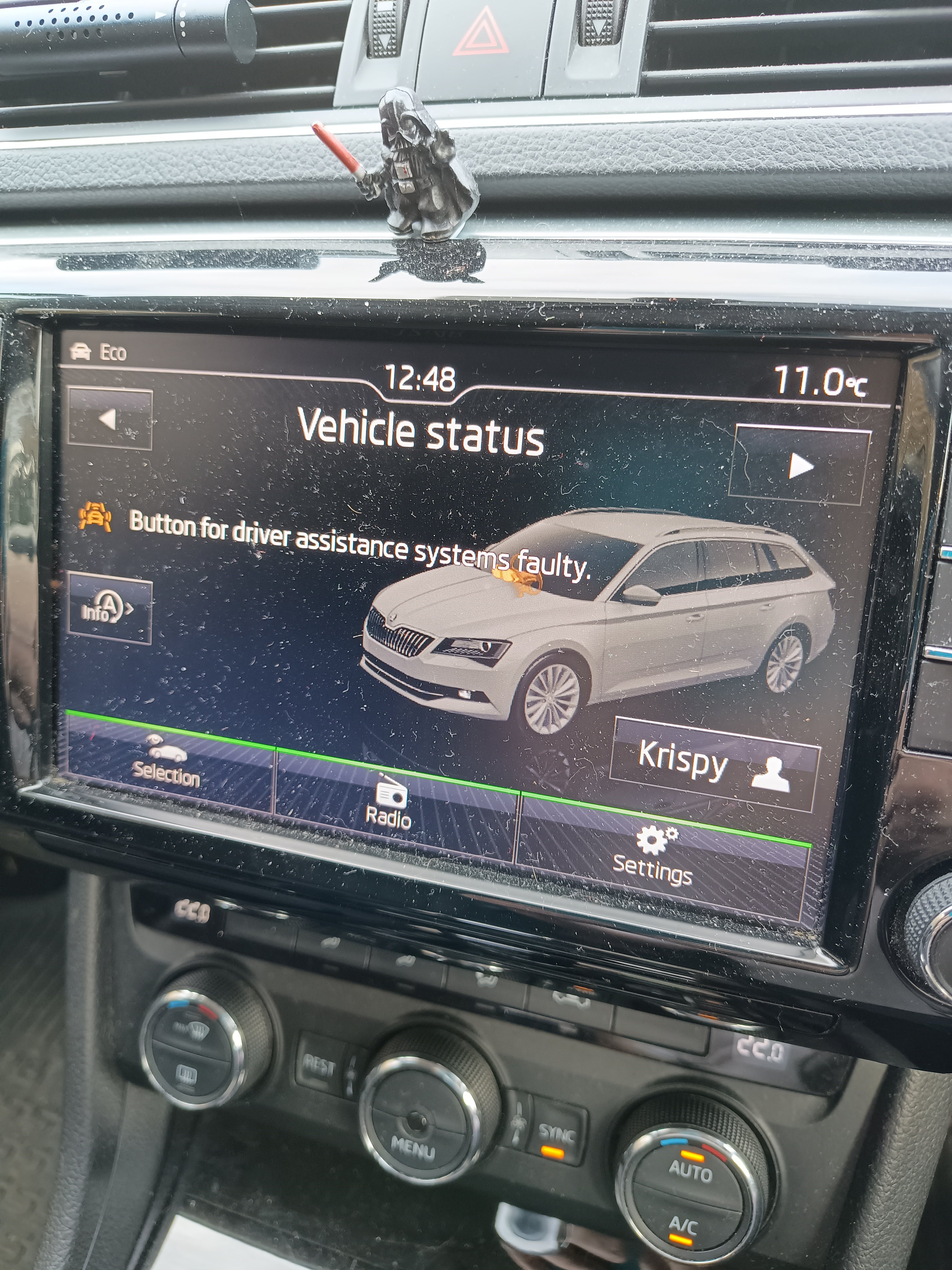
The clock spring failed on my Superb, airbag light on and lost all functions on the MFSW. So I ordered a replacement which I got my local mechanic to switch and code in for me. When he done this, he has said the first attempt wasn't accepted but when he tried again it went through ok. However it now throws up an error with the driver assistance as shown. Any ideas on what is going is, is it something he has missed/not changed when coding in the new clock spring? Thanks for any advice in advance.
 Thanks, I see what you mean now, though still having issues but I think it might be cos I'm using a phone. Will try on a laptop later.Yeah, thanks. I have done this with @ApertureS and he has been very helpful. Which is appreciated and why this group is so good.This I is what I get
 Typed that in got some developer site, nothing about Skoda.Hi everyone, I need to replace a few parts on the front of my 2017 1.6TDI SE Technology DSG estate (combi). I was given a link to ETKA, where I can look at build plans. However when referencing the parts I require, I have found there are several variants with a different letter suffix. In the remarks section, there are different codes which I believe may relate to the vehicle variants. How do I find out which code is relevant to my car? Thanks in advance for any advice.



Important Information
Welcome to BRISKODA. Please note the following important links Terms of Use. We have a comprehensive Privacy Policy. We have placed cookies on your device to help make this website better. You can adjust your cookie settings, otherwise we'll assume you're okay to continue.