Animaki
New here
-
Joined
-
Last visited
-
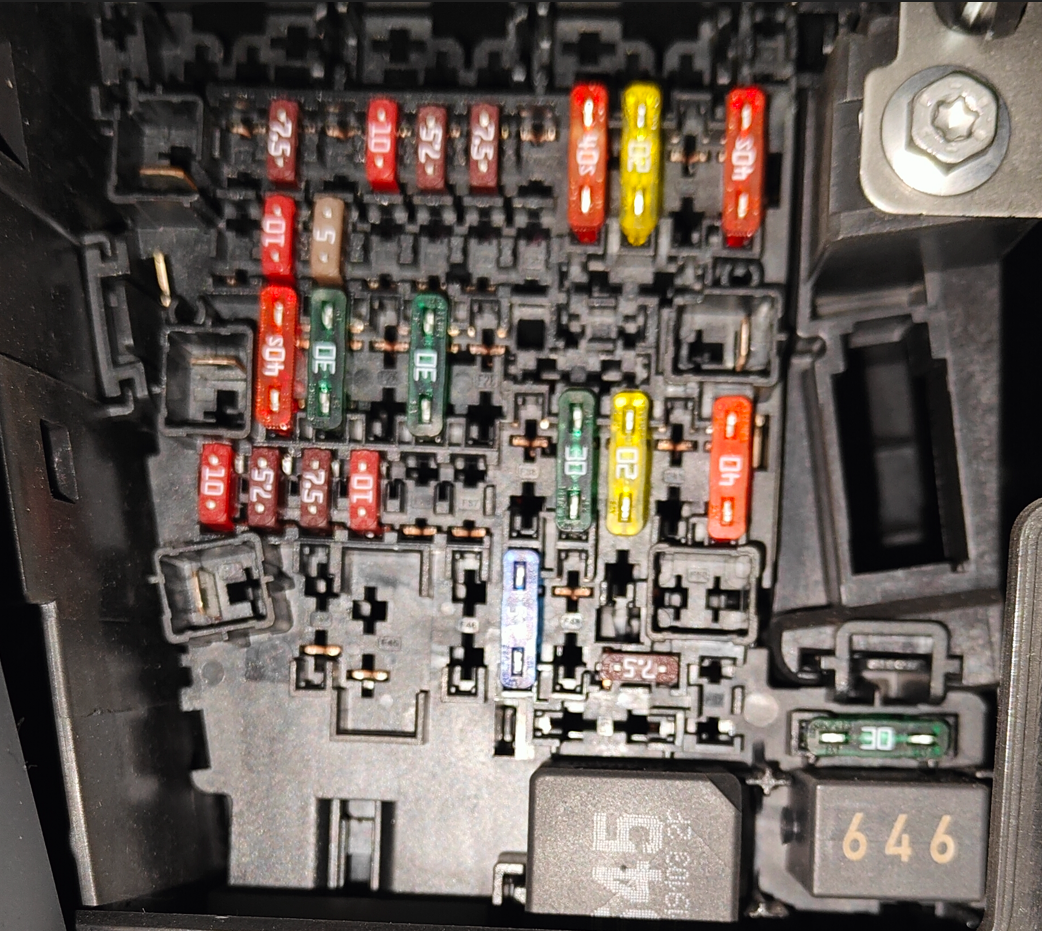
Hi again, small update regarding my last post here. I tried to piggyback hardwire the 70mai Omni Dash cam yesterday in order to have Smart Surveillance, AI Motion/Collision Detection etc. I used the blue fuse in slot 47 (rear wiper) for ACC wire, and yellow fuse from slot 40 (12v output in the rear seat) for BAT wire, and for GND i used the bolt screw. I got the power and been able to turn on the camera, but I still wasn't able to use the camera features. In other words, the hardwire connection was basically the same as connecting to USB socket, the only difference was that I had the battery powering the camera when the car is off. Not sure where to go from here. 😐 I'll try to get help from the official ŠKODA service if I don't find anything that could be helpful online.
-
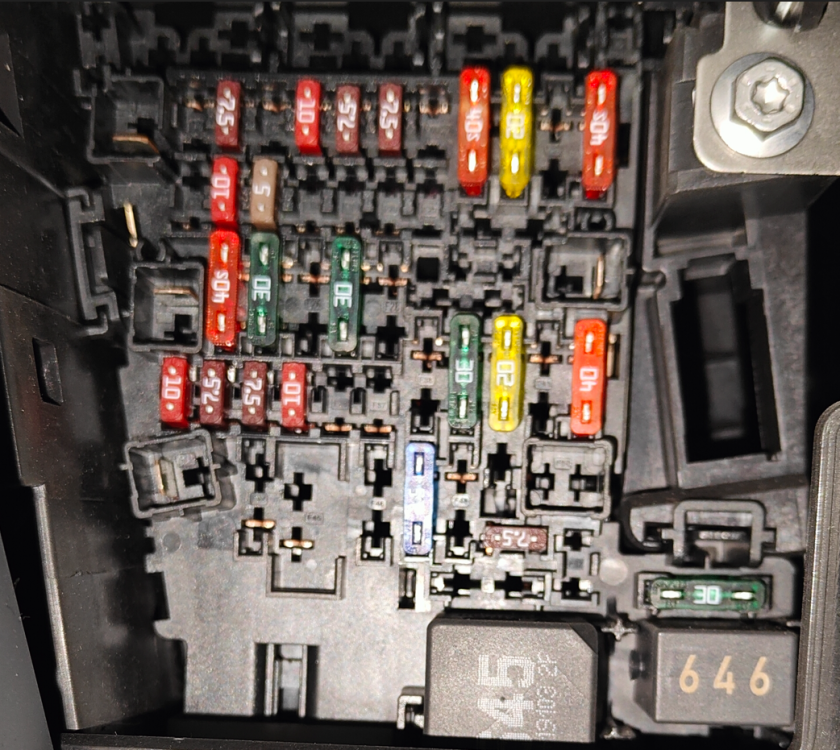
Hi everyone. Since I never did anything similar in practice, and this Karoq is my first personal car, I'd say I'm a beginner in car electronics, and I would appreciate any advice from experienced members on how to hardwire the cam to the fuse box. I found previous comments on this thread very useful, like having in mind the Airbag on the A pillar etc. After (let's hope so) successful wiring process, I plan to share my experience with pictures and a tutorial here, for other members. Yesterday I bought the 70mai Dash Cam Omni 360° dash cam. It has a lot of various features (24H Smart Surveillance, AI Motion/Collision Detection, Built-in GPS, ADAS, Route Tracking) but they are working ONLY if you connect the cam with a hardwire kit to the fuse box (It also has the option of 4G hardwiring, which enables you to track the vehicle via 4G SIM, but i think that's a overkill for me ). The manufacturer has some YouTube tutorial on how to connect it, but I read in the comments section that that's the wrong way to do it (since the instructor is directly connecting the hardwire to the car fuses without any piggy back adapters). I found this video on YouTube useful for overall understanding of the hardwiring process. I plan to use this wiring path 1 and path 2 to run the wire from the cam to fuse. So, here's the Karoq manufacturer fuse box schematics and here is the photo of my own fuse box (sorry if its a bit blurry) I guess I could test the fuses with a current tester or multimeter device, but I'm curious to listen to your advice which fuses to pick from the picture? Again, for the Dash cam parking module and other stuff to work, I need to have one BAT live connection, one ACC accessory power connection. The only think I'm sure of is the Ground connection Thank you all!
-
It's a manual. The last series with small ŠKODA lettering on the back
-
Hello, i'm Ani Maki and I own Karoq 1.5tsi 2019 (last series without big SKODA logo on the trunk) Exited to be a part of the forum!