TR970
Finding my way
-
Joined
-
Last visited
-
Little update to this: canceled the part order, took Mike's advice and formed a new gasket with a thick layer of RTV. This worked and there are no more leaks.
-
Thanks a lot guys. It seems that it comes with the rear crankshaft seal assembly (036 103 171B) Mystery solved! Ordered the part (FAI brand) for 25€ shipped.
-
Unfortunately the original looks too damaged :/
-
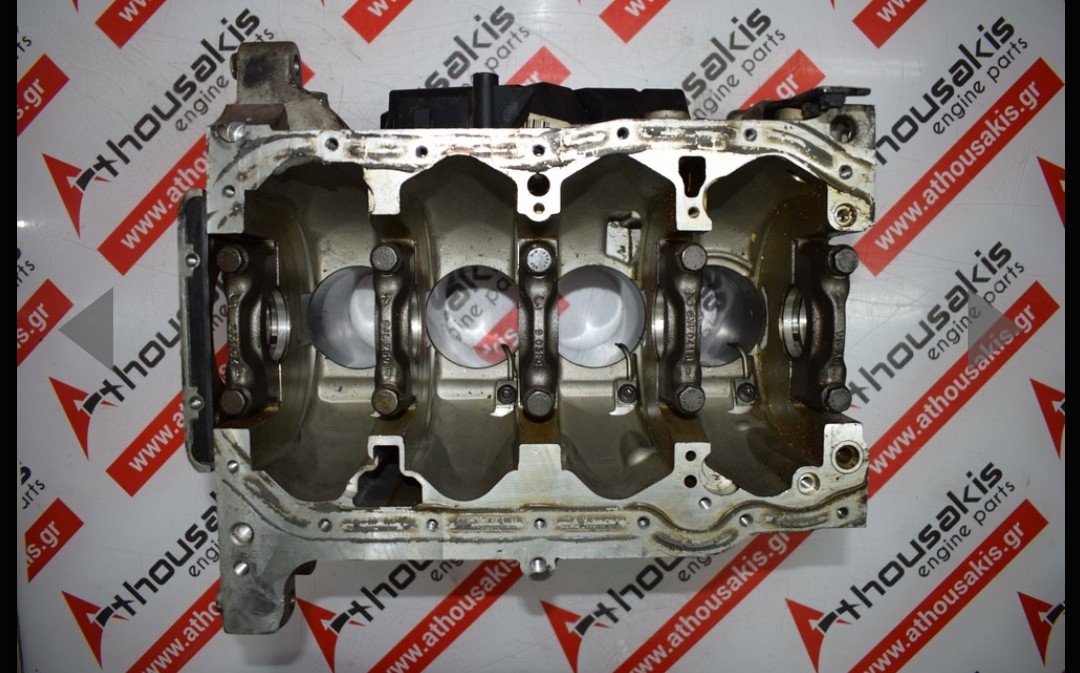
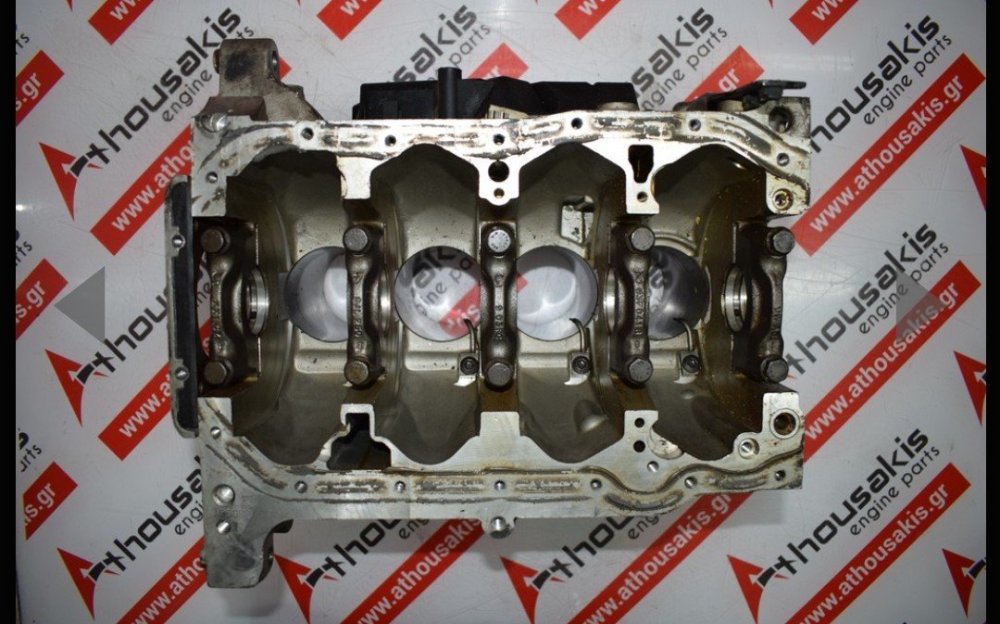
Yes I checked the link.. but I put a better picture here. Look at the left hand corner. The RTV silicone will come top of the gasket and the metal surface. I'll contact a VW/Skoda dealer if they know more. I have a gut feeling this is a part which is only coming with the block assembly.. https://www.athousakis.gr/en/kormos/engine-block-03f103101b-03f103019j-for-audi-seat-skoda-vw-10.html
-
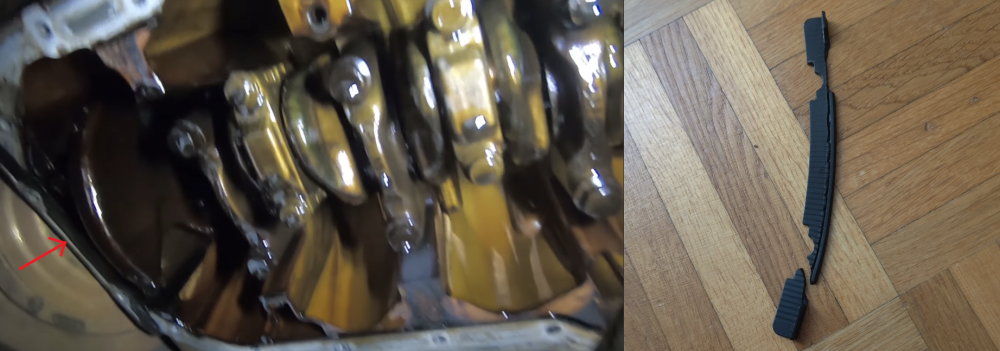
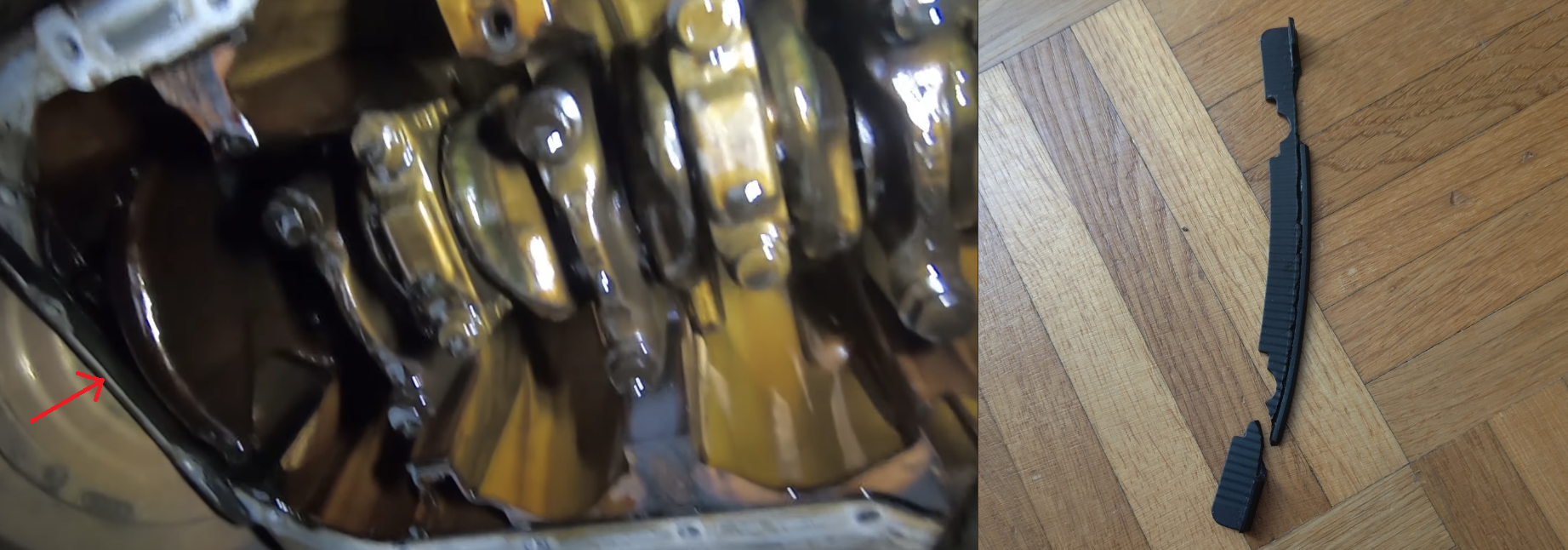
Hey, thanks for the response. The problem is that this is a hybrid one, uses both in reality (RTV + little rubber strip near the transmission side). The issue is that instruction videos never even tell about the rubber gasket near the transmission side. The RTV comes top of the gasket, but if it's missing there's a nice gap, roughly 2mm in depth. I just understood that I had to scrape all old RTV material out and did the same to the gasket strip.. Argh what to do. If I don't find a part number, I need to cut out some cork and make a gasket out of it.. The only thing that reads on the gasket is 'AEM', nothing else. If this is only available with the engine block, there's no hope for the original part..
-
Hello all, Just did the timing chain + oil pump chain + sprocket change to my Octavia with the 1.2 TSI CBZB engine. Everything went well, but I accidentally removed a rectangular gasket near the gearbox. I thought this was RTV silicone and I ripped it out. Well as you can guess, my oil pan is now dripping from there. I've spent hours on searching the part number or name, but cannot find it. Help please :,)