




rloor
Finding my way
-
Joined
-
Last visited
-
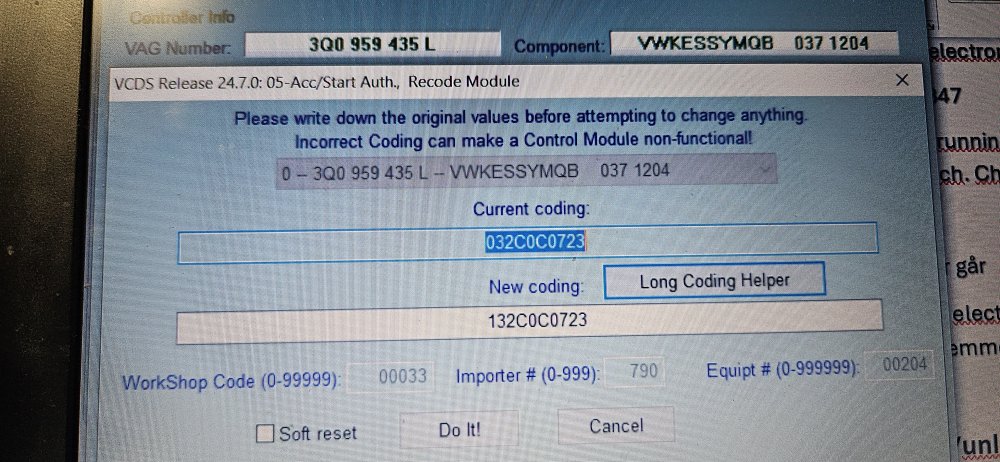
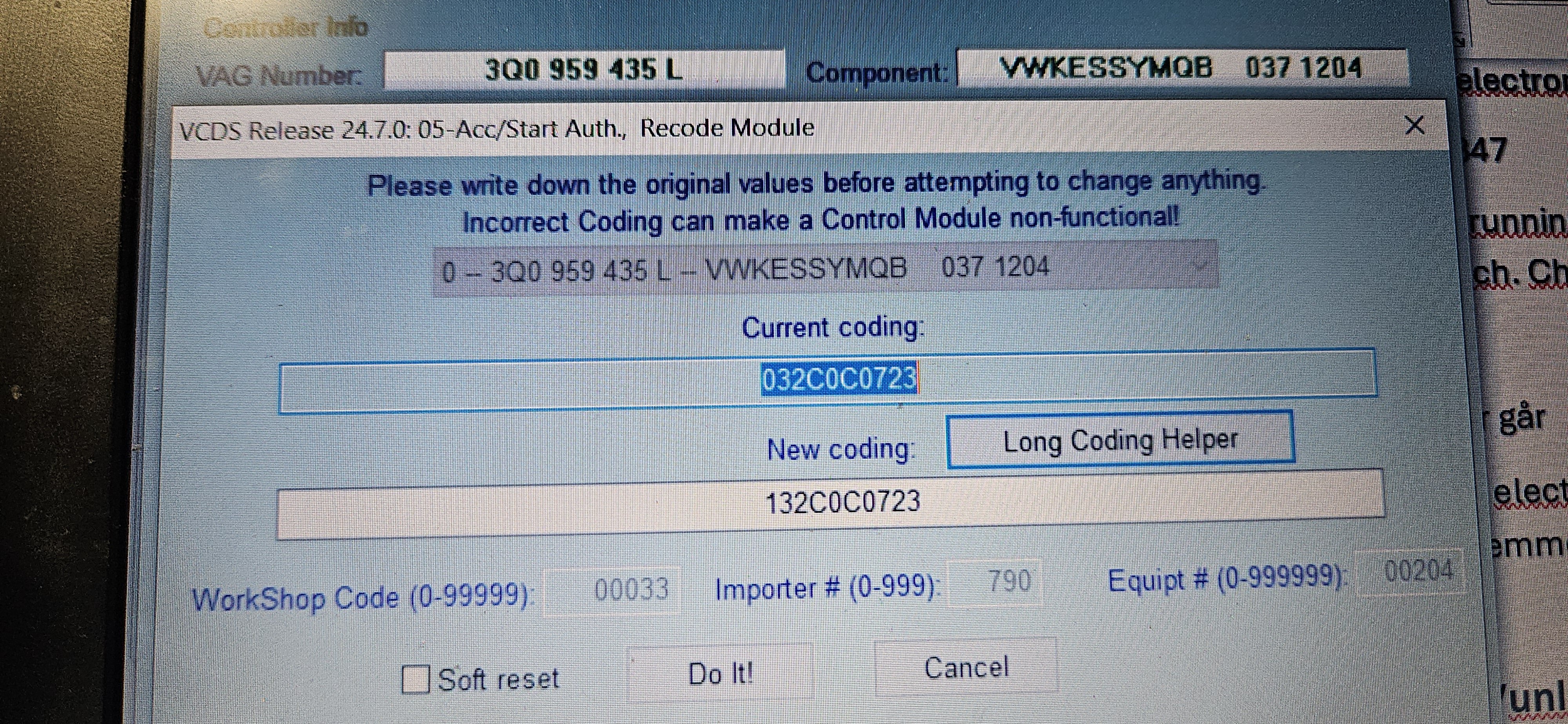
It is set to "active". see picture of long coding
-
Ooh 😛 hmm then I'll have to do some more research on this. It would have been nice to have that function on the Kodiaq too
-
Hi! I have just invested in a Kodiaq 2020 VRS model. I have programmed so that I can lock the car with the remote control when the engine is on. But can't manage to lock it via the door handle. I had a Supber 2019 and I managed to program all that on it. Have tried the same programming on the Kodiaq. But can't even lock the car by the kessy handle when the engine is on. Has anyone done this on the same model? I have read up and down on various forums and tried different recipes. also used google. I have also tried searching this forum and read many posts, but can't find an answer to my problem. Have activated the following so far: 09 Cent electronics: ENG141651-ENG115754 -- ZV allgemein - Funk bei Klemme 15 ein. Found this but it doesn't seem to work Enable passive lock/unlock via door handle sensors (KESSY) with ignition on B7 - Access Start System Interface Long Coding 0F20000723 -> 1F20000723 or-> Terminal 15 characteristics of passive entry exit function orig. value: Function only allowed for terminal 15 off new value: Function only allowed for terminal 15 on I have done this via Long code on the 05 ACC/Start authorety system I have just invested in a Kodiaq 2020 VRS model. I have programmed so that I can lock the car with the remote control when the engine is on. But can't manage to lock it via the door handle. I had a Supber 2019 and I managed to program all that on it. Have tried the same programming on the Kodiaq. But can't even lock the car by the kessy handle when the engine is on. Has anyone done this on the same model? I have read up and down on various forums and tried different recipes. also used google. I have also tried searching this forum and read many posts, but can't find an answer to my problem
-
Hi! Can you tell me what you did to get the easy entry to work? I have tried som coding and aaptions i found in some forums. but none of those work on mine
-
Hi folks I have tried on my superb 2019 to remove sound with engine running door open with vcds. But it still beeps when driver door is open with engine running! Is there something else that need to be changed also?
-
Yes i did read the owners manual parking light section. But that is just when the ignition is off. I want them to dim when the engine is running. They do dim when i turn on the foglight
-
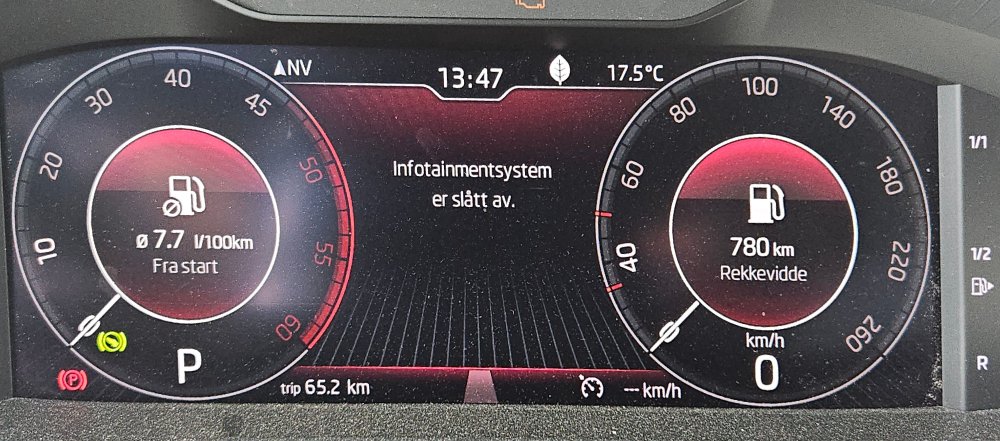
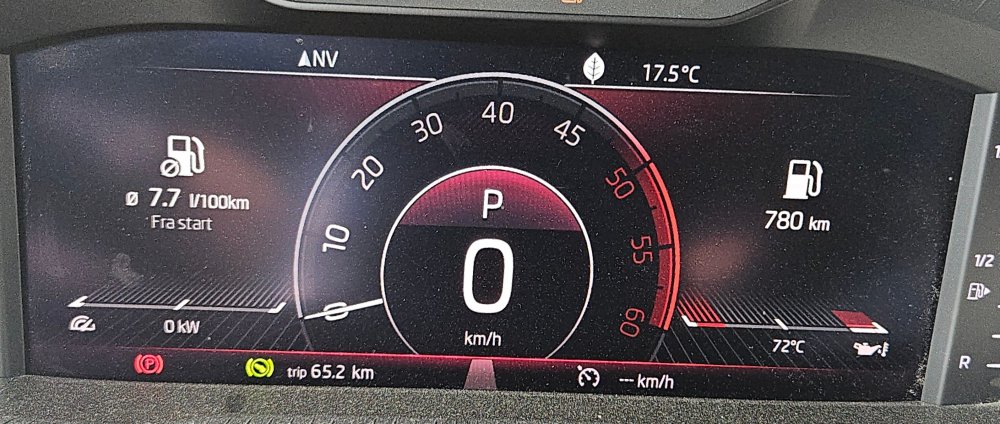
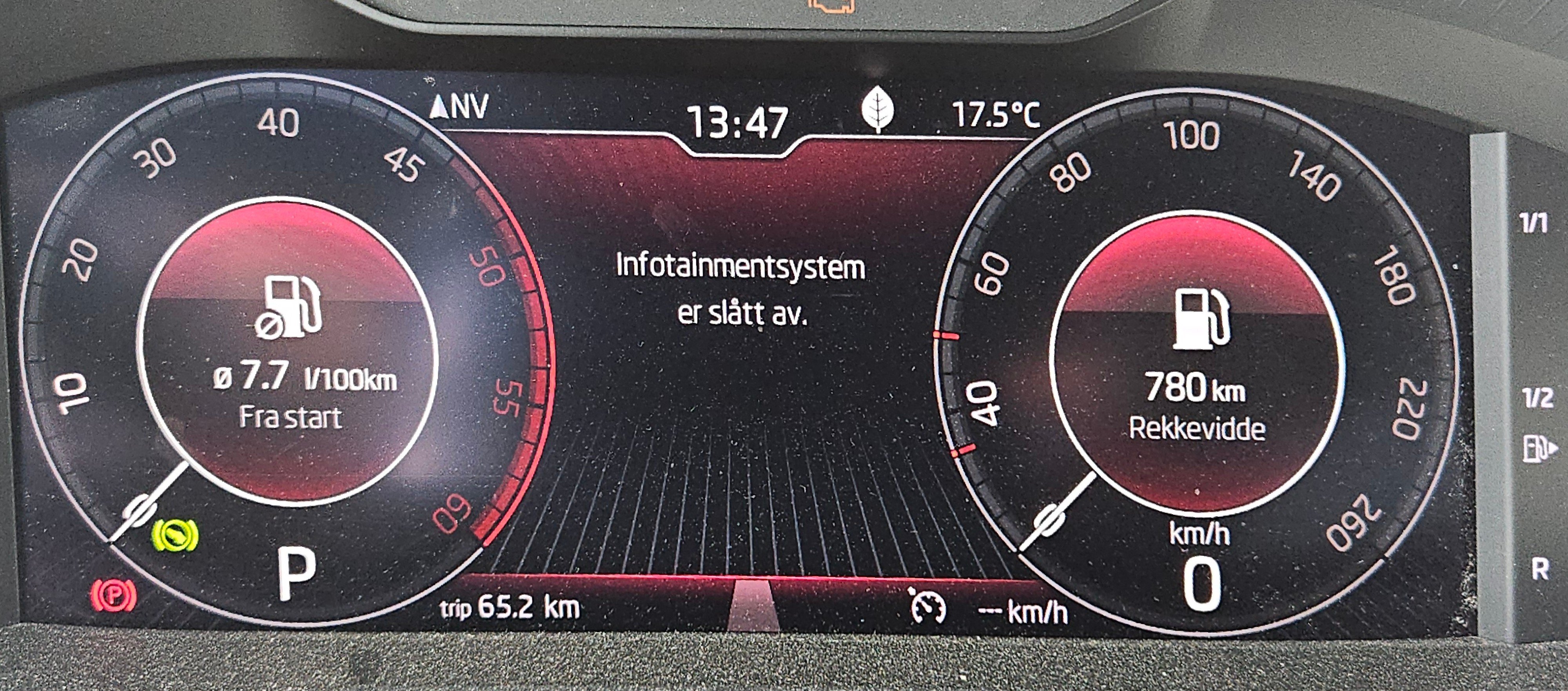
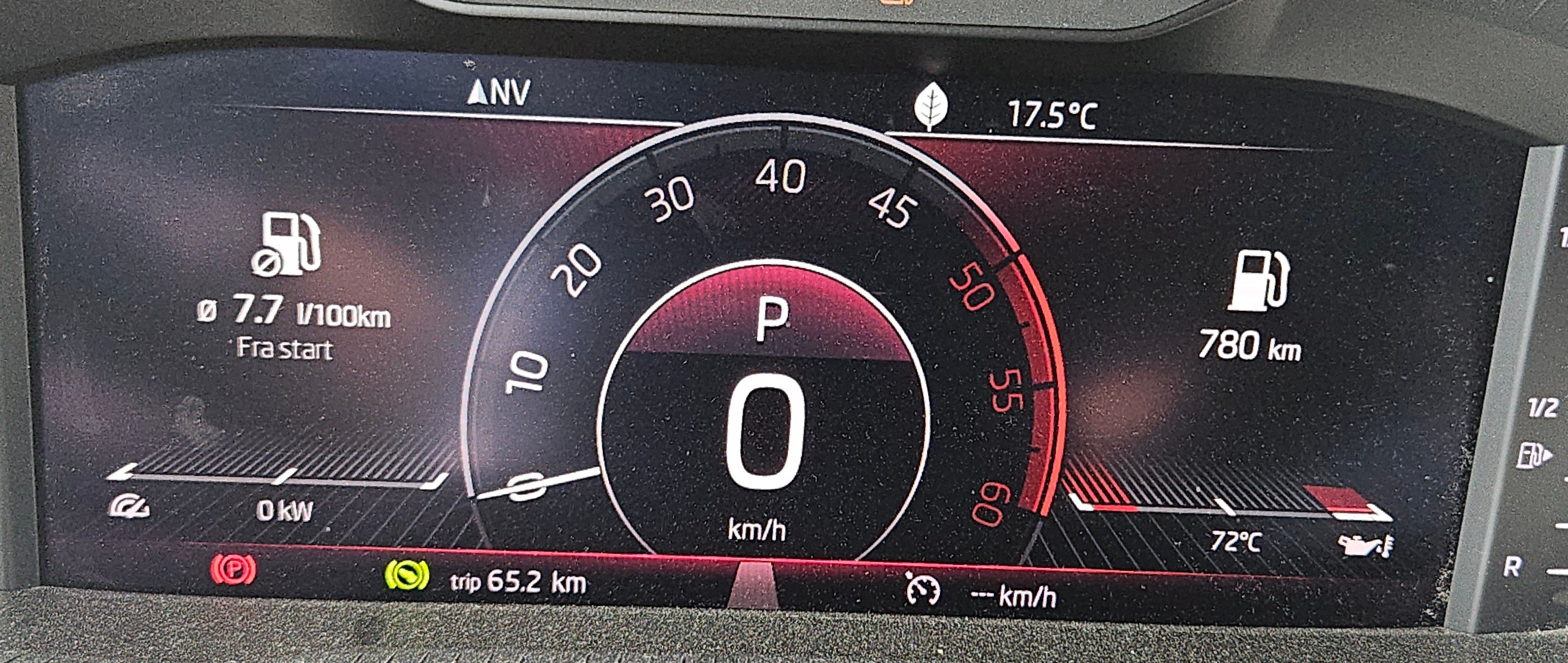
Is it possible to change the start up screen from the first picture to the second one with speedometer in the middle?
-
Yes i mean position light. sorry for my english is not 100% 😛
-
Yes the car is previous owned. But they have done nothing special with the software
-
Yes. Her i Norway we call it parkinglights.
-
I think you don't understand what I mean. When I turn on the parking lights on the car at the switch, they shine as brightly as the DRL lights during the day. They do not dim down the brightness. They dim when I activate the fog lights and the low strength strip (DRL) I want when the parking lights are activated. And when it's dark out, this is very annoying
-
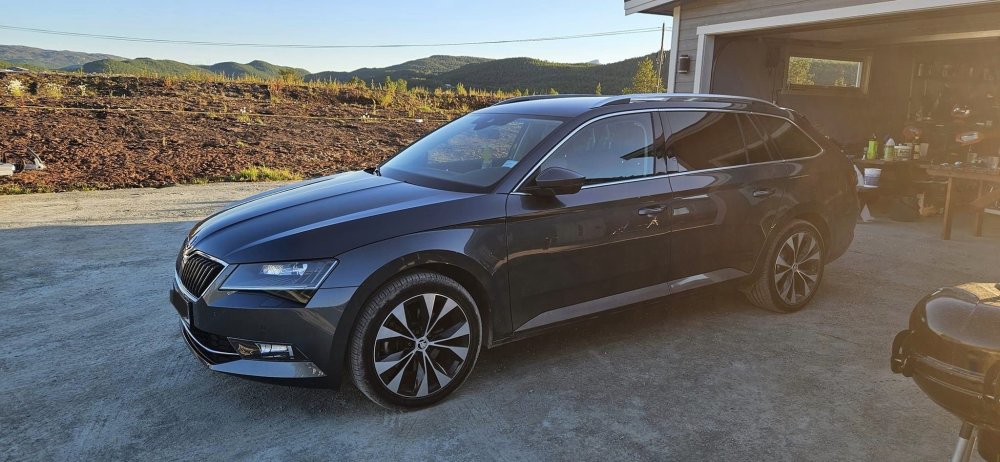
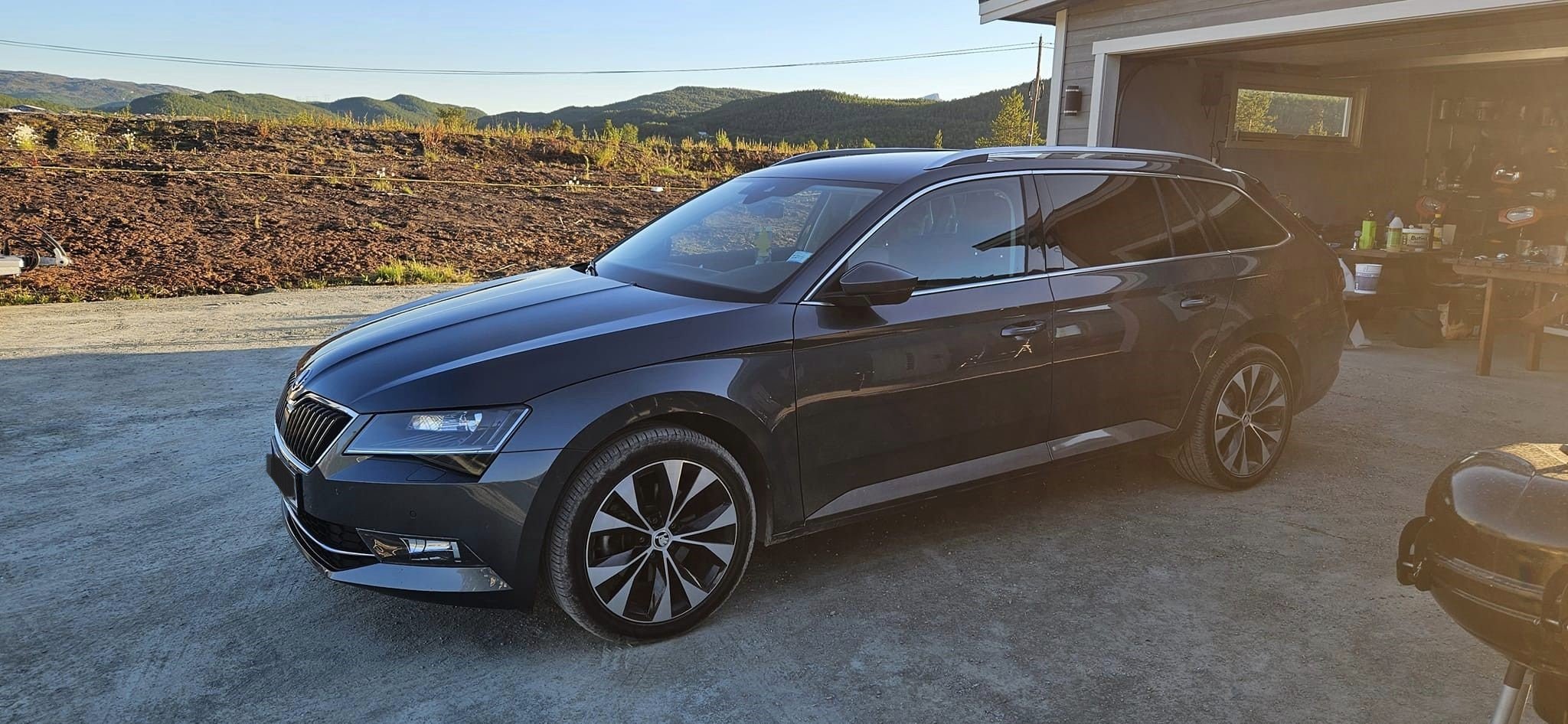
Thanks Yes 2 light in the front. When its dark outside the light is bright as drl on daytime. i wont them them to dim down a bit. when i park the car on the roadside and turn off low. switch on parklight they are wery bright.Hi! I tried to search in this forum and on google. I have a question about the front park light. When i do activate the parklig posistion on the switch the parklight is bright as hell 😛 They are like the drl´s. I want to make them dim down to a "normal" level. I have bi-xenon matrix headlightsNewbie from North Norway. Bought my first skoda last summer. So far it has been a good car. Just some smal doorlocks problem. I do the most of the work on it my self. I have resently bought VCDS and starting to change som parameters.


Important Information
Welcome to BRISKODA. Please note the following important links Terms of Use. We have a comprehensive Privacy Policy. We have placed cookies on your device to help make this website better. You can adjust your cookie settings, otherwise we'll assume you're okay to continue.